Look, I’ll be honest with you. When OpenAI announced yet another voice model update on October 15, my first reaction was a tired sigh. Another point release. Another list of adjectives. But then I actually dug into GPT-Live-1.1 — the new model behind ChatGPT Voice — and it turns out this one is worth your attention. Not because it’s a breakthrough (it’s not), but because it quietly reshuffles who gets what, how much voice time your plan buys you, and which languages finally sound like they were recorded by actual humans.
If you run a startup, or you’re building anything with a voice interface, this is one of those updates that’s boring on the surface and useful underneath. So let’s get into it — what launched, the 13 new voices, the new Quip model, the quotas, and the parts OpenAI would rather you didn’t ask about.
What actually launched on October 15
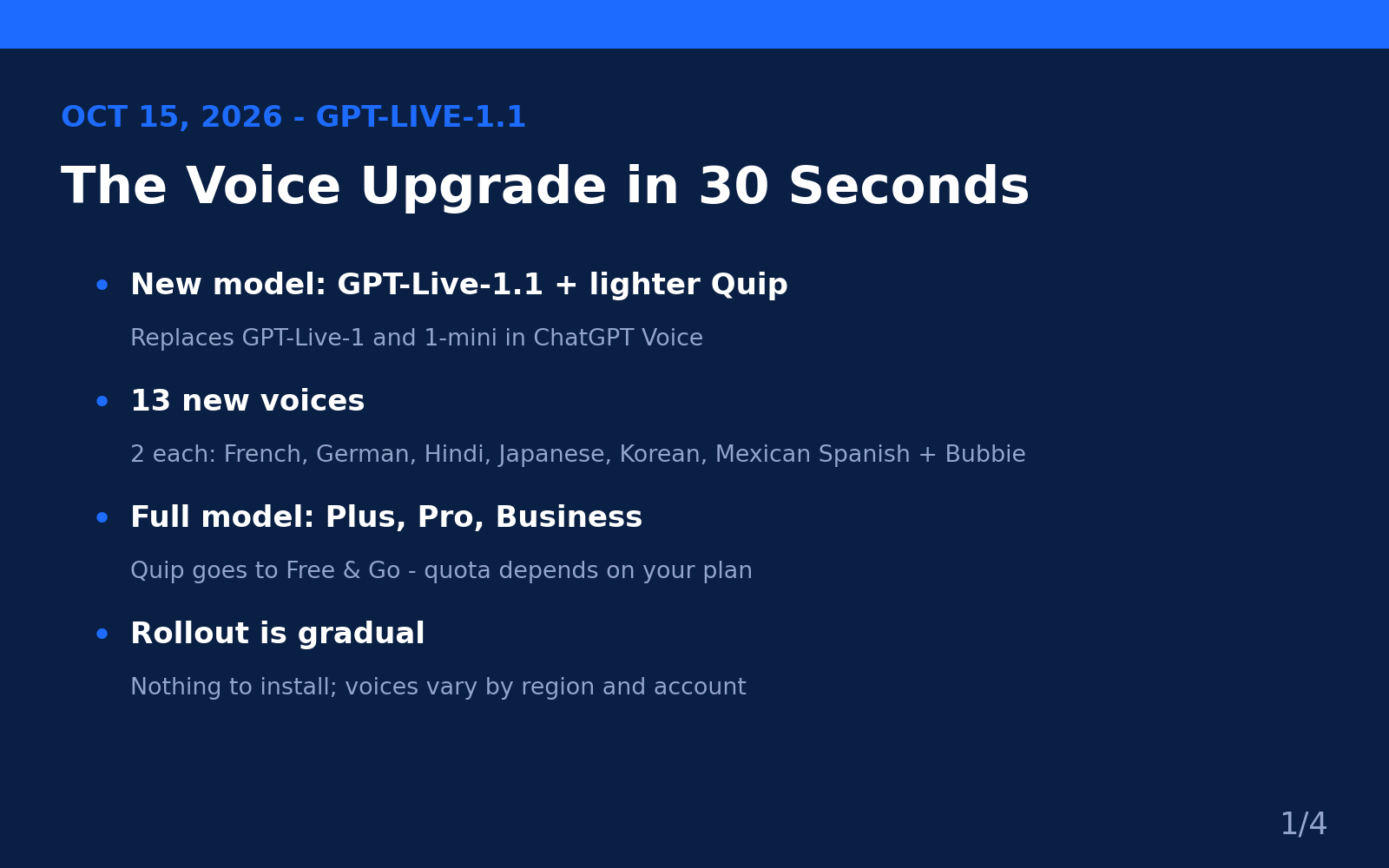
Here’s the short version. OpenAI rolled out GPT-Live-1.1 as the new voice model powering ChatGPT Voice, alongside a smaller sibling called GPT-Live-1.1 Quip. Together they replace the previous pair — GPT-Live-1 and GPT-Live-1 mini — across ChatGPT on iOS, Android, and the web. The update also lands in Codex (OpenAI’s coding agent) and dots, the company’s always-on agents.
The rollout is gradual, so don’t panic if your app doesn’t show the new stuff yet. OpenAI’s own announcement on its developer community forum put it plainly: rolling out to all users, coming soon to the API. Nothing to install — the update arrives automatically, though it can take a few days to reach your account.
Now, a quick bit of context, because the naming is confusing (as always). OpenAI first introduced GPT-Live back in July 2026 as a “full duplex” voice model — meaning it listens while it speaks, so you can interrupt it mid-sentence, change your mind, or redirect it without waiting for it to finish. GPT-Live-1 then reached the API on September 10, 2026, at $0.05 per minute for the voice layer. This 1.1 release is an incremental refinement of that same model family, not a from-scratch rebuild. Think of it as the “actually, we made the accents good now” update.
If you read our ChatGPT Voice business guide from last month, consider this article the sequel: that piece covered how to use voice as a work tool, and this one covers what’s new as of the October 15 update.
The 13 new voices (and why they matter more than the model)
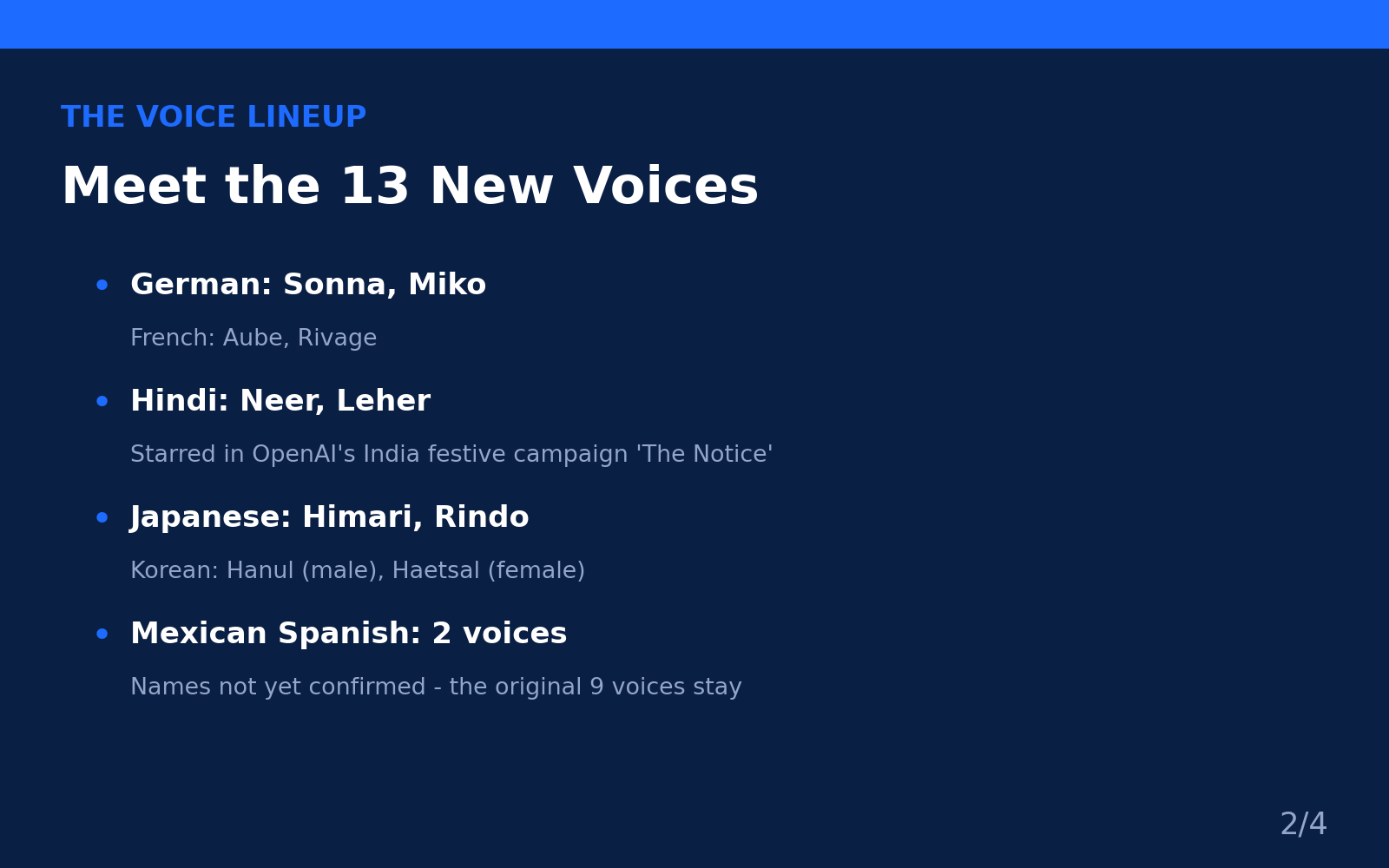
Real talk: the new voices are the headline here. GPT-Live-1.1 adds 13 of them, and for the first time several major languages get voices built specifically for them instead of English voices doing their best impression:
- English: Bubbie — one new voice
- French: Aube and Rivage
- German: Sonna and Miko
- Hindi: Neer and Leher
- Japanese: Himari and Rindo
- Korean: Hanul (male) and Haetsal (female)
- Mexican Spanish: two voices, names not yet confirmed by OpenAI
A few things worth knowing about this list. First, the names for French (Aube, Rivage) and Japanese (Himari, Rindo) come from secondary reporting on the ChatGPT voice settings, not from OpenAI’s release notes — so treat them as “reported” rather than “official.” The German names (Sonna, Miko) were confirmed in German press coverage, the Hindi names (Neer, Leher) were confirmed by OpenAI’s own India marketing, and the Korean names (Hanul, Haetsal) were reported by Korean business press. Mexican Spanish voices exist, but I couldn’t find confirmed names anywhere — if you see them, let me know.
Second, the original nine English voices — Arbor, Breeze, Cove, Ember, Juniper, Maple, Sol, Spruce, and Vale — are all still available. Nothing was taken away.
Third, and this is the part that actually matters for business: the voices you see may vary by region and account, per OpenAI. So don’t build a launch plan around a specific voice until you’ve confirmed it shows up in your own settings.
Why should founders care about any of this? Because voice is becoming a real interface, not a gimmick. If your customers are in Germany, India, Korea, or Latin America, a voice assistant that actually sounds natural in their language is the difference between “cute demo” and “people use this daily.” OpenAI clearly gets this — they’re running an entire festive-season campaign in India around the Hindi voices, complete with a short film called The Notice about a family using ChatGPT to defend their ancestral home from a property developer. That’s not a tech demo; that’s a market-share play.
“We want AI to be useful in everyday life for people across India, whatever their language, age, or line of work. Neer and Leher bring natural Indian voices to ChatGPT. Building for India means making ChatGPT easy to use and suited to how people here speak, live and work.” — Sheeladitya Mohanty, OpenAI’s Head of Marketing for India
When a company spends real marketing money localizing voices, it’s telling you where it thinks growth is. Pay attention to that signal even if you never touch the voices yourself.
GPT-Live-1.1 vs Quip: who gets what (and what it costs you)
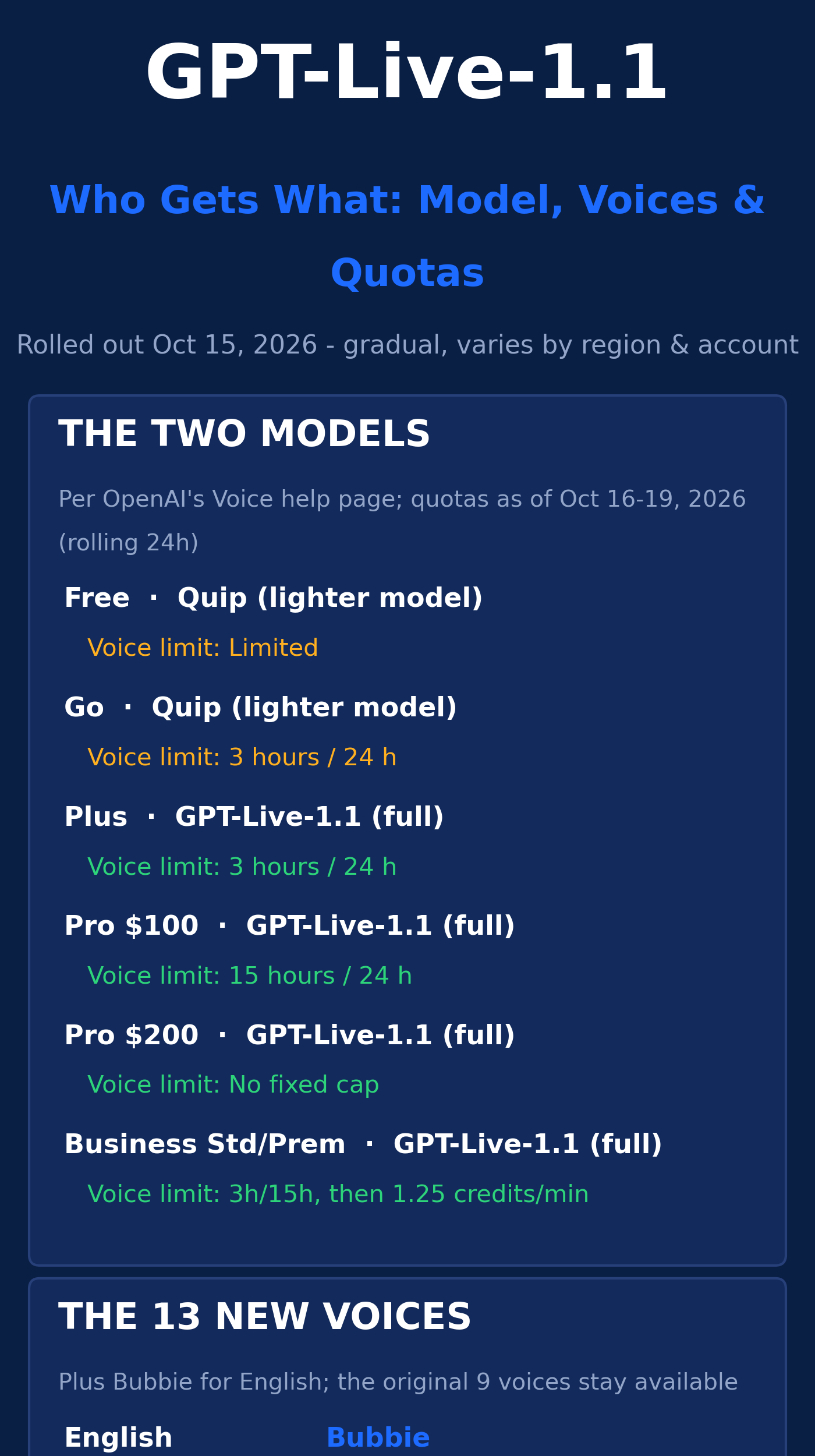
This is the part most coverage glosses over, but it’s the part that hits your wallet. There are now two tiers of voice model, and your plan decides which one you talk to:
- Free: GPT-Live-1.1 Quip — limited access, no fixed hour count published
- Go: GPT-Live-1.1 Quip — 3 hours per rolling 24 hours
- Plus: GPT-Live-1.1 (full) — 3 hours per rolling 24 hours
- Pro ($100/month): GPT-Live-1.1 (full) — 15 hours per rolling 24 hours
- Pro ($200/month): GPT-Live-1.1 (full) — no fixed cap, abuse guardrails only
- Business Standard: full model — 3 hours, then 1.25 credits per minute
- Business Premium: full model — 15 hours, then 1.25 credits per minute
Two observations. One: these quotas are counted over a rolling 24-hour window, and ChatGPT notifies you when you hit the limit. Two: these numbers change often — the figures above come from OpenAI’s Voice help documentation as reported between October 16 and 19, 2026. If you’re budgeting voice usage for a team, check the help page yourself before you commit. Don’t take a blog post’s word for pricing that OpenAI can (and does) adjust.
Also worth noting: since September, Plus and Pro users no longer get quietly downgraded to the smaller model when they hit a limit — the voice session just ends, and you continue in text. That’s a cleaner behavior, honestly. Nobody likes the mystery downgrade.
And here’s the question every founder building with voice should be asking: what about the API? As of this writing, GPT-Live-1.1 is not in the API — OpenAI says it’s “coming soon” with no date. Developers are still on GPT-Live-1, which launched at $0.05 per minute for the voice layer. No pricing has been published for 1.1, so if you’re doing cost projections, budget on the old number and verify later. Anyone telling you they know the 1.1 API price is guessing.
For a broader look at keeping those API bills sane, our guide on cutting your AI API bill is worth a read — the voice layer is cheap per minute until it isn’t, and the math gets real at scale. A 15-minute customer call at the old rate is $0.75; an hour is $3.00. Fine for a demo, meaningful at a thousand calls a day.
What changed under the hood
Beyond the voices, OpenAI claims four improvements in 1.1. I’m listing them with my honest read on each, because — and this matters — none of these come with published benchmarks. No error rates by language, no latency numbers, no head-to-head comparisons with GPT-Live-1. Independent analysts have flagged this gap repeatedly: the release notes describe how things feel, not what they measure.
1. More natural accents across languages
OpenAI says pronunciation is “considerably better” in French, German, Hindi, Mexican Spanish, Korean, Japanese, and many other non-English languages. This is probably the most real improvement in the release — accent quality is the kind of thing you can hear in ten seconds. The India and Korea campaigns exist precisely because the company is confident enough in the accents to market them. But better pronunciation doesn’t mean better understanding: an assistant can speak beautiful Mexican Spanish while still fumbling a regional expression. Sound and comprehension are different muscles.
2. Better “steerability”
This is OpenAI’s word for how well the voice follows spoken instructions about how to behave — tone, pace, manner of speaking. You can already ask it to slow down or change tone; 1.1 supposedly responds more readily. For founders, steerability is the sleeper feature: it’s what turns a voice assistant from a novelty into something you can actually direct, like briefing a team member. “Sound more formal for this client call” is a more useful instruction than most people realize.
3. Less “checking…” on repeat
The first version had an annoying habit: every web search came with the same filler phrase, over and over. Version 1.1 uses a wider range of short spoken cues while it searches. Small thing, big difference in how natural a long conversation feels. If you’ve ever wanted to throw your phone across the room during the fifth “checking…” in a row, this one’s for you.
4. Smoother delegation
Here’s the architecture bit, and it’s the most interesting long-term. When you ask something hard, GPT-Live hands the heavy thinking to a stronger model in the background while the voice keeps the conversation going. OpenAI says that handoff now feels more natural. This separation — voice front-end, reasoning back-end — is the pattern to watch, because it means either side can be upgraded independently. It’s also the same pattern behind OpenAI’s always-on agents, which got the 1.1 model too.
One limitation to know: spoken approval is still not supported. If a voice action needs a go-ahead — moving money, sending a message — you still confirm with a tap. Honestly? That’s the right call. Keep a confirmation step outside the voice channel for anything irreversible.
How to switch your voice (it takes 30 seconds)
Assuming the rollout has reached your account, here’s how to try the new voices:
- Open ChatGPT and go to Settings.
- Tap Voice, then Voice again to see the available voices.
- Preview and pick one. The new ones sit alongside the original nine.
- To set your spoken language, go to Settings > Voice > Language. Picking the language you actually speak most helps ChatGPT understand you — and this is where the 1.1 accent improvements actually show up. You can also ask it to switch languages mid-conversation.
- To start talking, tap the Voice icon in the message bar (on the web it’s in the prompt box) and allow microphone access.
A few practical notes: changing the voice mid-chat starts a new voice call within the same chat. Settings > Voice also lets you choose between Live (the new full-duplex mode), Advanced (the older real-time mode, which still handles video and screen sharing on mobile), and Standard (turn-by-turn, transcribes your speech first). Live still doesn’t do video or screen sharing — switch to Advanced on mobile for those.
If you don’t see the new voices yet, update the app. If they’re still not there, your account just hasn’t been switched over. The rollout has no published end date.
And if your favorite existing voice suddenly sounds different — you’re not imagining it. In the days after launch, users on OpenAI’s community forum reported that familiar voices like Sol, Spruce, and Arbor sounded changed, sometimes deeper or more robotic, and that Standard mode was playing the wrong voice. OpenAI hadn’t explained these reports at the time of writing. If it happens to you, try starting a new chat and re-selecting the voice. Early-rollout weirdness is the tax we pay for being early.
What founders should actually do this week
Okay, enough changelog. Here’s the part I wish someone had written for me — three concrete moves:
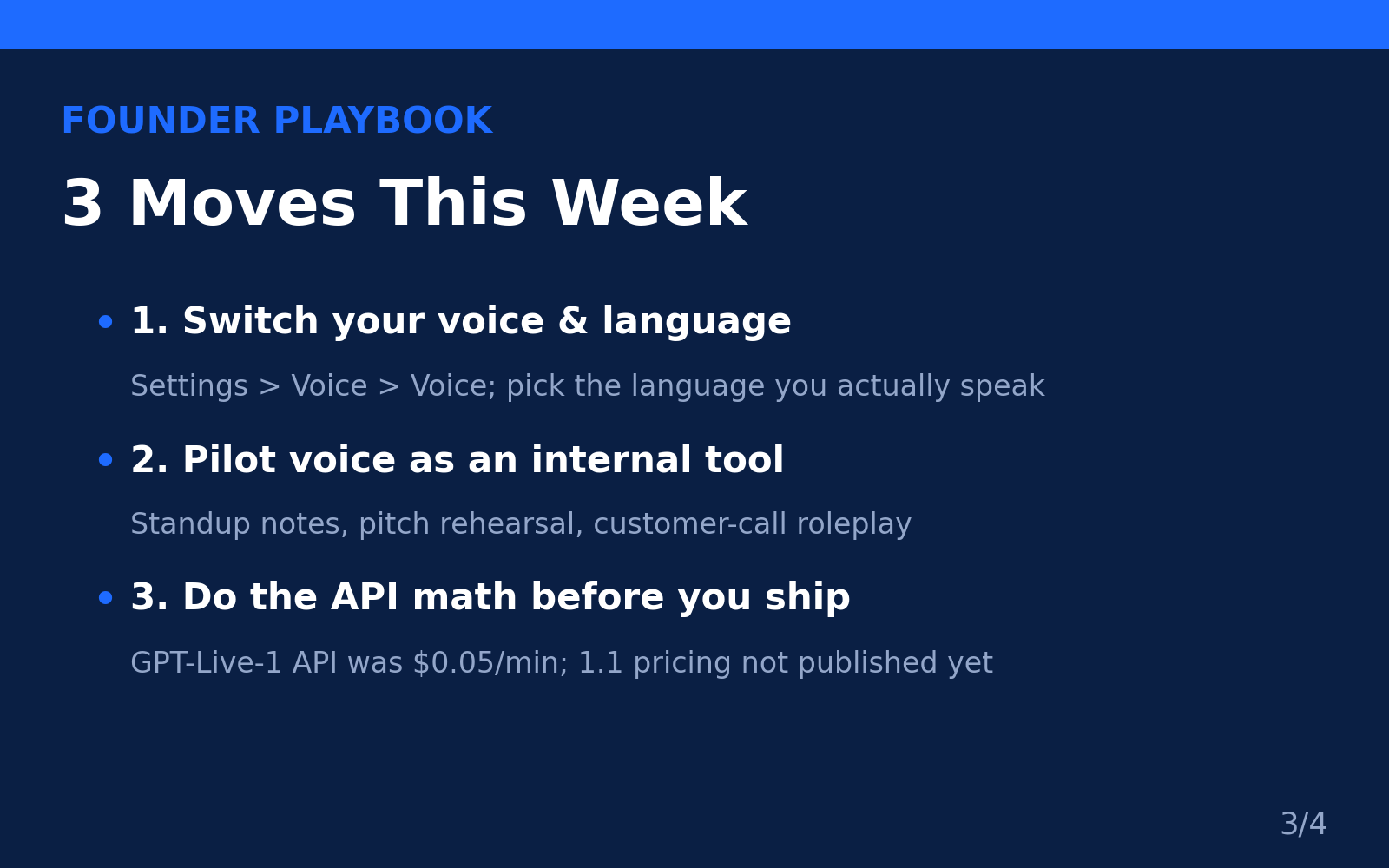
Move 1: Switch your voice and language today
This costs you nothing and takes a minute. Set the language you actually work in, pick a voice you can stand listening to for an hour, and notice the difference the accent work makes. If you operate in German, Hindi, Korean, or any of the new languages, this is the first version of ChatGPT Voice that might genuinely be pleasant to use all day. That matters if you’re thinking about voice as a real workflow tool rather than a party trick.
Move 2: Pilot voice as an internal tool before you ship it to customers
Here’s the thing most founders miss: the highest-ROI use of voice AI right now isn’t customer-facing — it’s internal. Rehearse your pitch out loud with steerability doing the directing (“push back on my pricing like a skeptical investor”). Talk through standup notes while you’re walking. Roleplay a difficult customer call. The improved steerability and more natural turn-taking make 1.1 a meaningfully better practice partner than the old turn-by-turn mode. You’ll learn what voice is good at on your own dime, not your customers’ patience.
If you’re comparing options before committing, our roundup of the best AI voice tools for startups covers the wider field — ChatGPT Voice is strong, but it’s not the only game in town.
Move 3: If you’re building a voice feature, do the API math now
The consumer app is the shiny object, but the real question for builders is the API — and right now the honest answer is “we don’t know yet.” GPT-Live-1.1 isn’t in the API, and its pricing isn’t published. If your roadmap includes a voice feature, model your costs on the current $0.05/minute voice-layer rate, add your backend reasoning and tool-call costs on top, and build in margin for a price change. And if you need help scoping or building that voice feature into your product without hiring a full in-house team, AISquadX is the web development and AI integration studio I’d point you to — getting the voice plumbing, latency, and UX right is genuinely tricky work, and it’s worth having people who’ve done it before.
The honest caveats (read this part)
I promised honesty, so here it is — the stuff that didn’t make it into the launch-day headlines:
No published benchmarks. I’ve said it three times now because it matters: OpenAI has not published speech-recognition error rates by language or accent, latency figures, or numbers showing how much better 1.1 follows spoken instructions than 1.0. Every improvement claim is qualitative. Independent analysts have been blunt about this — a release note can say a voice feels more natural, but only a measured error rate can say for whom. If a vendor’s numbers are the basis of your product decision, wait for independent testing.
The safety evaluations are mixed. OpenAI published a system card evaluating GPT-Live-1.1 and Quip. The good news: real-world audio tests showed no statistically significant regressions versus earlier models. The less comfortable news: synthetic stress tests showed significant regressions in four categories — sexual content, mental health, emotional reliance, and gore — and OpenAI says more research is needed. Two readings coexist here: synthetic tests are designed to stress models with difficult prompts, so a regression there doesn’t directly translate to everyday frequency. But voice feels more personal than text, and mental health and emotional reliance are exactly the categories where that intimacy matters. Worth tracking, not worth panicking over.
Your voice recordings are kept for 30 days. Per OpenAI’s help center, audio clips from Live and Advanced calls are stored with the chat transcript and retained for 30 days; deleting a chat deletes its clips within 30 days. Audio isn’t used for training unless you opt in under Settings > Data Controls. Transcripts are a different story — if “improve the model for everyone” is on, transcripts may be used for training depending on your plan. Business, Enterprise, and Edu users can’t share voice audio for training at all. If your team discusses anything sensitive by voice, know these defaults before you start.
A warm voice can make a wrong answer sound convincing. This is the one that keeps me up at night, honestly. The better these voices get, the more authoritative they sound — and sounding confident has zero correlation with being right. For anything involving money, health, or legal questions, check the text transcript and its sources. OpenAI itself notes that voice transcripts aren’t verbatim records.
Frequently asked questions
Is GPT-Live-1.1 free?
Partially. Free users get limited access to the smaller GPT-Live-1.1 Quip model. The full GPT-Live-1.1 requires Plus, Pro, or a Business plan. Go users also get Quip, with a 3-hour daily quota.
How many new voices did ChatGPT get?
Thirteen: two each for French, German, Hindi, Japanese, Korean, and Mexican Spanish, plus Bubbie for English. The original nine voices (Arbor, Breeze, Cove, Ember, Juniper, Maple, Sol, Spruce, Vale) remain available. Users in Brazil may also see two Brazilian Portuguese voices, Viola and Rio — those predate this update and aren’t part of the 13.
Why don’t I see the new voices in my app?
The rollout is gradual, and available voices vary by region and account. Update the app first. If nothing new appears, your account simply hasn’t been switched over yet — OpenAI hasn’t published an end date for the rollout.
Is GPT-Live-1.1 available in the API?
Not yet. OpenAI says API access is “coming soon” with no date or published pricing. Developers can continue using GPT-Live-1, which has been in the API since September 10, 2026, at $0.05 per minute for the voice layer.
Can I create my own custom voice?
In the consumer ChatGPT app, no — you choose from OpenAI’s built-in voices. Developers building on the API can create custom voices from a text description or an approved recording.
The Bottom Line
GPT-Live-1.1 is a practical upgrade, not a revolution: 13 genuinely useful new voices, better non-English accents, less filler, smoother hand-offs — wrapped in the usual fog of unquantified claims. Paid plans get the full model; Free and Go get the lighter Quip. The quotas are reasonable, the rollout is gradual, and the API is still waiting in the wings.
My take? The voices are the story. For the first time, ChatGPT speaks six major languages like it actually lives there — and OpenAI is spending real marketing money to prove it in India and Korea. If your startup touches any of those markets, or if you’ve been waiting for voice to feel less like a demo and more like a tool, this is the version to try. Just keep one eye on the caveats: no benchmarks, mixed safety evals, and API pricing that’s still a blank page. Use it, enjoy it, and don’t bet the roadmap on numbers nobody has published.
Well — mostly don’t. The accents really are good.