
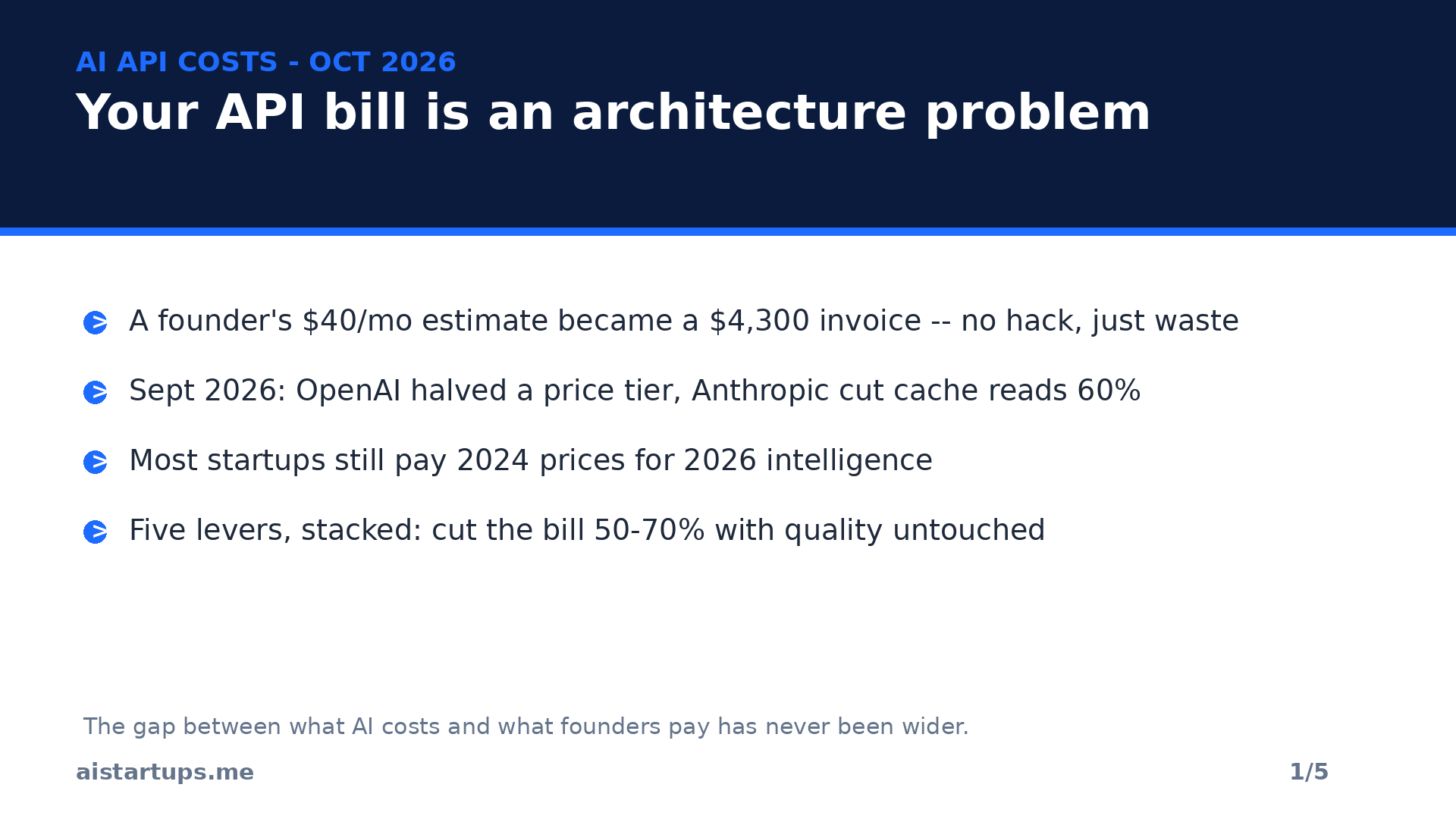
I still remember the first invoice that made my stomach drop. A founder friend had built a neat little support chatbot — a weekend prototype, maybe two hundred users. He’d budgeted forty bucks a month for the API. The actual bill came in at $4,300.
He hadn’t been hacked. Nobody had scraped his key. He’d just done what almost every founder does: pointed every single call at the biggest, smartest flagship model, re-sent his entire product manual with each message, and asked for long, thoughtful, beautifully formatted answers to questions like “where’s my order?”
Here’s the thing nobody tells you early enough: your AI bill is not really a pricing problem. It’s an architecture problem. The models got dramatically cheaper in September — OpenAI halved a whole price tier, Anthropic cut cache reads 60% — and yet most startups I talk to are still paying 2024 prices for 2026 intelligence. The gap between what AI costs and what founders pay has never been wider, and it’s almost entirely self-inflicted.
Real talk: you can cut that bill 50 to 70% without your users noticing a thing. Not by switching to some sketchy free tier. By pulling five levers, in order. I ran the math on a realistic SaaS workload below so you can see exactly where the money goes — and where it stops going.
Why your API bill is exploding (it’s five leaks, not one)
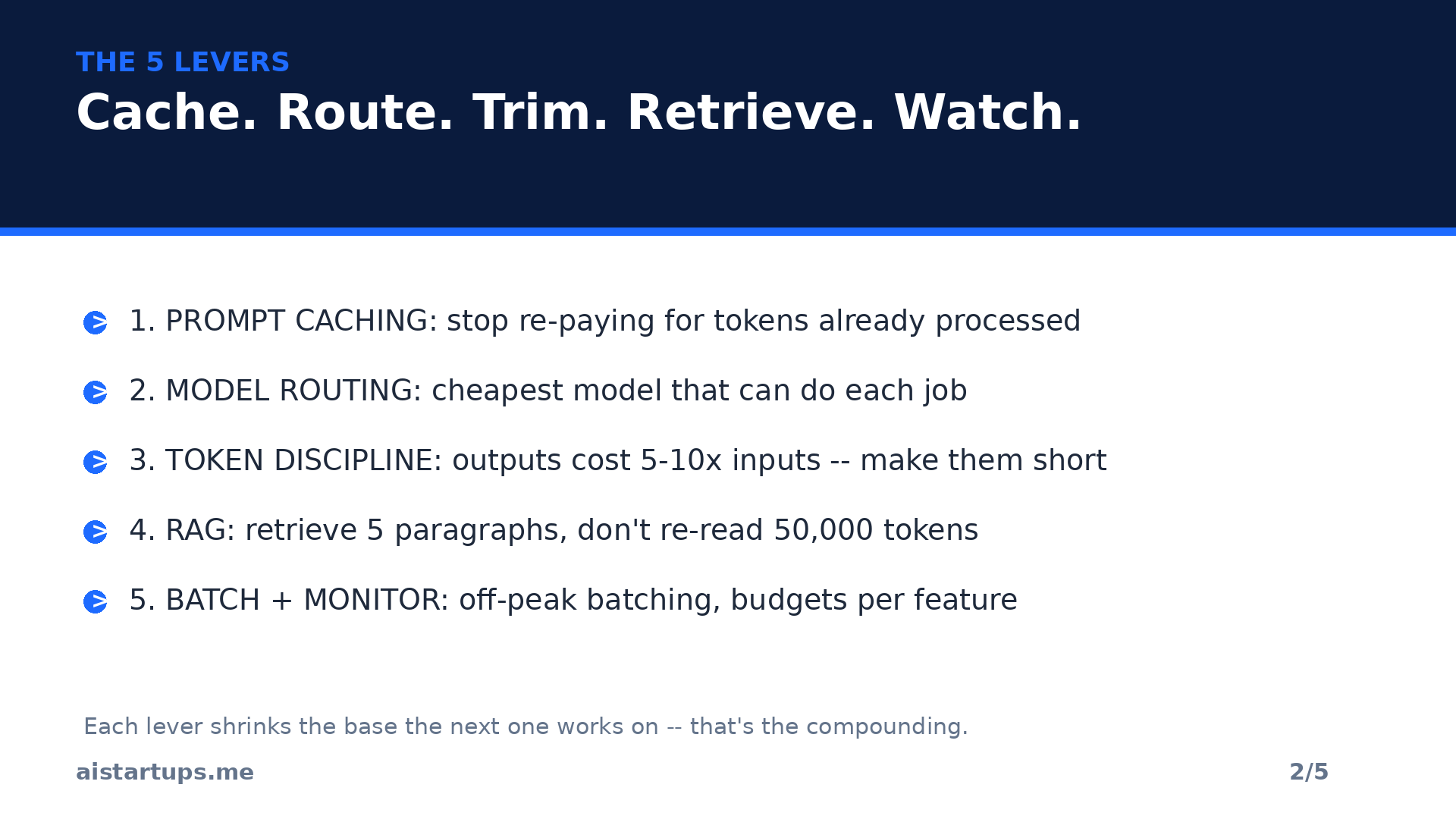
Before the fixes, the diagnosis. In my experience, runaway AI bills always come down to the same five leaks:
- One flagship model for everything. You’re using a $4-per-million-token brain to answer “what are your opening hours?” That’s like hiring a neurosurgeon to take temperatures.
- No caching. Every call re-sends your system prompt, your docs, your product catalog from scratch — and you pay full input price for tokens the model has already seen a thousand times.
- Verbose outputs. Output tokens cost 5 to 10 times what input tokens cost on most providers. Every “here’s a detailed breakdown with bullet points and a friendly sign-off” is money.
- Giant context windows as a filing cabinet. Stuffing 300,000 tokens of documents into a prompt feels easy. It’s also the most expensive habit in this list — some providers now charge double past certain context sizes.
- Nobody’s watching the meter. No per-feature cost tracking, no alerts, no budget. You find out from the invoice, which is the most expensive possible way to find out.
Fix the leaks in order and they compound. That’s where the 70% comes from — not one magic trick, but five boring ones stacked on top of each other.
Lever 1: Turn on prompt caching (the closest thing to free money)
If you do exactly one thing from this article, do this. Prompt caching means the provider remembers tokens it has already processed — your system prompt, your retrieved docs, your repo context — and charges you a fraction to reuse them instead of full price to re-read them.
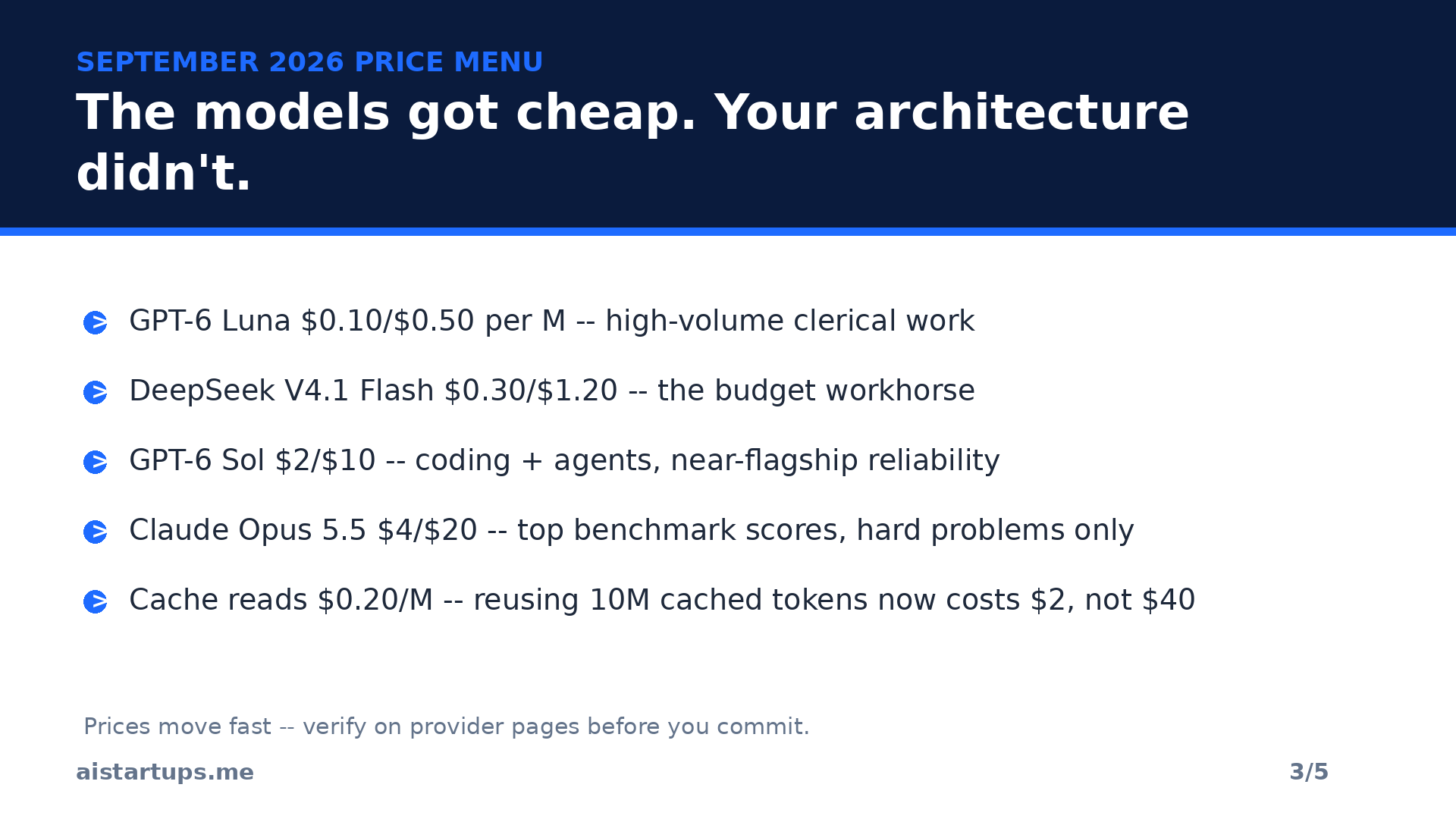
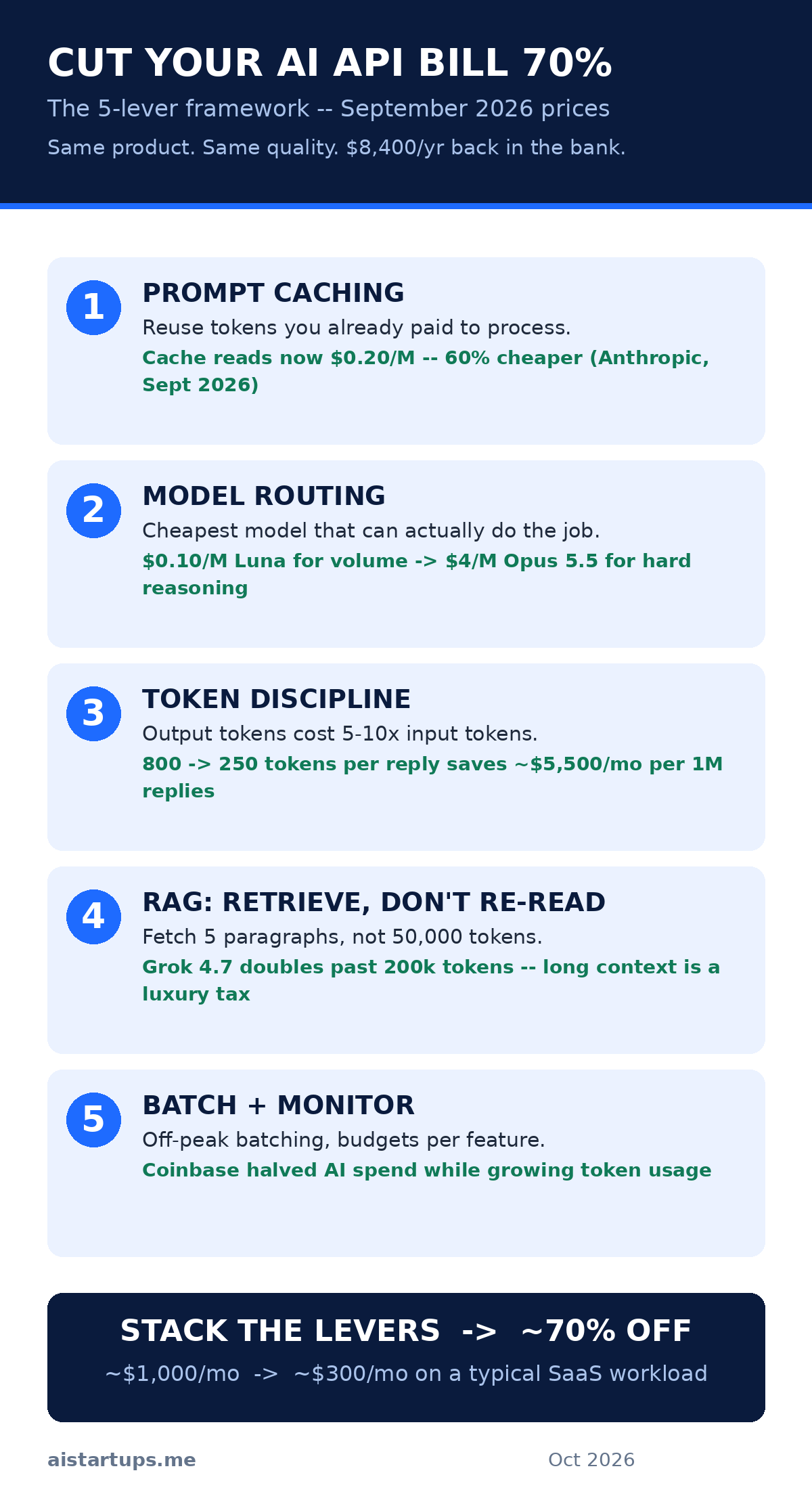
And September just made this lever absurdly powerful. Anthropic cut cache-read pricing on Claude Opus 5.5 by 60%, from $0.50 down to $0.20 per million tokens. To put that in perspective: reusing ten million cached tokens now costs $2 instead of $5, versus $40 at full input price. Anthropic’s own figure is that typical workloads land about 40% cheaper overall once caching is on — and that’s before you touch anything else. (Their September pricing breakdown is worth a read if you want the full numbers.)
OpenAI told the same story from the other side: the company credited improvements in caching and inference efficiency for halving prices across its GPT-6 Sol and Luna tiers. Caching isn’t a coupon. It’s the direction the whole industry’s economics are moving.
How to actually do it
The pattern is simple: mark everything stable as cacheable. Your system prompt. Your tool definitions. The document chunks your RAG pipeline retrieves most often. In agentic coding setups — where the agent re-reads the same repository context every single turn — caching is the difference between a reasonable bill and a horror story. One session working over the same codebase collects that discount on every turn, automatically.
Two gotchas I’ve seen bite people: first, cache only what doesn’t change — a “cacheable” prefix with a timestamp baked in defeats the whole thing. Second, order matters: put the stable stuff first in your prompt and the dynamic user input last, because caches work on prefixes. Get those two right and this lever alone often pays for the afternoon you spent on it within a week.
Lever 2: Route every task to the cheapest model that can do it
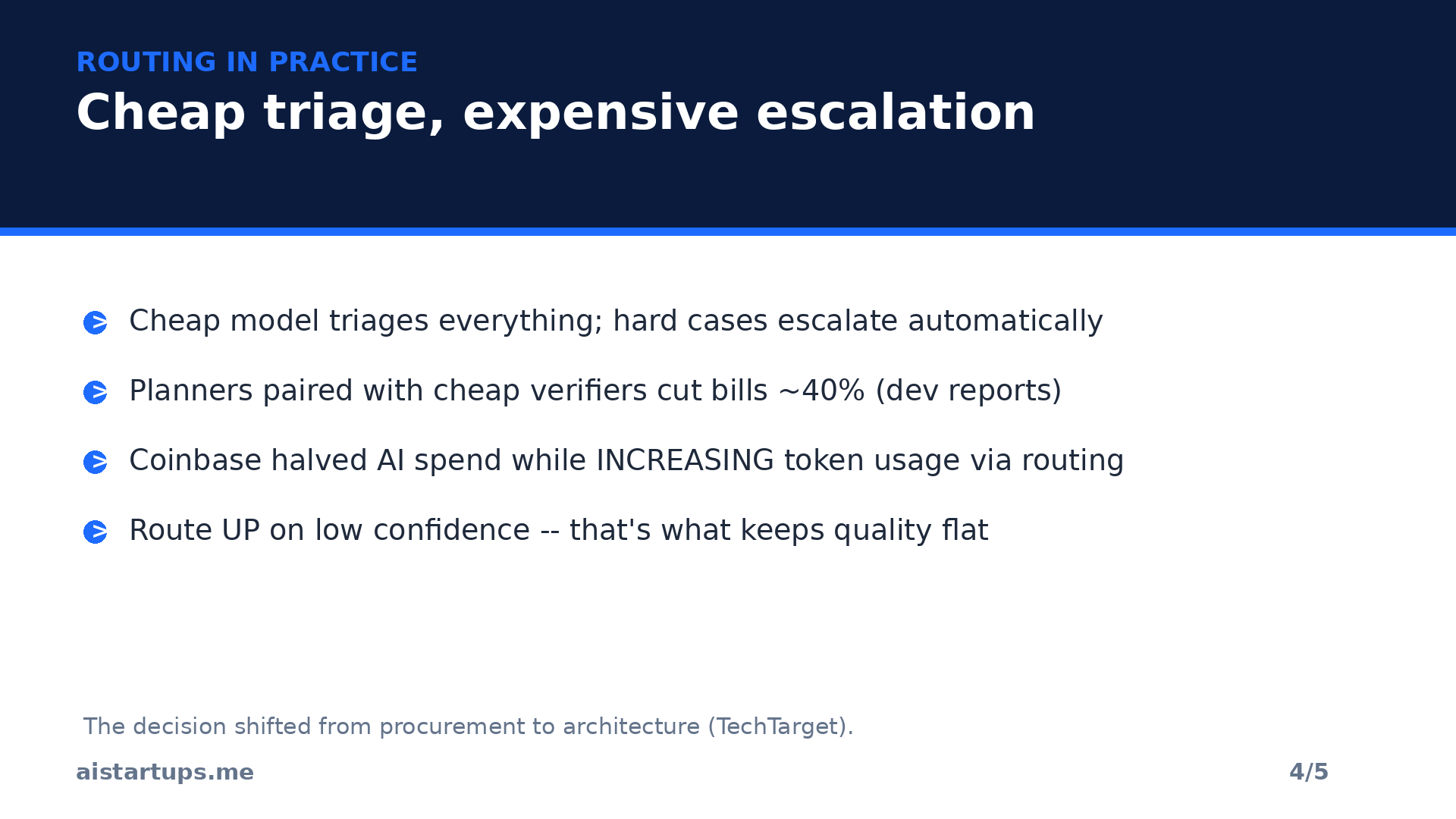
This is the big one — the lever Coinbase pulled when it cut its AI spending nearly in half while increasing token usage, just by routing routine tasks to cheaper models. And September’s price war turned the model menu into a proper price list instead of a guessing game. Look at what you’re choosing between now:
- GPT-6 Luna — ~$0.10 in / $0.50 out per million tokens. Built for high-volume clerical work: summarizing documents, extracting fields, short answers.
- Xiaomi MiMo V2.6 Flash — $0.14 / $0.28. Open weights, strong on leaderboards, absurdly cheap.
- DeepSeek V4.1 Flash — $0.30 / $1.20. The budget workhorse a huge chunk of OpenRouter traffic already runs on.
- Llama 4 via partners — from ~$0.08 / $0.30. No per-token fee to Meta; you pay the host.
- GPT-6 Sol — $2 / $10. The coding and agent model, reportedly near-flagship reliability at less than half the old price.
- Gemini 4 Argon — $2 / $10 at its launch pricing, Google’s top-tier model at half its regular rate.
- Claude Opus 5.5 — $4 / $20. Currently sitting at the top of independent benchmark indexes — your “hard problems only” model.
(Prices from provider announcements and tracker listings compiled here; they move fast, so verify before you commit.)
The routing pattern that works: a cheap model triages everything, and only the genuinely hard cases escalate to the expensive one. Classification, extraction, first-draft summaries — Luna or DeepSeek territory. Multi-step agent work and tricky code — Sol. The 5% of tasks where quality is make-or-break — Opus 5.5 or Argon. Developers sharing open-source routers report cutting bills around 40% with an expensive-planner/cheap-verifier pairing, no speed lost.
This is also the industry’s direction, not just a hack. As TechTarget’s analysis put it, the decision is shifting from procurement to architecture — the winners aren’t picking one model, they’re building the layer that picks models. AWS’s own guidance for teams says the same thing: route routine work to a cheap model, reserve the strong one for architecture or security questions.
Now, honest moment: if you’re a non-technical founder, “build a routing layer” probably sounds like a month of engineering you don’t have. It doesn’t have to be — a decent engineer wires the basic version in days. And if you don’t have that engineer, this is exactly the kind of AI integration work a web development studio like AISquadX does inside real products. Either way, don’t let the plumbing be the reason you keep paying flagship prices for commodity tasks.
Lever 3: Stop buying tokens you don’t need
Here’s a fact that should change how you write every prompt: output tokens are the expensive ones. Across providers, generated tokens typically cost 5 to 10 times what input tokens cost. Every word the model writes costs you multiples of every word you send. So the single highest-ROI editing pass in your codebase is making your outputs shorter.
Practical moves that work immediately: ask for terse outputs by default (“answer in under 50 words” for triage and classification, structured JSON instead of prose wherever a machine reads the result anyway). Kill the chain-of-thought habit on simple calls — “think step by step” is great for hard reasoning and pure waste on “extract the invoice total,” so save the reasoning tokens for tasks that actually need reasoning. And cap max tokens per call type: a summary endpoint does not need a 4,000-token ceiling. Set limits per use case and let the rare overflow escalate instead of making overflow the default.
Quick math to make it visceral: say you serve a million support replies a month averaging 800 tokens each, with output at $10 per million. That’s $8,000 a month in output tokens. Trim the average reply to 250 tokens with tighter prompts and formatting rules, and you’re at $2,500. Same answers, $5,500 kept. Nobody — and I mean nobody — ever complained that a support bot was too concise.
Lever 4: Retrieve, don’t re-read (RAG done right)
Lever 4 is really lever 3’s bigger sibling: stop stuffing entire documents into the prompt. Retrieval-augmented generation — chunk your docs, embed them, fetch only the relevant chunks per query — exists precisely so you don’t pay to re-read the whole manual every time someone asks one question.
This matters more now because long context just got a luxury tax. xAI’s Grok 4.7 charges double for prompts over 200,000 tokens — $4 per million input instead of $2, and $12 instead of $6 for output. Other providers haven’t copied the exact mechanism yet, but the signal is clear: giant prompts are where the industry has decided the waste lives.
The good news: a decent RAG setup usually improves answer quality while cutting tokens, because the model sees the five relevant paragraphs instead of fifty thousand tokens of noise. And it composes beautifully with lever 1 — your most-retrieved chunks are the most cacheable tokens you own. If you’re still on the fence about whether retrieval is worth the engineering, what it actually costs to start an AI business in 2026 breaks down where infrastructure spend like this fits in the bigger picture.
Lever 5: Batch it, cap it, watch the meter
The last lever is unglamorous and non-negotiable: operational discipline. Batch what’s batchable — nightly report generation, bulk classification, embedding backfills — because none of that needs real-time flagship calls, and batch APIs plus off-peak processing exist for exactly this. Set budgets and alerts per feature, not one global “oh no” alert: per-endpoint spend tracking tells you the support bot costs $900/mo and the blog generator costs $60, so when a number jumps you know exactly where to look. And track cost per user, per month, per feature — that’s the number that belongs in your unit economics, and if you haven’t mapped it yet, our guide to how to price your AI SaaS walks through building API costs into pricing so your margins survive scale.
I know founders who discovered — from this exercise alone — that 80% of their AI spend came from one internal tool nobody used anymore. The meter doesn’t just save money. It tells you what your product actually is.
The math: what 70% actually looks like
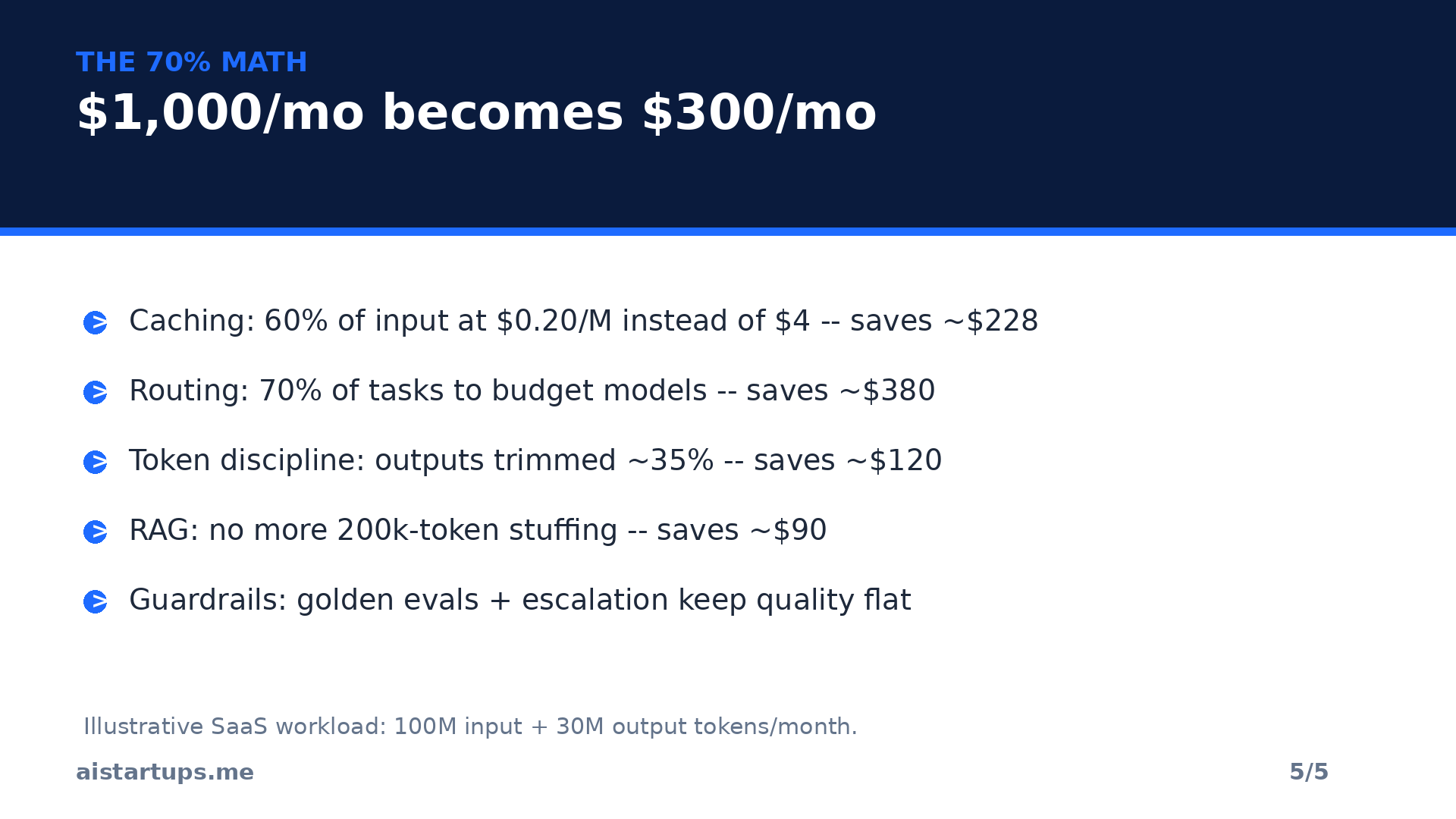
Enough theory. Here’s a realistic SaaS workload — 100 million input tokens and 30 million output tokens a month — run through all five levers. Illustrative numbers, but every input is grounded in the September pricing above:
Before: everything on a flagship at ~$4 in / $20 out. Input: $400. Output: $600. Total: ~$1,000/mo. Then the levers stack. Lever 1 (caching): 60% of input is repeatable context, now billed at $0.20/M instead of $4 — input cost drops from $400 to ~$172, saving ~$228. Lever 2 (routing): 70% of tasks move to budget models averaging ~$0.50/M blended while the hard 30% stays flagship; the blended input falls further and the output mix drops hard, saving ~$380. Lever 3 (token discipline): average output trimmed ~35% via terse formats and per-endpoint caps, saving ~$120. Lever 4 (RAG): long-context stuffing replaced by retrieval, killing the worst of the input bloat, saving ~$90. After: ~$300/mo — a 70% cut. Same product, same quality bar, $8,400 a year back in the bank.
Your mix will differ — maybe caching only gets you 30%, maybe routing gets you 50%. The point isn’t the exact percentages. It’s that these levers multiply. Each one shrinks the base the next one works on. That’s why founders who do one lever save 20% and founders who do all five save 70%.
What NOT to cut: the quality guardrails
Look, there’s a wrong way to do all of this, and it’s cutting blindly. “Cheapest model for everything” is how you get a support bot that confidently invents refund policies. Three rules keep you honest. First, keep evals running: a small golden set of test cases, scored on every model or prompt change, so if a cheaper route degrades answers the evals catch it before users do. Second, route up on low confidence — the router’s job isn’t just saving money, it’s escalating the 5% of tricky cases to the strong model automatically, which is what keeps quality flat while costs fall. Third, measure quality, not vibes: resolution rate, user thumbs-downs, task success — pick the metric that matters for each endpoint and watch it for two weeks after every change.
The cheapest model is the one you don’t have to call twice. Every “saving” that creates a retry, an escalation, or a lost customer was never a saving — it was a loan at terrible interest.
Frequently asked questions
Will switching to cheaper models hurt my product’s quality?
Only if you switch blindly. The routing approach — cheap models for routine tasks, flagships for hard ones, automatic escalation on low confidence — exists precisely to hold quality flat. Keep a golden eval set and watch your real quality metrics for two weeks after any change. Most teams find the cheap models handle 70-80% of traffic indistinguishably.
What’s the single biggest lever if I only do one thing?
Prompt caching. It’s usually an afternoon of work, it compounds on every subsequent call, and with cache reads now as low as $0.20 per million tokens on Claude Opus 5.5, the payback is measured in days. Anthropic’s own estimate is ~40% savings on typical workloads from caching alone.
How much can prompt caching realistically save me?
It depends on how repetitive your context is. Agents that re-read the same repo or docs every turn — the highest case — can see input costs collapse by 80-90% on the cached portion. Chatbots with stable system prompts and RAG pipelines with popular chunks sit in the 40-60% range. If every prompt is unique, caching won’t help much — but that’s rare in production.
Should I just move everything to the cheapest open-weight model?
No — that’s the mirror image of the “flagship for everything” mistake. Open models like DeepSeek’s V4.1 Flash or Xiaomi’s MiMo are genuinely excellent for volume work, but keep the frontier models for the tasks where quality is make-or-break, and keep evals running on both. The winning setup in 2026 is multi-model by design, not single-model by ideology.
Do these levers work if I’m on a flat subscription instead of pay-per-token API?
Mostly, no — this playbook is for API usage, where you pay per token. Seat-based plans (ChatGPT Pro, Claude Pro) have their own economics: usage caps, not token meters. If your product serves users programmatically, you should almost certainly be on API pricing anyway, which is where all five levers apply.
The Bottom Line
The September price war didn’t just make AI cheaper — it made waste visible. When the gap between a $0.10 model and a $4 model is 40x, “just use the big one for everything” stops being a reasonable default and starts being a line item your competitors don’t have.
You don’t need a re-architecture. You need an afternoon: turn on caching, put a cheap model in front of the expensive one, shorten your outputs, retrieve instead of re-reading, and put a meter on every endpoint. Do all five and the math says 50 to 70% — $8,400 a year on our example workload — stays in your pocket instead of evaporating into tokens nobody needed.
Your API bill is not a tax on building with AI. It’s a report card on your architecture. Time to get better grades.