
Here’s a scene every founder knows. You’re in Claude, asking it to rewrite the launch plan. The plan lives in Notion. The tasks live in Asana. The design lives in Canva. So you copy text out of Claude, paste it into Notion, retype the task list in Asana, and somewhere in the middle you lose the thread of what you were actually deciding. The AI was smart. The workflow was still dumb.
On November 10, 2026, Anthropic took a real swing at that problem. Interactive connectors now let partner apps open beside your Claude conversation — or full screen — and Claude can make approved changes inside them while you watch. Not a screenshot. Not a summary. The actual app, signed into your actual account, with Claude working in it live.
The same announcement also shipped Sheets, Whiteboards, and Data — I covered those in a separate guide, and this article won’t re-cover them. This one is only about the connectors: what they are, how to set one up, which of the 13 launch partners are worth your time, what Claude can and can’t touch, and what it costs. I read the announcement, the Help Center pages, and the pricing page so you don’t have to.
And look — I’ve seen a lot of “your apps, now with AI” launches. Most of them turn out to be a sidebar that can read a file and write a summary. This one is different in a way that matters: Claude edits the real thing. When it moves a task in Asana, the task moves. When it rewrites a Confluence page, the page changes. That’s the whole pitch, and it’s worth a careful look.
What interactive connectors actually are
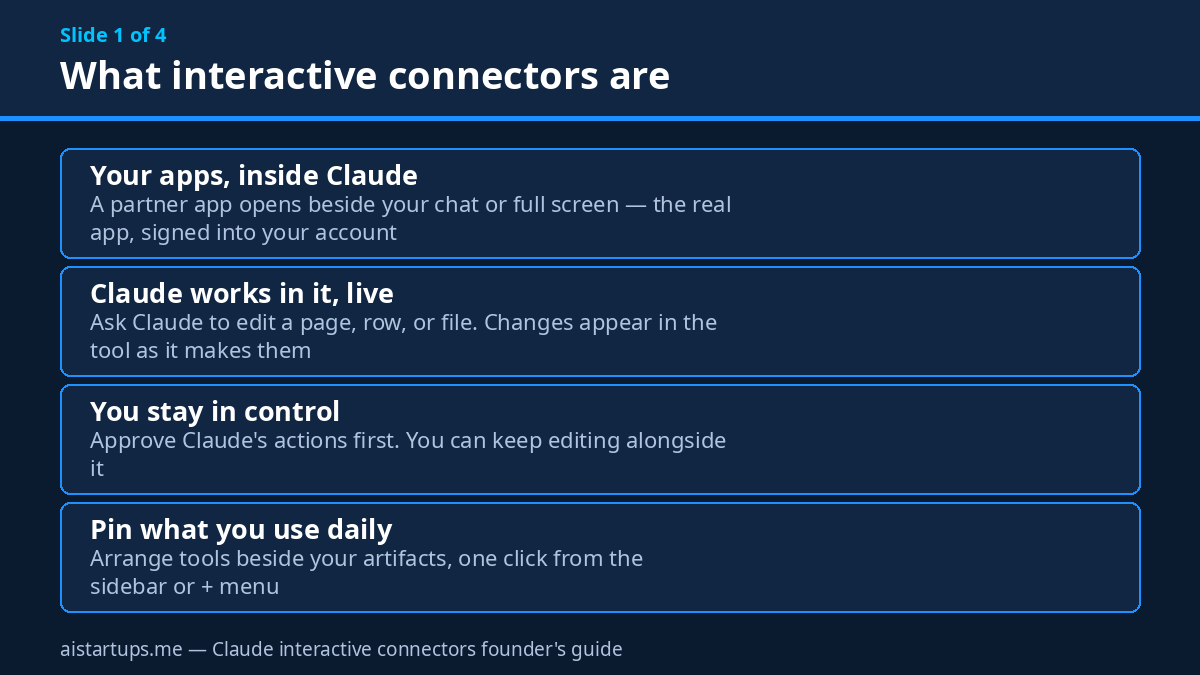
Connectors aren’t new. Claude has had them for a while — you connect an app, and Claude can read from it and take actions through it. What changed on November 10 is the interface. Earlier this year, Anthropic launched interactive connectors as a small live view inside the chat: a task board here, a design preview there. Now, where a connector supports it, the whole app opens up.
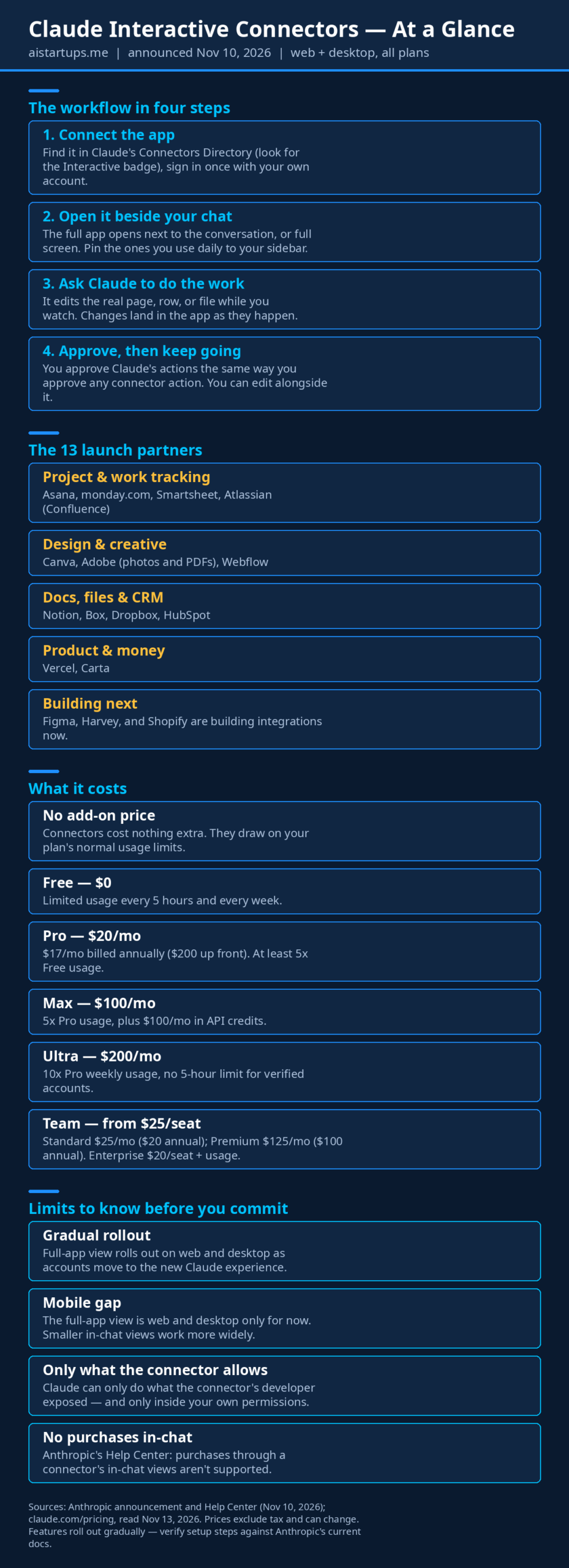
There are three ways a connector can show up, according to Anthropic’s Help Center. Inline cards are the compact version — a small interactive piece embedded right in the conversation. Then there’s the full-app view, which is the new part: the tool opens beside your chat, or you expand it to full screen when you need room. For something like Confluence or Notion, that means you get the full editor, not a watered-down preview. And you can open a connected tool directly from your chat or sidebar without writing a prompt first — when you want Claude’s help, you just ask from the same screen.
Here’s the part I keep coming back to: you and Claude can work in the same tool at the same time. You ask Claude to make changes to a page, a row, or a file you have open, and the changes appear in the tool as Claude makes them. You approve its actions the same way you approve any connector action. Meanwhile, you can keep editing yourself. It’s less “AI assistant does a task and reports back” and more “pair working, with one of the pair being very fast at the boring parts.”
Pinning is the small feature that makes this usable day to day. You can pin the tools you use most alongside your artifacts and reach them in one click from the sidebar or the + menu. If you only ever use one or two connectors, pin those and ignore the rest. The directory now lists over 9,000 connectors and plugins in the Claude Marketplace, including community-built ones — but only a small slice of those are interactive, and only 13 open as full apps at launch. More on that list in a minute.
One thing worth getting straight early: this rolls out as part of the new Claude experience, the one that brings chat and Cowork together. Anthropic says you’ll see these features once your account is updated with the new Claude, or once your organization turns it on. So if you open Claude today and don’t see the full-app view, that doesn’t mean you did something wrong. It probably means the rollout hasn’t reached your account yet.
How to set one up, step by step
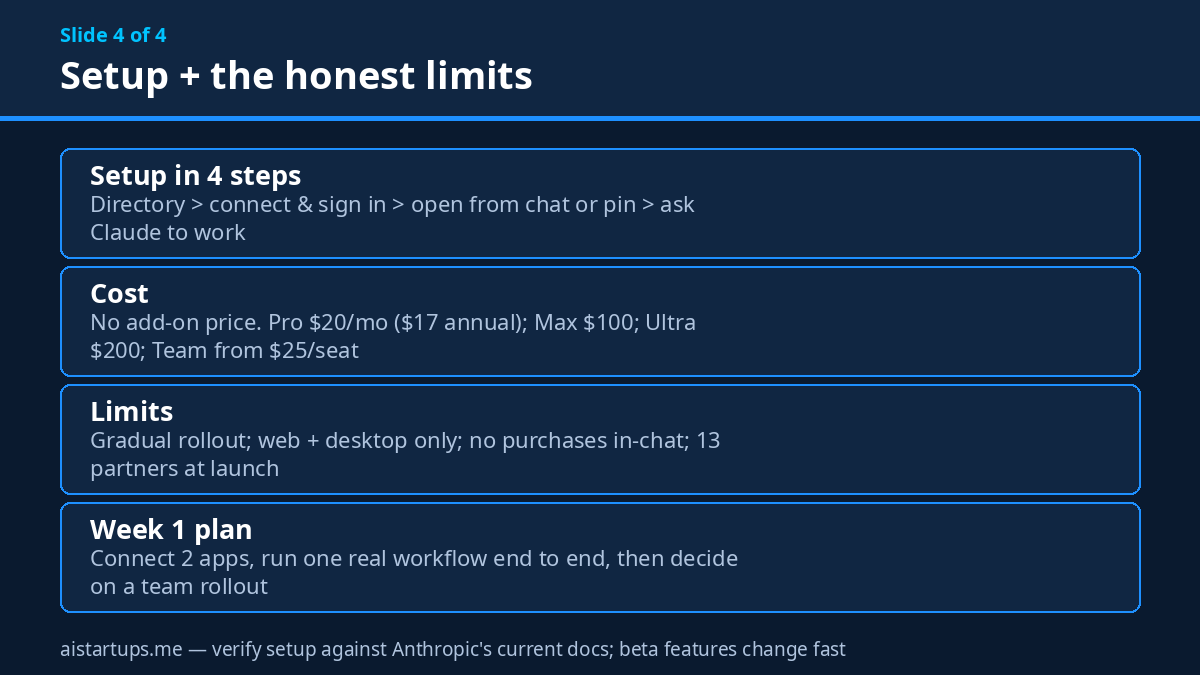
Setup is short. Honestly, the whole thing takes about ten minutes if the app is already one you use. Here’s the path, based on Anthropic’s own docs:
- Open the Connectors Directory. In Claude, hit the + button in the lower left of a chat, hover over Connectors, and pick Manage connectors — or browse the directory directly. Connectors with the interactive capability carry an “Interactive” badge. Look for that badge; without it, you get a regular connector, not the full-app view.
- Connect and sign in. Pick the app, click Connect, and sign in with your own account for that app. This is your real Asana, your real Notion, your real HubSpot. Claude works with the permissions your account already has — nothing more.
- Turn it on in your chat. Back in a conversation, open the + menu again, hover over Connectors, and toggle the one you want on. You can also pick how connectors load per conversation under Tool access in the same menu.
- Open the app, don’t just ask about it. Once it’s connected, you can open the tool from your chat or sidebar and work in it directly. No prompt needed. Ask Claude for help from the same screen when you want it.
- Pin the ones you’ll use daily. Pin your one or two most-used tools to the sidebar so they’re one click away. Everything else can stay in the directory until you need it.
- Set the approval habit. Before you hand Claude a real task, decide your rule: approve each action as it comes, or let it run on low-stakes edits. Start with approve-everything. You can loosen up later once you’ve seen it work.
For teams, there’s one extra step. On Team and Enterprise plans, an Owner or Primary Owner enables the connector for the organization first. Anthropic also shipped Claude auto-connect in beta on eligible Team and Enterprise plans — a one-time setup that connects employees to a tool the first time they use it in Claude, instead of everyone connecting each app individually. If you’re the person rolling this out to five or ten people, that saves a real afternoon of “did everyone connect Asana yet?” messages.
And if it doesn’t work on your first try? Check three things: is your account on the new Claude experience, does the connector actually carry the Interactive badge, and did your org admin allow that connector? Those three cover almost every “why can’t I see it” case I’ve seen people hit.
The 13 launch partners
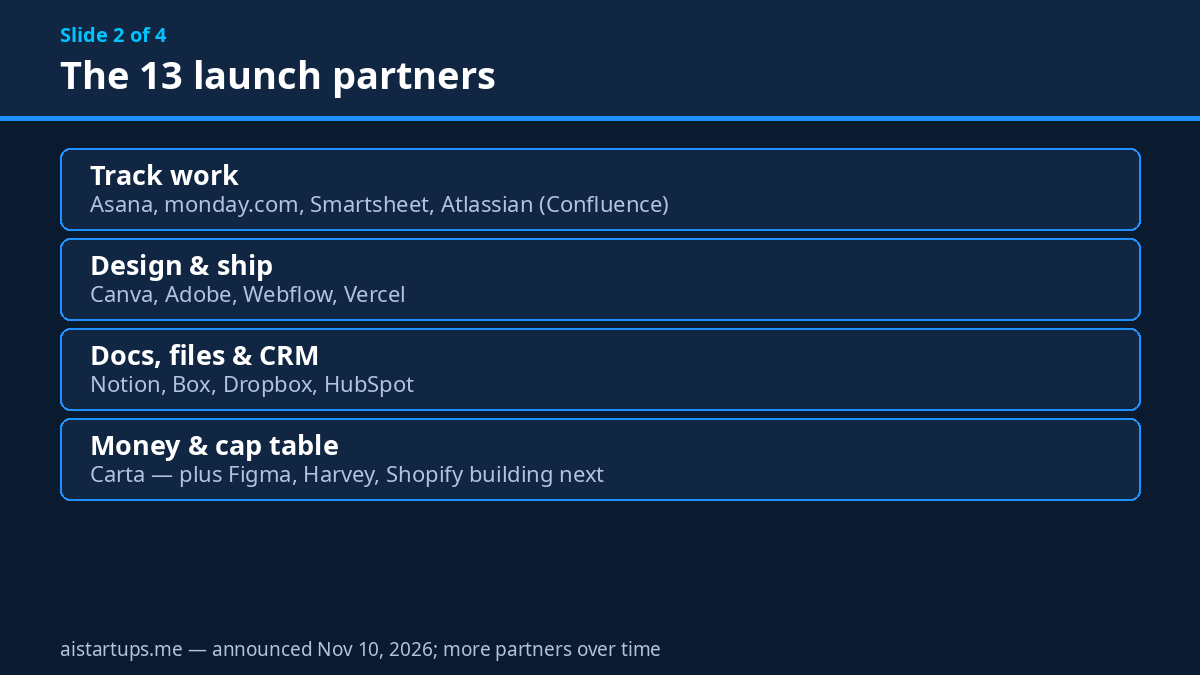
Anthropic names eight tools as the starting group — Asana, Canva, Carta, Dropbox, monday.com, Smartsheet, Vercel, and Webflow — and describes capabilities for five more: Adobe, Atlassian, Box, HubSpot, and Notion. The launch image shows 13 logos. So 13 full-app partners at launch, with Figma, Harvey, and Shopify building integrations now. Here’s how I’d group them for a founder:
- Project and work tracking: Asana, monday.com, Smartsheet, Atlassian (Confluence)
- Design and creative: Canva, Adobe, Webflow
- Docs, files, and CRM: Notion, Box, Dropbox, HubSpot
- Product and money: Vercel, Carta
That’s a solid list, but let’s be honest about what’s missing. No Slack. No Linear. No Google Drive as a full-app connector (Google Workspace has its own Claude add-on, which is a different thing). No Stripe, no Salesforce as a full app — Salesforce plugins exist with built-in skills, but that’s not the same as opening Salesforce beside your chat. If your whole company runs on one tool that isn’t on this list, this launch doesn’t change your day yet. Check the directory for the Interactive badge on your own stack before you get excited.
The partner list will grow — Anthropic is openly inviting more developers to build — but “will grow” is not a feature you can plan around. Buy for what’s here today.
Founder workflows: what to actually do with each app
Enough about the plumbing. What does a founder actually do with this on a Tuesday? I went through each launch partner and asked one question: what’s the job a two-to-ten-person startup would hand Claude in this app, this week? Here’s my honest take, app by app.
Asana and monday.com: the Monday standup, minus the admin
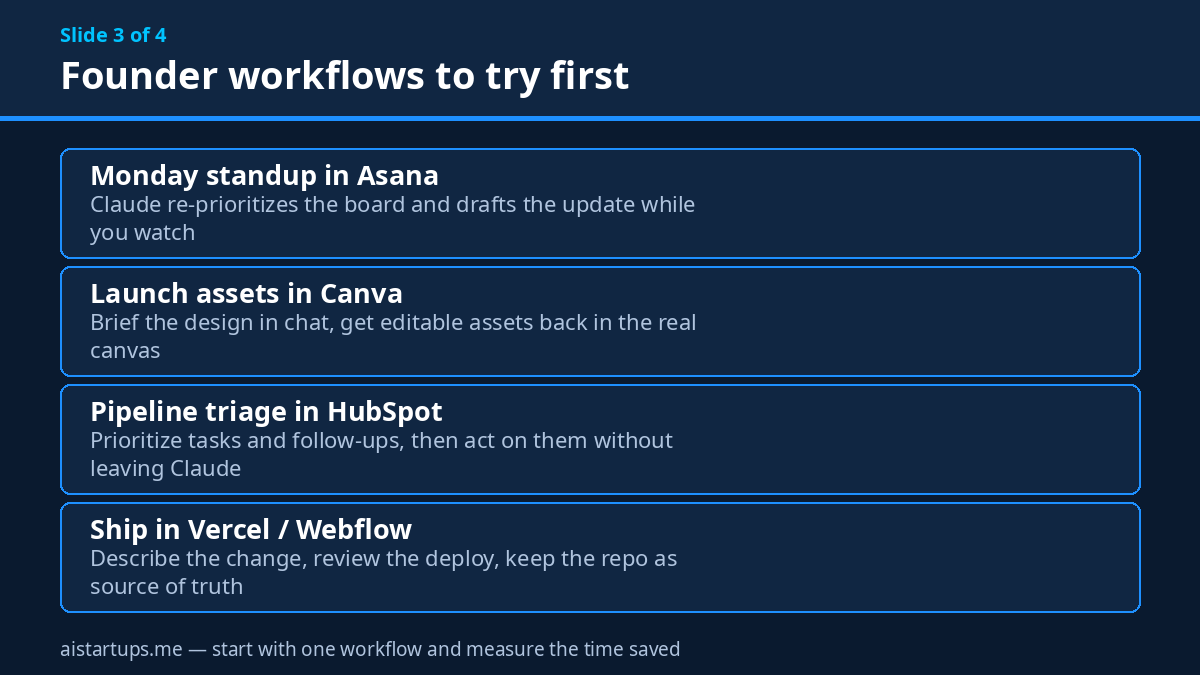
This is the most immediately useful workflow in the whole launch, in my opinion. Open your Asana board beside the chat and ask Claude to re-prioritize it: what’s overdue, what’s blocked, what’s due this week, and what slipped without anyone noticing. Claude can work the board while you watch, and you approve the moves.
The real win isn’t the re-prioritizing, though. It’s the standup update. Ask Claude to draft the week’s status from the board as it actually stands — not as someone remembers it — and you get a note you can paste into Slack or read out in five minutes. The version I tried in my head (and the version Anthropic demos) is simple: “What’s at risk this week, and who owns it?” That’s a question that used to take a founder 20 minutes of clicking around. Now it’s one sentence.
Same story in monday.com. If your team tracks launches there, Claude can triage the board, flag the stuck items, and update statuses after the standup while you’re still on the call. The trick is to keep the ask narrow. “Update everything” is a recipe for a mess. “Move anything marked blocked to the top and draft the owner a follow-up” is a task Claude can actually do well.
Canva: launch assets without the design bottleneck
Small teams know this pain well. You need a LinkedIn graphic, a pitch-deck cover, and a one-pager for an event — and the one person who can make them is booked until Thursday. With Canva open beside the chat, you brief the design in plain language and Claude works in the real canvas.
Now, real talk: Claude is not going to replace your designer for anything that matters. What it does replace is the first draft and the tenth revision. “Make three versions of this announcement graphic, one for LinkedIn, one for X, one for the newsletter” is a perfectly good Claude job. “Design our brand identity” is not. Use it for volume and speed, keep a human on anything a customer will judge you by.
Notion: your docs stop being a graveyard
Notion is where startup knowledge goes to be forgotten. The wiki is six months out of date, the onboarding doc references a tool you stopped paying for in March, and nobody wants to be the person who fixes it. This connector is built for exactly that job.
Ask Claude to create a Notion doc or database, or to build as you chat — it edits the doc directly while you talk through the changes. My pick for the first job: hand Claude your onboarding doc and your actual current stack, and ask it to flag everything that’s wrong. Then approve the fixes one by one. Second job: turn a messy meeting’s notes into a structured page with owners and dates, right there in Notion, instead of a doc that lives in someone’s chat history.
One caution: Notion is also where your most sensitive internal writing lives — salaries, fundraising notes, investor updates. Claude works inside your permissions, which is the right design, but permissions are only as good as your Notion setup. If everyone in your workspace can see everything, Claude can too. Worth a five-minute permissions check before you connect it.
HubSpot: pipeline triage for the founder doing sales
Early-stage founders are the sales team. That means the CRM is usually a mess — stale deals, missing follow-ups, contacts with no next step. Anthropic’s own description of the HubSpot connector is refreshingly modest: prioritize pipeline tasks and follow-ups, then act on them in Claude.
That framing is right. The workflow is “show me the five deals most likely to slip this week, and draft the follow-up for each one.” Claude ranks, you approve, you send. It’s not a CRM replacement and it’s not a sales strategy. It’s a Monday-morning triage that takes ten minutes instead of an hour. And for a founder doing sales between product work, an hour back every Monday is not small.
Vercel and Webflow: shipping without leaving the chat
For technical founders, the Vercel connector is the one to watch. Your app opens beside the conversation, you describe the change, Claude makes it, and you review the result in the real tool. Same with Webflow for the marketing site — describe the new landing page section, watch it take shape, edit it yourself when Claude’s version is 80% right.
Here’s where I draw a line, though. Shipping to production through a chat window is powerful, and it’s also how you push a bug at 11pm that you didn’t review properly. Keep your repo as the source of truth, keep deploys gated the way they already are, and use Claude for the draft-and-review loop — not as a shortcut around it. If your team is building client sites or product features and the integration work itself is the bottleneck, a web development studio like AISquadX can wire up the AI integration properly while your team stays focused on the product.
Box and Dropbox: the file wrangling nobody wants to do
Box is the more interesting of the two for founders, because of one detail: you can open a file beside your chat, ask Claude to revise it, and compare the versions side by side before you keep the changes. That’s the right shape for contract redlines, investor updates, and grant applications — the documents where you need to see exactly what changed.
Dropbox covers the same ground for teams that live there: open the file, ask for the revision, review it in place. The boring-but-real use case is the shared drive cleanup — “find every version of the pitch deck and tell me which one is current.” Every startup has fourteen versions of its pitch deck. This is how you find out which one is real.
Adobe: photos and PDFs, minus the app-switching
Adobe’s connector covers two jobs founders actually have: retouching and editing photos, adding effects, and working with PDFs — highlighting, editing, and redacting them. The PDF side is the one I’d use first. Redacting a contract or an investor document used to mean opening Acrobat, hunting through menus, and hoping you got every instance. Doing it in a chat window while Claude tracks every redaction is a genuinely better workflow.
The photo side is useful for the same reason Canva is: volume. Product shots, social assets, quick touch-ups — Claude does the pass, you approve, you move on. Keep a human on anything that’s going on the homepage.
Atlassian (Confluence): the docs your team actually reads
Open a Confluence page beside your chat, ask Claude to write and edit, and review its changes live on the page. That’s the whole pitch, and if your team runs on Confluence, it’s a good one. The specific job I’d start with: the runbook. Every startup has a runbook that was accurate once, in 2024. Ask Claude to rewrite it from how the team actually works now, review the diff live, and approve it section by section.
Carta: the cap table stays boring (in a good way)
Carta is the quiet one on the list. Nobody demos a cap table. But for a founder, the cap table is the document where a mistake costs real money. Claude’s job here isn’t to be creative — it’s to be careful. Pull the numbers, explain what changed since the last round, draft the board update. Approve everything, trust nothing blindly. The connector is useful precisely because it keeps you inside Carta, looking at the real numbers, instead of copying them into a chat window where a digit can slip.
Permissions and approvals: who can touch what
This is the section most launch coverage skips, and it’s the one that matters most if you’re putting Claude inside your company’s actual tools. So let’s go through it carefully, because Anthropic’s design here is genuinely thoughtful — and it still leaves you with work to do.
First, the core rule: interactive connectors use the same permissions you granted when you connected the tool. Claude works within your existing permissions. If you can’t open a file in the source app, Claude can’t reach it through the connector either. That’s the right default, and it’s worth saying plainly because it’s the thing that makes the whole system safe to try. You’re not handing Claude a master key. You’re handing it your key, with your limits.
Second, approvals. You approve Claude’s actions the same way you approve a connector’s actions — the changes appear in the tool as Claude makes them, so you can watch and stop anything that looks wrong. For a founder, I’d keep approvals on for everything that touches customers, money, or anything public. Loosen up only for the truly low-stakes stuff, like reorganizing your own task board.
Third, admins get real controls. On Team and Enterprise plans, owners can restrict a connector’s tools the same way they do today — including disabling the specific tool calls that render interactive connectors, under Organization settings, then Connectors. Enterprise adds the heavier machinery: audit logs, a Compliance API, and, in the new Claude experience, each cloud session running in its own isolated virtual machine with connector credentials kept outside it. If you’re rolling this out to a team that handles customer data, read the admin docs before you enable anything org-wide.
Fourth, the technical shape. In-chat views run in sandboxed iframes with strict Content Security Policies, and all communication between the interface and Claude uses auditable JSON-RPC messaging. Third-party connectors are provided by the connector’s developer, who is responsible for the content shown. In plain English: the app inside your chat is walled off from the rest of the page, and there’s a paper trail for what it did.
And one hard limit worth knowing: purchases through a connector’s in-chat views aren’t supported. Anthropic’s Help Center says so directly. So if you were imagining Claude buying something inside Shopify the moment that integration lands — no. It can prep the order, it can’t place it. For a founder, that’s actually reassuring. The scariest failure mode of an AI with tool access is the one where it spends money. That door is closed by design.
What it costs (and what it doesn’t)
There’s no separate price for interactive connectors. They draw on your plan’s normal usage limits — the same pool your chats, Claude Code sessions, and everything else share. That means the cost question is really the plan question. Here’s the pricing as it stands on claude.com/pricing, which I read on November 13, 2026. Prices exclude tax, and Anthropic says they’re subject to change.
- Free — $0. Limited usage every 5 hours and every week. Connectors are included, and the full-app view rolls out on all plans — but the usage cap will bite fast if Claude is doing real work in your apps.
- Pro — $20 a month, or $17 a month billed annually ($200 up front). At least 5x the usage of Free per 5-hour session, plus a weekly limit. This is the right starting point for a solo founder.
- Max — $100 a month. 5x Pro usage every 5 hours and every week, plus $100 a month in API credits and Fable included for up to half your weekly limit.
- Ultra — $200 a month. 10x Pro usage per week, no 5-hour limit for verified accounts, $200 a month in API credits. This was called Max 20x until October 30.
- Team — from $25 per seat a month. Standard seats are $25 monthly or $20 billed annually; Premium seats are $125 monthly or $100 billed annually. Central billing, SSO, and connector admin controls included.
- Enterprise — $20 per seat a month, billed annually, plus usage at API rates. 20-seat minimum, with audit logs, SCIM, custom data retention, and role-based access.
Now, the honest cost math. A solo founder on Pro pays $20 a month (or $17 on annual billing) for Claude, and the connectors ride along for free. But there’s a catch the pricing page doesn’t spell out in big letters: heavy connector work burns through the same usage pool as everything else. If Claude spends a morning reorganizing your Asana board, rewriting your Notion wiki, and triaging your HubSpot pipeline, that’s a morning of usage gone. You’ll feel it on Pro before you feel it on Max. My rule of thumb: if connectors become part of your daily workflow, budget for Max within a month or two. The $100 stings less than hitting the weekly limit on a Thursday with a launch on Friday.
There’s also the other side of the cost question: the apps themselves. Connectors don’t replace your Asana or HubSpot subscription — you still pay for those, and Claude works inside them. So the real monthly cost of this setup is Claude plus the tools you already pay for. The connectors just make the tools you already own work harder. That’s a good deal if (and only if) you were already paying for the tools.
The limits — the honest list
I’ve been positive about this launch so far, and I mean it. But a founder’s guide that only lists the good parts is a press release, not a guide. Here’s what doesn’t work yet, or doesn’t work the way you’d hope.
- Gradual rollout. The full-app view arrives as your account moves to the new Claude experience. You might not have it yet. There’s no switch you can flip to speed it up — your org has to turn it on, or your account has to be updated.
- Web and desktop only. The announcement covers the web and the Claude desktop app. The full-app view hasn’t reached mobile. If you run your company from your phone (and plenty of founders do, at least half the time), you’ll be doing connector work at your desk, not on the go.
- Only 13 partners at launch. Thirteen is a real list, but it’s also a short one. If your stack centers on Slack, Linear, Stripe, or Salesforce, the full-app view doesn’t cover you yet. Figma, Harvey, and Shopify are building integrations, but “building” means “not here.”
- Claude can only do what the connector exposes. The Help Center is blunt about this: Claude can only take actions the connector’s developer has made available. If the Asana connector doesn’t expose a particular action, Claude can’t do it, no matter how nicely you ask. And the in-chat views only appear where the connector supports the feature — some connectors will stay text-only for a while.
- No purchases in-chat. Covered above, but worth repeating as a limit: if your workflow ends with buying something, that step still happens in the real app, by a human.
- Beta rough edges, by definition. This is a launch, not a mature product. Expect a connector that works perfectly on Tuesday and glitches on Wednesday. Start with one workflow, keep your approvals on, and don’t rebuild your company’s processes around a feature that’s three days old.
None of these is a dealbreaker. But the mobile gap and the short partner list are the two that will decide whether this changes your week or just gives you a fun demo. Check both against your own habits before you invest time in setup.
MCP Apps: what if YOUR product lived inside Claude?
Here’s the part of this launch that founders should read twice — because it’s not about using someone else’s app. It’s about getting your app inside Claude.
Interactive connectors run on MCP Apps, the open extension to the Model Context Protocol that lets an MCP server bring its own interface into AI applications. In plain terms: if your product has an MCP server, it can now show its own interface inside Claude — not just answer questions in text, but open up as a working app the user can click through while Claude helps them use it.
That’s a distribution idea worth sitting with. The 13 launch partners are companies that already have users. But the mechanism is open: an MCP App you build isn’t limited to Claude, and it can run in any AI application that supports the extension. Anthropic says support for these capabilities is in public preview for developers, and you can start building with them today.
What would that look like for a small startup? Say you sell a niche tool — a quoting calculator for contractors, a compliance checklist for clinics, a menu planner for restaurants. Today, a user finds you on Google, signs up, and learns your interface. With an MCP App, a user could ask Claude a question in plain language and your tool opens beside the chat, already set up for their job, with Claude guiding them through it. That’s not a better landing page. It’s a different front door entirely.
Now, the sober part. Building an MCP App is real engineering work, and the public preview means the APIs can shift under you. The audience is also limited to people who already use Claude and already have the new experience. I wouldn’t bet a quarter’s roadmap on it. But if you’re a technical founder, or you’re starting an AI agency and want a service to sell clients in 2027, building one MCP App as an experiment is cheap, fast, and genuinely interesting. Read Anthropic’s developer docs, build the smallest useful version, and see if anyone uses it. The cost of finding out is a weekend.
And one more angle: the marketplace now lists more than 9,000 connectors and plugins. Most of them are small, community-built, and rough. That’s not a complaint — it’s an opening. The developers who build the useful connectors for the niches nobody else covers will own those niches inside Claude. If your startup serves a vertical with specific tools, being the connector for that vertical is a real moat. Small, but real.
Is it worth it? The math for a small team
Let’s put numbers on this, because “it saves time” is the kind of claim that means nothing without a number next to it.
Take a three-person startup. Say the founder spends two hours a week on the kind of admin this launch targets: updating the task board, drafting status updates, triaging the CRM, fixing the docs. That’s generous, honestly — most founders I know spend more. If connectors cut that in half, that’s one hour a week back, four hours a month. On Pro at $20 a month, you’re paying $5 per hour saved. That’s a good trade by any measure. On Max at $100, it’s $25 per hour saved — still fine if the hours are real and the work is the kind that was eating your evenings.
But the math only works if the hours are real. Here’s the test I’d run before spending anything: pick one workflow — the Asana standup, the HubSpot triage, the Notion cleanup — and run it through Claude for two weeks. Time it. If it saves you 30 minutes a week, keep it. If it saves you five, drop it and move on. The features are free to try at whatever plan you’re already on, so the experiment costs you nothing but the setup time.
There’s one more number that matters, and it’s not on the pricing page: the cost of a mistake. Claude editing your live task board or your live CRM is powerful exactly because it’s live. A wrong edit isn’t a bad draft in a chat window — it’s a real change in a real tool. That’s why approvals exist, and why I’d never turn them off for anything that touches customers or money. The time you save is real. The risk is real too. Keep both in view.
For context on where this sits in Claude’s overall direction: the model doing the work matters as much as the connectors. Our hands-on guide to Claude Sonnet 5.5 covers the model most founders will actually be using day to day, and Claude Fable 5.2 is the heavier option when a task needs the strongest reasoning. Connectors are the hands. The model is still the brain. Pick the brain first, then worry about the hands.
The point was never the chat window. It was always the work — and for the first time, Claude is doing the work where the work already lives, in the apps you already pay for, with your permissions and your approval. That’s a small sentence and a big shift.
Frequently asked questions
Do interactive connectors cost extra on top of my Claude plan?
No. There’s no add-on price — connectors draw on your plan’s normal usage limits, the same pool your chats and Claude Code sessions use. The cost is whatever plan you’re already on: Free at $0, Pro at $20 a month ($17 billed annually), Max at $100, Ultra at $200, Team from $25 per seat, or Enterprise at $20 per seat plus usage. You still pay for the underlying apps themselves — Asana, HubSpot, Notion, and the rest are separate subscriptions, and Claude works inside them.
Which apps work as full-app interactive connectors at launch?
Thirteen, at announcement: Asana, Canva, Carta, Dropbox, monday.com, Smartsheet, Vercel, and Webflow as the named starting group, plus Adobe, Atlassian (Confluence), Box, HubSpot, and Notion. Figma, Harvey, and Shopify are building integrations. Look for the “Interactive” badge in Claude’s Connectors Directory — that’s how you tell a full-app connector from a regular text-only one. And the full-app view only appears where the connector supports it, so check your own apps rather than assuming.
Can Claude buy things or move money through a connector?
No. Anthropic’s Help Center states directly that purchases through a connector’s in-chat views aren’t supported. Claude can prep, prioritize, and draft — it can’t place the order or move the money. For anything financial, that step still happens in the real app, by a human. I’d call that a feature, not a gap.
Why can’t I see the full-app view in my Claude account yet?
Three usual reasons. First, the rollout is gradual — the full-app view arrives as your account moves to the new Claude experience, and there’s no switch to speed it up. Second, your organization may not have turned it on; on Team and Enterprise plans, an Owner or Primary Owner enables connectors first. Third, the specific connector may not support the full-app view — check for the Interactive badge in the directory. If all three check out and it’s still missing, give it a few days and check again.
Is it safe to let Claude edit my live Asana board or HubSpot pipeline?
Safer than most people assume, but not automatic. Claude works inside the permissions you already granted — if you can’t open it, Claude can’t either — and you approve its actions as it makes them. In-chat views run in sandboxed iframes, and Enterprise plans add audit logs and admin controls. The part that’s on you: your permissions in the source app, and your approval habit. Keep approvals on for anything touching customers or money, review changes as they land, and don’t let Claude reorganize a shared board unsupervised until you’ve watched it do the job correctly a few times.
The Bottom Line
Interactive connectors are the least flashy launch in Anthropic’s November 10 announcement, and they might be the most useful. Sheets and Whiteboards got the headlines. Connectors got the workflow — the part where Claude stops being a chat window you visit and starts working in the apps where your company already lives.
My advice is simple. Connect one app this week — the one you live in most, probably Asana, Notion, or HubSpot. Run one real workflow through it, with approvals on. Time it. If it saves you half an hour, connect a second app. If it doesn’t, you lost ten minutes of setup and learned something. Don’t rebuild your processes around it yet, don’t turn off approvals, and don’t wait for Figma or Shopify to arrive before you try what’s already here.
The AI assistant era was about asking good questions. The next era is about AI doing good work in real tools, while you watch and approve. This launch is the first version of that era that a five-person startup can actually use on Monday morning. Go try it — and keep your hand on the approve button.