
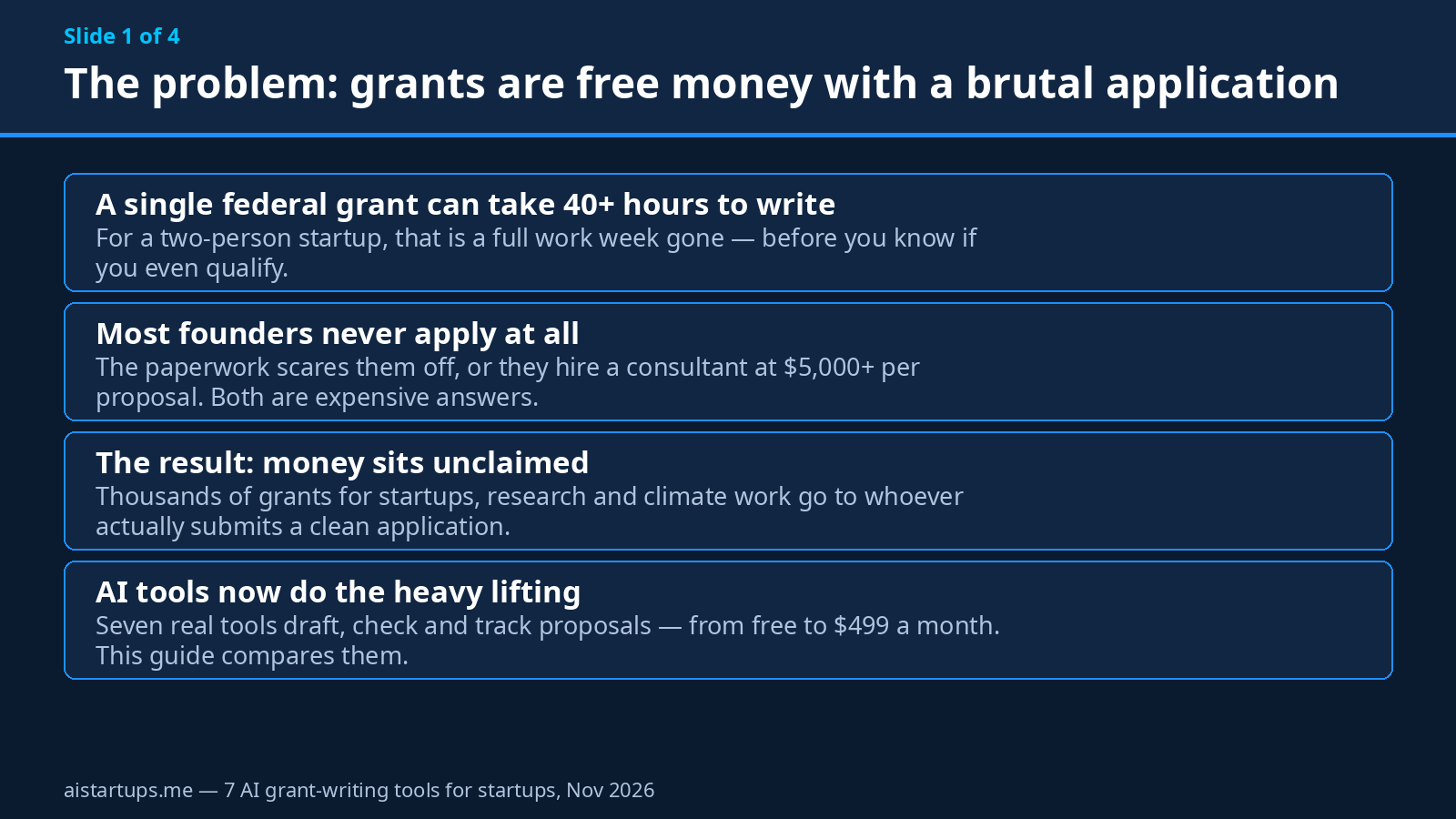
Real talk: grants are the weirdest money in startups. Nobody owns a piece of your company for it. You don’t pay it back. And yet most founders never apply — because the application reads like a tax form written by a committee, and a single federal proposal can swallow 40 hours of your life before you even know if you qualify.
I get it. I have watched a two-person startup lose an entire week to one application. The founder did the writing at night, after the real work, and by page 30 she was copy-pasting the same company description for the fifth time, wondering if any of this was worth it. (It was — the grant was $50,000. She didn’t get it. The application went in late, and one section was left half-finished because she’d run out of hours, not ideas.)
Here’s the thing, though. The writing was never the hard part. The hard part was the volume: finding the right grants, reading 40-page rulebooks, answering the same questions ten different ways, tracking deadlines across five portals. That’s exactly the kind of repetitive, structured work AI is good at now. And in 2026, there are real tools built for this — not generic chatbots with a “grant” prompt, but platforms that find funders, draft from your own material, and check your application against the funder’s rules before you submit.
So I did the boring, necessary work for you. I found seven AI grant-writing tools that actually exist, actually work, and actually serve small teams — then I verified every price on each vendor’s own pricing page on November 19, 2026. Where a price couldn’t be verified from the vendor, I say so. No invented numbers, no “starting at” guesses copied from a roundup.
One quick note before we start: none of these tools will win you a grant by itself. A Northwestern study published in PNAS found that proposals showing stronger signals of AI-assisted writing were about four percentage points more likely to be funded — a real edge, but an edge, not a magic wand. The idea still has to be good. The numbers still have to be true. What the tools do is give you back the hours, so you can spend them on the parts that actually decide the outcome.
How I picked these seven (and what I checked)
There are dozens of tools with “AI grant writer” on their homepage. Most of them are one of three things: a thin wrapper around ChatGPT with a grant template, a dead product with a pricing page from 2023, or an enterprise platform that won’t talk to you unless you book a demo and bring a procurement department. I dropped all three kinds.
What survived had to meet four tests. First, it has to exist and operate right now — a live product with a working signup or demo. Second, it has to be usable by a startup or a small team, not just a university grants office. Third, it has to do something a general chatbot can’t do on its own: funder matching, RFP checklists, a content library, compliance checks. And fourth, its price has to be verifiable — either published on the vendor’s own site or honestly stated as “custom, by quote.”
That last one matters. Grant Assistant, the FreeWill tool, publishes no price at all, and I’m including it anyway — because it’s a serious product trained on 7,000+ winning proposals, and pretending it doesn’t exist would make this list less honest. But I’ll tell you plainly that you’ll need a demo and a quote, and that it’s built for bigger teams.
Prices below are the vendor’s own list prices, verified November 19, 2026. They change — check before you pay. Annual billing usually cuts 15-20%, and I’ve noted where that’s confirmed.
The short version: my picks
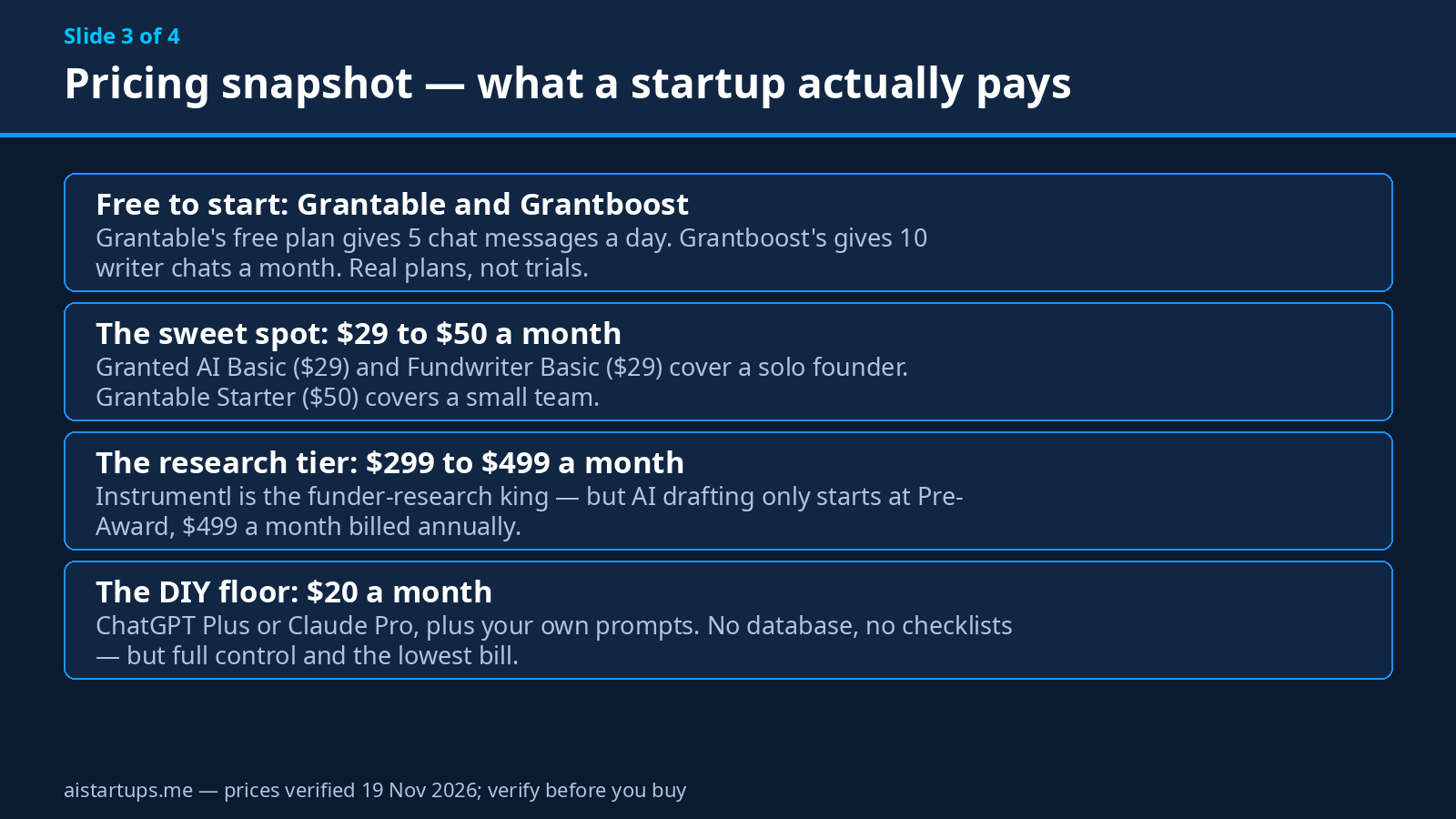
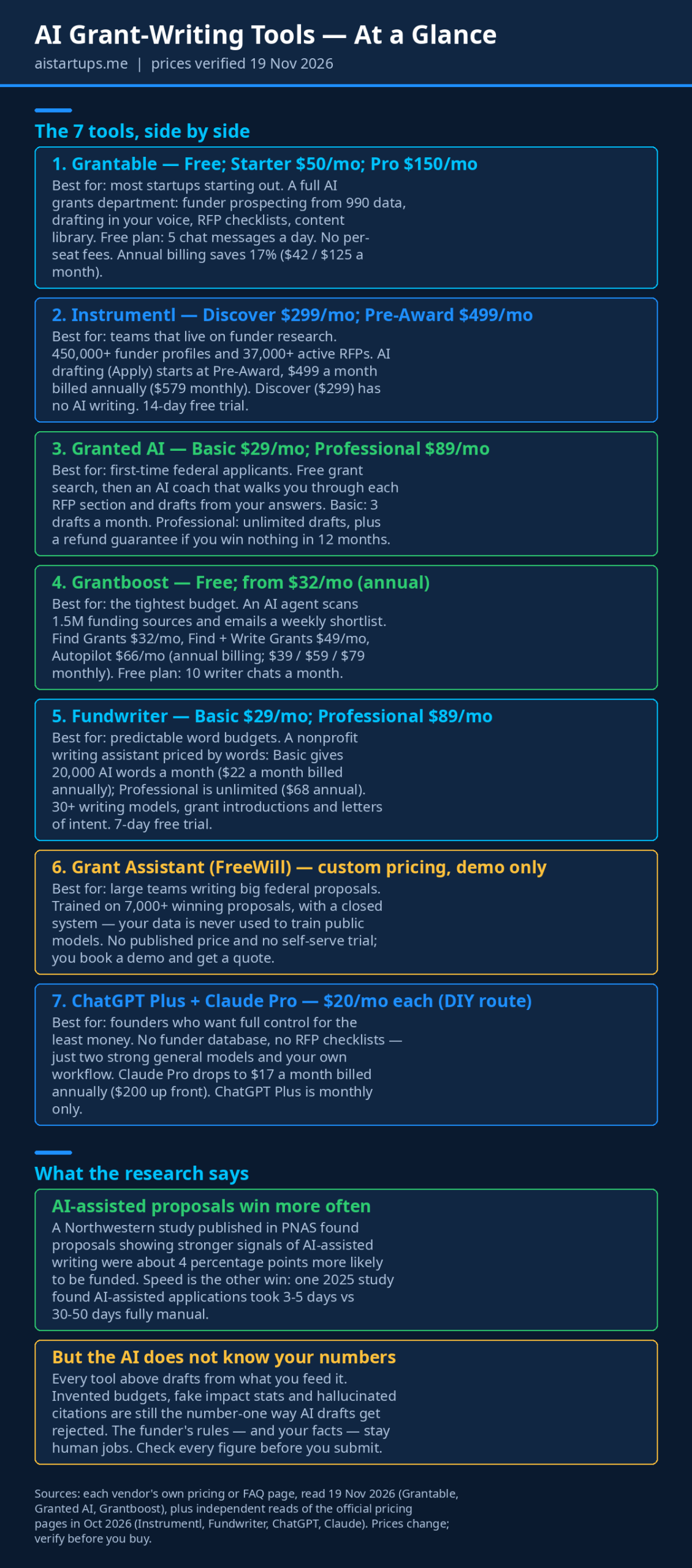
If you don’t want the full tour, here’s the cheat sheet. Starting from zero and want to pay nothing? Grantable’s free plan or Grantboost’s free plan. Solo founder, first federal grant, tight budget? Granted AI Basic at $29 a month. Small team that wants one tool for the whole job? Grantable Starter at $50 a month. Obsessed with finding the right funder before you write a word? Instrumentl — but budget for the $499 Pre-Award tier, because the $299 tier doesn’t include AI writing. Big team, big federal proposals, privacy is non-negotiable? Grant Assistant, and bring your budget to the demo. Want total control for twenty bucks? ChatGPT Plus or Claude Pro and your own workflow.
Now the full picture, tool by tool.
1. Grantable — the best all-rounder for most startups
If you only try one tool on this list, try this one first. Grantable is the closest thing to hiring a grants department: it finds funders, drafts proposals, turns a funder’s rulebook into a checklist, and keeps your whole pipeline on a dashboard that mostly fills itself in. And the free plan is a real plan, not a seven-day teaser.
What I like most is how it thinks about the work. Most grant tools are a chat box with a template attached. Grantable is organized into “desks” — a Prospecting desk that researches funders from IRS 990 filings and live web data and brings back a ranked shortlist, a Writing desk that drafts in your voice from your own library of past proposals, and a Management desk that runs scheduled scans for new opportunities and emails you what it finds. Your workspace even gets its own email address, so you can hand it work by email. That’s a small thing, but it tells you the product was built by people who have actually run a grants pipeline.
The writing itself is the strongest part. Before it drafts a word, it reads your library — past proposals, mission documents, budgets — the way a colleague who knows your work would. Then you edit together in the document, with inline AI suggestions that look like tracked changes, not a chat window you have to copy out of. Paste in a funder’s application rules and the RFP checklist turns every requirement into a checkbox, so nothing gets missed. For a founder who’s terrified of submitting an application that’s missing section 4(b), that checklist alone is worth the price.
Pricing (verified on grantable.co/pricing, 19 Nov 2026): Free — $0, with every capability included at baseline capacity: 5 chat messages a day and file imports up to 10 MB. Starter — $50 a month ($42 a month billed annually), 20x the capacity of Free, 50 messages a day, unlimited imports. Pro — $150 a month ($125 annually), 60x capacity, 200 messages a day, scheduled tasks and deeper funder intelligence. There are no per-seat fees on any plan — your whole team is covered. An Agency Hub add-on for consultants managing multiple clients runs $300 a month.
Best for: startups and small teams that want one tool for the full job — finding, writing, tracking — without hiring anyone.
Honest limits: the free plan’s 5 messages a day runs out fast on a full proposal; you’ll hit the wall mid-draft on your first real application. Funder discovery is lighter than Instrumentl’s — if your whole strategy is “find grants nobody else has found,” this isn’t the deepest database. And one flag from October 2026 worth knowing: Grantable no longer claims an active SOC 2 certification, so if your organization requires one, ask them directly before you commit.
2. Instrumentl — the funder-research king (with a pricing catch)
Instrumentl has been the gold standard for grant discovery since before AI entered the picture, and it shows. Its database covers 450,000+ funder profiles and 37,000+ active RFPs, updated daily. If your biggest problem isn’t writing — it’s figuring out which of the thousands of grants out there you can actually win — this is the tool built for that problem.
The platform’s real strength is the matching. Its Prospecting Assistant (still in beta) scores opportunities against your mission and history, and the pipeline tools track deadlines, tasks and funder notes so nothing slips. The AI drafting feature, called Apply, adapts your past proposals to each new funder, and it learns from your content library the same way Grantable’s writing desk does. Teams using it report an average $1.4 million increase in annual grant revenue and 192 hours saved a year — those are Instrumentl’s own numbers, so take them as marketing, but the direction is right: this is a tool for teams that treat grants as a revenue line, not a one-off.
Now the catch, and it’s a big one for startups. The AI writing doesn’t live on the entry plan. Discover, the $299-a-month tier, is research and tracking only. You need Pre-Award at $499 a month before Apply shows up. That’s $5,988 a year before you’ve written a word. For a funded startup with a grants pipeline, that’s defensible. For a pre-seed founder chasing one SBIR grant, it’s hard to justify — you’d be paying for a research department when you need a writer.
Pricing (from multiple independent reads of instrumentl.com/pricing, Oct 2026): Discover — $299 a month billed annually ($349 month-to-month), up to 3 users. Pre-Award — $499 a month billed annually ($579 monthly), up to 5 users, adds Apply AI drafting, collaborator access and CRM sync. Full Lifecycle — $999 a month billed annually ($1,159 monthly), up to 15 users, adds post-award spend tracking, SSO and API access. Enterprise is custom. Every plan includes a 14-day free trial, no credit card required. One honest caveat: Instrumentl’s pricing page is JavaScript-heavy and didn’t render its price table when I checked it directly on November 19, so these figures come from three independent reads of the same official page in late October 2026 — they agree to the dollar, but do confirm them on the page before you buy.
Best for: teams that apply for grants constantly and need the deepest funder database plus deadline and pipeline management.
Honest limits: the price, obviously — AI writing starts at $499 a month, which prices out most early-stage startups. Apply isn’t designed for state or federal grant applications, which is a strange gap for a tool this expensive. And if you only need drafting, you’re paying for a research platform you won’t fully use.
3. Granted AI — the best first step into federal grants
Granted AI is the tool I’d hand to a founder who has never written a grant before and is staring at their first federal RFP. It’s built around a simple insight: the hardest part of a first proposal isn’t the writing, it’s understanding what the funder is actually asking for. A 40-page RFP hides its requirements in dense paragraphs, and missing one of them is the most common reason first-timers get rejected.
So Granted starts by reading the whole RFP, pulling out every required section, and mapping exactly what the funder wants. Then a Grant Writing Coach walks you through targeted questions about your organization, your project and your goals — and as you answer, it tracks your coverage of the RFP requirements in real time and drafts each section from your responses. The result is a complete, tailored proposal, not a generic template with your name pasted in. You download it as a Word document and submit it yourself through Grants.gov or the funder’s portal. Granted never submits anything for you, which is exactly how it should be.
There’s also a guarantee with teeth. Professional members get a full refund if they submit at least three proposals during their subscription year and none gets funded — the vendor’s terms, and monthly plans qualify after 12 paid months. That’s a bold promise, and it tells you how confident they are in the coaching workflow. The database behind it is big, too: 140,000+ grants across 144 data sources, including all 50 state portals, plus real-time AI search that crawls agency websites for opportunities other tools miss.
Pricing (verified on grantedai.com/faq, 19 Nov 2026): Free to start — full access with no credit card required, so you can upload an RFP and generate a complete draft before paying anything. Basic — $29 a month, 3 AI drafts a month, the Grant Writing Coach, full RFP analysis, unlimited active grants. Professional — $89 a month, unlimited drafts, early access to new features, and the refund guarantee. Annual billing cuts Basic to $18 a month and Professional to $57, based on October 2026 reads of the pricing page.
Best for: first-time applicants, especially for federal and state grants, and small teams that want a coach, not just a text generator.
Honest limits: 3 drafts a month on Basic is tight if you’re applying in volume — one rejected draft and one revision and you’re done for the month. The coaching workflow is thorough, which also means it’s slow: this isn’t a “paste a prompt, get a proposal in 30 seconds” tool. And the drafting runs on OpenAI’s API, so your data is processed by OpenAI under its data processing agreement — fine for most teams, worth knowing if you handle sensitive information.
4. Grantboost — the cheapest serious option
Grantboost is the tool for the founder who has $32 a month and a long list of grants to chase. It’s the cheapest paid option on this list by a wide margin, and it earns its place by doing one thing well: it finds the grants for you, instead of making you search.
Here’s how it works. You tell it about your organization once — your website, your mission statement, your documents — and its AI agent monitors 1.5 million funding sources, scores every opportunity against your mission, and emails you a weekly shortlist of matches with deadline reminders. You don’t run searches. You don’t manage a dashboard. The shortlist shows up in your inbox. For a solo founder who’d rather be building product than browsing grant databases, that’s the right trade-off.
On the paid writing plan, it drafts proposals from your organization’s details in your voice, with brand voice training and templates. It’s not as deep a writer as Grantable or Granted — there’s no RFP checklist that turns funder rules into checkboxes, and no coach walking you through each section — but for straightforward foundation grants, the drafts are a solid starting point, and the price is hard to argue with.
Pricing (verified on grantboost.io/faq and the Grantboost blog, Nov 2026): Free — $0, 10 writer chats and 10 grant views a month, no credit card, no expiry. Find Grants — $32 a month billed annually ($39 month-to-month), grant discovery across 1.5 million sources. Find + Write Grants — $49 a month billed annually ($59 monthly), adds AI proposal drafting, brand voice training and templates. Autopilot — $66 a month billed annually ($79 monthly), more active projects for larger teams. AI usage is unlimited on all three paid plans.
Best for: small nonprofits, solo founders and tiny teams on the tightest budget who mainly need someone to find the grants and draft a decent first version.
Honest limits: the writing side is thinner than the dedicated writing tools — no RFP requirement checklist, no compliance scan, no coach. The free plan’s 10 chats a month won’t cover a full proposal cycle. And Grantboost is a younger, smaller company than Instrumentl or Grantable, so the database and the feature set are still catching up.
5. Fundwriter — the predictable word budget
Fundwriter is the odd one out on this list, and I mean that as a compliment. It doesn’t have a funder database. It doesn’t do RFP checklists. It’s a nonprofit writing assistant that prices by words — and for some founders, that’s exactly the right shape.
The pitch is simple: you get 30+ writing models built for fundraising work — grant proposal introductions, letters of intent, one-page proposals, proposal outlines, appeals, thank-you letters, donor emails — and you pay for how much you write. Basic gives you 20,000 AI-generated words a month. Professional is unlimited. There are no surprise overages, no message caps that cut you off mid-paragraph, no per-seat fees for collaborators beyond $50 a month per extra team member. If you know roughly how much you’ll write in a month, you know exactly what you’ll pay.
Is it a full grant platform? No. It’s a writing tool, and it knows it. The grant models cover the opening moves — the introduction, the letter of intent, the one-page summary — the parts where a blank page is most intimidating. You still need to find the grants yourself (try Grantboost’s free plan for that, or Granted’s free search), and you still need to check the draft against the funder’s requirements yourself. But for a founder who already knows which grant they’re chasing and just needs the words to come faster, it’s a clean, honest product.
Pricing (verified on fundwriter.ai/pricing via Oct 2026 reads): 7-day free trial, up to 10,000 words. Basic — $29 a month ($22 a month billed annually), 20,000 AI words a month, 30+ writing models. Professional — $89 a month ($68 annually), unlimited words, additional models and early access to new features. Extra team members are $50 a month each.
Best for: writers who want a predictable monthly word budget and strong grant-specific templates for introductions and letters of intent.
Honest limits: no funder research feature is published at all — you’re on your own for discovery. The grant models lean toward the front of the proposal (introductions, LOIs, outlines), so the deep narrative sections are still mostly your job. And the word cap on Basic can bite: a single long federal proposal can run 10,000+ words, so one big application can eat half your month.
6. Grant Assistant by FreeWill — the heavyweight for big proposals
Grant Assistant is the one tool on this list that a two-person startup probably shouldn’t buy — and I’m including it because the moment your team grows past that, it’s the one to know about. It’s built for organizations that write big, complex proposals: federal grants, multi-partner applications, the kind of documents where one missed requirement costs you the whole award.
Its edge is training data. The platform’s AI was trained on more than 7,000 winning proposals, built by a team that includes former USAID senior leaders, and it’s designed to generate proposal sections that match specific funder expectations — not generic good writing, but the shape and evidence a particular funder rewards. It also scans your draft and compares it against the funder’s requirements to catch gaps before you submit. One customer, Pets for Patriots, reported an 80-90% cut in proposal time and a $30,000 grant in their first month. Another reported a $300,000 win in theirs. Those are vendor-reported stories, not independent verification — but they point at the same thing: this tool is built for volume and for stakes.
The privacy story is the other reason it belongs here. Grant Assistant runs a closed system: your proposal data is never used to train public models. For a startup handling sensitive IP, unpublished research or partner data in a proposal, that matters more than any feature list. FreeWill acquired the platform in late 2024, so it now sits inside a larger nonprofit tech company with real support behind it.
Pricing (verified via FreeWill’s Grant Assistant page and independent comparisons, Nov 2026): custom pricing, by quote, after a demo. No public price list, no self-serve free trial, no published plan tiers. The FAQ says pricing is customized based on organization size and grant program scope.
Best for: established nonprofits and larger teams writing multiple federal and foundation grants a year — especially where data privacy is a hard requirement.
Honest limits: the price is a black box, which is a deal-breaker for a startup that needs to budget. There’s no way to try it without talking to sales first. And it’s overkill if you submit fewer than ten proposals a year — you’d be paying enterprise money for a volume problem you don’t have yet.
7. ChatGPT Plus + Claude Pro — the $20 DIY route
Here’s the option nobody in the grant software industry wants you to pick: skip the specialized tools entirely and do it with the chatbots you already pay for. And honestly? For a lot of founders, it’s the right call — at least to start.
The case for it is simple. ChatGPT Plus and Claude Pro each cost $20 a month, and between them they cover the whole job. ChatGPT is the better all-rounder — it has Deep Research for pulling funder background, custom GPTs you can train on your past proposals, and image generation for the occasional chart. Claude is the stronger writer, especially for long, structured documents, and its Projects feature lets you keep your grant material in one place with a shared context. Use Claude to draft, ChatGPT to research and to argue against your own draft like a skeptical reviewer. That’s a real workflow, and it costs $40 a month total — or $20 if you pick one.
The catch is that you’re building the system yourself. There’s no funder database. No RFP checklist that turns requirements into checkboxes. No deadline tracker, no pipeline dashboard, no content library that auto-fills your boilerplate. You have to write the prompts, build the templates, and — most importantly — check the output against the funder’s rules by hand, because nothing in this setup will do it for you. The AI will also happily invent a statistic or a citation if you let it, and a general chatbot is more likely to do that than a specialized tool with guardrails.
So think of this as the training wheels option, not the forever option. It’s perfect for your first one or two grants, when you’re learning what a good proposal looks like and you don’t want to commit to a platform. Once you’re applying monthly, the time you spend managing prompts and checklists by hand will cost more than a Grantable or Granted subscription. That’s the moment to switch.
Pricing (verified from the vendors’ own pricing pages via independent reads, Nov 2026): ChatGPT Plus — $20 a month, monthly billing only, no annual discount. Claude Pro — $20 a month, or $17 a month billed annually ($200 up front). Both have free tiers, but the free tiers cap usage hard enough that you won’t finish a real proposal on them.
Best for: founders who want full control, the lowest possible bill, and a workflow they can shape exactly to their grant.
Honest limits: no funder discovery, no compliance checking, no deadline tracking — you’re the system. Hallucination risk is higher than with specialized tools. And if you’re writing grants every week, the manual overhead will eat the savings.
How to pick the right one (in five minutes)
Forget the feature tables. Answer three questions and the choice mostly makes itself.
First: how many grants will you actually submit this year? One or two, and you’re learning? Start with ChatGPT or Claude, or Grantable’s free plan. Three to ten? Granted AI Basic or Grantable Starter — you need the RFP checking and the drafting, and $29-50 a month pays for itself the first time a checklist catches a missing section. Ten or more, with a team? That’s Grantable Pro or Instrumentl Pre-Award territory, and the decision turns on whether you need the research database or the writing depth more.
Second: what’s your bottleneck — finding grants or writing them? If you already know your target funder and just need the proposal written, buy a writer: Grantable, Granted, Fundwriter, or the DIY route. If your problem is that you don’t know what to apply for, buy a finder: Instrumentl or Grantboost. Buying a writer when your problem is discovery is like buying a faster car when you’re lost. It just gets you to the wrong place sooner.
Third: how sensitive is your material? Most startups can live with standard cloud processing. But if your proposal contains unpublished research, partner IP or anything you’d be embarrassed to see in a training dataset, the closed-system tools matter — Grant Assistant’s pitch is exactly this, and Granted states plainly that your data is never used to train models. Read the privacy page before you upload your crown jewels. It’s two minutes of reading that can save you a very bad day.
The workflow that actually wins grants
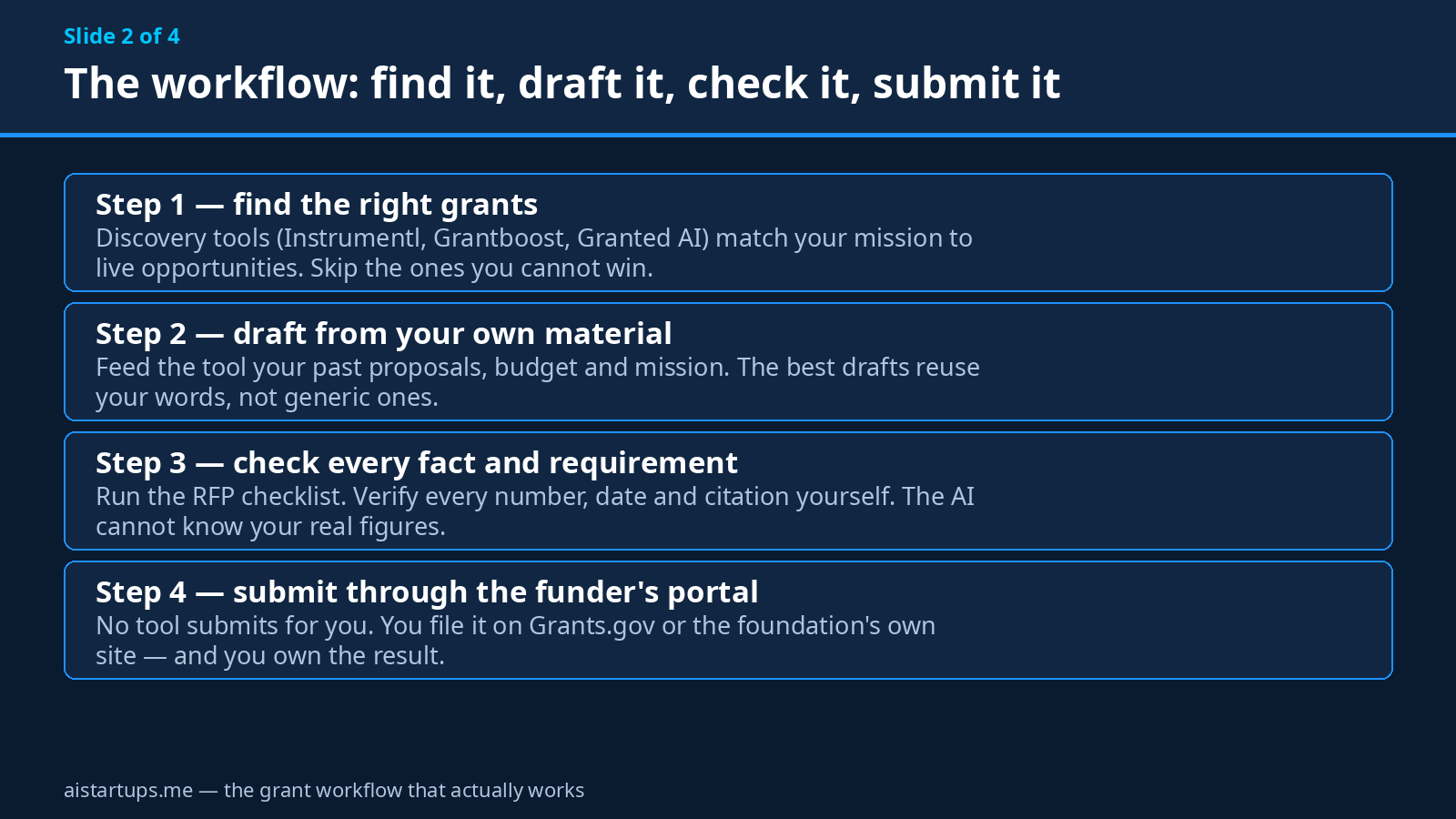
The tool is maybe 30% of the outcome. The workflow is the rest. Here’s the one I’d run, whatever tool you pick — it’s the same shape the strongest teams use, and it works whether you’re on a $20 chatbot or a $499 platform.
Start with fit, not writing. Before you draft a word, score the grant against your startup honestly. Does your stage match? Does your geography match? Has this funder ever funded a company like yours? The fastest way to waste 40 hours is to write a beautiful proposal for a grant you were never going to win. Instrumentl and Grantboost exist to answer this question — use them, or do it by hand with the funder’s past awards list. Either way, do it first.
Then build your content library before you need it. Every grant asks for the same ten things in different words: your mission, your team, your traction, your budget, your impact. Write those once, properly, and keep them in one place. Every tool on this list gets dramatically better when it can draw on your real material — and dramatically worse when it has to guess. A founder who feeds the AI a good pitch deck and a real budget gets a draft that sounds like their company. A founder who feeds it nothing gets a draft that sounds like everyone.
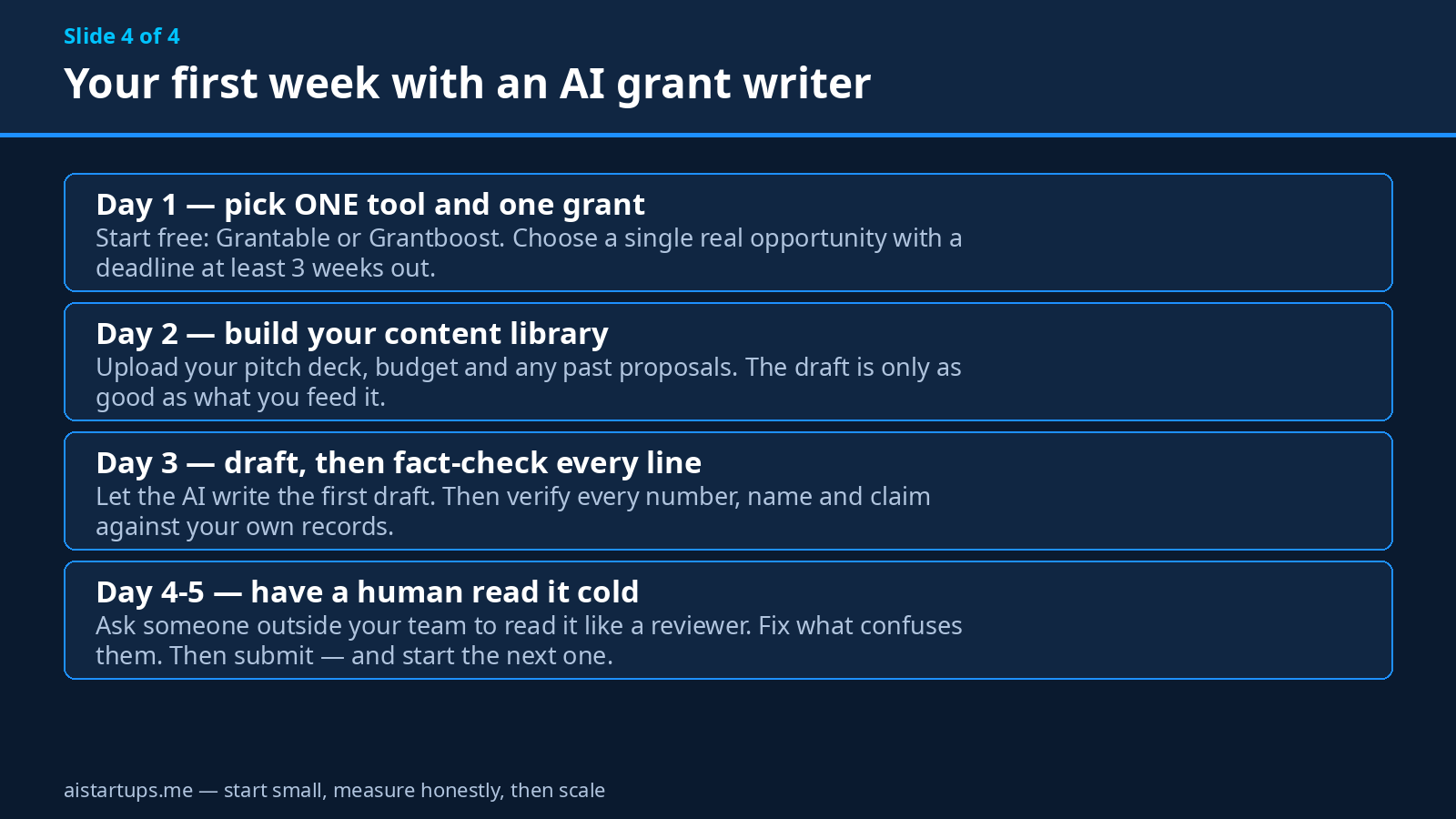
Then draft fast and edit slow. Let the AI produce the first version in an afternoon — that’s the whole point. Then spend the time you saved on the edit: does every claim trace back to a real number? Does the budget add up? Does the narrative actually answer the funder’s question, or does it answer the question you wish they’d asked? Get a human to read it cold. Someone outside your team, ideally. If they can’t follow the argument, a reviewer who’s reading their fiftieth proposal that week won’t either.
And keep the evidence close. Funders trust specifics: named customers, dated milestones, real numbers with sources. Vague claims — “we will transform the sector” — are where AI drafts go to die. If you’re raising money alongside grants, the same discipline applies to investors: know the questions investors ask before they write a check, because the answers overlap more than you’d think.
Five mistakes that kill AI-written proposals
- Submitting the first draft. The AI’s first version is a starting point, not a submission. Every tool on this list says so, and the ones that don’t are lying. Read it out loud. If a sentence sounds like it could belong to any company, rewrite it until it could only belong to yours.
- Letting the AI invent your numbers. This is the big one. An AI that doesn’t know your revenue will invent a revenue. An AI that doesn’t know your impact stats will invent those too. Never let a draft go out with a figure you haven’t checked against your own records. Funders check. Getting caught once can end the relationship.
- Ignoring the RFP’s actual requirements. Every funder has quirks — page limits, font sizes, sections in a specific order, attachments in a specific format. The tools with RFP checklists (Grantable, Granted) catch these. The DIY route doesn’t. Either way, read the rules yourself. Twice.
- Applying for grants you can’t win. A scattergun strategy feels productive and isn’t. Ten rushed applications to bad-fit funders lose to two careful applications to good-fit ones. Use the discovery tools to filter hard, then go deep on the few that fit.
- Forgetting the follow-up. Winning is only half the job. Most grants come with reporting requirements, milestones and audits — and if you treat the award as the finish line, you’ll lose the next one. Track your deadlines from day one, the same way you’d track a customer contract. If you’re weighing whether to keep going solo or bring in help, settling the co-founder agreement before you incorporate matters just as much for grant-funded work as for venture-backed work — someone has to own the reporting.
“The AI doesn’t write your grant. It writes the first 70% of your grant — the structure, the boilerplate, the sections you’ve written five times before. The last 30% is you: the judgment, the numbers, the story only you can tell. Spend your hours there.”
What happens after you win (and why your website matters)
Here’s a part nobody talks about: winning the grant is when the real work starts. Most grants pay in milestones, and your first milestone is usually “show us the thing exists.” A funder that just gave you $50,000 will visit your website, and what they find there shapes how seriously they take the next report. A half-finished landing page with a coming-soon banner does not inspire confidence.
So plan the build into the grant timeline, not after it. If the grant funds a product, the product needs a home: a site that explains what it does, who it’s for, and how to try it. If that build is outside your team’s skills, or your team is busy shipping the product itself, getting a web development studio like AISquadX to handle the site and the AI integration is a legitimate use of the budget — and it’s a lot cheaper than hiring a full-time developer for a three-month build. And while you’re planning the money side, remember the rest of the business still needs pricing that works: pricing your AI SaaS product is a separate problem from winning the grant, but the grant won’t save a product nobody will pay for.
Frequently asked questions
Can AI write a whole grant proposal by itself?
It can produce a complete draft, yes — and some tools, like Granted AI and Grantable, are built to do exactly that from your RFP and your material. But “complete draft” and “submittable proposal” are different things. Every draft needs a human to verify the facts, check it against the funder’s requirements, and rewrite the parts that sound generic. The tools that are honest about this are the ones worth paying for. And check the funder’s own rules: the NIH, for example, has said it will not treat an application substantially developed by AI as the applicant’s original work, while the European Commission permits AI use and holds the researcher fully accountable for the result. The rules differ by funder, so read them before you submit.
Are AI grant-writing tools legal to use?
Yes, in general — but with conditions that vary by funder. Most funders don’t ban AI assistance; they ban misrepresentation. That means: don’t submit AI-generated text as your own original work without disclosure if the funder asks for it, don’t let the AI invent credentials or data, and keep records of what you wrote versus what the tool drafted. When in doubt, disclose. A one-line note that you used AI drafting assistance with human review is cheap insurance.
How much should a startup budget for grant-writing software?
For a solo founder applying a few times a year, $0-50 a month covers it — Grantable or Grantboost free, or Granted AI Basic at $29. For a small team applying monthly, $50-150 a month (Grantable Starter or Pro) is the sweet spot. The $299-499 Instrumentl tiers only make sense when grants are a real revenue line and you’re applying constantly. And if you’re pre-revenue and counting every dollar, the $20 DIY route with ChatGPT Plus or Claude Pro is genuinely viable for your first one or two applications.
Which tool is best for SBIR or federal grants?
Granted AI is the strongest fit for first-time federal applicants because its coaching workflow is built around reading the RFP and tracking your coverage of each requirement — that’s the exact failure mode that kills first federal applications. Grant Assistant is the pick for larger teams doing federal work at volume, with the privacy guarantees to match. Note that Instrumentl’s AI drafting explicitly isn’t designed for state or federal applications, so don’t buy it for that job.
Will using AI hurt my chances of getting funded?
The evidence says the opposite, if you use it well. The Northwestern PNAS study found AI-assisted proposals were about four percentage points more likely to be funded, and a 2025 study found AI-assisted applications took 3-5 days instead of 30-50. What hurts your chances is a sloppy draft — invented numbers, generic language, missed requirements — and that’s a human failure, not an AI one. The tools don’t decide whether you win. Your judgment about what to keep, cut and verify does. For the research side of that judgment, a good set of AI research tools is worth having alongside whatever grant writer you choose.
The Bottom Line
Grants are free money with a paperwork toll, and AI just cut that toll by a lot. For most startups, the right starting point is simple: try Grantable’s free plan or Grantboost’s free plan this week, on a real grant with a real deadline. If the drafts feel useful, step up to Grantable Starter at $50 a month or Granted AI Basic at $29. If you’re applying constantly and living in the funder database, Instrumentl earns its $499 — but only at the Pre-Award tier, because the cheaper tier doesn’t write. And if you’re broke and stubborn, twenty bucks of ChatGPT Plus or Claude Pro plus your own discipline will get you further than you’d expect.
Whatever you pick, remember the rule that runs through every tool on this list: the AI writes the draft, you own the facts. Check every number. Read the funder’s rules yourself. And apply — because the founders who win grants aren’t the ones with the best writing. They’re the ones who actually submit.