Real talk: when I started my first company, the tool budget was exactly zero dollars. Not “lean.” Zero. The credit card had a limit and the landlord had opinions, so every subscription was a negotiation with reality. What I didn’t know back then — and what took me an embarrassingly long time to figure out — is that you can run a shocking amount of a startup on free AI tiers alone. Not the trial-and-pray kind. The real, permanent, no-card-required kind.
Here’s the thing, though. Most “free AI tools” lists are garbage. They’re either affiliate farms listing 47 tools nobody uses, or they’re written by people who never actually hit the limits. The limits are the whole story. A free tier you can’t plan around is just a surprise bill waiting to happen.
So this guide is different. Every tool below has its actual free-tier limits mapped — verified against vendor pricing pages and plan docs in October 2026 — plus the exact moment each free tier breaks and forces an upgrade. No fluff. Just the $0 stack that works.
The ground rules (read this before you sign up for anything)
Before the tools, three rules that make the difference between “free forever” and “free until the embarrassing invoice.”
Rule 1: A free tier is only free if you know its meter. Every vendor meters something different — messages per window, completions per month, tasks per month, credits per month. If you don’t know what the meter is, you’ll blow through it in week one and blame the tool. Write the limits down. I keep them on a sticky note. (Yes, a physical one. Don’t judge.)
Rule 2: Spread across vendors, not within one. The $0 stack works because no single vendor gives you everything free — but seven vendors each give you something free. Your writing lives in Claude, your quick questions in ChatGPT, your research in Perplexity. The moment you try to do everything inside one free tier, you hit its wall.
Rule 3: Free tiers are for running, not for building. Use free tiers to operate your company — write, research, design, transcribe, automate. The moment a free tier becomes load-bearing infrastructure (your whole pipeline depends on it), you need a plan for the day the vendor changes the terms. Which they will. They always do.
1. ChatGPT (free) — your daily thinking partner
Let’s start with the obvious one. ChatGPT’s free tier is genuinely useful, and it’s the backbone of most $0 stacks for a simple reason: the fallback model is unlimited.
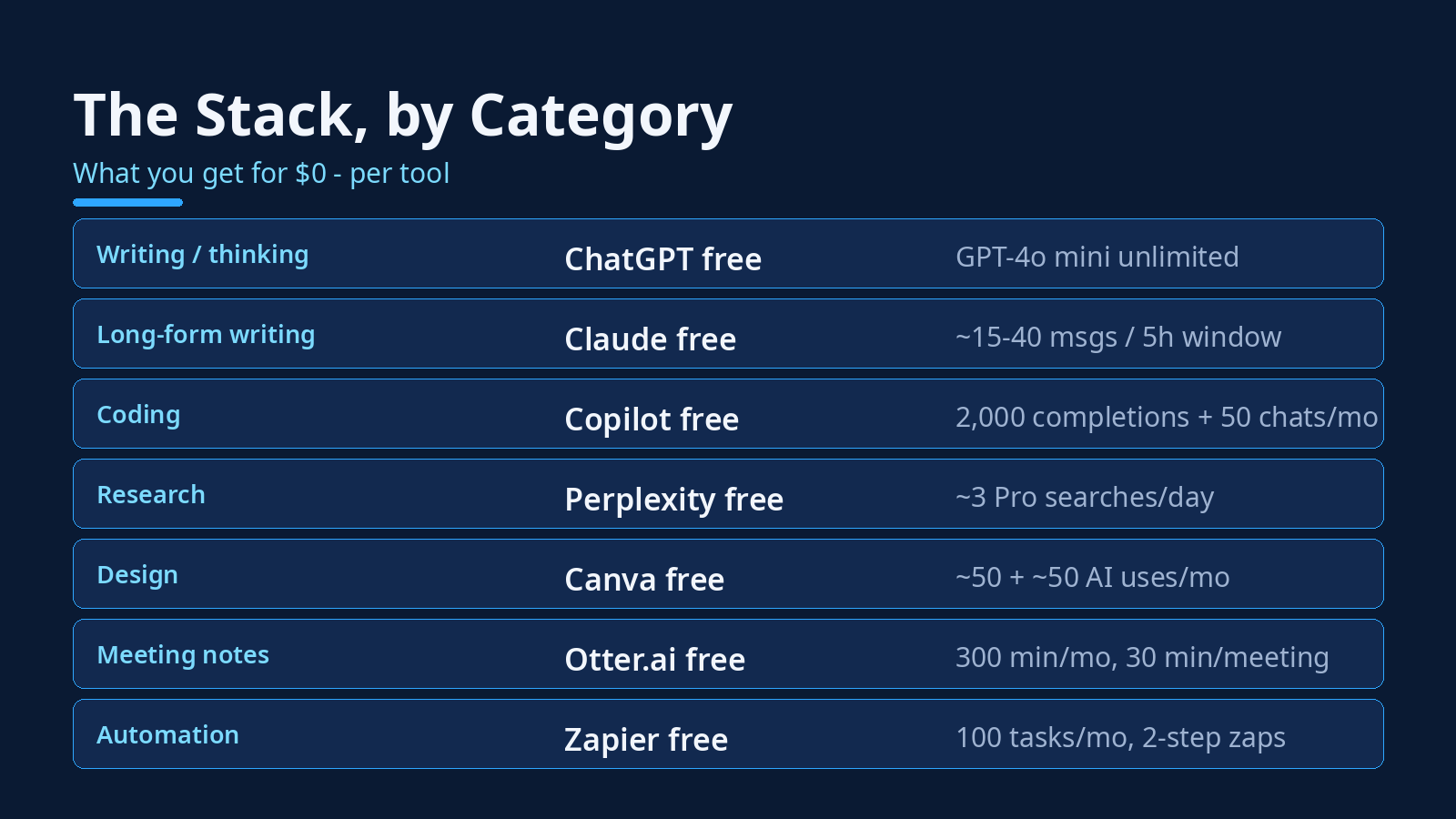
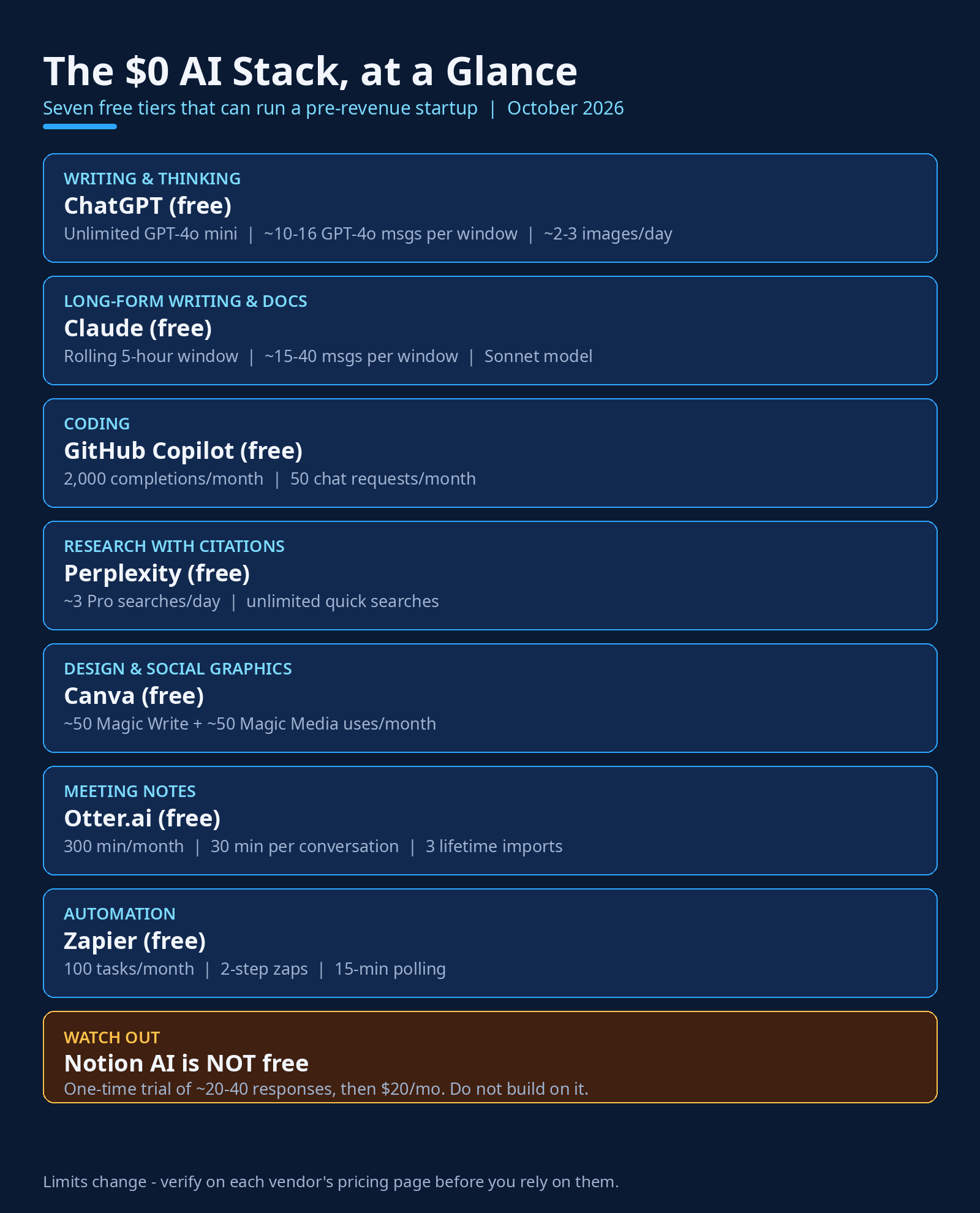
Here’s how the free tier actually works. You get limited access to GPT-4o — roughly 10 to 16 messages per few-hour window, depending on demand — and when you hit that cap, you drop down to GPT-4o mini, which is unlimited. You also get file uploads, web browsing, memory across conversations, and a couple of image generations per day (about 2–3 on a rolling window).
Honestly? GPT-4o mini handles most daily founder work fine — drafting emails, brainstorming, summarizing, basic code. The quality gap shows up on complex reasoning and long code, which is exactly when you want your GPT-4o messages. So the play is simple: save your GPT-4o window for the hard stuff, let mini handle the routine.
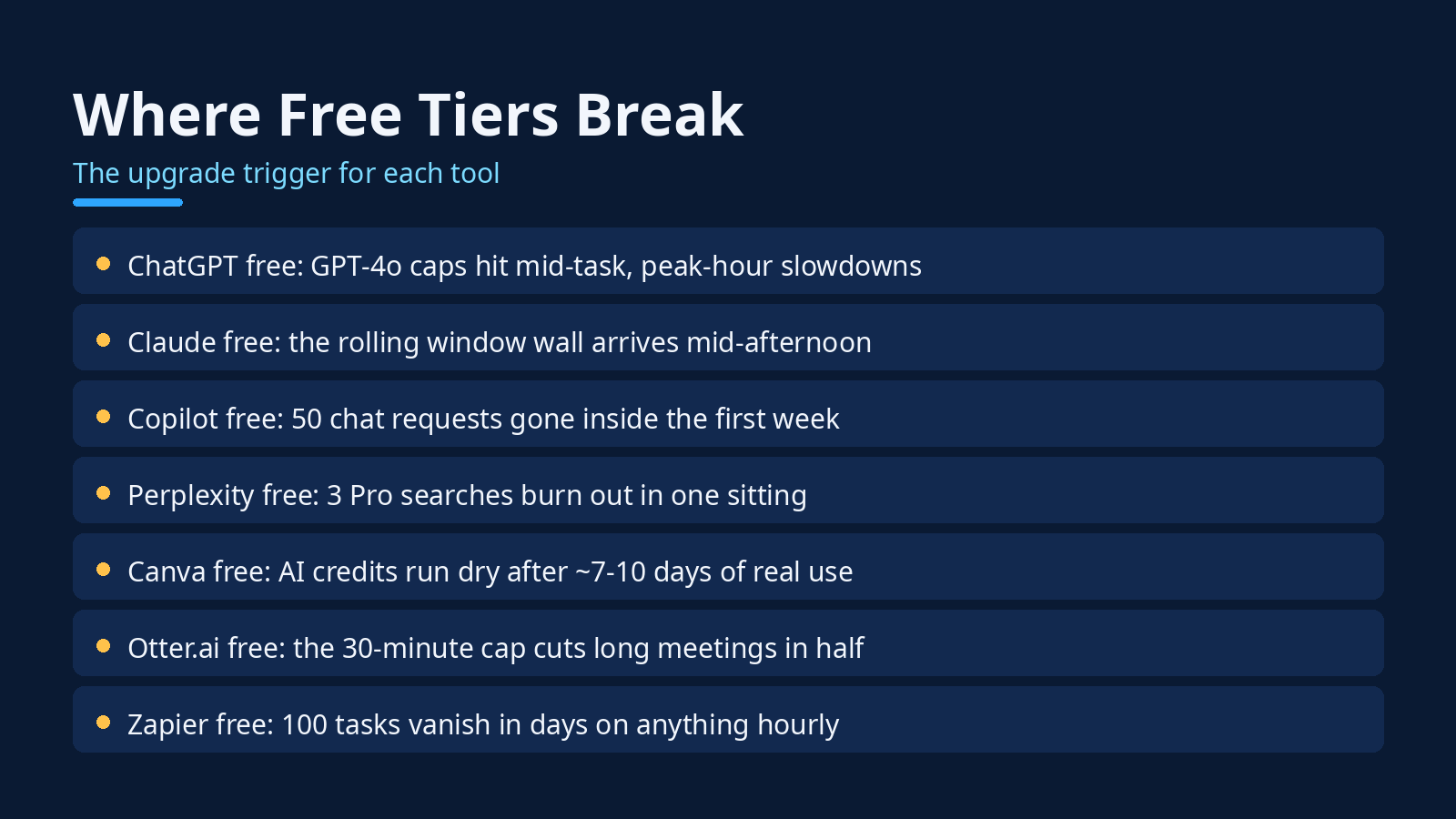
Where it breaks: the GPT-4o cap hits mid-task when you’re deep in something, and peak-hour slowdowns are real. If you use ChatGPT more than ~10 times a day for real work, Plus ($20/month) starts paying for itself — but plenty of founders never get there.
2. Claude (free) — your long-form writer and document reader
Claude’s free tier is the one writers actually prefer. Where ChatGPT free feels like a capped demo, Claude free feels like a real tool with a speed limit.
You get access to Claude Sonnet (the current mid-tier model) on a rolling 5-hour usage window — typically around 15 to 40 messages per window depending on server demand and message length. File uploads are included, and the 200K context window means you can drop in long documents, PDFs, and CSVs and actually work with them. No credit card required, no expiring trial.
What you don’t get: Claude Code (that’s Pro and up), Opus access, or the big Projects limits. But for writing — blog posts, landing pages, investor updates, the long stuff — Claude free is the best $0 option on this list. I use it for anything over 500 words.
Where it breaks: the rolling window wall. You’ll be mid-afternoon, mid-document, and suddenly you’re waiting. Pro is $20/month for roughly 5x the usage. Until then: write in the morning, edit in the afternoon, and keep your sessions tight.
3. GitHub Copilot (free) — your AI pair programmer
If you write code, this is the easiest free tier to justify on the list. Copilot’s free plan gives you 2,000 code completions and 50 chat requests per month, no credit card required — just a GitHub account. It works in VS Code, JetBrains, Neovim, and Vim.
The 2,000 completions are the generous part — inline suggestions as you type, and those don’t burn fast. The 50 chat requests are the scarce resource. Copilot Chat is where you ask it to explain code, generate functions, or debug something — and 50 a month means roughly two a day. As this pricing breakdown notes, active chat users burn through the free allotment inside the first week.
So treat chat requests like money. Use completions freely, save the chats for the problems that actually block you. And when you’re ready to go deeper on coding tools, our broader roundup of AI tools for startup founders covers the paid options worth considering.
Where it breaks: the 50 chat requests. Pro is $10/month — the cheapest paid AI coding plan anywhere — and the day your chats run out mid-sprint is the day you start doing the math.
4. Perplexity (free) — your research assistant with citations
Google is for finding pages. Perplexity is for getting answers — with sources attached, which matters when you’re making decisions off the research.
The free tier gives you unlimited quick searches plus about 3 Pro searches per day (Perplexity’s published plan comparison lists 3/day on free; some analyses cite 5, so treat 3 as the safe number). Pro searches are the ones that use stronger models and multi-step reasoning — the difference between “what is this” and “analyze these three competitors and cite your sources.”
Three a day sounds thin until you realize most founders do their real research in bursts. The play: use quick searches for everything, save your Pro searches for the three questions that actually matter each day — competitor pricing, a technical decision, a fact-check before you publish.
Where it breaks: three Pro searches burn out in a single sitting. One deep competitive scan and you’re done for the day. Pro is $20/month ($200/year) for 300 Pro searches a day — worth it the week you do market research, skippable the rest of the month.
5. Canva (free) — your design department
You are not a designer. I’m not a designer. Canva’s free tier is how non-designers ship things that don’t look embarrassing.
The free plan includes a shared monthly AI allowance — roughly 200 standard AI uses (Magic Write, background tools) or 20 premium uses (Dream Lab image generation, Magic Design) per month, drawn from one pool. Magic Write gets you about 50 generations a month for copy inside your designs; Magic Media gives you around 50 AI image credits a month. Plus the usual free templates, 5GB storage, and one brand kit.
For a pre-revenue startup, that’s genuinely enough: social graphics, pitch deck polish, blog headers, the occasional AI-generated visual. The trick is batching — generate a month of social graphics in one sitting instead of dripping them out.
If design is a bigger part of your operation, our guide to AI image generators for marketing teams goes deeper on the paid options. But start free. Most founders overestimate how much design they need and underestimate how far templates go.
Where it breaks: the AI credit pool runs dry after about 7–10 days of real use. Pro is ~$15/month. Until then, templates are unlimited — use them.
6. Otter.ai (free) — your meeting memory
Founders take a lot of meetings. Founders remember almost none of them. Otter.ai’s free tier fixes the second problem.
You get 300 transcription minutes a month, live transcription for Zoom, Google Meet, and Teams, speaker identification, and AI summaries. That’s five hours of meetings — enough for a founder doing a handful of calls a week.
The catches are specific and worth knowing cold: each conversation is capped at 30 minutes (Otter stops transcribing mid-meeting if you go over), you get only 3 audio/video file imports for the lifetime of the account, and only your 25 most recent conversations stay in history. This pricing breakdown puts it well: Basic fits a handful of short calls; a single one-hour meeting is already twice the per-conversation cap.
We compared the best AI meeting assistants for founders in detail — Otter’s free tier is the most generous for short calls, but if your meetings run long, look at the alternatives there.
Where it breaks: the 30-minute cap. Most real meetings run 45–60 minutes. The workaround is restarting the recording — clunky but free. Pro is $16.99/month ($8.33 annually) for 1,200 minutes and a 90-minute cap.
7. Zapier (free) — your automation glue
Zapier’s free plan is the smallest allowance on this list and somehow still useful — if you’re surgical about it.
You get 100 tasks a month, two-step zaps (one trigger, one action), 15-minute polling intervals, and access to non-premium apps. A task is one successful action — the trigger check doesn’t count. This hands-on breakdown does the math well: one zap firing 3 times a day fits (90 tasks); one zap on every email at 50 a day dies in 2 days.
The winning move on free: pick ONE automation that saves you real time — new lead → spreadsheet row, form submission → Slack notification — and let it run. When you hit 100, runs are held (not lost) and replay when the month resets. For non-urgent stuff, that’s survivable.
Where it breaks: 100 tasks vanish in days on anything that fires hourly. Two-step zaps also mean no filters or branching — anything with a condition needs Professional ($19.99+/month). If automation becomes central, self-hosted n8n on a cheap VPS is the classic founder escape hatch.
The one that isn’t free: Notion AI (don’t build on this)
I need to flag this one explicitly because it trips up founders constantly. Notion AI looks free. It is not free.
Free and Plus users get a one-time trial of roughly 20–40 AI responses — total, not monthly. Once those are gone, they’re gone. Full AI access requires the Business plan at $20 per user per month. Notion doesn’t even publish the trial number; it just stops working one day.
This is the exact trap Rule 3 warns about. A trial is not a tier. If you build your docs workflow, your meeting notes, or your content pipeline on Notion AI’s trial, you’ll wake up one Tuesday with a dead workflow and a $20/month decision you didn’t plan for. Use Notion’s free workspace all you want — it’s excellent — but get your AI from the actual free tiers above.
The founder’s playbook: five rules for living on $0
Knowing the tools is half of it. The other half is operating discipline. Here’s what actually works:
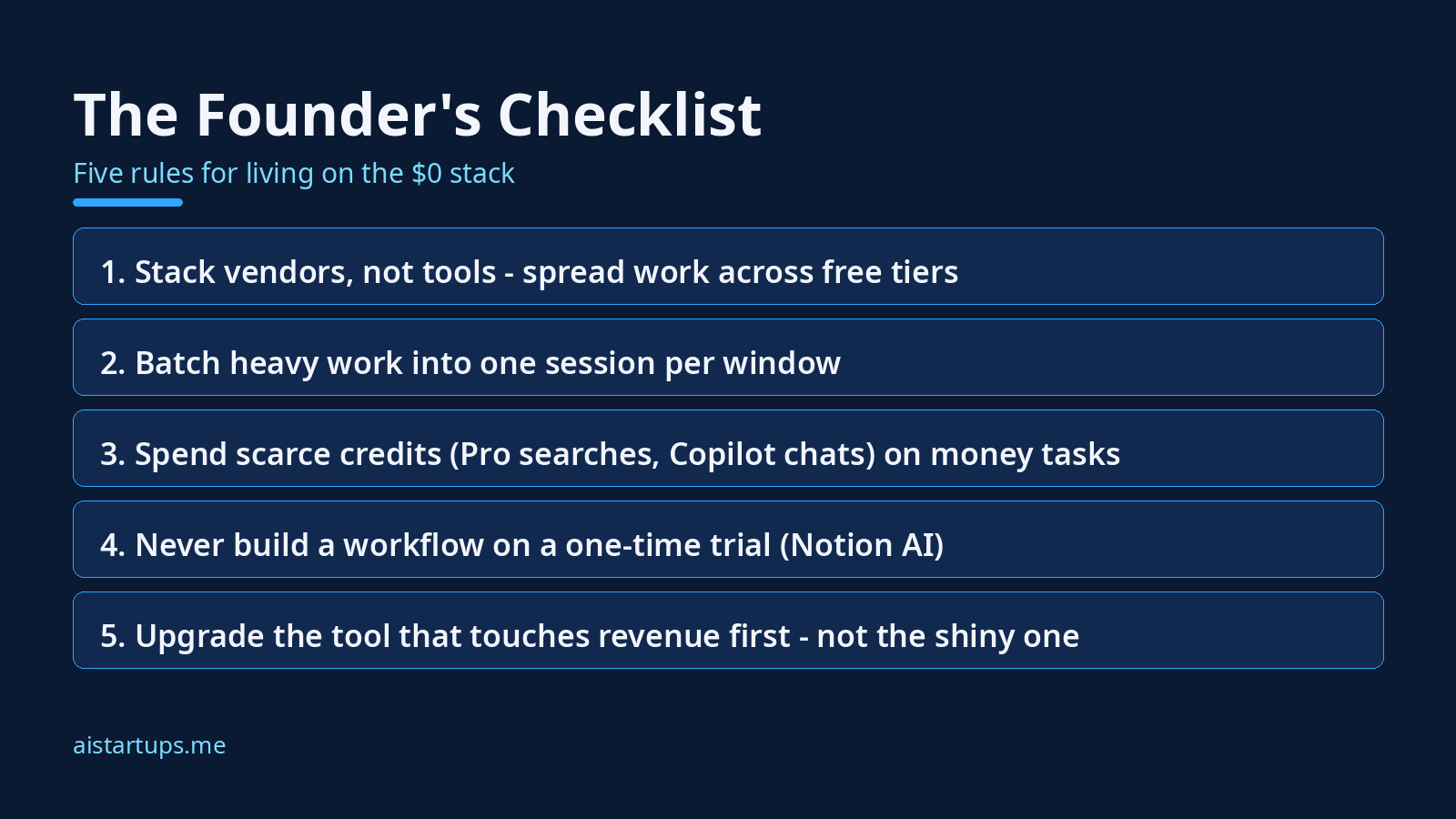
- Stack vendors, not tools. Spread your work across the seven free tiers instead of trying to live inside one. Writing in Claude, quick questions in ChatGPT, research in Perplexity, code in Copilot. Each tier’s wall only hurts if it’s your only tier.
- Batch heavy work into one session per window. Claude and ChatGPT both run on rolling windows. Do your deep work in one focused session per window instead of dribbling messages across the day — you’ll get more done before the wall arrives.
- Spend scarce credits on money tasks. Your 3 Pro searches, your 50 Copilot chats, your 100 Zapier tasks — these are a budget. Spend them on things that touch revenue or unblock shipping. Never on curiosity.
- Never build on a trial. (See: Notion AI.) If it says “trial” and not “free plan,” assume it disappears.
- Upgrade the tool that touches revenue first. When money finally comes in, don’t upgrade the shiniest tool — upgrade the one closest to the money. For most startups that’s the coding assistant or the automation layer, not the design tool.
And when free tiers genuinely aren’t enough — when you need a real website, a custom product, or AI wired into your actual business instead of another chat window — that’s a build project, not a subscription. It’s the kind of work AISquadX does: a web development and AI integration studio that ships this stuff for companies without an in-house AI engineering team.
As one founder put it in a conversation that stuck with me:
“We ran the whole company on free tiers for eleven months. The trick wasn’t finding more free tools — it was knowing exactly where each one broke, so we never got surprised.”
That’s the whole philosophy. Know the meter. Respect the meter. Spend the savings on the thing that actually grows the business.
FAQ: the $0 AI stack, answered straight
Can you really run a startup on free AI tools?
For the operating layer — writing, research, coding assistance, design, meeting notes, basic automation — yes, genuinely. The seven tiers above cover it. What free tiers can’t do is heavy production workloads: training models, high-volume API calls, or anything that needs SLAs and support. Those cost money everywhere. But the day-to-day work of a pre-revenue startup? $0 is realistic.
Which free AI tool should I start with?
Start with ChatGPT free and Claude free together — they cover 80% of daily thinking and writing work, and their limits complement each other (when one hits its window, switch to the other). Add GitHub Copilot free if you code, Perplexity free if you research. The rest can wait until you feel the specific pain.
What’s the catch with “unlimited” free tiers?
“Unlimited” always has an asterisk. ChatGPT’s unlimited tier is GPT-4o mini — a smaller model, not the flagship. Rate limits still apply during peak hours. And every vendor can change terms whenever they want; free tiers are marketing, not contracts. Treat them as a gift, not a right.
When should I start paying for AI tools?
Pay when a free tier’s wall costs you more than the subscription. The math is simple: if hitting Claude’s window costs you an hour of waiting twice a week, that’s 8 hours a month — at any reasonable value of your time, $20/month is cheap. Upgrade the tool closest to revenue first, and only when the free tier is measurably slowing you down.
Are free AI tools safe for business data?
Mostly, with eyes open. Free tiers generally don’t offer the data controls paid plans do — check each vendor’s policy on training data usage before pasting anything sensitive. Rule of thumb: customer data, unreleased product details, and financials stay out of free chat tools. Use them for drafting and thinking, not for your crown jewels.
The Bottom Line
Here’s what I want you to take from this: the $0 stack isn’t about being cheap. It’s about being deliberate. Every dollar you don’t spend on tools in month one is a dollar of runway — and runway is the only metric that matters before revenue.
The seven tiers above — ChatGPT, Claude, Copilot, Perplexity, Canva, Otter.ai, Zapier — are real, permanent free plans with published limits you can plan around. Know each meter, spread your work across vendors, batch your heavy sessions, and never build on a trial.
And keep that sticky note updated. The vendors will move the limits — they always do — and the founders who notice first are the ones who never get surprised. If you want the broader picture beyond free tiers, our no-code AI MVP stack guide shows what the $0-to-launch path looks like end to end.
All limits verified against vendor pricing pages and plan documentation in October 2026. Free tiers change — verify on each vendor’s pricing page before you rely on them: Copilot, Canva, Perplexity, Zapier, Otter.ai, Notion AI.