Here’s a sentence I didn’t expect to write in 2026: you can now run a serious coding model on your own computer, and Microsoft won’t charge you per token for it.
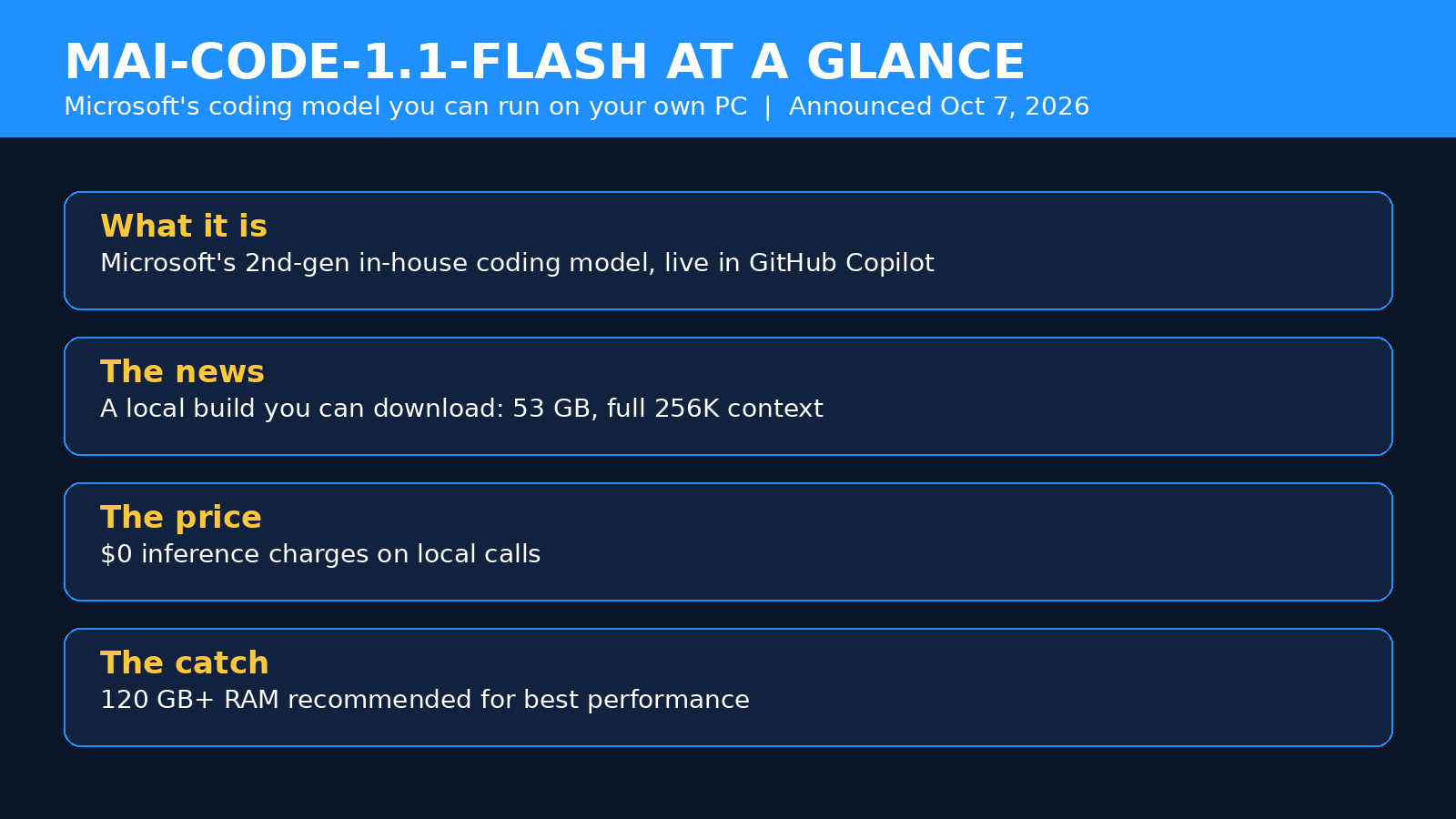
On October 7, at its Windows and AI event, Microsoft announced that MAI-Code-1.1-Flash — the coding model already running inside GitHub Copilot — is available to download and run locally. Not a toy demo. Not a stripped-down mini version. The real model, squeezed down with 3-bit quantization, with its full 256,000-token context window intact, and with zero inference charges on local calls.
Now, before you start pricing out a new machine: there’s a catch, and it’s a big one. Microsoft recommends more than 120 GB of RAM for best performance. That’s not a typo. Your MacBook Air isn’t going to cut it.
So is this a genuine shift in how startups build software, or just a very expensive party trick? I dug through Microsoft’s announcement, the GitHub engineering details, and the benchmark tables to find out. Here’s the thing — the answer is genuinely interesting, and it depends entirely on what kind of startup you’re running.
What Microsoft Actually Announced
Let’s untangle this, because Microsoft announced several things at once and they blur together in the coverage.
MAI-Code-1.1-Flash is the second generation of Microsoft’s in-house coding model. The first version, MAI-Code-1, launched at Microsoft Build in June 2026. Version 1.1 is the upgrade: Microsoft says it produces higher-quality code at 25% greater token efficiency and a quarter of the cost of the original. It’s already in production in GitHub Copilot’s cloud, where it has been running since August.
The new part — the part that made developers sit up — is the local build. Microsoft compressed the model with 3-bit quantization, shrinking it to a 53 GB download, and says it keeps coding performance comparable to the full-precision model. Local calls carry zero inference charges. Microsoft even demoed it in airplane mode at the event, which is the kind of flex that tells you exactly what story they’re selling: your code, your machine, no cloud round-trip.
There’s a third piece too. Microsoft is wiring local models into GitHub Copilot itself. Experimental access across the Copilot app, Copilot CLI, and Visual Studio Code is expected by the end of October 2026. Copilot will be able to route work automatically — local for routine stuff, cloud when a task needs more muscle — or you can force it to use the local model explicitly.
The Numbers That Matter
Microsoft’s announcement is full of percentages, and most of them are Microsoft’s own measurements. Treat them the way you’d treat any vendor benchmark: directionally useful, not gospel. Still, the picture they paint is consistent.
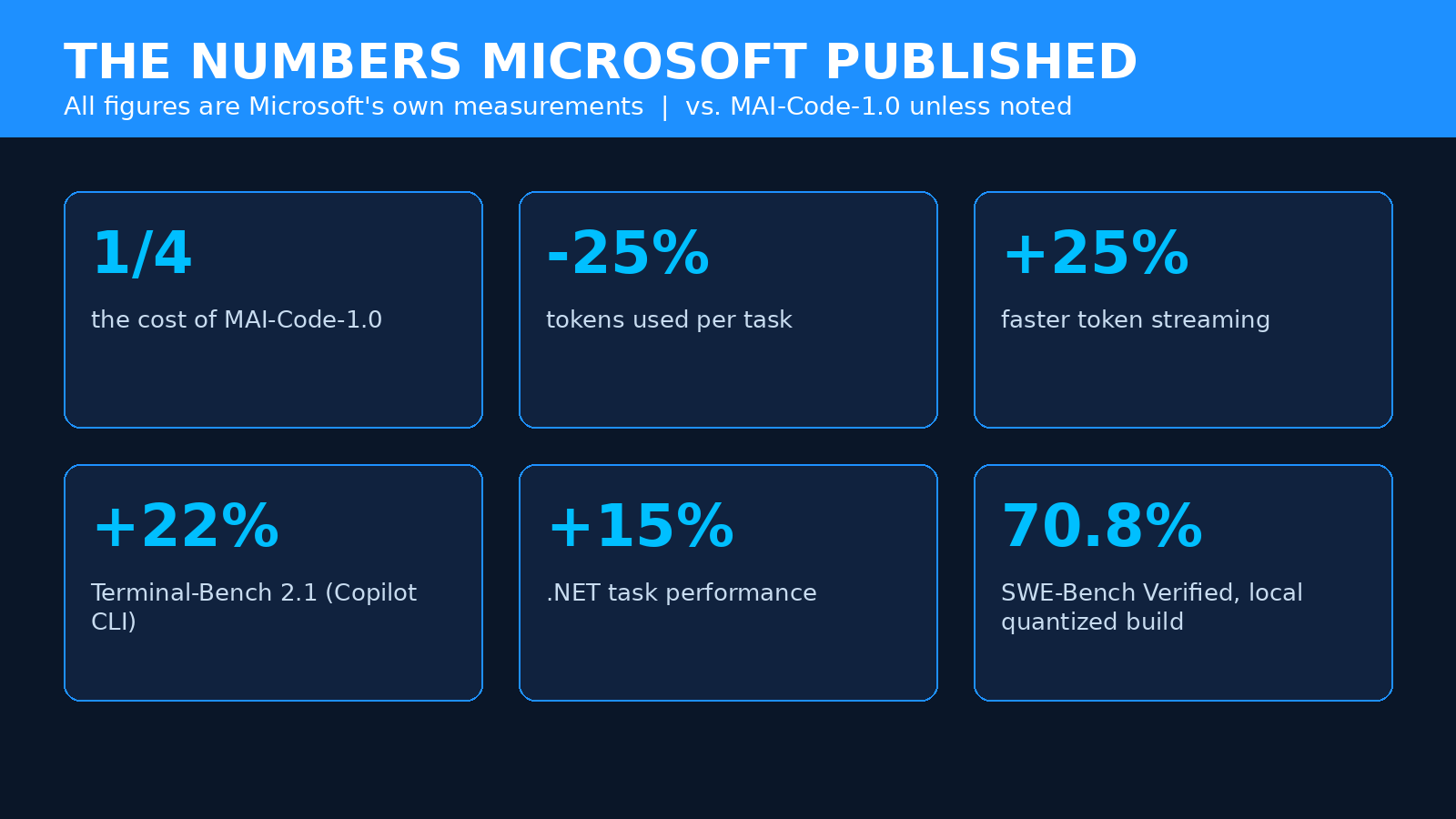
| Metric | What Microsoft says | What it means for you |
|---|---|---|
| Cost vs. MAI-Code-1.0 | A quarter of the cost | Your Copilot bill for this model class drops hard |
| Tokens per task | 25% fewer | Less metered usage on every agentic session |
| Token streaming speed | 25% faster in Copilot | Less waiting around during agent runs |
| Terminal-Bench 2.1 | 22% improvement (Copilot CLI) | Better at real command-line work |
| .NET tasks | 15% improvement | Noticeable if your stack is C# / .NET |
| Code survival | Up 4% in production | More of its code stays in the codebase |
| Return visits | Up 9% in production | Developers actually come back to it |
The two production metrics — code survival and return visits — are the ones I pay attention to. Benchmarks can be gamed. Developers quietly deleting a model’s output the next morning can’t.
And the local model’s benchmarks are surprisingly close to the cloud version’s. In Microsoft’s own tests, run October 5 on a Windows ARM64 build of llama.cpp with CUDA, the quantized on-device model scored 70.80% on SWE-Bench Verified versus 72.6% for the full-precision cloud model — and actually beat it on Terminal-Bench 2.1, 66.29% to 62.9%. For comparison, Microsoft’s table put GPT OSS 120B at 32.0% and 23.6% on the same two benchmarks. The quantized model loses a little on one test and gains a little on the other. That’s not what “dumbed-down local version” usually looks like.
What “Runs Locally” Really Means
Okay. Real talk: the hardware requirements are the whole story here, and they’re steep.
MAI-Code-1.1-Flash is a mixture-of-experts model with 137 billion total parameters, of which about 6.8 billion are active for any given token. Think of it like a company with 137 billion employees where only a small expert team clocks in for each task. That design is what makes it cheap to run per token — but the full model still has to live somewhere, and that somewhere is your RAM.
Microsoft’s own figures for the local build, as detailed in independent coverage:
- 53 GB download footprint after 3-bit quantization — an 80% reduction from the bfloat16 cloud version.
- 75.5 GB peak memory use at the full 256K context window.
- More than 120 GB of RAM recommended for best performance.
- 923.5 tokens/second prompt processing at 64K context, 769.8 at 128K, on Microsoft’s reference hardware.
That reference hardware, by the way, is the new Surface Laptop Ultra with NVIDIA RTX Spark and up to 128 GB of unified memory. Microsoft’s recommended figure and the top-spec machine’s memory are not a coincidence. This model was built to show off that hardware — and that hardware was built to show off this model.
“Local” doesn’t mean “runs on any laptop.” It means “runs on a workstation-class machine you probably don’t own yet.” That distinction is the difference between a smart investment and an expensive mistake.
Unified memory matters here too. On machines like the Surface Laptop Ultra, CPU and GPU share one memory pool, and the operating system, your apps, the inference runtime, and the model’s key-value cache all drink from it. So 128 GB on the spec sheet is not 128 GB available to the model. Microsoft’s “>120 GB” recommendation already bakes that reality in — which is why you shouldn’t try to shave it with a 64 GB machine and hope for the best.
Local vs. Cloud: The Honest Trade-Off
So you’ve got two ways to use the same model: the cloud version inside Copilot, billed per token, or the local version on your own hardware, with zero inference charges. Which one should a startup pick?
Honestly? Most startups should use both — but for different jobs. Here’s how I’d split it.
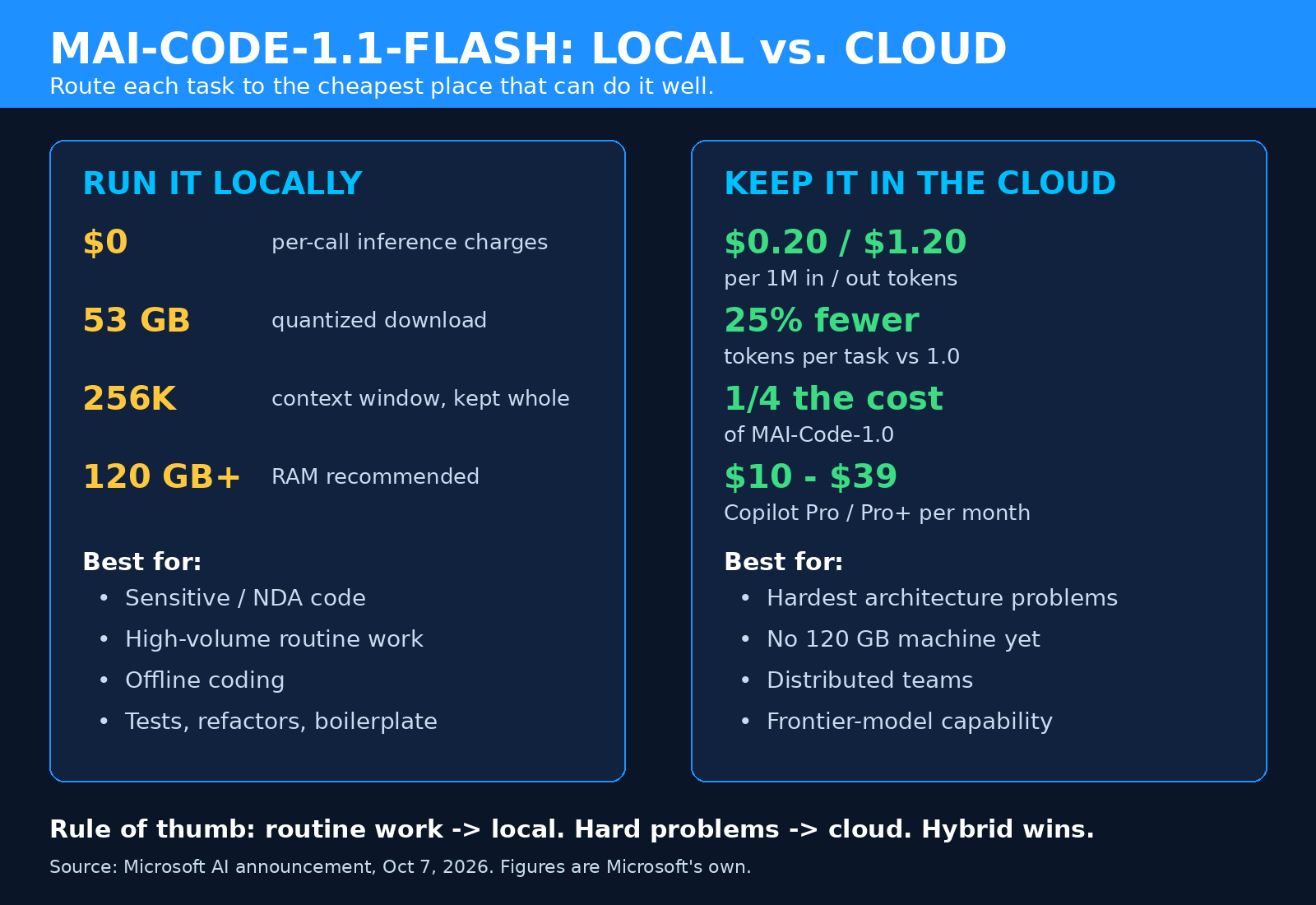
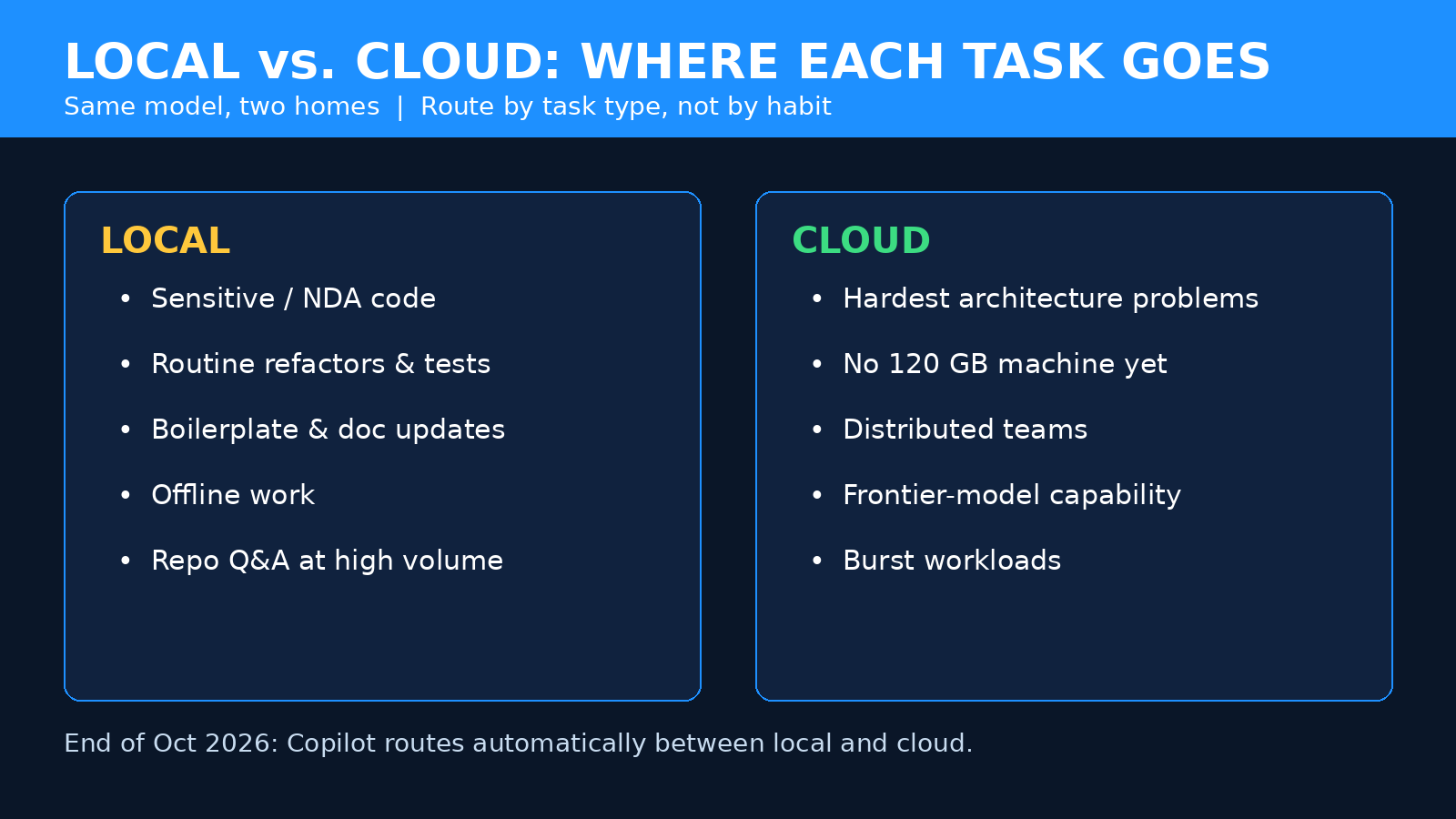
Run it locally when…
- The code is sensitive. Client code under NDA, unreleased product work, anything with credentials or proprietary algorithms. Local inference means your source never leaves the building. For agencies and contractors, that’s not a nice-to-have — it’s a selling point.
- You’re doing high-volume routine work. Boilerplate, refactors, test generation, doc updates, repo Q&A. These are the tasks that quietly eat your AI credit allowance. Zero per-call fees change the math completely.
- You need to work offline. Planes, patchy wifi, client sites with locked-down networks. The airplane-mode demo wasn’t a gimmick — it’s a real workflow for people who code on the move.
- Latency matters. Prompt processing above 900 tokens/second at 64K context on reference hardware is fast. No round-trip, no queue, no rate limit.
Keep it in the cloud when…
- The task needs frontier capability. The local model is good, but it’s one model. Copilot’s cloud gives you access to heavier models for the hardest problems. Don’t send your gnarliest architecture problem to the local model out of stubbornness.
- You don’t have the hardware. This is the big one. If buying a 128 GB machine costs more than a year of Copilot, the cloud wins on pure economics. Do the math before you buy anything.
- Your team is distributed. One beefy workstation doesn’t scale to twelve developers. Cloud Copilot does.
The smart setup, once Copilot’s experimental local support lands at the end of October, is hybrid: Copilot routes automatically, local for the routine stuff, cloud for the heavy lifting. That’s the configuration Microsoft is building toward, and it’s the one I’d plan around.
What This Means for a Startup’s Budget
Let’s talk money, because that’s where this gets real for founders.
GitHub Copilot switched to usage-based billing in June 2026. Plans run from Free ($0) through Pro ($10/month), Pro+ ($39/month), and Max ($100/month), with Business at $19/user/month and Enterprise at $39/user/month. Every plan includes a monthly allowance of AI Credits, and chat, agent mode, and code review draw them down. Completions stay free on paid plans — the meter runs on the agentic work.
Inside that system, the cloud version of MAI-Code-1.1-Flash is priced at $0.20 per million input tokens, $0.02 per million cached input tokens, and $1.20 per million output tokens, per GitHub’s pricing table. That’s already cheap next to frontier models. And Microsoft says version 1.1 costs a quarter of what 1.0 did while using 25% fewer tokens per task.
Now stack the local option on top. Every routine task you move to the local model is a task that consumes zero credits. For a solo founder or a two-person team, that might save tens of dollars a month — nice, not life-changing. For a team running hundreds of agent sessions a week, it’s the difference between a predictable bill and a finance-team conversation.
But — and this is the part people skip — the local model isn’t free. It costs a workstation. A Surface Laptop Ultra-class machine with 128 GB of unified memory is a serious purchase, and if you’re buying hardware just to run this model, you need to amortize it honestly. My rule of thumb: if your team’s monthly Copilot spend is less than the monthly cost of financing the hardware, stay in the cloud. If your agentic usage is heavy enough that the credits bill is a real line item, run the numbers on one shared local machine for the routine work first. One machine, not one per developer.
And if you’re already looking at cutting your AI API bill, local inference is one more lever in the same toolbox — alongside caching, model routing, and killing wasteful calls. It doesn’t replace those tactics. It stacks with them.
A Founder’s Playbook: Getting Set Up
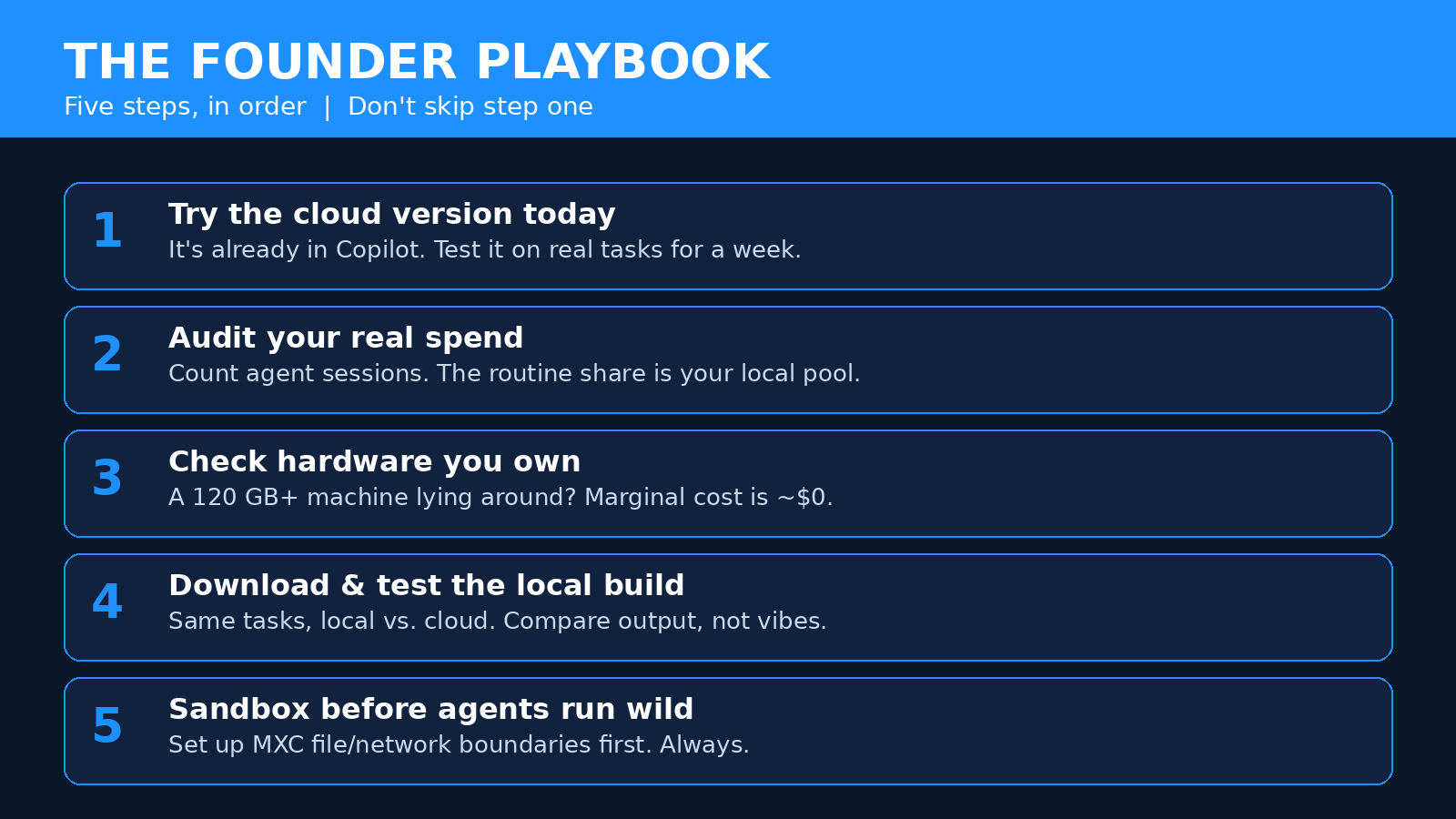
Here’s how I’d actually roll this out, in order. Don’t skip step one.
Step 1: Start with the cloud version today
MAI-Code-1.1-Flash is already live in GitHub Copilot. If you have a Copilot plan, you can use it right now — select it as your model in chat or agent mode and run real tasks against it. This costs you nothing extra beyond your existing plan and credits, and it tells you within a week whether the model is good enough for your codebase. If it isn’t, stop here. No hardware purchase will fix a model that doesn’t fit your work.
Step 2: Audit what you’re actually spending
Before you buy anything, look at your Copilot usage. How many agent sessions per week? What share of them are routine — refactors, tests, boilerplate — versus genuinely hard problems? The routine share is your local-model candidate pool. If it’s under half your usage, the hardware case gets thin fast.
Step 3: Check the hardware you already have
Do you have a workstation with 120 GB+ of RAM sitting around? Most startups don’t. But some do — a machine bought for video editing, ML experiments, or local LLM tinkering might already qualify. If yes, your marginal cost is basically zero, and this becomes a no-brainer experiment.
Step 4: Download and test the local build
Microsoft says the model is available to download and run locally. Expect the real-world setup to involve the Windows ML provider or an OpenAI-compatible local endpoint, with Copilot connecting to it. As of this writing, the Copilot integration is still in the experimental stage — expected by end of October — so early adopters should expect rough edges. Test it on a real repo, not a toy project, and compare its output against the cloud version on the same tasks.
Step 5: Set the sandbox before you set the agents loose
This one matters. Local inference does not automatically mean safe execution. When Copilot’s agents run commands, they need boundaries — which files they can touch, what network access they get. Microsoft’s answer is Microsoft Execution Containers (MXC), which reached general availability on October 7. It translates account policies into OS-native controls: process containers on Windows, bubblewrap on Linux, Seatbelt on macOS. Configure it. An agent with a powerful model and no sandbox is a liability, local or not.
And one practical note: if your team doesn’t have the in-house capacity to set up local inference, sandboxing, and the Copilot routing properly, that’s exactly the kind of thing a web development studio can handle as a one-off engagement — the setup is a project, not a product, and getting the security boundaries right on day one is worth more than the hardware.
The Catches Nobody Puts in the Headline
I like this release. I also don’t trust any release that sounds this good without a catch list. Here it is.
First, the hardware gate is real. 120 GB of RAM is not a normal developer machine. For most startups, this announcement is something to plan around, not something to adopt on day one. Microsoft knows this — the model launched alongside the Surface Laptop Ultra for a reason.
Second, the Copilot integration isn’t here yet. Experimental access is “expected by end of October.” Expected is doing a lot of work in that sentence. Until it ships, the local model is a download you wire up yourself, not a Copilot feature you toggle on.
Third, every number in this article is Microsoft’s. The benchmarks, the cost claims, the speed figures — all vendor-reported. Independent evaluations haven’t had time to land yet. The SWE-Bench and Terminal-Bench numbers are encouraging, but I’d love to see third-party runs on real-world repos before declaring victory.
Fourth, “zero inference charges” is not “zero cost.” You still pay for the hardware, the electricity, and the maintenance. For a single developer doing moderate work, the cloud version at $0.20/$1.20 per million tokens is so cheap that local inference may never pay back the hardware. Run your own numbers — don’t take mine, or Microsoft’s.
Fifth, the model is one tool, not a strategy. Local inference doesn’t fix a bad development process. If your team has no code review, no tests, and no idea what the agent changed, a cheaper model just lets you produce messes faster. The teams that benefit most from this are the ones with discipline already in place.
How This Fits the Bigger Picture
Zoom out for a second, because this announcement isn’t happening in isolation.
Microsoft is clearly building toward a world where AI coding is hybrid by default — cheap, private, local models for the everyday work, and frontier cloud models for the hard problems. That’s the same direction the whole industry is moving: OpenAI’s Decisions API is about routing decisions to the cheapest model that can make them well, and Copilot’s local routing is the coding equivalent of the same idea.
For founders, the strategic takeaway is simple: the cost of AI-assisted development is falling on every axis at once. Models are cheaper per token, they use fewer tokens per task, and now the routine work can move off the meter entirely. That changes what a small team can ship. A two-person startup with a local coding model and good process can now produce output that would have needed a five-person team two years ago.
It also changes what you should spend money on. When the model gets this cheap, the bottleneck stops being “can we afford the AI” and starts being “do we have the process, the review discipline, and the product judgment to use it well.” If you’re building your MVP, the leverage has moved from model access to execution quality. That’s good news for founders who are strong on product — and bad news for anyone whose whole pitch was “we have AI.”
FAQ
What is MAI-Code-1.1-Flash?
It’s Microsoft’s second-generation in-house coding model. It’s a mixture-of-experts model with 137 billion total parameters and about 6.8 billion active per token, a 256,000-token context window, and native vision support. It runs in GitHub Copilot’s cloud and — new as of October 7, 2026 — can also be downloaded and run locally on high-memory Windows PCs.
How much does MAI-Code-1.1-Flash cost?
It depends on where you run it. In Copilot’s cloud, it’s priced at $0.20 per million input tokens, $0.02 per million cached input tokens, and $1.20 per million output tokens, drawn from your plan’s AI Credit allowance. Run locally, Microsoft says local model calls carry zero inference charges — but you pay for the hardware, which needs more than 120 GB of RAM for best performance.
Can I run MAI-Code-1.1-Flash on my laptop?
Probably not, unless your laptop is a workstation in disguise. The quantized model is a 53 GB download with 75.5 GB peak memory use at full context, and Microsoft recommends more than 120 GB of RAM. The reference machine is the Surface Laptop Ultra with up to 128 GB of unified memory. A typical 16 GB or 32 GB laptop won’t run it comfortably.
When will local models work inside GitHub Copilot?
Microsoft says experimental access across the Copilot app, Copilot CLI, and Visual Studio Code is expected by the end of October 2026. Until then, the local model is a download you connect yourself — Copilot can’t route to it natively yet.
Is local inference actually more private?
For the inference step, yes: your code doesn’t leave your machine while the model is thinking. But privacy isn’t just about inference. Copilot agents still execute commands, read files, and potentially reach the network. You need sandboxing — Microsoft’s Execution Containers (MXC) — configured on top of local inference to get the full privacy and safety story.
The Bottom Line
MAI-Code-1.1-Flash is the most founder-friendly AI coding announcement in a while, and not because of the model itself. It’s because of the economics. A capable coding model you can run locally, with zero per-call fees, takes the meter off the most common development work — and that’s the work that quietly eats a startup’s AI budget.
But don’t let the headline write a hardware purchase order for you. Start with the cloud version in Copilot today. Measure your real usage. And only buy the 120 GB workstation when the math says the credits you’d save are worth more than the machine.
The teams that win with this won’t be the ones who bought the biggest laptop. They’ll be the ones who routed the boring work to the local model, kept the hard problems in the cloud, sandboxed everything, and spent the money they saved on shipping product. Which, honestly, is what winning with AI has always looked like.