Real talk: your startup’s design budget is a joke, and you know it. You need landing page visuals that don’t look like the same five Unsplash photos every SaaS clone uses. You need ad creatives — dozens of them, because one ad per campaign doesn’t cut it anymore. You need product mockups that look expensive while your bank account says otherwise. And you need all of this before your next investor call, which is, of course, next week.
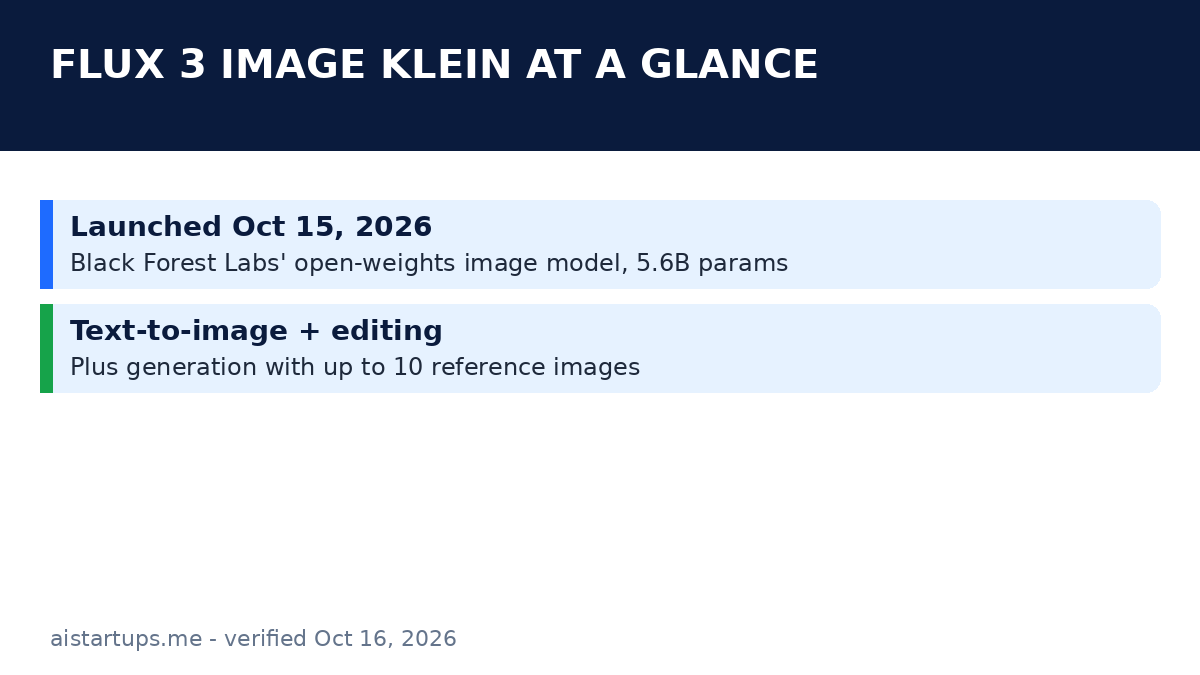
Yesterday, Black Forest Labs handed founders something genuinely useful. FLUX 3 Image Klein launched on October 15, 2026 — a 5.6-billion-parameter image model with open weights, native 4K output, and an API price that starts at $0.008 per image. That’s not a typo. Eight-tenths of a cent.
I’ve been watching the image-model race all year (our roundup of the best AI image generators for marketing teams is one of our most-read pieces), and Klein is the first release that feels designed for how startups actually work: tiny budgets, no design department, and a founder doing five jobs at once. It’s not just cheap — it’s open, it runs on a regular gaming GPU, and it does something I’ve been begging image models to do for years: editing that doesn’t destroy the rest of the picture.
Here’s the thing, though. New model launches come with a fog of hype. So this guide sticks to what’s actually confirmed — prices from BFL’s own pricing page, specs from the launch coverage — and translates it all into founder English: what it costs, what it does, how it compares, and the exact playbook I’d run if I were launching a startup’s marketing stack on it tomorrow.
What FLUX 3 Image Klein Actually Is
Strip away the launch-day marketing and here’s the plain version: Klein is a text-to-image model (you describe what you want, it draws it) that also does image editing (you hand it a picture and a change, it makes the change) and can generate new images using up to 10 reference images as input. It’s the smaller, open-weights sibling of FLUX 3 Image, the API-only flagship BFL released on October 1 — and it’s the second open-weights release in the FLUX 3 family, following FLUX 3 Action, a 7-billion-parameter robot-control model from the same lab.
Black Forest Labs isn’t some fly-by-night startup. These are the Stable Diffusion researchers (Robin Rombach and team) who founded the company in August 2024. They’re at roughly 100 employees now with a $3.25 billion valuation after a $300 million Series B last December. When they ship an open model, it tends to matter — the coverage from Unite.AI and TechnoBezz both flagged this one as a big deal for the open-source community.
The headline specs, in founder terms:
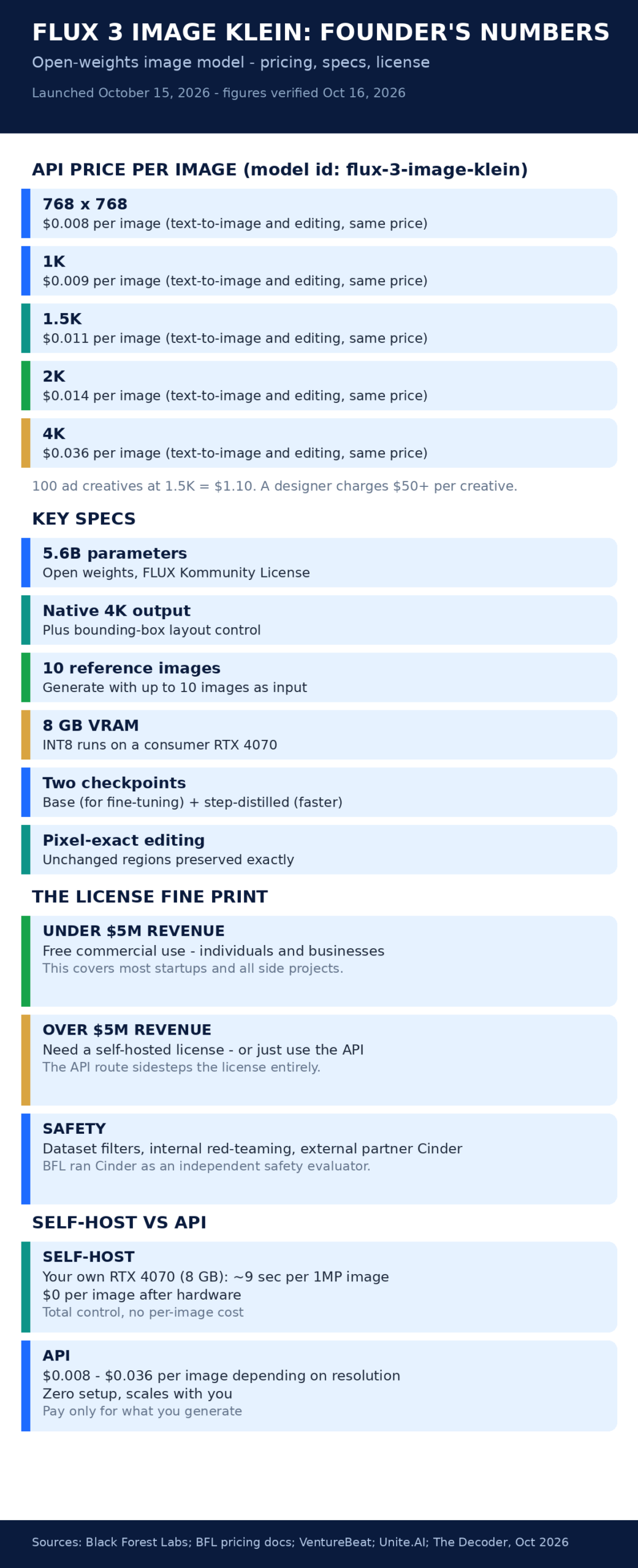
- 5.6 billion parameters, open weights. You can download the model, run it yourself, fine-tune it on your own brand assets. No one can deprecate it on you or triple the price next quarter.
- Native 4K output. Your landing page hero renders at full resolution without the mushy upscaling artifacts that plague smaller models.
- Two checkpoints: a base version built for fine-tuning, and a step-distilled version for lower-latency generation. Pick base if you’re going to train it on your brand; pick distilled if you just want fast images.
- Day-one ecosystem support: ComfyUI, Hugging Face Diffusers, a Gradio demo, a Hugging Face Spaces demo, LoRA training via Diffusers or the Ostris AI Toolkit, and NVIDIA NeMo AutoModel training recipes. Translation: you don’t have to wait three months for the tooling to exist. It’s all there today.
And here’s the spec that genuinely surprised me: it runs on consumer hardware. The INT8 version works on NVIDIA GPUs with just 8 GB of VRAM. An RTX 4070 generates a 1-megapixel image in under 9 seconds; an RTX 5090 does it in about 4. (FP8 weights are 5.6 GB versus 11.2 GB in BF16, and NVIDIA helped BFL build the NVFP4, FP8, and INT8 versions.) Your “AI infrastructure” can literally be the graphics card in a decent gaming PC. More on that later.
The Pricing Math That Actually Matters
Forget per-token pricing debates. Image pricing is refreshingly simple: one image, one price, and text-to-image costs the same as editing. Here are the official API prices (model id flux-3-image-klein), straight from BFL’s pricing page:
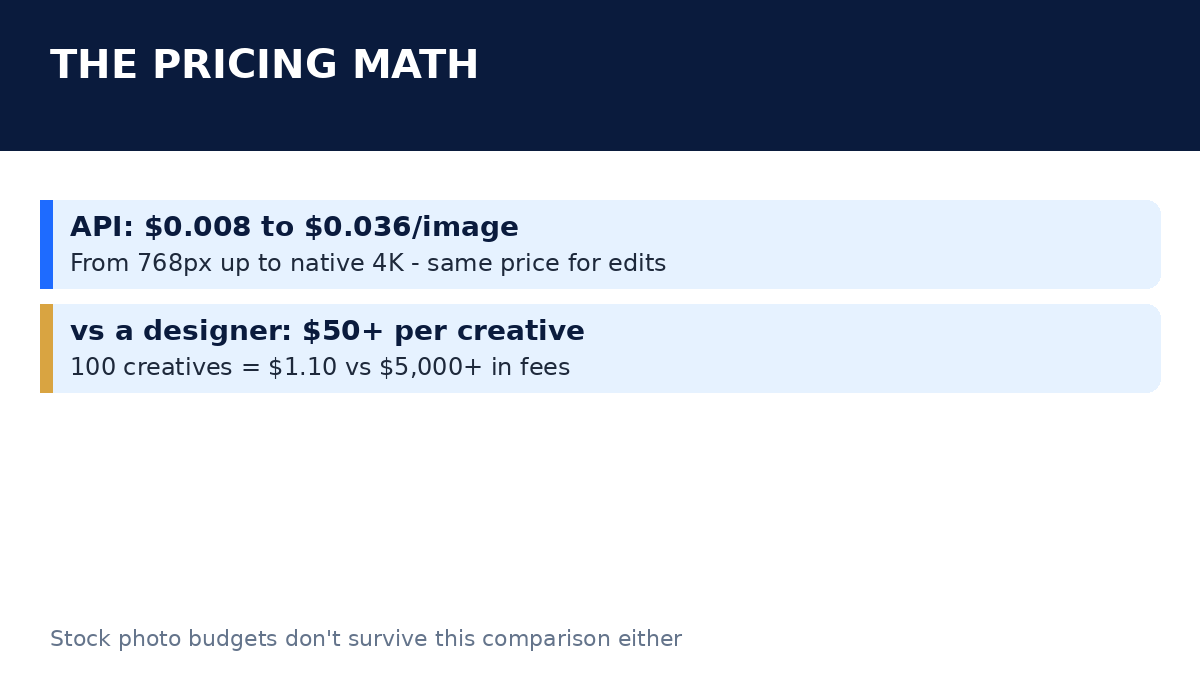
- $0.008 per image at 768×768
- $0.009 per image at 1K
- $0.011 per image at 1.5K
- $0.014 per image at 2K
- $0.036 per image at native 4K
Now let me put those numbers where they hurt. A freelance designer charges $50 to $150 per ad creative, depending on market and complexity. At $0.011 per image, you can generate 100 ad creatives for $1.10. Even if only 10% of them are usable — and with prompt upsampling on the API polishing your prompts for you, your hit rate will be better than that — you’ve just produced 10 usable creatives for eleven cents. That’s roughly 5,000× cheaper than hiring it out.
Stock photos? A premium stock subscription runs $30 to $200 a month, and everyone in your niche is licensing the same images. Klein’s marginal cost is effectively zero, and every image is original to you. No other startup’s landing page has your hero image, because it didn’t exist until you generated it.
But — and this is the founder-brain way to think about it — the real cost advantage isn’t the per-image price. It’s iteration speed. When a creative costs a cent, you test everything. Five headline angles × four visual styles × three color treatments = 60 ad variants for 66 cents. You find the winner by Wednesday instead of guessing for a month. The API bill at the end of the month looks like a rounding error; our guide to cutting your AI API bill covers the broader cost playbook, but honestly, at these prices, image generation won’t be the line item you worry about.
The flip side, because honesty matters: cheap images don’t replace a designer for everything. Brand systems, typography, packaging — the tasteful decisions that make a company feel like something — still need human judgment. Think of Klein as your design volume layer: it produces the raw material at infinite scale, and your designer (or your own taste) does the final 10% that separates good from forgettable.
The Startup Playbook: Four Jobs Klein Can Do This Week
Enough theory. Here are the four highest-ROI jobs I’d put Klein on immediately, in order of payoff.
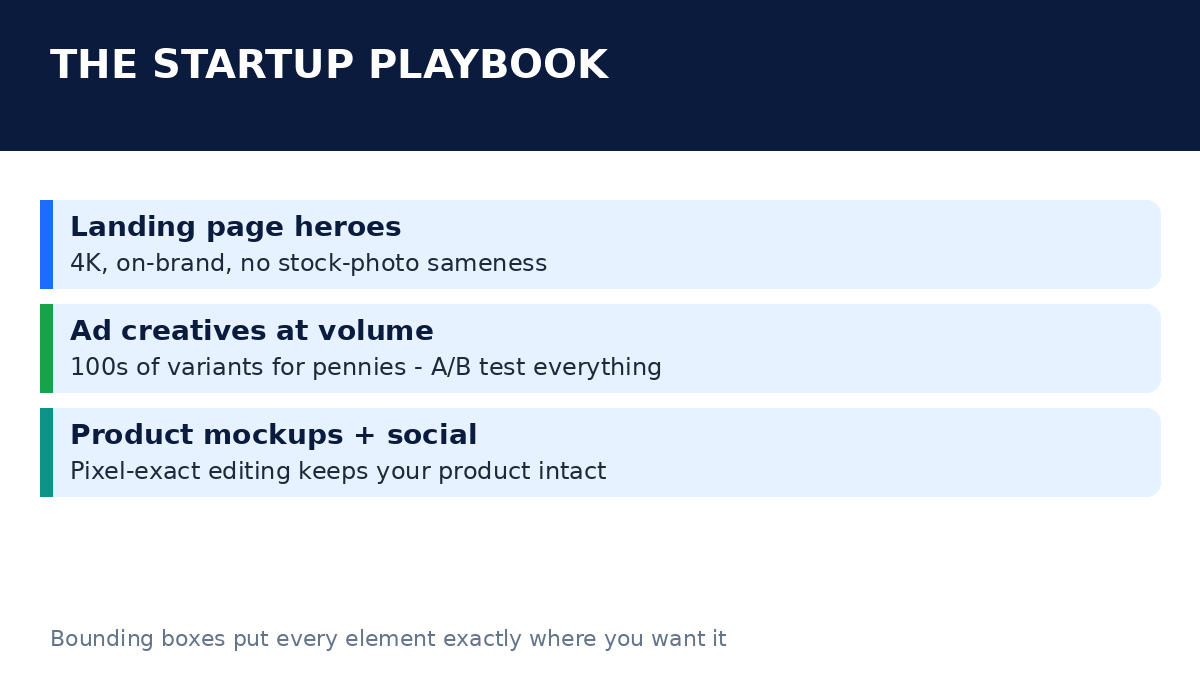
1. Landing page heroes that don’t look like stock
Your hero section is the first thing investors and customers see, and the “smiling diverse team around a laptop” stock photo is the visual equivalent of elevator music — nobody notices it, and that’s the problem. Klein’s native 4K output plus bounding-box layout control (more on that in a second) means you can generate a hero image that’s actually composed around your product and your copy. Build a handful of variants with different moods — dark cinematic, bright product-focused, abstract — and A/B test them. At 4K and $0.036 a pop, generating 20 hero candidates costs 72 cents. Your previous hero took a designer two days.
2. Ad creatives at real volume
This is where the math goes completely silly, in your favor. Paid social lives and dies on creative testing — Meta and TikTok advertisers routinely test 50+ creatives per campaign. Before Klein, that meant a $5,000+ monthly design bill or settling for three boring variants. Now: prompt upsampling on the API helps you write better prompts automatically, you generate a batch, you pick winners, you iterate. The workflow is volume → selection → refinement instead of brief → wait → revise → wait. Different game entirely.
3. Product mockups without the photoshoot
Selling a physical product? Klein’s pixel-accurate editing is the quiet killer feature here. Hand it a photo of your product and ask it to change the background — the model preserves unchanged regions exactly, so your product stays your product while the scene around it changes. White studio background for Amazon, lifestyle kitchen scene for Instagram, dramatic lighting for the hero shot: same product, three contexts, no reshoot. For digital products, generate mockup scenes around your UI screenshots. The bounding-box feature lets you place your app screenshot precisely where the composition needs it, instead of praying the model puts it somewhere sensible.
4. Social content that keeps the feed alive
Organic social is a volume game nobody has time for. Klein plus its image-editing mode means you can take one brand photo and spin out a week’s worth of variations — seasonal themes, quote cards with consistent branding (use up to 10 reference images to keep your brand elements consistent), localized versions. It’s not going to write your content strategy for you, but it removes the “we don’t have anything visual to post” excuse permanently.
Bounding Boxes and Pixel-Exact Editing, Explained Like a Founder
Two of Klein’s features deserve a closer look, because they’re the ones that actually change what you can do — not just what you can generate.
Bounding boxes are layout control. Normally with an image model you describe the scene and hope the composition cooperates. With bounding boxes, you draw boxes on a normalized canvas and tell the model: put the product here, put the headline space there, keep the logo clear here. If you’ve ever generated 30 versions of an ad because the model kept putting text-space in the wrong spot, you know exactly how valuable this is. It’s the difference between “prompt and pray” and actual art direction. For ad creatives and landing pages — where composition is half the battle — this is arguably the headline feature.
Pixel restoration is the editing superpower. When you edit an image with most models, the whole picture gets re-generated, which means the parts you didn’t touch come back slightly different — colors shift, details drift, your product’s logo looks subtly wrong. Klein preserves unchanged regions exactly. Change the background behind your product; your product’s pixels don’t move. Swap the sky in a lifestyle shot; everything else is bit-identical. For a startup, this means edits you can actually trust in production assets instead of “close enough” approximations that a designer would reject.
One more practical note: the API does prompt upsampling, which means you don’t need to become a prompt-engineering poet. Write a rough description; the API expands it into the detailed prompt the model actually wants. As someone who’s watched founders stare blankly at a prompt box, this removes the biggest skill barrier.
Self-Host vs API: The Actual Decision
Here’s where Klein gets interesting for founders, because most image models give you one door: pay the API. Klein gives you two.
Door one: the API. Zero setup, per-image pricing from $0.008 to $0.036, scales from your first 10 images to your ten-thousandth. If your image needs are bursty — a campaign sprint here, a rebrand there — this is obviously the move. You don’t manage GPUs, you don’t maintain anything, you just call an endpoint.
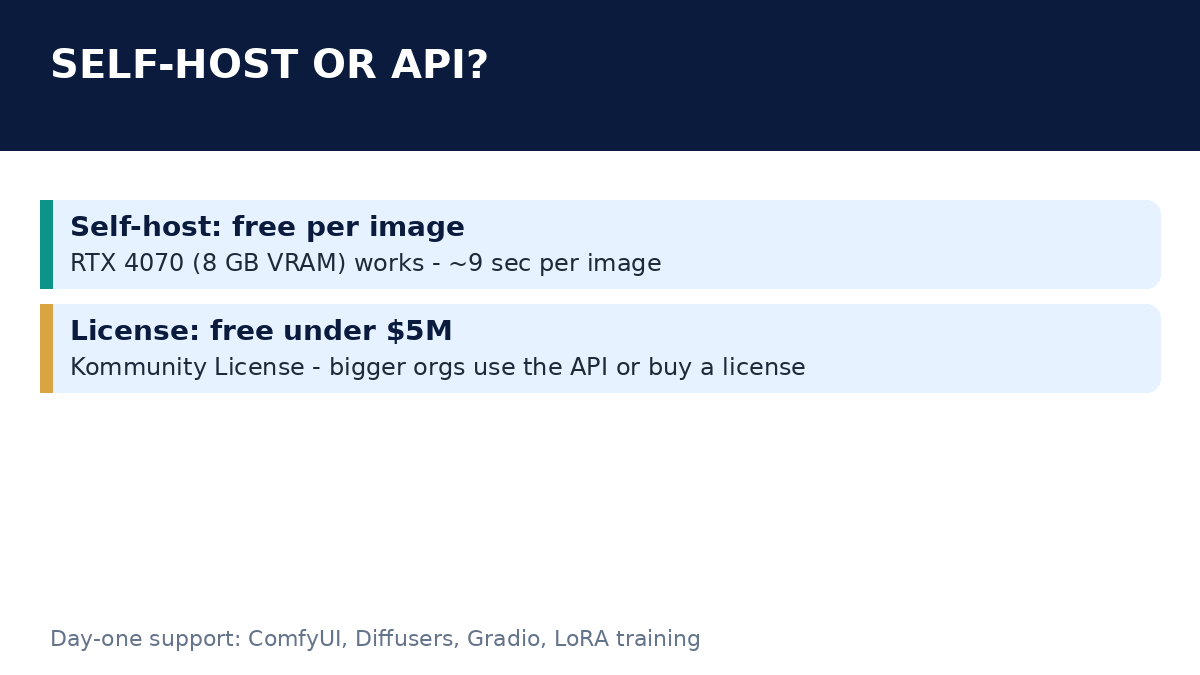
Door two: self-host. Download the weights, run the INT8 version on a consumer GPU with 8 GB of VRAM, and your per-image cost drops to the electricity bill. An RTX 4070 does a 1-megapixel image in under 9 seconds, which is fast enough for interactive use and more than fast enough for overnight batch generation. If you’re generating thousands of images a month — say you’re running creative testing at serious volume, or building an image feature into your product — self-hosting can be dramatically cheaper than even penny-level API pricing. The catch: you need the hardware (or a cloud GPU), and you take on the ops. The Decoder’s coverage digs into the consumer-GPU angle if you want the hardware details.
My rule of thumb: start on the API this week. If your monthly bill ever approaches the cost of a used RTX 4070, consider the second door. At $0.011 per image, you’d need to generate about 50,000 images a month to justify the hardware on cost alone — so for most startups, the API wins on simplicity for a long time. The real reason to self-host is control: your data never leaves your machine, your costs are fixed, and nobody can change the terms on you.
The License Fine Print (Yes, Actually Read This)
Klein ships under the FLUX Kommunity License, and the headline term is the $5M one: individuals and businesses with annual revenue under $5 million get free commercial use of the weights. As VentureBeat reported, that’s the deal — open weights with a revenue cap.
Let’s translate this for founders. If you’re a startup doing under $5M a year — which is, let’s be honest, nearly every startup reading this — you can download the model, fine-tune it on your brand assets, and use it commercially for free. Build it into your product. Generate your entire marketing library. No per-image fees, no license payments.
If you’re over $5M, you need a self-hosted license from BFL — or you sidestep the whole question by using the API, which has no such revenue cap in the pricing terms. One caveat worth internalizing: licenses can be revised for future releases, and this summary isn’t legal advice. If your startup crosses that threshold while self-hosting, get a lawyer to look at the actual license text. But for the “should I even bother” stage, the answer is simple: almost certainly yes.
Also worth knowing: BFL put real work into safety here — dataset filters during pre-training, internal red-teaming, and an external evaluation by Cinder as an independent safety partner. That matters if you’re embedding image generation in a user-facing product, because the trust-and-safety homework is part of what you’d otherwise have to do yourself.
How It Stacks Up (Honestly)
Every model launch claims to be the best at something. BFL’s claim for Klein: the highest Elo score among open models in their internal testing, beating Ideogram V4.5 and FLUX.2 [pro], and scoring +91 Elo over the smaller FLUX.2 [klein] with 38% fewer parameters.
“FLUX 3 Image Klein achieves the highest Elo among open models in our internal testing — but internal testing is marketing until independent benchmarks exist. Treat every vendor scoreboard as an ad, and run your own comparisons on your actual use cases before committing.”
Here’s my honest read. The caveat in that claim is doing a lot of work: internal testing, no independent benchmarks yet. Every lab’s internal benchmark flatters their own model; it’s practically a law of nature. Ideogram is genuinely strong at text-in-image and design work — that’s its whole identity — so “beats Ideogram V4.5” is a spicy claim I’d want to see verified by someone without a stake in the outcome.
The more useful comparison is with Google’s Nano Banana 2.1, the model that defined the editing conversation this year (see our Nano Banana 2.1 founder’s guide for the full breakdown). Nano Banana is a closed model — you use it through Google’s stack, on Google’s terms. Klein is the open-weights alternative: you can self-host it, fine-tune it, and build on it without asking permission. That’s a fundamentally different value proposition. If you want the best raw editing quality and don’t care about openness, Nano Banana is the benchmark to beat. If you want control, fixed costs, and privacy, Klein is the first open model that’s genuinely in the conversation.
The other thing Klein has going for it: it’s from the FLUX lineage, which has a track record. FLUX models have been the open-weights quality leaders since the original release, and BFL iterating on that foundation (with NVIDIA co-building the quantized versions, no less) is more reassuring than a from-scratch debut. But — and I’ll keep saying this — judge it on your own prompts, not on a launch-day scoreboard.
Getting Started Today
Okay, practical part. Here’s the sequence I’d follow, in order:
- Try the Gradio demo first. Zero setup, zero cost, zero commitment. Generate a few images in the style of your brand and see if the quality clears your bar. If it doesn’t impress you here, nothing else in this guide matters.
- Run the bounding-box test. This is the make-or-break feature for marketing use. Try placing your product in a specific box with headline space reserved. If the composition control works for your use case, Klein just earned its spot.
- Price out your month on the API. Estimate your image volume — be honest, then double it — multiply by $0.011, and compare against your current design spend. The Rundown’s FLUX 3 tool page is a decent starting point for docs and access links.
- Set up ComfyUI or Diffusers if you’re technical. Day-one support means the pipelines already exist. This is the path to self-hosting and to fine-tuning on your brand assets with LoRA.
- Wire it into your stack. If you’re putting image generation inside your product — user avatars, custom thumbnails, generated mockups — the API is the fastest route, and the per-image cost is low enough that unit economics basically never break. And if wiring an API into a production site sounds like a weekend you’d rather not spend, AISquadX is a web development studio that does this kind of AI integration work.
One more thought on that last step: the founders who win with tools like this aren’t the ones with the best prompts — they’re the ones who wire generation into a workflow. A button in your CMS that generates three hero variants. A nightly job that refreshes ad creatives. A Slack bot that mocks up product shots on demand. Klein’s price and openness make it infrastructure, not a toy. Treat it that way. (And if you’re rebuilding your site around visuals like these anyway, our piece on the best AI website builders for startups covers the broader stack.)
FAQ
Is FLUX 3 Image Klein really free for startups?
The weights are free for commercial use under the FLUX Kommunity License if your annual revenue is under $5 million — which covers the vast majority of startups. Over that threshold, you need a self-hosted license from Black Forest Labs, or you can use the API instead. The API itself is pay-per-image ($0.008–$0.036) with no revenue cap.
Can I actually run it on my own computer?
If you have an NVIDIA GPU with 8 GB of VRAM or more — an RTX 4070 qualifies — yes. The INT8 version runs there, generating a 1-megapixel image in under 9 seconds on a 4070 or about 4 seconds on an RTX 5090. That’s consumer hardware, not a data center.
How is it different from FLUX 3 Image?
FLUX 3 Image (launched October 1, 2026) is the flagship and API-only. Klein is the smaller, open-weights release — 5.6 billion parameters you can download, fine-tune, and self-host. Think of it as the version built for builders rather than just API consumers.
What’s the catch with BFL’s benchmark claims?
BFL says Klein has the highest Elo among open models in its own internal testing, beating Ideogram V4.5 and FLUX.2 [pro]. The catch is right there in the sentence: it’s their own testing, and no independent benchmarks exist yet. Treat it as a promising signal, not a verdict, and test on your own use cases.
Should I switch from Nano Banana or Midjourney to Klein?
Don’t “switch” — diversify. Run the same prompts through Klein (the Gradio demo is free) and compare on your work: your product, your brand style, your ad formats. Klein’s advantages are openness, self-hosting, and price. If your current tool wins on quality for your specific needs, keep it. Most founders will end up using more than one image model, the same way they use more than one SaaS tool.
The Bottom Line
FLUX 3 Image Klein is the rare launch that changes the math instead of just the leaderboard. A 5.6B-parameter open model with 4K output, layout control via bounding boxes, and pixel-exact editing — running on a consumer GPU, free for startups under $5M, or $0.008 an image via API. The specs are good. The price is absurd. The license is founder-friendly.
But here’s what I’d actually take away from yesterday’s launch: the era of the $5,000 monthly creative bottleneck is over. When 100 ad creatives cost $1.10, the constraint on your marketing stops being budget and starts being ideas. That’s a much better problem to have.
My advice? Spend an hour with the demo today. If the quality clears your bar, spend next week building one workflow — ad creative testing is the highest-ROI candidate — and measure what happens. The founders who move first on tools like this don’t get a permanent advantage, but they do get a very profitable head start.