
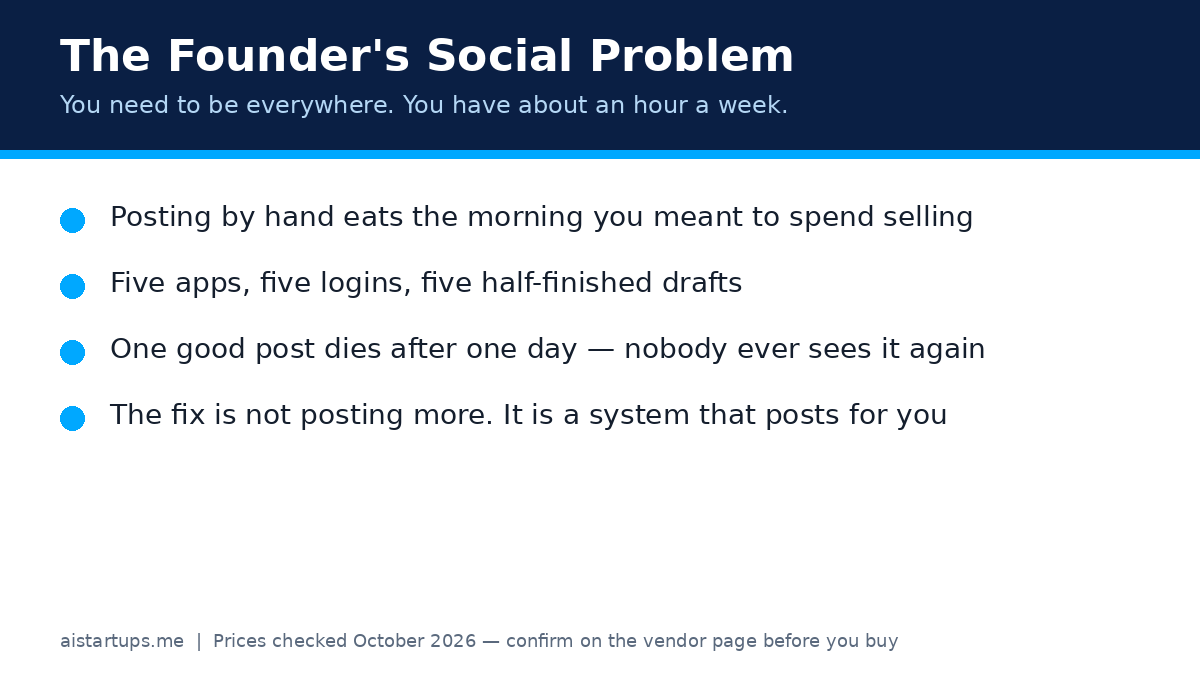
Here’s a confession: I used to spend my mornings posting the same update five times. LinkedIn, then X, then Instagram, then Facebook, then TikTok — each with its own quirks, its own image size, its own little error message. By 10am I’d done “marketing” and sold nothing. Sound familiar?
Look, social media matters for a startup. It just doesn’t matter five hours a day. What you actually need is a system: write once, shape it for each channel, schedule it, and let the tool do the boring parts while you go back to building the business. That’s what AI social media management tools are for. Not magic. Just leverage.
I compared six of the tools founders actually ask me about — Buffer, Later, SocialBee, Metricool, Hootsuite and Sprout Social — on the things that decide whether you’ll still be using one in three months: price, scheduling, repurposing, and the catch nobody puts on the homepage. Every price below was cross-checked against multiple pricing reviews that cite the vendors’ own pricing pages in October 2026, and I’ve said where the number comes from so you can check it yourself before you pay. Prices move, so treat this as a snapshot, not a contract.
Real talk: there is no “best” tool here in the abstract. There’s a best tool for a solo founder with three accounts, and a totally different one for a five-person team running client work. This guide will help you tell which one you are.
How I compared them (so you can trust the table)
I judged each tool on four things. First, scheduling: can it post where your audience actually is, including video and carousels, without you babysitting it? Second, repurposing: does it help one good idea become five posts, or does it just move your manual work into a prettier calendar? Third, price at your real size — not the headline number, but what you pay with your number of accounts and your number of teammates. And fourth, the catch: the limit, add-on or missing feature most likely to annoy you in month two.
One more thing before the details. Every vendor here sells AI help now — caption drafts, hashtag suggestions, best-time recommendations. Some of it is genuinely useful. None of it replaces having something worth saying. If your posts are boring, an AI scheduler will just help you publish boring posts more efficiently. (We’ve all done this. The tool isn’t the strategy.)
If your whole marketing engine still needs building — positioning, content, the lot — it helps to read this alongside a broader plan. My lean AI startup marketing playbook covers how social fits into a small budget without eating your week.
The quick comparison
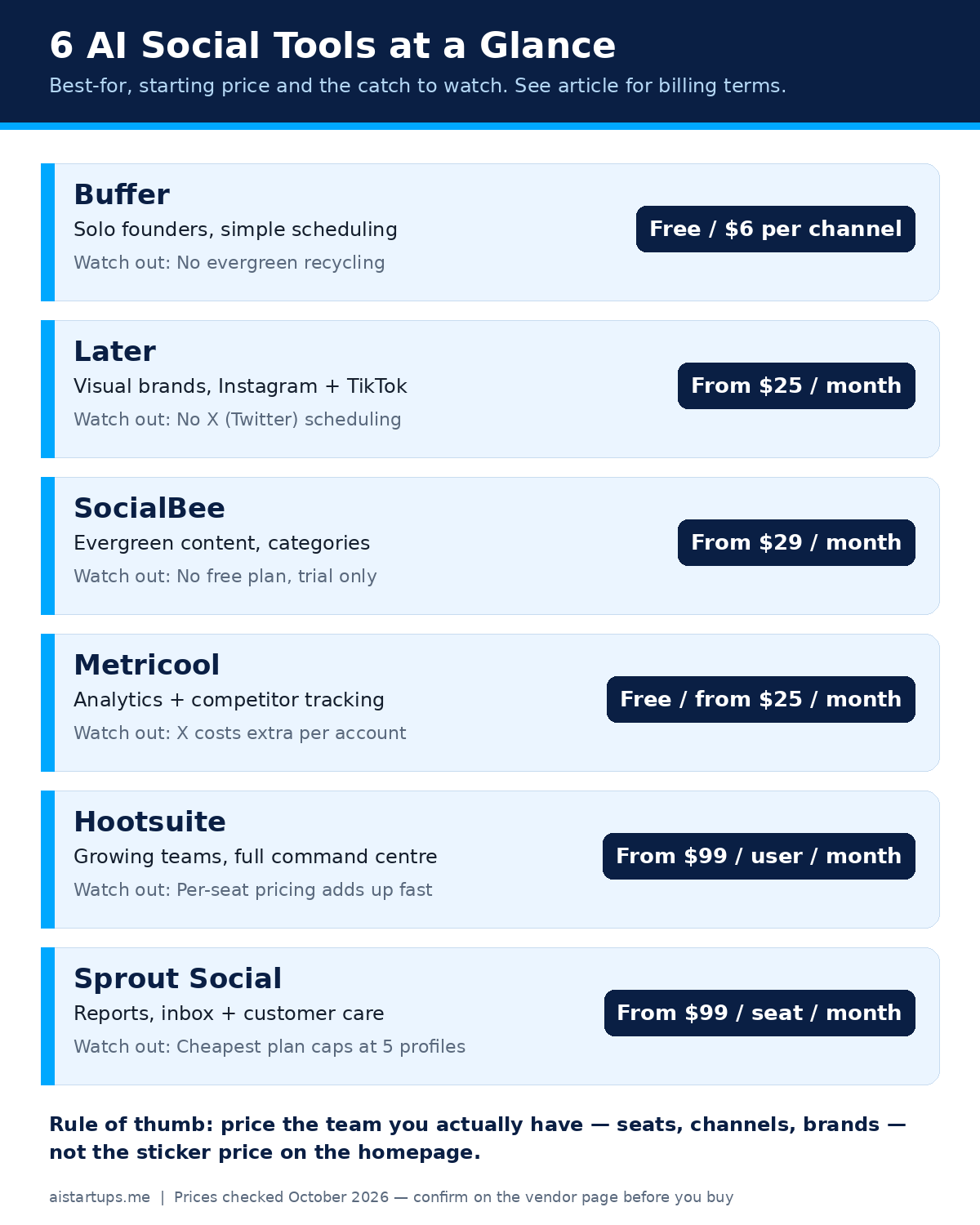
Here is the whole field on one screen. Monthly billing unless stated otherwise; annual billing is cheaper on most of these, and I’ve noted it where it changes the story.
| Tool | Best for | Starts at | Free plan? |
|---|---|---|---|
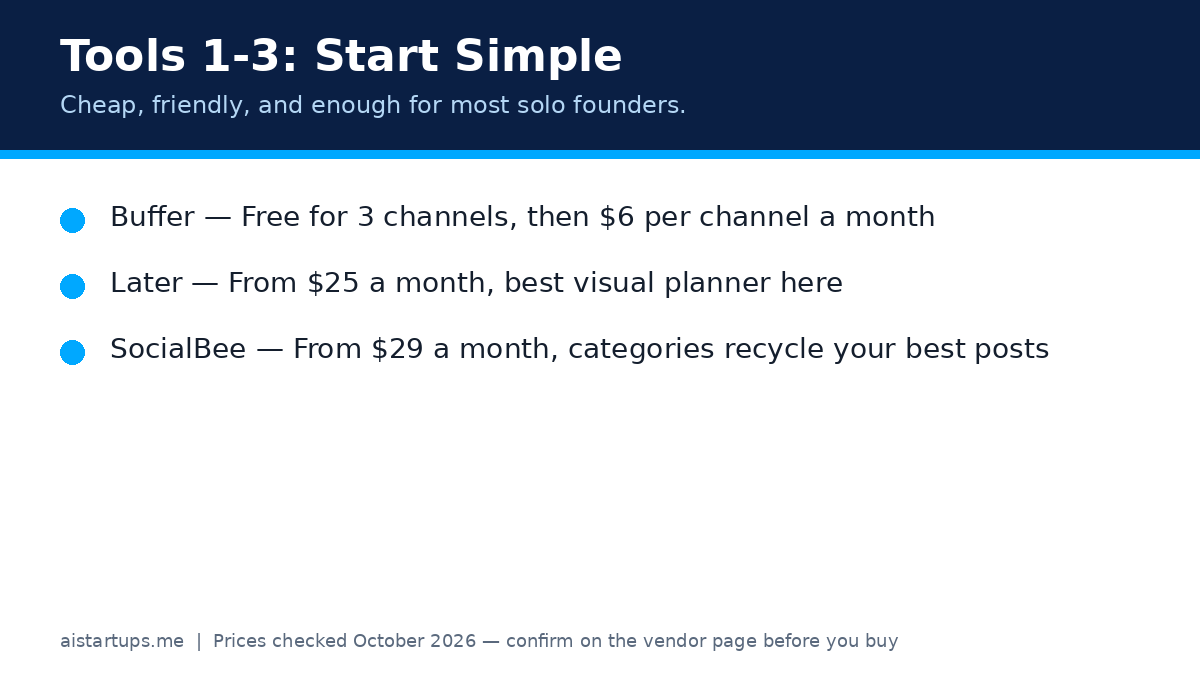
| Buffer | Solo founders, simple scheduling | Free; then $6 per channel/month | Yes, 3 channels |
| Later | Visual brands, Instagram and TikTok | $25/month (Starter) | Limited free plan per help docs |
| SocialBee | Evergreen content and categories | $29/month (Bootstrap) | No, 14-day trial |
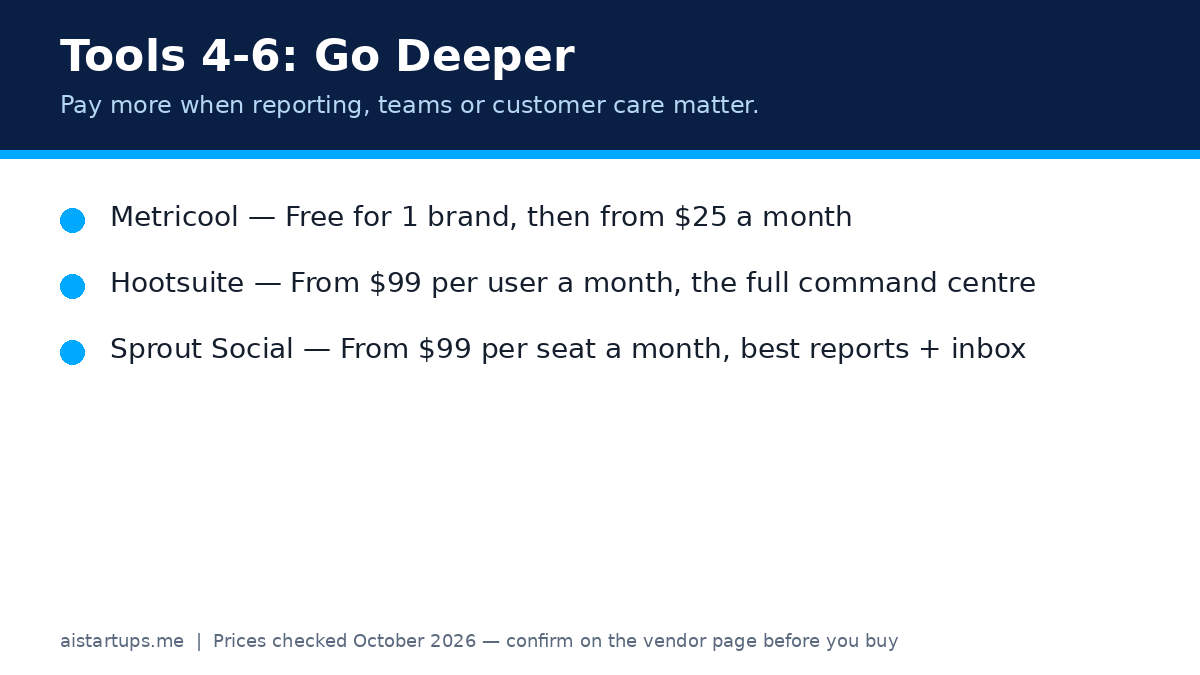
| Metricool | Analytics and competitor tracking | Free; then $25/month (Starter, 5 brands) | Yes, 1 brand |
| Hootsuite | Growing teams, full command centre | $99/user/month (Standard, annual billing) | No, trial only |
| Sprout Social | Reports, inbox and customer care | $99/seat/month (Essentials, monthly); $79 annual | No, 30-day trial |
See the pattern? The cheap tools charge for accounts or brands. The expensive ones charge for people. That one distinction decides most of the final bill, and it’s the thing I’d price first.
1. Buffer — the one I’d start with
Buffer is the simplest tool on this list, and I mean that as praise. You connect your channels, you write posts, you drag them onto a queue, and they go out. The AI Assistant drafts captions and rephrases them, which is handy when you’re staring at a blank box at 8am. There’s a community inbox for comments, analytics with 30 days of history on the free plan, and a Start Page link-in-bio.
Per Buffer’s own comparison page, the free plan covers up to 3 channels with 10 queued posts per channel. Essentials costs $5 per channel per month on annual billing ($6 month to month), and Team costs $10 per channel per month on annual billing ($12 month to month). Team adds unlimited team members and approval workflows. Both paid plans come with a 14-day trial.
Here’s the thing about per-channel pricing: it’s brilliant when you run a few accounts, and it quietly grows as you add more. Three channels on Essentials is $18 a month. Ten channels is $60. That’s still cheap — but do the maths at your real channel count, not the headline rate. And Buffer doesn’t recycle evergreen content the way SocialBee does, so if your plan depends on re-posting your best stuff, read on.
Pick Buffer if: you’re solo or a tiny team, you want the lowest friction, and you mainly need reliable scheduling with a real free plan to test on. Skip it if: evergreen recycling or deep social listening is the whole point.
2. Later — the visual planner
Later is built for people whose content is visual first. The drag-and-drop calendar, the media library and the Instagram grid preview are the reason creators stay. You can see the feed before you publish it, which matters a lot more than it sounds — a feed that looks intentional gets followed, and a random one doesn’t. It also has Linkin.bio for turning followers into site traffic, and AI caption help on paid plans.
Per multiple October 2026 pricing checks against Later’s pricing page, Starter costs $25 a month billed monthly ($18.75 on annual billing) for 1 social set, 1 user and 30 posts per profile per month. Growth costs $50 a month ($37.50 annual) for 2 sets and 2 users, and Scale costs $110 a month ($82.50 annual) for 6 sets and 4 users with unlimited posts. A social set holds one profile per network, so two Instagram accounts need two sets — count that way, not by total profiles.
Two honest catches. First, Later dropped X (Twitter) scheduling in 2025–2026, so if X is core to your founder-led content, Later alone won’t cover you. Second, the Starter post cap (30 per profile per month) is fine for most founders but tight if you post several times a day. If you’re weighing Later against the email side of your outreach too, my roundup of the best AI email tools for startup outreach pairs well with this — social gets attention, email closes it.
Pick Later if: Instagram, TikTok or Pinterest carry your brand and you plan visually. Skip it if: X is non-negotiable, or you need a shared inbox and approvals on the cheapest plan.
3. SocialBee — the evergreen machine
SocialBee is the only tool here built around a genuinely different idea: content categories. Instead of scheduling post by post forever, you sort posts into categories — tips, stories, offers, questions — and SocialBee cycles through them. Your best evergreen posts keep working instead of dying after one day. For a founder with a small library of strong ideas, that’s the closest thing to a content flywheel in this list. It also has an AI post generator, a social inbox, and Canva built in.
Per SocialBee’s own help centre, Bootstrap costs $29 a month ($24.20 on annual billing) for 5 social profiles and 1 workspace. Accelerate costs $49 a month ($40.80 annual) for 10 profiles, and Pro costs $99 a month ($82.50 annual) for 25 profiles across 5 workspaces with 3 users each. Agency tiers run from Pro50 at $179 a month up. There’s no permanent free plan — just a trial — so budget from day one.
What I like most, honestly, is the discipline it forces. Categories make you notice when you’re only posting offers and never posting anything useful. (Guilty. Most of us are.) What I like least is the price floor: $29 a month is fair for what it does, but it’s not a free-tier toe-dip like Buffer or Metricool.
Pick SocialBee if: you have evergreen content worth reusing and you want posting to keep happening when you’re busy. Skip it if: you need a free plan, or your content is mostly timely news that shouldn’t repeat.
4. Metricool — the analyst’s pick
Metricool started as an analytics dashboard and it still shows. The reporting is deeper than anything else at this price: unlimited history on paid plans, competitor tracking for up to 100 profiles on Starter, automated PDF and PowerPoint reports, and a Looker Studio connector on Advanced. If you (or a client) need to prove social is working, Metricool makes that argument for you. It also schedules, runs a link-in-bio tool called SmartLinks, and covers an unusually wide set of networks including Google Business Profile, Bluesky and Twitch.
Per Metricool pricing checks from October 2026, the free plan covers 1 brand with 20 posts a month, but no LinkedIn or X. Starter starts at $25 a month billed monthly ($20 on annual billing) for 5 brands, and Advanced starts at $67 a month ($53 annual) for 15 brands, with team features and approvals. Two gotchas to price in: a “brand” means one profile per network, so a second Instagram account is a second brand; and X is a paid add-on (about $10 per connected account per month) rather than included.
One more note for founders who run social as a service: Metricool’s brand model is kind to small agencies. Five brands for $25 a month is hard to beat when each client only has one account per network. If you’re building that kind of agency, the playbook in my AI agency 2026 playbook covers how to package reporting like this into a retainer.
Pick Metricool if: analytics, competitor tracking or client reporting matter as much as scheduling. Skip it if: X is central and you resent paying extra for it, or you need team approvals on the cheapest plan.
5. Hootsuite — the full command centre
Hootsuite is the veteran here, and it feels like it — in a good way and an expensive way. Scheduling, a unified inbox, monitoring streams for mentions and competitors, bulk scheduling, AI post generation, and an integration catalogue that covers Canva, Salesforce and plenty more. If your team treats social as a real channel with support, campaigns and reporting, Hootsuite is built for that job. OwlyWriter AI drafts posts and the higher tiers add trend forecasting and custom reports.
Per Hootsuite’s pricing page as reported in October 2026, Standard costs $99 per user per month on annual billing (up to 10 social accounts), Professional costs $199 per user per month (unlimited accounts), and Advanced costs $399 per user per month (approvals, team routing and performance reporting). Enterprise is custom. There’s no permanent free plan — just a trial — and every plan is priced per seat, so three teammates on Standard is roughly $297 a month before add-ons.
So when is that worth it? When social is a team sport: someone drafts, someone approves, someone answers, someone reports. When it’s just you, honestly, it’s a lot of money for a calendar. I’ve seen founders pay for Hootsuite because it felt “serious” and then use 10% of it. Don’t be that founder. Buy the tool for the job you actually have this quarter.
Pick Hootsuite if: you run a real team, need monitoring and approvals, and can use the integrations. Skip it if: you’re solo — Buffer, Later or Metricool will do the same core job for a fraction of the price.
6. Sprout Social — the reporting and care tool
Sprout Social is the one I’d hand to a team that needs to prove results and handle customers in the same place. The consolidated Smart Inbox pulls messages from every network into one queue, you can tag and assign them, and the reports look board-ready without an afternoon in a spreadsheet. Add keyword and location monitoring, review management, competitor reports on higher tiers, and sentiment analysis on Advanced, and you have a serious customer-care and reporting machine.
Per Sprout Social’s pricing page as reported in October 2026, Essentials costs $99 per seat per month billed monthly ($79 on annual billing) for 5 social profiles. Standard costs $199 per seat per month (annual) with the inbox and monitoring. Professional costs $299 per seat per month (annual) with unlimited profiles, and Advanced costs $399 per seat per month (annual) with sentiment and API access. Listening and premium analytics are separate add-ons, and there’s a 30-day trial but no free plan.
The trap is the profile cap. Essentials and Standard both stop at 5 profiles, and a founder on Instagram, Facebook, TikTok, LinkedIn, YouTube and X is already at six — which pushes you to Professional at $299 a seat. Count your profiles before you fall in love with the entry price. If customer support is a big part of your social workload, also compare my best AI customer support tools — the inbox here and a dedicated support tool solve overlapping problems, and you probably don’t need both on day one.
Pick Sprout Social if: reporting quality and a shared inbox justify a premium, and your profile count fits the tier. Skip it if: you’re price-sensitive or you have more than 5 profiles and one seat — the jump to Professional stings.
Scheduling vs repurposing: the difference that matters
Most tools here schedule well. That’s table stakes now. The real split is repurposing — what happens to a post after it goes out.
Scheduling says: this post goes live Tuesday at 9am. Repurposing says: this one good idea becomes a LinkedIn post, a short video script, three X posts, a carousel outline and a newsletter paragraph — and the best of them come back in six weeks when new followers haven’t seen them. SocialBee does this best with categories. Buffer and Later mostly don’t; they schedule beautifully and then move on. Metricool helps with its Autolists, and Hootsuite and Sprout help indirectly, because their analytics show you what deserves a second run.
My honest advice? Start with scheduling, add repurposing second. Here’s a simple weekly rhythm that works for most founders:
- Monday: write one strong idea — a lesson, a story, a hot take with evidence. Not five ideas. One.
- Tuesday: shape it per channel. LinkedIn gets the story, X gets the sharp version, Instagram gets the visual version. Same idea, different shape.
- Wednesday: schedule the week in one sitting, then close the apps. Seriously. Close them.
- Friday: check what worked, save the winners to an evergreen category, and delete what flopped without mourning it.
That rhythm takes about 90 minutes a week once it’s habit. If a tool can’t support it — if scheduling takes longer inside the tool than it did by hand — it’s the wrong tool, no matter how pretty the dashboard is.
The goal isn’t to post more. It’s to make one good idea work five times, and then get back to building the business that the posts are about.
How to pick in five minutes
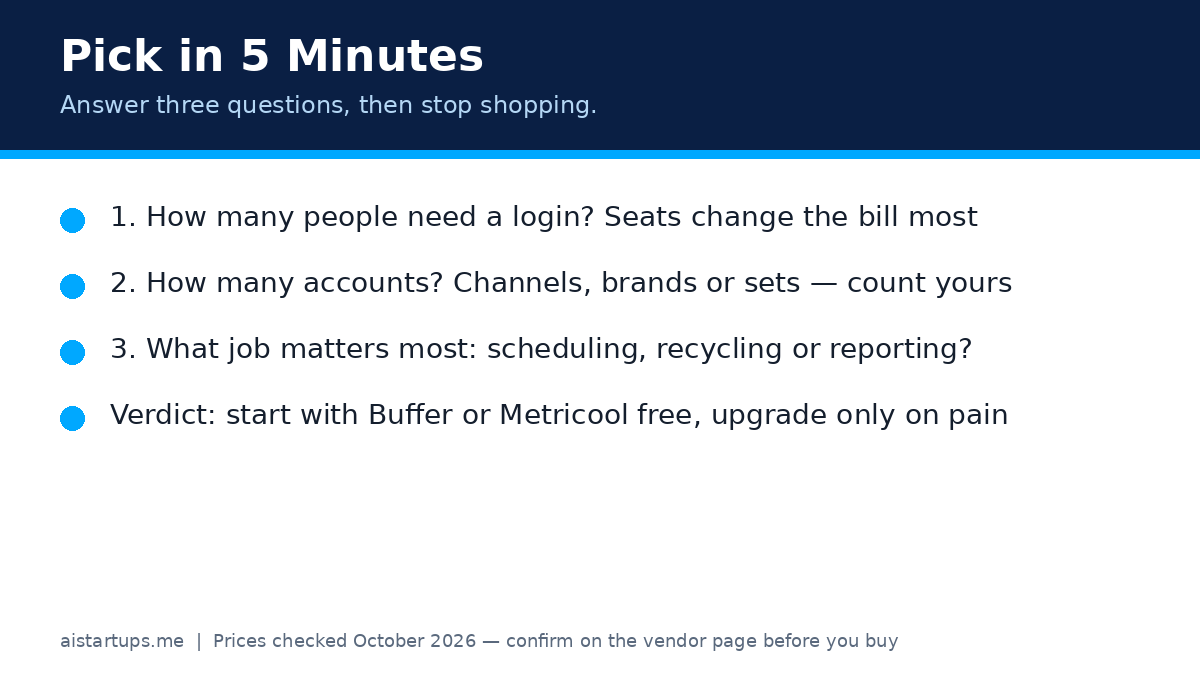
Answer three questions in order. Don’t skip ahead to features — features are how vendors sell you the expensive tier.
- How many people need a login? If it’s just you, per-seat tools (Hootsuite, Sprout) are the worst value here. If it’s three or more, Buffer Team’s unlimited members or Metricool Advanced start looking clever.
- How many accounts, counted the tool’s way? Channels for Buffer, social sets for Later, brands for Metricool, profiles for SocialBee, seats plus accounts for Hootsuite and Sprout. Count yours in the vendor’s unit, then price that.
- What job matters most? Scheduling only: Buffer or Later. Recycling evergreen content: SocialBee. Proving results: Metricool or Sprout. Running a team with approvals: Hootsuite or Sprout Advanced.
Then do the cheapest honest test: run the free plan or trial for two full weeks with real posts. Not a demo. Real posts, real schedule, real replies. If you dread opening it by day ten, switch — the switching cost now is nothing compared with a year of a tool you hate.
And one practical point that sits outside the tools themselves: social traffic needs somewhere good to land. If your site is slow, confusing or half-built, the best scheduler in the world just sends people to a dead end. When founders ask me where to get that fixed properly, I point them to AISquadX — a web development studio that builds sites and AI integrations for startups, which is exactly the kind of unglamorous foundation work that makes social traffic convert.
Mistakes founders keep making (I’ve made most of these)
Buying for the team you’ll have “soon.” Soon is not a team size. Buy for this quarter, upgrade when the pain is real. Annual billing discounts are only savings if you’d still be paying in month nine.
Ignoring the add-ons. Metricool’s X fee, extra social sets on Later, extra seats on Hootsuite — the headline price is the start of the maths, not the end of it.
Automating before you have a voice. If every post sounds like a press release, scheduling more of them won’t help. Write twenty posts by hand first. Find the voice. Then automate the distribution.
Measuring the wrong thing. Follower count feels good and means little. Track replies, profile visits, link clicks and — radical idea — actual enquiries. A tool that reports those clearly (Metricool, Sprout) beats a tool that reports vanity numbers beautifully.
Posting everywhere equally. You’re not a media company. Pick the two channels where your buyers actually hang out, do those well, and let the rest coast on scheduled evergreen posts. Depth beats breadth when you’re small.
Frequently asked questions
What is the best AI social media management tool for a solo founder?
For most solo founders, Buffer or Metricool. Buffer’s free plan (3 channels, 10 queued posts each) is genuinely usable, and its paid plans start at $6 per channel per month. Metricool’s free plan (1 brand, 20 posts a month) is the better pick if analytics matter to you. Try both free tiers for two weeks and keep the one you actually open.
Which tool is best for repurposing content?
SocialBee, because of its category system. You sort posts into categories and it cycles through them, so evergreen content keeps publishing without you re-scheduling it by hand. Buffer and Later schedule well but don’t recycle in the same way. If repurposing is your main goal, SocialBee’s $29-a-month Bootstrap plan is the cheapest way to get it here.
Do I need Hootsuite or Sprout Social as a small startup?
Probably not yet. Both are excellent, but they’re priced per seat — $99 a user or seat per month at entry — and built for teams with approvals, monitoring and reporting needs. A solo founder or two-person team usually gets the same core scheduling from Buffer, Later, Metricool or SocialBee for far less. Upgrade when approvals, a shared inbox or board-ready reports become a weekly pain, not before.
Can these tools really post to every platform?
Mostly, but check your specific mix. Later dropped X scheduling in 2025–2026, and Metricool charges extra for X per account. TikTok, Reels and carousels sometimes need manual steps or a mobile notification depending on the network’s rules. Before you pay, confirm your exact platforms — especially X, TikTok and Google Business Profile — are covered on the plan you’re buying.
How much should a founder budget for social media tools?
Start at $0 with Buffer or Metricool free, then expect $25–$50 a month once you’re posting consistently — Later Starter at $25, SocialBee Bootstrap at $29, or Buffer Essentials at $6 per channel. Only budget $99-plus per person when you have a team or reporting need that justifies it. And remember the real cost isn’t the subscription: it’s the hour or two a week you spend creating. A cheap tool you use beats an expensive tool you avoid.
The Bottom Line
If I were starting from scratch today, I’d do this: start free on Buffer or Metricool this week, pick the two channels my buyers actually use, and post one strong idea a week, shaped three ways. If my content was visual, I’d test Later. If I had evergreen posts worth repeating, I’d pay for SocialBee. And I’d only look at Hootsuite or Sprout Social when a team, a client roster or a reporting requirement made the per-seat price feel cheap instead of painful.
The tool won’t make you interesting. It will make you consistent — and consistency, posted in the right places, is what turns a founder’s social presence from a chore into a channel that actually brings in conversations, and then customers. Pick one, run it for a month, and spend the hours you save on the product. That’s the whole point.
Sources and price checks (October 2026): Buffer’s comparison of Buffer vs Hootsuite pricing, SocialBee’s help centre pricing guide, Later pricing, verified against Later’s pricing page in October 2026, Metricool pricing, verified against Metricool’s pricing page, Hootsuite vs Sprout Social vs Agorapulse 2026 pricing, and Sprout Social alternatives with October 2026 pricing checks. Prices change — confirm on each vendor’s pricing page before you buy.