Real talk: I once watched a founder spend $4,000 on a logo. Four thousand dollars. The logo was… fine. Clean, modern, a little gradient swoosh that could’ve belonged to any of a thousand AI startups. And you know what happened next? Nobody remembered it. Not one person. The product had no story, the founder was invisible online, and the beautiful logo sat on a landing page that got eleven visitors a week.
Here’s the thing nobody tells you when you’re starting an AI company with an empty bank account: a brand isn’t something you buy. It’s something you do, over and over, in public, until people start to recognize you before they recognize your logo. And the doing part? It costs nothing. Literally nothing. I’ve seen solo founders build brands people actually remember using free tools, a LinkedIn account, and about five hours a week. No agency. No designer on retainer. No ads.
That’s what this is. A practical playbook for building a recognizable AI startup brand on a $0 budget — the positioning, the free visual identity, the founder-led content engine, and the exact week-by-week plan. Not theory. The actual moves, in order, with the actual free tools that make them possible.
One honest caveat before we start: $0 doesn’t mean zero effort. It means zero dollars. You’re trading money for time, and the trade only works if you’re consistent. If you post three times and quit, this playbook won’t save you. But if you can show up most days for two months? You’ll have a brand. Let’s get into it.
First, Let’s Agree on What a Brand Actually Is
Most founders I talk to think brand means logo, colors, and a nice website. And look, those things matter — we’ll get to them, and you’ll build all of them for free this week. But they’re the wrapping paper, not the gift. A brand is the answer to a much simpler question: when someone hears your company’s name, what do they think of?
That’s it. That’s the whole game. If the answer is “uh, some AI thing?” you don’t have a brand yet. If the answer is “oh yeah, the tool that turns messy sales calls into follow-up emails” — congratulations, you have one. The logo didn’t do that. The sentence did.
So before you touch a single design tool, you need a position. A position is a choice about who you’re for and what you’re the best at, stated so plainly a stranger could repeat it back to you after hearing it once. Most AI startups fail this test spectacularly. Their homepages say things like “AI-powered solutions for modern teams” and then they wonder why nobody remembers them. That sentence could describe ten thousand companies. It describes none of them.
The One-Sentence Test
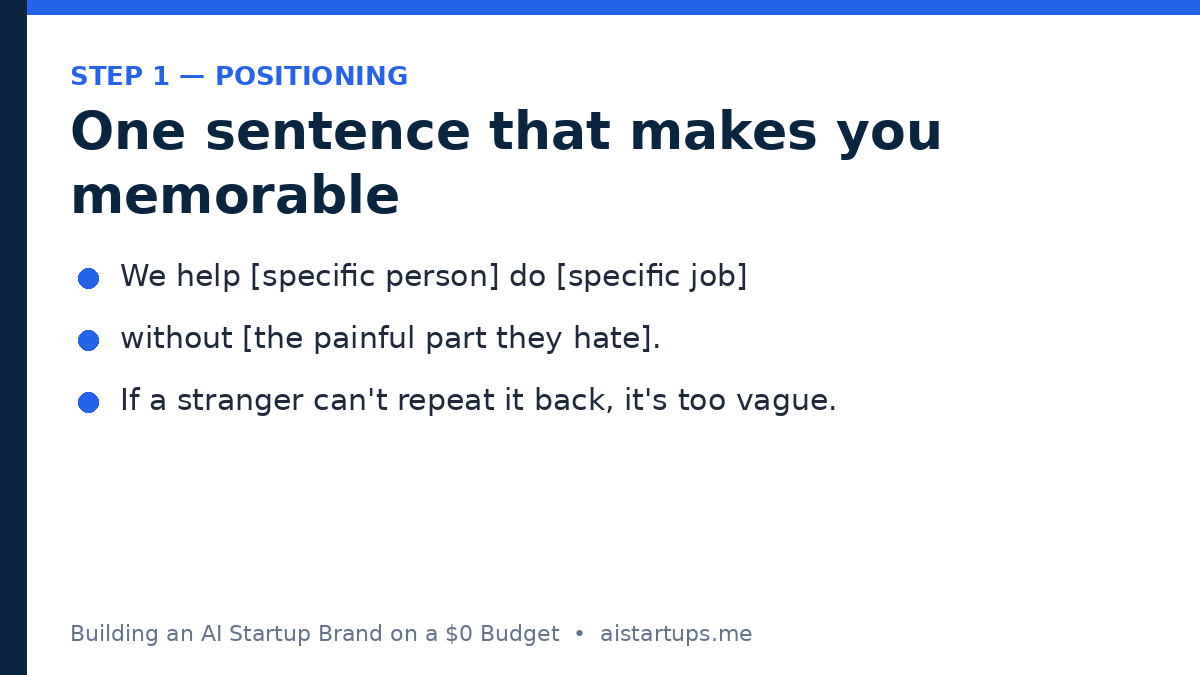
Here’s a little exercise that takes ten minutes and saves you months of wandering. Fill in this sentence, out loud, like you’re explaining it to a friend at a barbecue:
“We help [specific person] do [specific job] without [the painful part they hate].”
Some examples that pass the test:
- “We help freelance accountants close their books without chasing clients for receipts.”
- “We help small dental clinics answer patient calls without hiring a receptionist.”
- “We help Shopify sellers write product descriptions without staring at a blank page.”
Notice what’s going on there. A specific person. A specific job. A specific pain. No jargon, no “leveraging cutting-edge models,” no promises to change the world. Just a clear picture of a human being whose Tuesday gets easier because of you.
Now try yours. If you can’t fill in the blanks without hedging — if your “specific person” is “businesses” and your “specific job” is “being more productive” — that’s not a failure, it’s a diagnosis. Your positioning is blurry, and blurry positioning makes everything downstream harder: your content has no angle, your landing page has no hook, and your brand has nothing to stand on. Fix the sentence first. Everything else in this playbook gets easier after that.
And here’s a question worth sitting with: would your first ten users describe your product the same way you do? If you haven’t asked them, ask. The words your users use are almost always better than the words in your pitch deck, because they’re the words real buyers actually say. Steal them. That’s not cheating — that’s positioning.
Your Name Doesn’t Need to Be Clever
Can we talk about names for a second? Founders burn absurd amounts of time on this. Your name needs to do three things: be easy to spell when someone hears it once, be available as a domain and a handle, and not embarrass you in two years. Say it out loud to a friend, then ask them to spell it — if they can’t, drop it. One name, everywhere, spelled the same way. That’s a brand decision worth more than any clever pun.
The $0 Brand Stack: What Free Actually Gets You in 2026
Okay. Positioning done — well, mostly. (It never really feels done, and that’s normal. You’ll sharpen it as you talk to users.) Now let’s talk tools, because this is where the $0 budget stops being a handicap and starts being a perfectly reasonable constraint.
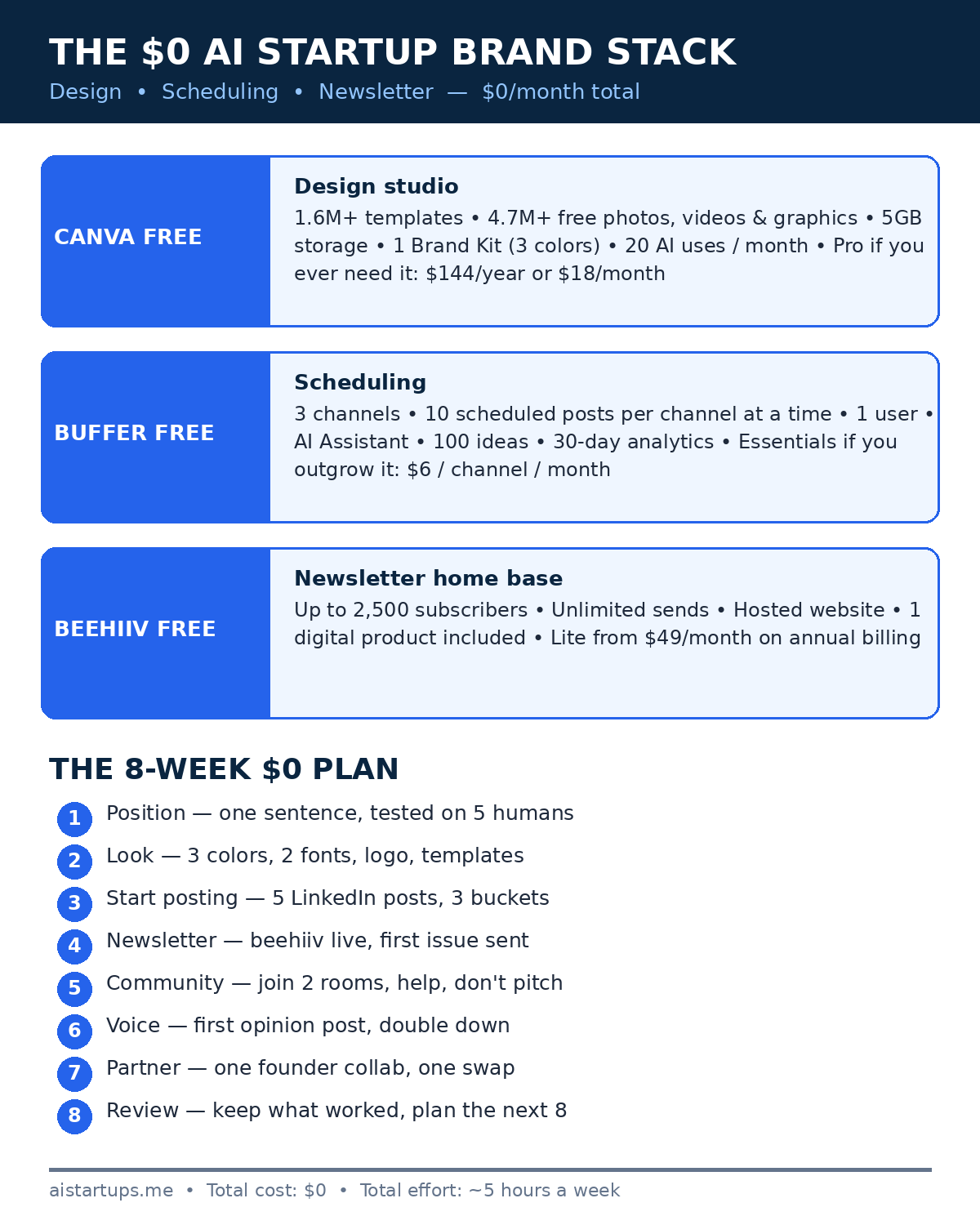
The free tiers in 2026 are genuinely good. Not “good for free” — actually good. Here’s the stack this playbook runs on, with what each free plan really includes, straight from the pricing pages:
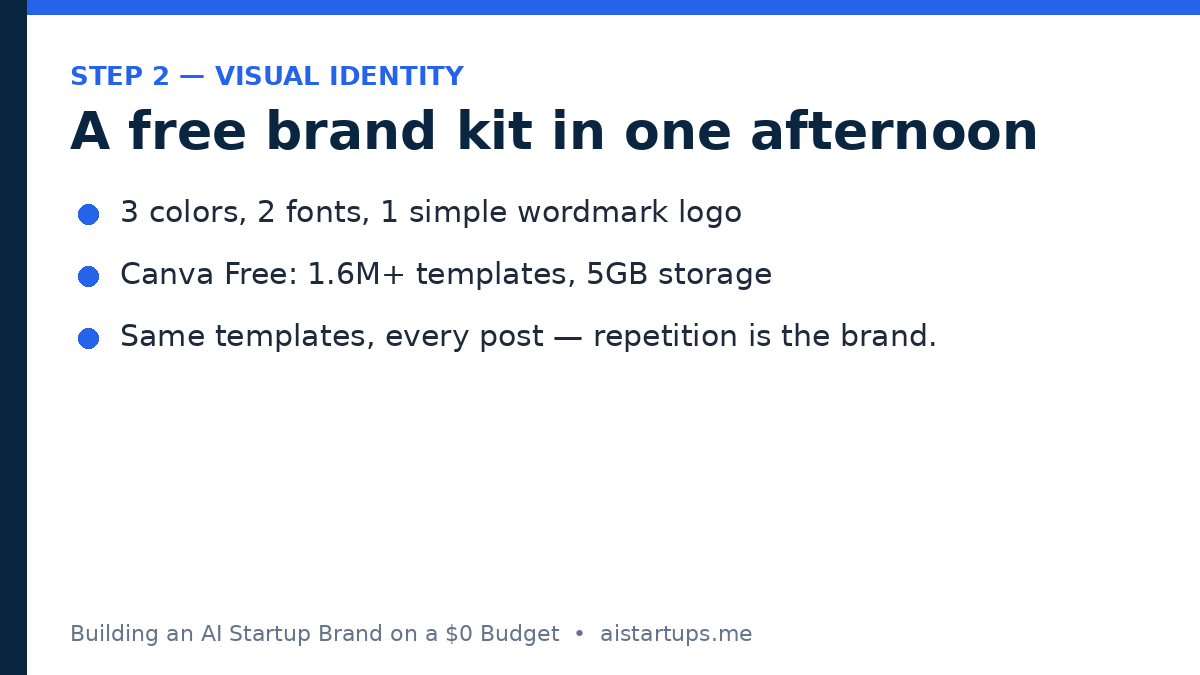
- Canva Free — your design studio. $0, with 1.6 million-plus templates, 4.7 million-plus free photos, videos, graphics, and audio clips, 5GB of storage, one Brand Kit limited to three colors, and up to 20 Standard or Premium AI uses a month. Pro is $144 a year or $18 a month if you ever want it — but you don’t need it yet.
- Buffer Free — your scheduler. $0 forever, with 3 channels, 10 scheduled posts per channel at a time, one user, the AI Assistant, 100 ideas, and 30-day analytics. The 10-post limit is a queue limit, not a monthly cap — slots refill as posts go live. Essentials is $6 per channel a month if you outgrow it.
- beehiiv Free — your newsletter home base. $0, up to 2,500 subscribers, unlimited sends, a hosted website, and one digital product. The paid Lite plan starts at $49 a month on annual billing. (Heads up: beehiiv renamed its plans on October 1, 2026 — Launch became Free, Scale became Lite, and Max became Pro — so if you see old plan names in older articles, that’s why.)
Add it up and the total is $0 a month for a design tool, a scheduler, and a newsletter platform that can carry you to your first 2,500 subscribers. That’s not a compromise stack. That’s a real stack. The catch — and there is always a catch — is that free tools don’t do the thinking for you. They give you the canvas. You still have to paint.
If you want the deeper playbook on doing marketing with no money at all, my lean AI startup marketing playbook covers the wider zero-budget growth picture — this article zooms in on the brand side of it.
Your Visual Identity in One Afternoon
Here’s the part where most founders either overspend or overthink. You don’t need a brand guidelines PDF the size of a phone book. You need four decisions, made once, then repeated everywhere until people start recognizing you by them. That’s how visual identity actually works — repetition, not perfection.
Decision 1: Three Colors, Max
Canva’s free plan gives you one Brand Kit with three colors, and honestly? That’s a feature, not a limitation. Three colors force discipline. Pick one dark color for text and backgrounds, one bright color for accents and calls to action, and one light neutral for breathing room. Navy and electric blue with white is a classic AI-startup combo for a reason — it reads as trustworthy and modern — but pick what fits your personality. Just pick, write the hex codes down, and stop tweaking them. The founders whose brands look polished aren’t the ones with the best colors. They’re the ones who used the same colors fifty times in a row.
Canva’s free tier is where this all lives — your Brand Kit, your templates, your social posts, your newsletter headers, all in one place. The free plan’s 1.6 million-plus templates mean you’re never starting from a blank page, and the 5GB of storage is plenty for a solo founder’s first year of assets. If you want the full pricing breakdown, Canva’s pricing page lays out exactly what’s free and what Pro adds. And if you’re wondering whether the free plan is genuinely usable or a glorified trial, this breakdown of what’s actually free in Canva walks through it in plain terms.
Decision 2: Two Fonts, and That’s It
One font for headlines, one for body text. A clean sans-serif for headlines, something readable for body copy. Google Fonts is free and built into Canva, so pick two you like and never think about fonts again. The fastest way to look amateur isn’t a bad font — it’s seven fonts. Two fonts, used consistently, looks deliberate. Seven fonts looks like a ransom note.
Decision 3: One Logo You Can Make Yourself
Your logo needs to work at 32 pixels in a browser tab and on a LinkedIn banner. That’s the bar. A simple wordmark — your company name in your headline font, in your dark color — clears it, and Canva’s logo templates get you there in twenty minutes. Your first hundred users will never once think about your logo. They’ll think about whether your product works and whether they trust you. Spend the twenty minutes, then move on.
Decision 4: Templates for Everything You Post
This is the unsexy secret of looking professional on a $0 budget: templates. Build three Canva templates right now — one for LinkedIn posts, one for quote cards, one for your newsletter header — and reuse them forever. Same layout, same colors, same fonts, different words. After a month, your posts will be recognizable in a feed before anyone reads the text. That’s a brand. Consistency compounds, and templates are how a solo founder buys it without hiring anyone.
The Founder Is the Brand (Whether You Like It or Not)
Okay, here’s the part some founders resist, and I get it — putting your face on things feels weird. But the numbers on this are not close, and they’re not really debatable anymore. People trust people. They scroll past companies.
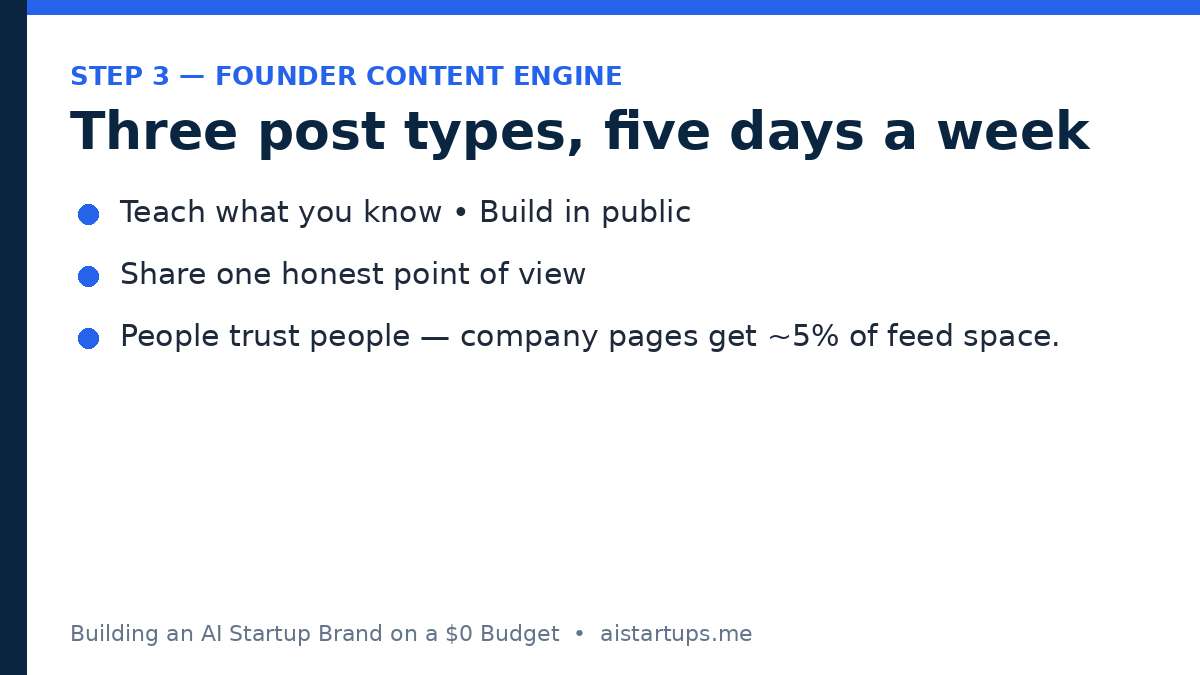
According to Sprout Social’s Q1 2026 data, personal profiles on LinkedIn see around 4.7% median engagement, while company pages sit at roughly 1–2%. And it’s not just engagement — company pages get about 5% of feed allocation compared with roughly 65% for personal profiles. Company-page organic reach is down 60–66% since 2024. Read that again: the platform itself is handing your personal posts more than ten times the feed space it hands your company page. Fighting that is like swimming upstream in a river you didn’t build.
LinkedIn’s own research backs up why: 82% of consumers say they’re more likely to trust a company whose leadership visibly engages on social media. And research from MSL found that content shared by employees gets 561% greater reach than the identical content posted from a company page. Same words, five-plus times the reach — just because a human being posted them instead of a logo.
A word of caution, because these numbers get misused: they’re benchmarks, not laws. Your mileage will vary and a 4.7% median doesn’t mean every personal post goes viral. But the direction is unambiguous — the founder’s voice carries the brand. If you’re building a one-person company, you are the distribution channel. That’s not a burden. It’s the biggest unfair advantage you have over a funded competitor whose founder hides behind a comms team.
There’s a useful framing for this from the branding world: the founder brand and the company brand aren’t the same thing, but they feed each other. This piece on founder brand versus company brand puts it well — your personal brand is the trust layer, the company brand is the product layer, and a solo founder needs both working together. Your LinkedIn posts build trust in you; your product and your website convert that trust into users.
Your company page is a brochure. Your personal profile is a person. People buy from people, and on LinkedIn the algorithm knows it — so the founder who shows up every day beats the company page that posts once a month, every single time.
The Founder-Led Content Engine: What to Actually Post
So you’re the brand now. Congratulations, and also: what on earth do you post about every day without sounding like a walking advertisement? This is where most founders stall. They sit down to write, think “I have nothing to say,” and close the tab. The fix is a system, not inspiration. You don’t need a new brilliant idea every morning. You need three buckets, and you rotate through them.
Bucket 1: Build in Public
Show the work. The feature you shipped, the bug that humbled you, the user quote that made your week, the decision you got wrong and what you changed. Build-in-public posts work because they’re honest and specific — two things corporate content almost never is. They also do double duty: they market your product while making you look like someone who actually builds things, which is exactly the reputation a solo founder needs.
One note: build in public doesn’t mean sharing revenue numbers if that makes you uncomfortable. Share the process, the lessons, the screenshots, the small wins. A founder who admits a launch flopped is infinitely more interesting than a company page announcing “we’re thrilled to share.” My building-in-public growth guide breaks down the whole approach, including what to share and what to keep private.
Bucket 2: Teach What You Know
You know things your users don’t. Not because you’re a genius — because you’ve spent months inside a problem they just bumped into. Write the post you wish you’d read six months ago. The mistake that cost you a week. The workflow that saves you an hour a day. The honest comparison of two tools you actually tried.
Teaching posts are the backbone of a founder brand because they give people a reason to follow you that has nothing to do with your product. People follow teachers. They tolerate advertisers. And every teaching post quietly proves you understand your users’ world — the cheapest credibility there is.
Bucket 3: Have a Point of View
This is the bucket most founders skip, and it’s the one that makes a brand memorable. An opinion. A take. Something you believe about your industry that not everyone agrees with. “Most AI tools for accountants solve the wrong problem — here’s the one that actually matters.” “Stop adding chatbots to your product; your users want answers, not conversations.”
You don’t need to be controversial for its own sake — performative hot takes are exhausting and everyone can smell them. But a calm, specific, well-argued opinion does something no amount of tips can do: it makes people remember you. Opinions are the difference between a founder with an audience and a founder with a content calendar. Say what you actually think, in your own words.
The Weekly Cadence That Won’t Burn You Out
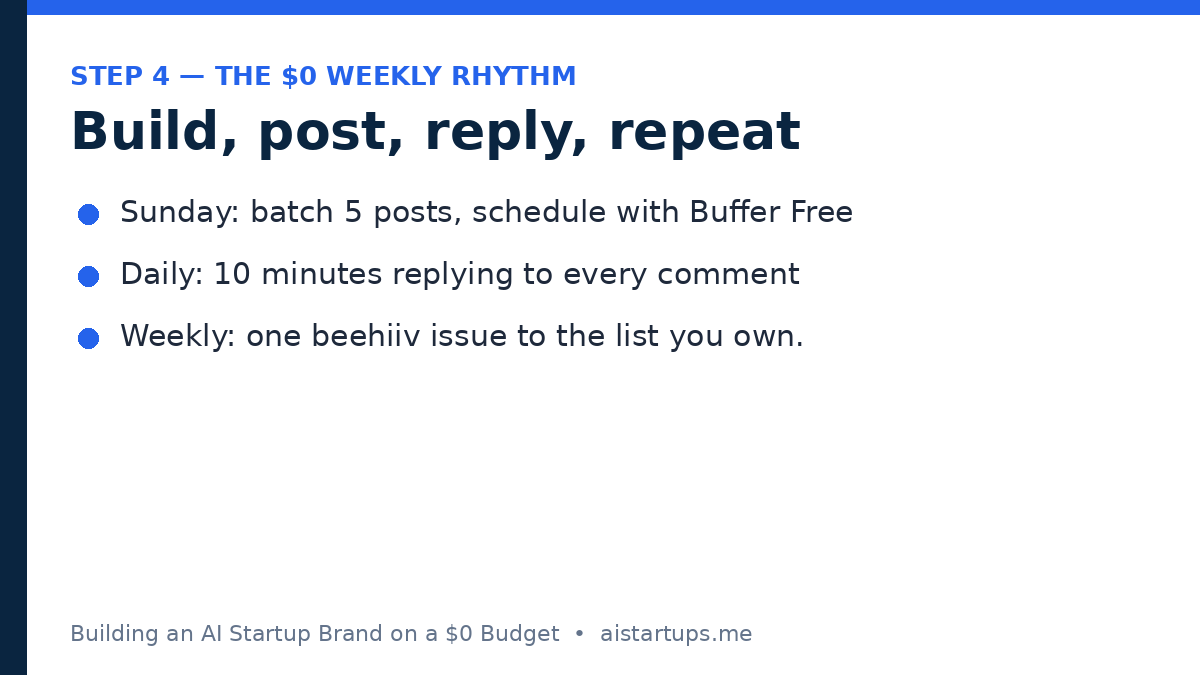
Five posts a week on LinkedIn, one newsletter a week. That’s the target. Sounds like a lot until you realize a “post” can be five sentences and a screenshot. Here’s a rhythm that works for most solo founders:
- Monday: teach something — a lesson, a workflow, a mistake.
- Tuesday: build in public — what you shipped or what you’re building.
- Wednesday: your point of view — one opinion, argued simply.
- Thursday: teach something again, or answer a real user question.
- Friday: a lighter build-in-public post or a reflection on the week.
Write all five on Sunday evening in one sitting if you can — batching is the only way this survives contact with a busy week. Then schedule them and forget about them until it’s time to reply to comments.
Your Newsletter Is Home Base
Here’s a hard truth about building a brand on rented land: LinkedIn can change its algorithm tomorrow, and your reach can drop by half overnight. It has happened to plenty of founders. That’s why the newsletter matters, and why it matters from week one, not “once I have an audience.”
Your newsletter is the one channel you own. No algorithm stands between you and a subscriber’s inbox. And with beehiiv’s free plan, you can run it at $0 up to 2,500 subscribers with unlimited sends, a hosted website, and one digital product included. That’s not a trial — that’s a real newsletter business, free, until you’re big enough that paying for it is a good problem to have. For the fine print, beehiiv’s pricing breakdown explains the current plans and what changed in the October 2026 rename.
What should the newsletter actually be? One useful email a week, same day, same format. Three sections is plenty — one thing you learned, one thing you built, one thing worth reading. Repurpose your best LinkedIn posts of the week into it; you’re not writing a second publication, you’re collecting your best work in a place you control. Put the signup everywhere: your LinkedIn bio, your website, the end of every post. Specific beats clever, every time.
The newsletter also does something subtle for your brand: it makes you look like a real company. A founder with a weekly newsletter reads as someone who’s serious, organized, and here to stay. That’s worth more than any logo.
Free Scheduling That Actually Works
Consistency is the whole brand strategy, and consistency without a scheduler is a fantasy. You’re a solo founder with a product to build and users to answer. You cannot be online at 9 a.m. every day waiting to hit publish. That’s what Buffer’s free plan is for.
Here’s what the free tier actually includes: $0 forever, 3 channels, 10 scheduled posts per channel at a time, one user, the AI Assistant, 100 ideas, and 30-day analytics. The detail most people miss is that the 10-post limit is a queue limit, not a monthly cap — as your scheduled posts publish, slots open up again. So a Sunday batch of five LinkedIn posts uses five of your ten slots, and by Wednesday they’ve refilled themselves. For a solo founder posting five times a week on one or two channels, that fits. If you want the full breakdown of the free plan’s limits, this guide to Buffer’s free plan limits and pricing for 2026 spells it out clearly. And if you do outgrow it, Essentials is $6 per channel a month — or $5 billed yearly — which is a bill you pay happily once the brand is actually bringing in users.
A practical note: schedule, then engage live. The scheduler handles publishing; it doesn’t handle the part that actually builds relationships, which is replying to comments within a few hours. The algorithm notices, and so do the humans. Ten minutes a day replying to every comment on your posts will do more for your brand than any scheduling trick. People remember the founder who answered them.
For the numbers behind why this matters, this roundup of LinkedIn thought-leadership statistics is worth a read — it collects the data on how much founder-led content outperforms company pages, and it’s a useful reality check whenever you’re tempted to hide behind the logo again.
Your Website: The One Place the Brand Comes Together
Everything we’ve talked about — the positioning, the colors, the content, the newsletter — points somewhere. And that somewhere needs to be a website that looks like it belongs to a real company, even if the company is just you and a laptop.
Here’s my honest take: your website is the one brand asset where “free” has real limits. You can build a perfectly good landing page yourself on a free builder, and plenty of founders should start exactly there. But if your product is ready, your positioning is sharp, and you want a site that converts visitors into users instead of just existing — that’s the moment to get help from people who do this every day. If you decide to go that route, AISquadX is a web development and AI integration studio that builds exactly this kind of thing: clean, fast sites for AI startups, with the AI features wired in properly rather than bolted on. No pressure either way — a solid free landing page beats a bad expensive one — but know the option is there when the brand outgrows the DIY stage.
Whichever way you build it, the site needs four things: your one-sentence position at the top, a clear next step (start free, join the waitlist, book a call), your newsletter signup, and links to your LinkedIn. A sharp one-pager that says what you do, who it’s for, and what to do next will outperform a sprawling site every single time.
Community Without a Budget
Here’s something founders forget: your brand doesn’t only live on your own channels. It lives in the places your users already hang out — and showing up there costs nothing but attention.
Find two or three communities where your users actually are. A subreddit, a Discord server, a Slack group, a niche forum. Join them as a person, not as a company. Answer questions. Share what you learned building your thing. Don’t pitch — just be useful, consistently, for a few weeks. People notice the helpful person in the room, and they check out their profile, and their profile leads to your product. That’s branding too.
One more free channel most solo founders underuse: partnerships with other tiny founders. Not enterprise deals — just two small companies with overlapping audiences helping each other. A joint newsletter swap, a shared post, a guest appearance in each other’s communities. If you want to think bigger about this later, my guide to landing your first enterprise design partner covers the partnership playbook in detail. But start small: one friendly founder, one shared audience, zero dollars.
And before you build too far ahead of your positioning, do the validation work. My guide to validating your AI startup idea before building is the reality check to run before you invest months in a brand for a product nobody wants. A strong brand on a weak idea is just a well-dressed mistake.
The 8-Week $0 Plan
Enough theory. Here’s the plan, week by week. Print it, stick it on a wall, check boxes off. If you follow it, you’ll have a real brand in two months — a clear position, a consistent look, a content habit, and a newsletter with actual subscribers.
Week 1 — Position. Write your one-sentence position. Test it on five real humans. Pick your name, check the domain and handles, and set up your LinkedIn profile to match: headline with your position, banner in your colors, bio with your newsletter link.
Week 2 — Look. Build your Canva Brand Kit (three colors, two fonts), make your simple wordmark logo, and create your three post templates. Set up your website or landing page with the one-sentence position front and center.
Week 3 — Start posting. Publish your first five LinkedIn posts using the three-bucket rotation. Set up Buffer and schedule the following week’s posts in one Sunday batch. It’ll feel awkward. Post anyway.
Week 4 — Start the newsletter. Set up beehiiv, write your first issue from your best posts of the past two weeks, and put the signup link in your LinkedIn bio, your website, and the end of your posts.
Week 5 — Join the rooms. Pick two communities where your users hang out. Introduce yourself, answer three questions, and help someone without mentioning your product. Do it again the next day.
Week 6 — Find your voice. Publish your first real opinion post — the point-of-view bucket. Note which posts got the most genuine replies (not just likes) and do more of that kind. Double down on what your audience actually responds to.
Week 7 — Make one friend. Reach out to one founder with a similar-sized audience and propose something small together — a newsletter swap, a joint post, a shared community appearance. One partnership, done well, beats ten cold pitches.
Week 8 — Review and sharpen. Look at your analytics: which posts earned replies, which newsletter issues got opened, which community showed up for you. Update your one-sentence position with what you’ve learned, refresh your templates if they’re stale, and plan the next eight weeks. Then keep going — because week eight isn’t the finish line, it’s the point where the brand starts compounding.
Mistakes That Cost $0 but Hurt Anyway
Free mistakes are still mistakes. Dodge these:
- Posting about everything. If your content could come from any AI founder, it’s not building your brand. Stay in your niche. The accountant-tool founder who posts about crypto loses the accountants.
- Disappearing for three weeks. One quiet month erases two loud ones. If life gets busy, drop to two posts a week — but don’t go silent. Silence is the only truly fatal branding mistake at this stage.
- Designing forever, shipping never. The Canva templates are a tool, not a hobby. If you’ve redesigned your LinkedIn banner four times and posted twice, your priorities are backwards. Ship the post. Fix the banner later.
- Treating the newsletter as an afterthought. Your social following is rented. Your email list is owned. Every week you delay the newsletter is a week of subscribers you’ll never get back.
If you’re thinking about the business side of all this — turning the audience into revenue — my AI agency playbook for 2026 is a useful next read, and if you’re weighing whether to keep going solo or raise money, the guide to exit options for solo founders will help you think about the endgame while you’re still at the beginning.
Frequently Asked Questions
Can you really build a startup brand with zero budget?
Yes — with a clear caveat. You can build a recognizable brand for $0 in cash using free tools like Canva, Buffer, and beehiiv, plus your own time on LinkedIn and in communities. What you can’t do for $0 is skip the work. The budget is zero; the effort is real, roughly five hours a week. Founders who show up consistently for two months will have a brand. Founders who post three times and stop won’t — and no amount of money fixes that either.
How long does it take to build a brand from scratch?
Expect visible results in about eight weeks: a consistent look, a small but real audience, and people starting to recognize your name in your niche. Real momentum — inbound messages, subscribers in the hundreds, people recommending you unprompted — usually takes three to six months of steady posting.
Should I build a personal brand or a company brand first?
As a solo founder, build both at once, but lead with yourself. Your personal profile gets the reach and the trust — Sprout Social’s Q1 2026 data puts personal-profile engagement around 4.7% versus 1–2% for company pages — while your company page and website give that trust somewhere to land. Post as yourself, link to the company, and let the two feed each other.
What free tools do I actually need?
Three cover almost everything: Canva Free for design and your brand kit, Buffer Free for scheduling up to 10 posts per channel across 3 channels, and beehiiv Free for your newsletter up to 2,500 subscribers. Add Google Fonts for type and your phone camera for the occasional behind-the-scenes photo. That’s the whole stack, and it costs $0 a month until you outgrow it.
How often should a solo founder post on LinkedIn?
Five short posts a week is the sweet spot this playbook targets — frequent enough to stay visible, light enough to sustain alongside building a product. Each post can be five sentences and a screenshot. If five is too much, start with three and build up. The number matters less than the rhythm: a founder who posts three times a week for six months will beat a founder who posts daily for two weeks and vanishes.
The Bottom Line
A brand on a $0 budget isn’t a lesser brand. It’s a more honest one, because it can’t hide behind production value. It has to be built the hard way — a clear position, a consistent look, a founder who shows up, and useful words delivered every week to people who actually need them.
Start with the sentence. Pick three colors and two fonts. Post five times this week — one lesson, one build update, one opinion, and two more of whatever your audience liked best. Set up the newsletter before you think you’re ready. And give it eight weeks before you judge it. Brands compound quietly, and then all at once.
The founder who spent $4,000 on a logo? Last I heard, the company quietly shut down. Not because the logo was bad — it was fine — but because nobody ever knew what the company did, or who was behind it. Don’t be that founder. Spend nothing. Say something. Show up again tomorrow.