
Real talk: I once lost a pricing decision because the note that held the answer was sitting in a different app than the one I searched.
Three apps, actually. The idea was in Apple Notes. The competitor research was in a Notion page I’d forgotten existed. And the customer quote that would have settled the whole thing was buried in a Slack thread from six weeks earlier. The decision got made on gut feel. It worked out — mostly. But it taught me something I keep relearning every year:
Founders don’t have an information problem. We have a retrieval problem.
We capture plenty. Ideas in the shower (gone by breakfast). Insights from customer calls. That one statistic from a podcast that would be perfect for the pitch deck. The problem was never getting thoughts down — it’s finding them again six weeks later when they actually matter.
That’s what this list is about. Not meeting transcription — that’s a solved problem, and I already covered the best AI meeting assistants for founders here (Otter, Fireflies, Granola and friends do that job well). This is about everything else: the ideas, the research, the half-formed strategies, the “wait, what did that customer actually say about pricing” moments. A second brain. Personal knowledge management, if you want the fancy term.
The AI part changes the game here — sorry, changes things here — because the old second-brain tools made you do all the organizing yourself. Folders, tags, links, weekly filing sessions that lasted exactly two weeks before you gave up. The new generation files things for you, links related ideas automatically, and answers questions across your whole archive. You capture; it organizes; you ask. That’s the deal now.
I spent the last few weeks testing the current crop and verifying every price on the vendors’ own pages (October 2026 — pricing in this space moves fast, so treat anything you read online, including this, as worth double-checking at checkout). Here are the seven that are actually worth a founder’s time.
What makes a note tool founder-grade
Before the tools, a quick framework. I’ve watched founders (myself included) pick note apps for the wrong reasons — prettiest UI, most features, whatever the productivity YouTubers are excited about this month. Here’s what actually matters when your notes are business infrastructure:
- Capture speed. If getting a thought into the app takes more than ten seconds, you won’t do it. You’ll tell yourself you’ll write it down later. You won’t. The best tool is the one that’s faster than your forgetfulness.
- Retrieval beats storage. Every app stores notes. The question is whether you can find the right one in the moment you need it. Semantic search — searching by meaning, not exact keywords — is the single biggest AI upgrade in this category.
- Synthesis, not just search. The tool should be able to look across dozens of notes and tell you something you didn’t realize — “you’ve mentioned churn risk in four customer calls this month.” That’s the second-brain part.
- Ownership and trust. Your notes hold your strategy, your customer insights, your half-baked ideas. You should know where they live, who can read them, and how you get them out if the company pivots, gets acquired, or just annoys you.
Notice what’s missing: folders. Pretty templates. Fifty integrations. None of that matters if the four things above don’t work. Keep this list in your head as we go through the tools — it’s how I’m scoring them.
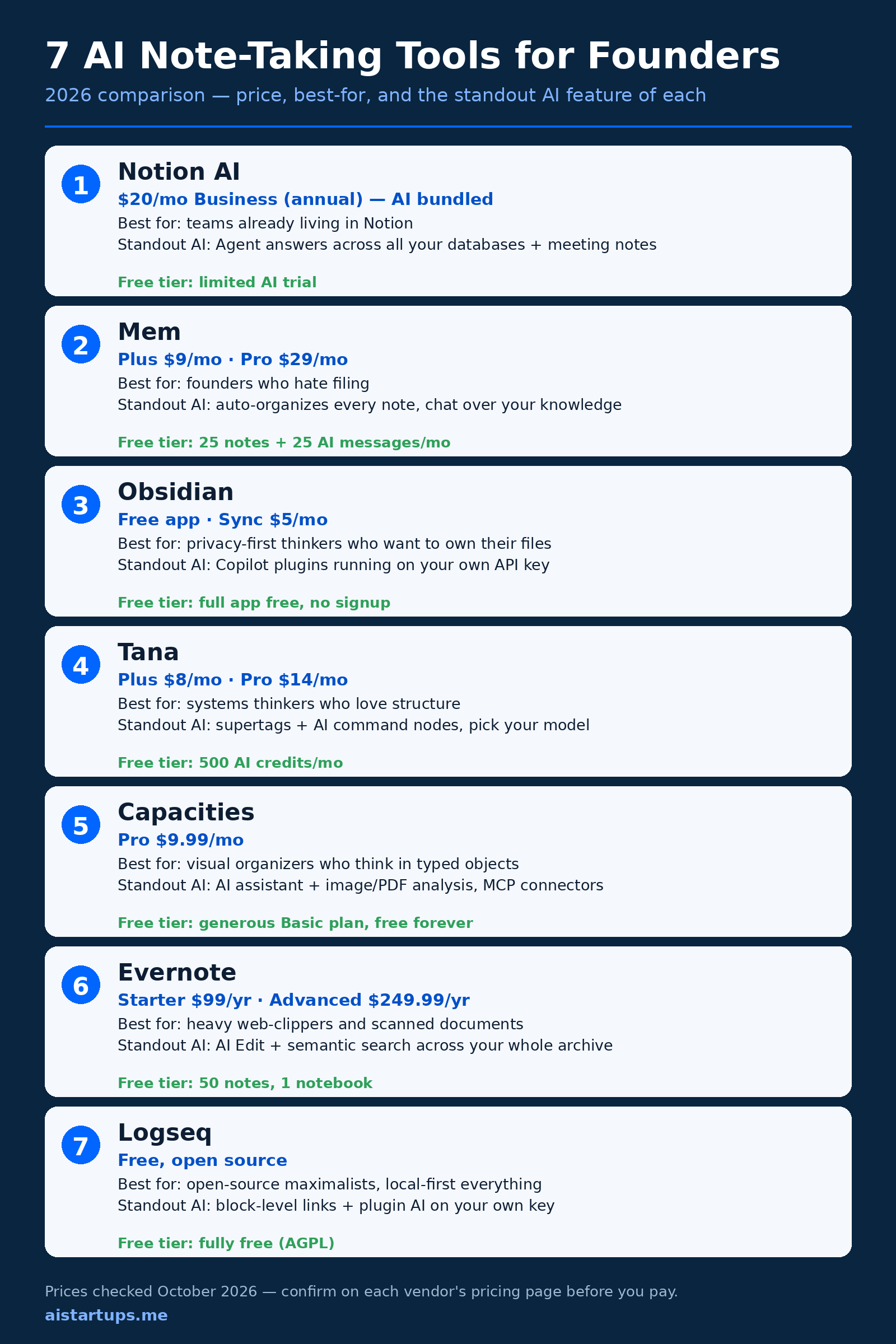
The 7 best AI note-taking tools for founders (2026)
Here’s the full breakdown. Every price below was verified on the vendor’s own pricing page in October 2026.
1. Notion AI — the workspace default
Price: Business at $20/member/month billed annually ($24 month-to-month) with full AI bundled. Plus is $10/month annually ($12 monthly), Free is $0 — but both only get a limited AI trial. Free tier: limited AI trial (about 20 lifetime responses).
If your team already lives in Notion, this is the path of least resistance, and honestly it might be the right one. The 2026 version of Notion AI is a real step up from the writing-assistant toy it started as. The Notion Agent can now answer questions across all your databases and wikis — “what did we decide about the refund policy?” pulls from the actual pages, not just the one you have open. AI Meeting Notes and cross-database enterprise search come with it, and the writing tools (drafting, tone shifts, summaries) are solid for internal docs.
Here’s the thing, though: Notion restructured its pricing in 2025, and the old $8/month AI add-on is gone for new accounts. Full AI now means a Business seat. For a solo founder, $20/month for a notes app stings — you’re paying a per-seat team price for a one-person brain. The math works if Notion replaces your task tracker, your wiki, and your docs (it often does — it’s part of the reason Notion shows up in every roundup of AI tools for startup founders). If you just want notes, it’s overkill at that price.
Who it’s for: teams and founders whose docs, tasks, and knowledge already live in Notion. Standout AI feature: the Notion Agent answering across every database in the workspace. Honest drawback: real AI is paywalled behind the $20 Business tier — the Plus plan gets you almost nothing AI-wise. (Full pricing breakdown here.)
2. Mem — for founders who refuse to file anything
Price: Free, then Plus at $9/month and Pro at $29/month. Free tier: 25 notes and 25 AI messages per month — enough to test the habit, not to live in.
Mem is the purest expression of the “AI does the organizing” idea. There are no folders. You dump notes in — quick captures, meeting notes, links, voice memos — and Mem tags them, links related ones, and resurfaces them when relevant. Its chat can answer questions across your whole archive. The first time a note you wrote three months ago pops up unprompted right when you need it, it feels like magic. (A reviewer I trust described exactly that moment as the thing that sold her — then the app crashed and ate an unsaved note, which is also very Mem. More on that in a second.)
A word of caution, because I’d rather you hear it from me: Mem’s pricing has shifted several times in 2026, and as of this writing parts of the site sit behind a sign-up wall, which makes independent price checks harder than they should be. The numbers above are from October 2026 checks. Also worth knowing: it’s cloud-only with no offline mode, and there’s no Android app. You’re renting your second brain from someone else’s servers — which is fine until it isn’t.
Who it’s for: founders who have tried every organizing system and abandoned all of them. Standout AI feature: automatic organization plus conversational search over everything you’ve captured. Honest drawback: pricing instability and zero offline access. If Mem has a bad quarter, your notes have a bad quarter.
3. Obsidian — the local-first power tool
Price: the app itself is free — full features, no signup, no note limits. Obsidian Sync (end-to-end encrypted) is $5/month or $4/month billed annually; Publish is $10/$8. Free tier: the entire app, free, forever.
Obsidian is the opposite bet from Mem. Your notes are plain Markdown files in a folder on your machine. No account, no cloud, no one else’s server. If Obsidian the company vanished tomorrow, your notes would still be sitting there, readable in any text editor. For a founder keeping strategy docs, investor conversations, and competitive intel, that property is worth more than any AI feature.
The AI comes via community plugins — Copilot and Smart Connections are the big ones — and you bring your own API key, so you’re paying the model provider directly (pennies for most note workloads; here’s how to keep that API bill sane). Semantic search across your vault, chat with your notes, auto-generated summaries. It works well. The catch is the setup tax: Obsidian gives you a box of extremely sharp tools and no instructions. You’ll spend evenings configuring it. Some people love that. Most founders, in my experience, configure it for two weeks and then feel guilty about the time.
Who it’s for: privacy-minded founders and anyone who’s been burned by a cloud app shutting down. Standout AI feature: plugin-based AI (Copilot, Smart Connections) running on your own API key against your local vault. Honest drawback: you build the system yourself, and cross-device sync costs extra or requires DIY plumbing through iCloud, Git, or Dropbox.
4. Tana — the systems thinker’s playground
Price: Free (500 AI credits/month), Plus at $8/month (2,000 credits), Pro at $14/month (5,000 credits), with a 14-day trial of paid. Students and academics get 50% off. Free tier: genuinely usable — the full editor plus a monthly AI credit allowance. (Official pricing page.)
Tana is what happens when someone looks at a notes app and thinks “this should be a database.” Everything is a node; supertags turn notes into structured records with fields, views, and live searches. Tag something as a meeting and it automatically gets attendees, date, and action items. Then the AI layer sits on top: command nodes that run custom workflows, a model picker (OpenAI, Anthropic, Google — your choice), voice capture, and meeting transcription that flows straight into your graph.
For a founder, the killer use case is turning messy reality into structured data without effort. Customer calls become records with fields. Ideas become trackable. Live searches become dashboards that update themselves. It’s the closest thing on this list to a personal CRM crossed with a brain. The price is the learning curve — Tana’s concepts (supertags, nodes, fields) take a real week to click, and the AI credit metering adds a low-grade background anxiety about usage. Also note: it’s primarily a meeting-adjacent tool in its marketing now, but the outliner core is a genuine PKM system, not a transcription wrapper.
Who it’s for: founders who think in systems and want their notes to behave like structured data. Standout AI feature: supertags plus AI command nodes with your choice of model. Honest drawback: the steepest learning curve on this list, and credit-based AI pricing means you’re always faintly aware of the meter running.
5. Capacities — the visual thinker’s studio
Price: Basic is free forever (unlimited objects, sync, offline, import/export). Pro is $9.99/month, Believer from $12.49/month (same features plus beta access). Free tier: remarkably generous — the core app genuinely free, with a written promise it stays that way. (Official pricing page.)
Capacities organizes knowledge as typed objects instead of documents. A person is a person-object, a book is a book-object, a meeting is a meeting-object — each with its own properties, all interlinked, all browsable in visual collections and a calendar view. If your brain works in “things and how they connect” rather than “documents in folders,” it clicks immediately.
The AI story got serious in 2026: an AI assistant with your choice of model, image/PDF/weblink analysis, and — this is the interesting part — chat connectors that let ChatGPT, Claude, and Cursor work directly with your Capacities space via MCP, plus a public API. Your second brain becomes queryable from the other AI tools you already use. That’s a genuinely forward-looking architecture.
Two caveats. First, the AI budget on base Pro is sized for light use; heavy AI users need the Plus add-on. Second, Capacities is explicitly a solo tool — no real-time collaboration, by design. For a personal second brain that’s fine. For a shared team knowledge base, look elsewhere.
Who it’s for: visual organizers, researchers, founders who collect from many sources (it ingests from WhatsApp, Telegram, email, Readwise, Kindle). Standout AI feature: AI assistant plus MCP connectors that open your knowledge base to ChatGPT, Claude, and Cursor. Honest drawback: no collaboration at all, and the included AI budget is light — power users pay more.
6. Evernote — the veteran that won’t die
Price: Free (50 notes, 1 notebook, 1 device), Starter ~$99/year (~$14.99/month monthly), Advanced ~$249.99/year (~$24.99/month monthly). Free tier: effectively an extended trial — 50 notes goes fast.
Look, I know. Evernote is the app everyone loves to write obituaries for. A decade of price hikes, ownership changes, and feature churn will do that. But here’s the uncomfortable truth: for pure capture-and-retrieval of messy real-world stuff — web clippings, scanned documents, PDFs, photos of whiteboards — Evernote’s OCR and search are still the best in the business. It finds text inside images and scanned PDFs that other apps simply can’t see. The web clipper remains the most reliable one I’ve used.
The 2026 lineup renamed the plans (Starter, Advanced, Enterprise — the old Personal/Professional names are gone), and the AI features — AI Edit, semantic search across your archive — live on the Advanced tier. So the real price of Evernote for a serious user is ~$250/year, which is steep next to Notion Business at $240. You’re paying for the capture engine and two decades of refinement, not for innovation.
Should a founder start fresh with Evernote in 2026? Probably not, unless your workflow is capture-heavy — research, clippings, scanned contracts, that kind of thing. But if you have ten years of notes in there, the AI search across that archive is genuinely useful, and migrating a decade of OCR’d documents is nobody’s idea of a fun weekend. (This honest review traces every price change back to 2016 if you want the full archaeology.)
Who it’s for: capture-heavy professionals with big archives of clippings and scanned documents. Standout AI feature: AI Edit and semantic search over a mature OCR’d archive. Honest drawback: years of price increases have eroded trust, and the free tier is barely a trial. You’re paying premium prices for a maintenance-mode product.
7. Logseq — the open-source purist’s pick
Price: free. Actually free — AGPL-3.0 open source, local-first, no paid tier for the core app. Free tier: the whole thing.
Logseq is the outliner for people who read software licenses. Your notes are local Markdown (or org-mode) files; the app is open source; the graph view, block-level references, whiteboards, and flashcards all come free. Block references are the standout concept — you don’t just link to a note, you link to a single bullet inside a note, and edits propagate everywhere it’s referenced. For building up arguments and strategies from atomic ideas, it’s wonderful.
AI arrives via community plugins and your own API key, similar to Obsidian’s model — serviceable, not magical. The honest knocks: the mobile apps lag behind desktop, it can be resource-hungry with large graphs, and like Obsidian, you’re assembling your own system from parts. But the price is zero, the files are yours, and no board meeting will ever decide to quadruple the subscription. There’s something deeply calming about that.
Who it’s for: technical founders, open-source maximalists, anyone who wants a second brain with zero vendor risk. Standout AI feature: block-level transclusion plus plugin AI on your own key — less polished than Mem or Notion, but free and private. Honest drawback: weaker mobile experience and a DIY setup curve. (Good hands-on comparison here if you want a second opinion across several of these tools.)
Which one should you actually pick?
Enough theory. Here’s the quick version:
- Your team already runs on Notion? Notion AI on Business. Don’t add a second system — consolidation beats optimization.
- You’ve abandoned every organizing system you’ve ever tried? Mem. Let the AI do the filing or accept that no system will survive you.
- Your notes contain things competitors would pay for? Obsidian (or Logseq). Local files, your keys, no one else’s cloud.
- You think in databases and want notes that act like it? Tana. The supertag model is unmatched for structured thinkers.
- You’re a visual thinker drowning in saved links and highlights? Capacities. The object model will feel like it was built for your brain.
- You clip everything and scan documents constantly? Evernote Advanced. Nothing else OCRs like it.
- You’re technical, principled, and broke (or just principled)? Logseq. Free forever, and the block references are genuinely great.
And one more option, for the tinkerers: if none of these quite fit — say you want an internal dashboard that pulls your notes, your CRM, and your docs into one AI-powered search — a web development studio like AISquadX can build it for you. Sometimes the right second brain is the one built exactly around how you think.
Set up your second brain in a weekend
The tool matters less than the system. I’ve seen founders with $30/month of apps and no habit get less value than someone with Apple Notes and a Friday ritual. So here’s the actual setup — four steps, one weekend, works with any tool on this list:
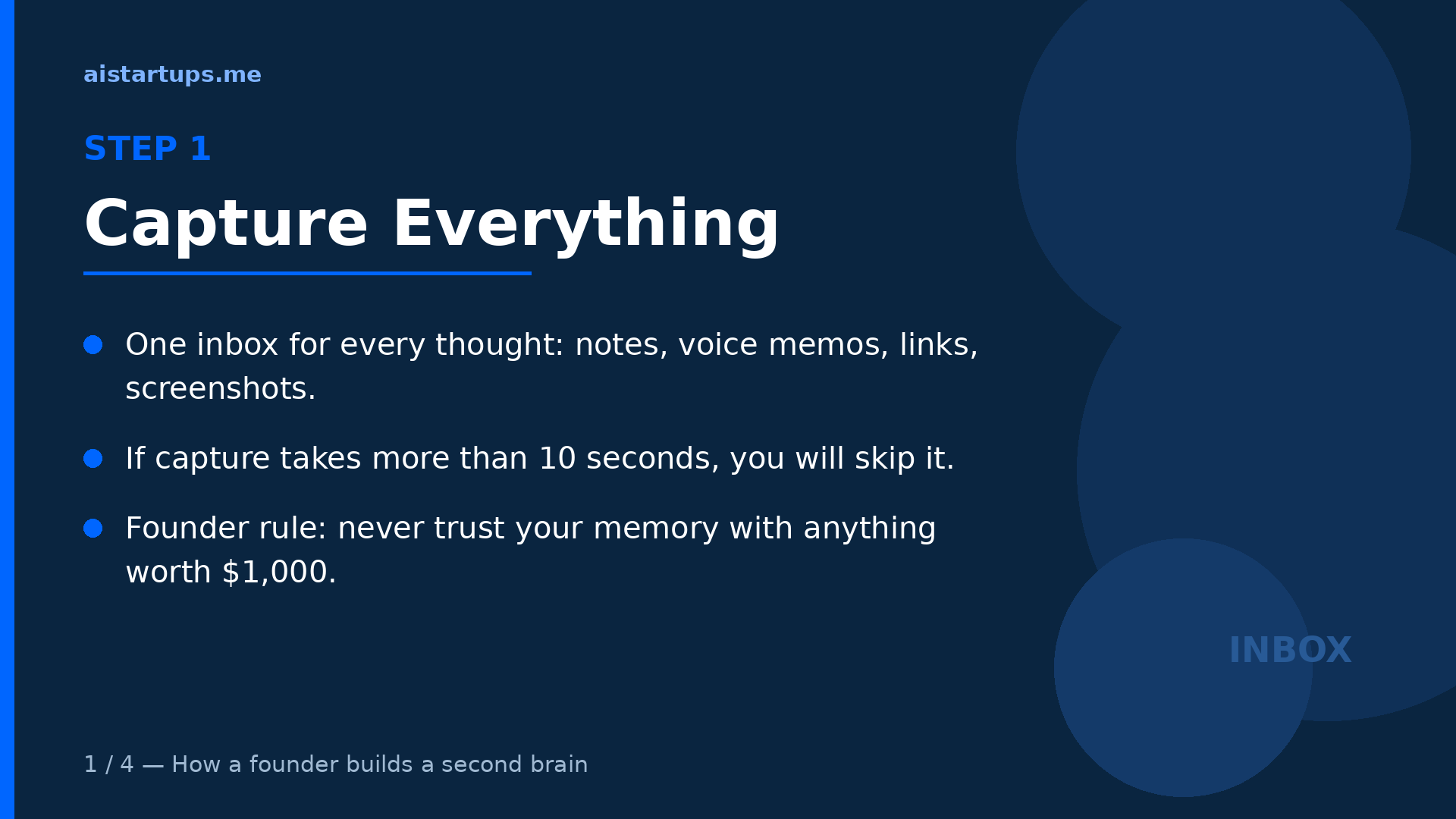
Step 1 — Capture everything. One inbox for every thought: notes, voice memos, links, screenshots. Put the app’s quick-capture on your phone’s home screen and learn its keyboard shortcut on desktop. If capture takes more than ten seconds, you will skip it — that’s not a discipline problem, it’s a physics problem.
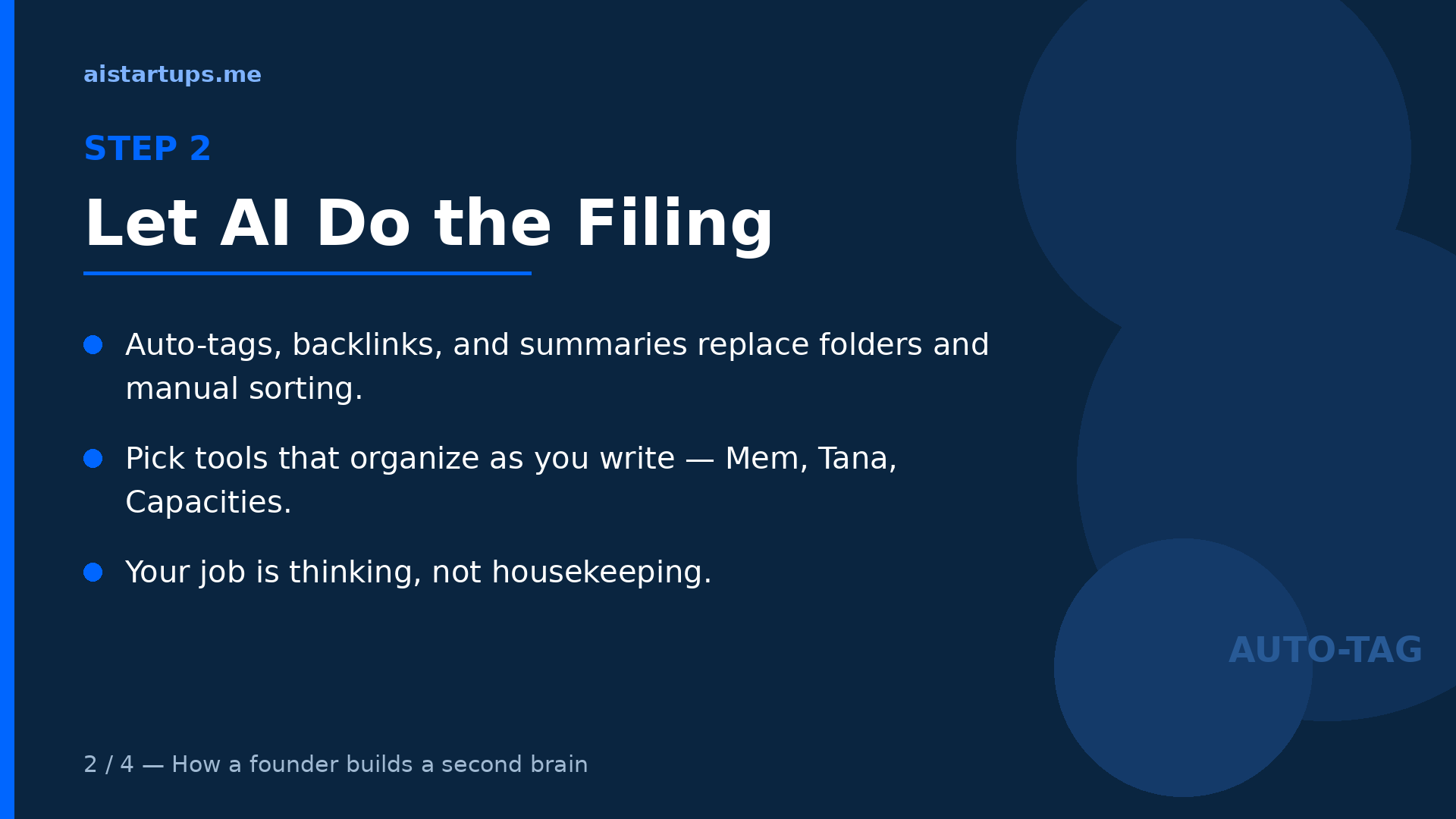
Step 2 — Let AI do the filing. This is the whole point of the 2026 generation of tools. Turn on auto-tagging, let backlinks form, allow the AI to summarize long captures. Resist the urge to build a folder taxonomy — every hour you spend designing folders is an hour the AI would have done better. Your job is thinking, not housekeeping.
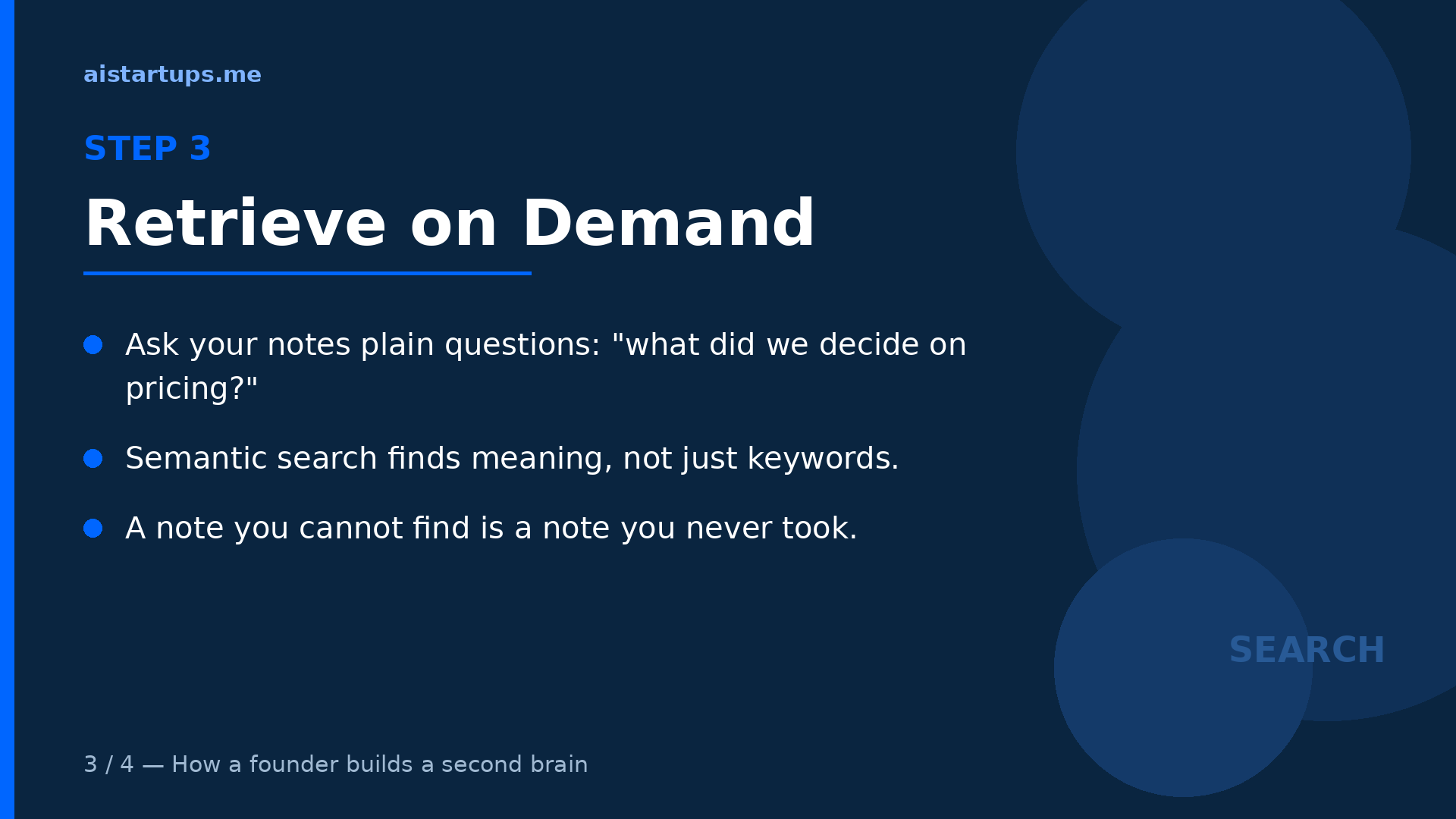
Step 3 — Retrieve on demand. Start asking your notes questions in plain language, daily. “What did we decide about pricing?” “What did that customer say about onboarding?” The first few times it works, you’ll get a little thrill. After a month, you’ll wonder how you ever operated without it.
“Your mind is for having ideas, not holding them.” — David Allen
That quote is forty years old and more true now than ever. The founder’s brain is the most expensive hard drive in the company. Stop using it as storage.
Step 4 — The 30-minute weekly review. Every Friday, empty the inbox and ask the AI one question: “what patterns showed up in my notes this week?” Then turn one insight into next week’s experiment. This single habit is worth more than any feature on this list. Tools don’t compound — reviewed notes compound.
FAQ
Do I really need a separate note-taking app if I already use ChatGPT or Notion?
ChatGPT is a brilliant thinking partner with total amnesia — it doesn’t keep a persistent, searchable archive of your life unless you build one around it. Notion, meanwhile, is a fine choice as your note app (see #1 above), but only if your notes actually live there and not scattered across five other apps. The problem this list solves isn’t “where do I write” — it’s “where does everything go, and how do I find it again.” If you already have one place where everything lands and you can search it semantically, you’re done. Most founders don’t.
Which AI note-taking tool is best for privacy?
Obsidian and Logseq, and it’s not close. Both keep your notes as local files on your machine — Obsidian as Markdown you fully control, Logseq as open-source software with local Markdown or org-mode files. AI features in both run on your own API key via plugins, so your notes never have to touch a vendor’s AI pipeline. If your notes include fundraising plans, acquisition talks, or anything you’d hate to see in a breach disclosure, local-first is the only sane default.
Are the free tiers actually enough for a founder?
For trying, yes; for living in, mostly no. Capacities’ free Basic and Obsidian’s free app are the genuine exceptions — both are fully usable long-term. Mem’s free tier (25 notes and 25 AI messages a month) and Notion’s limited AI trial are really just evaluation periods. My advice: pick your top two, run both free tiers for two weeks with real notes, then pay for the winner. $10/month for a tool that saves you one bad decision a year is the cheapest insurance you’ll ever buy.
How are these different from AI meeting assistants like Fireflies or Otter?
Meeting assistants record, transcribe, and summarize conversations — they’re about capturing what was said in a specific call. The tools on this list are about everything else: your ideas, research, reading notes, strategies, and the connections between them across months. There’s some overlap (Notion AI and Tana both do meeting notes), but they’re different jobs. Most founders I know run both: a meeting assistant for calls, and one of these seven as the permanent second brain. Here’s the meeting-assistant roundup if you need that half too.
How long does it actually take to set up a second brain?
A weekend for the system, a month for the habit. The setup — pick a tool, configure capture, import your scattered notes — is genuinely a Saturday afternoon. The part that takes longer is training yourself to capture everything and run the weekly review. Start embarrassingly small: capture five things a day and do one 30-minute Friday review. If you’re also building your MVP at the same time, keep a single “build log” note and let the AI summarize it weekly — future you, writing the launch retrospective, will be grateful.
The Bottom Line
Here’s what I’d tell a founder friend over coffee: pick the tool that matches how your brain already works, not the one with the longest feature list. Hate organizing? Mem. Paranoid about your data? Obsidian. Think in systems? Tana. See the world as connected things? Capacities. Already in Notion? Just pay for Business and stop shopping.
Then do the unsexy part: capture everything, let the AI file it, and review every Friday. The tool is maybe 20% of the value. The habit is the other 80%.
And remember why you’re doing this at all. It’s not about having pretty notes. It’s about never again losing a $40k decision to a search box that came up empty. Your second brain is business infrastructure — build it like it matters, because it does.