
Real talk: the most expensive part of running a startup isn’t the big decisions. It’s the typing.
Somewhere in your company right now — maybe it’s you, maybe it’s your ops person, maybe it’s an intern who quit last week — somebody is staring at a pile of invoices, receipts, support tickets and lease PDFs, copying numbers into a spreadsheet by hand. Vendor name. Date. Total. Due date. Line by line, document by document, hour by hour. And every single one of those numbers is a chance to mistype something that costs you real money later.
I’ve watched founders burn entire Fridays on this. One friend of mine runs a small logistics startup — twelve people, growing fast — and his co-founder spent every Sunday night reconciling delivery receipts. Not strategy. Not sales. Receipts. He told me once, half-joking, that his job title should have been “Chief Receipt Officer.” Look, we’ve all been there in some form. The paperwork pile doesn’t care about your roadmap.
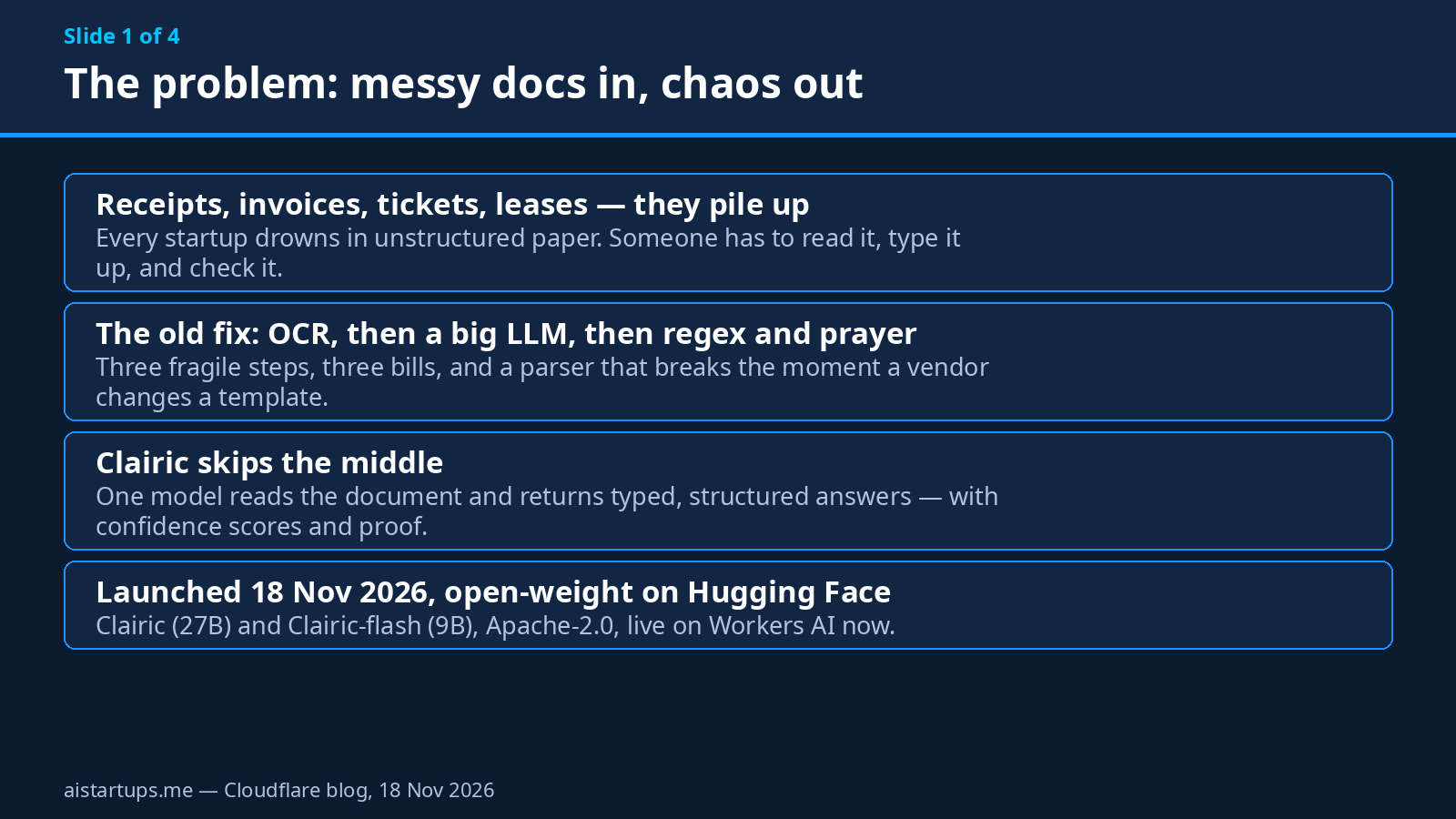
So when Cloudflare dropped something new on November 18, 2026, I paid attention. It’s called Clairic, and it does exactly one thing: it turns messy documents into clean, structured data. Not a chatbot. Not a summarizer. A model that reads a receipt or an invoice or a lease and hands you back typed fields — numbers, dates, totals — with a confidence score on each one and proof of where it found it.
And here’s the part that made me sit up: it costs ten cents per million input tokens, output tokens are free, and it’s open-weight under Apache 2.0. This one might actually matter. Let me walk you through it — what it is, what it costs, how to use it, and the honest limits nobody’s talking about yet.
What Clairic actually is
Clairic is a 27-billion-parameter multimodal model from Cloudflare’s new “Workers AI Superintelligence” team — the same team that shipped Clef, the decision model we covered back in October. It launched on November 18, 2026, alongside a lighter sibling called Clairic-flash, a 9-billion-parameter version built for speed.
Both models are open-weight on Hugging Face under the Apache 2.0 license, and both run on Workers AI. The full model is built on Qwen3.8-27B as its base. And — this matters for founders who’ve been burned by vendor lock-in before — you can self-host the weights yourself if you ever want to. API first, self-host when it matters. Same playbook as Clef.
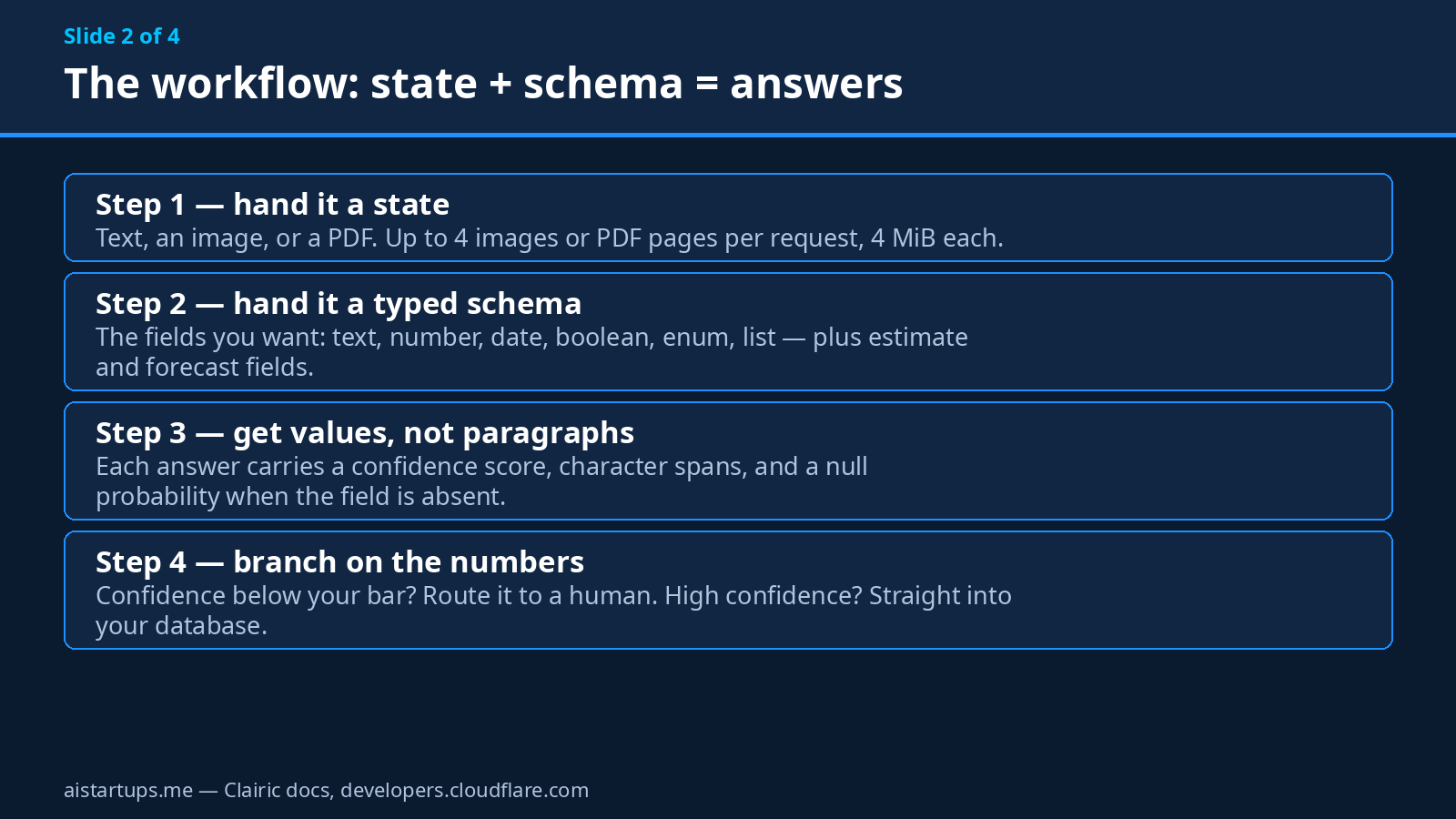
But what does it actually do? Here’s the simplest way I can put it: you give Clairic two things.
- A state — the messy thing. A chunk of text, an image, or a PDF. A receipt photo, an invoice, a support ticket, a lease page.
- A schema — the typed fields you want back. Invoice number (text). Total (number). Due date (date). Line items (list). You define the shape; Clairic fills it in.
And it returns values — with three things attached that make it genuinely useful in production. First, a confidence score on every field, so your code can decide what to trust and what to flag. Second, character spans, which point at exactly where in the document each value came from. That’s your audit trail. Third, a null probability — the model’s honest estimate that the field just isn’t in the document at all. No hallucinated PO number. No invented due date. When something’s missing, it says so.
That’s the difference between a demo and a tool. A chatbot will happily invent a total if you ask it nicely. Clairic is built to tell you when it doesn’t know.
The field types are the interesting part
Most extraction tools give you text and numbers and call it a day. Clairic’s schema supports text, number, date, time, datetime, duration, boolean, enum, object, and list — the usual suspects — plus three field types I haven’t seen anywhere else at this price: compute, estimate, and forecast.
Compute fields do arithmetic for you, inside the model. Give it an invoice and ask for the total, and it adds the line items up itself. Estimate and forecast fields return a median plus a p10/p90 range — so instead of a single made-up number, you get “we think this customer pays in about 30 days, probably between 21 and 38.” That’s a range your finance brain can actually work with. There are special model heads — dedicated parts of the model — for estimates, forecasts, durations, calculated dates, and explicit arithmetic, which is why the arithmetic actually works instead of being a party trick.
The context window is 65,536 tokens, and Cloudflare promises zero data retention on the API. Your documents go in, your answers come out, and nothing is kept. For anyone handling customer invoices or lease data, that’s not a nice-to-have. It’s a requirement.
Why extraction is a real startup pain
Let me put a number on the problem, because “paperwork is annoying” doesn’t quite capture it.
Every document your startup touches has the same shape: unstructured on the outside, structured on the inside. An invoice contains a vendor, a date, a total, and a due date — but it arrives as a PDF, a photo, or a scanned image, and somebody (or something) has to pull those fields out before your software can do anything with them. Until that happens, the document is just a picture. Your accounting tool can’t sum pictures. Your CRM can’t search pictures. Your ops dashboard can’t chart pictures.
So startups have always done one of three things. They hire someone to type it in (slow, expensive, error-prone). They buy a big OCR-plus-LLM pipeline (slow, expensive, and held together with regex). Or they just… don’t. The receipts pile up in a folder called “to process” until tax season, when the pile becomes a crisis.
Honestly, the third option is the most common one I see in early-stage companies. And it’s the most expensive in the end, because the data you never extracted is data you never used — you can’t spot the vendor whose prices crept up 20%, you can’t chase the invoice that’s 45 days overdue, you can’t forecast cash flow from numbers sitting in a PDF.
That’s the gap Clairic is aiming at. Not glamorous. Not a chatbot you can show off at a demo day. Just the boring, expensive, everywhere problem of turning paper into data.
Clairic vs Clairic-flash: which one do you need?
Two models, one job. The choice is simpler than it looks.
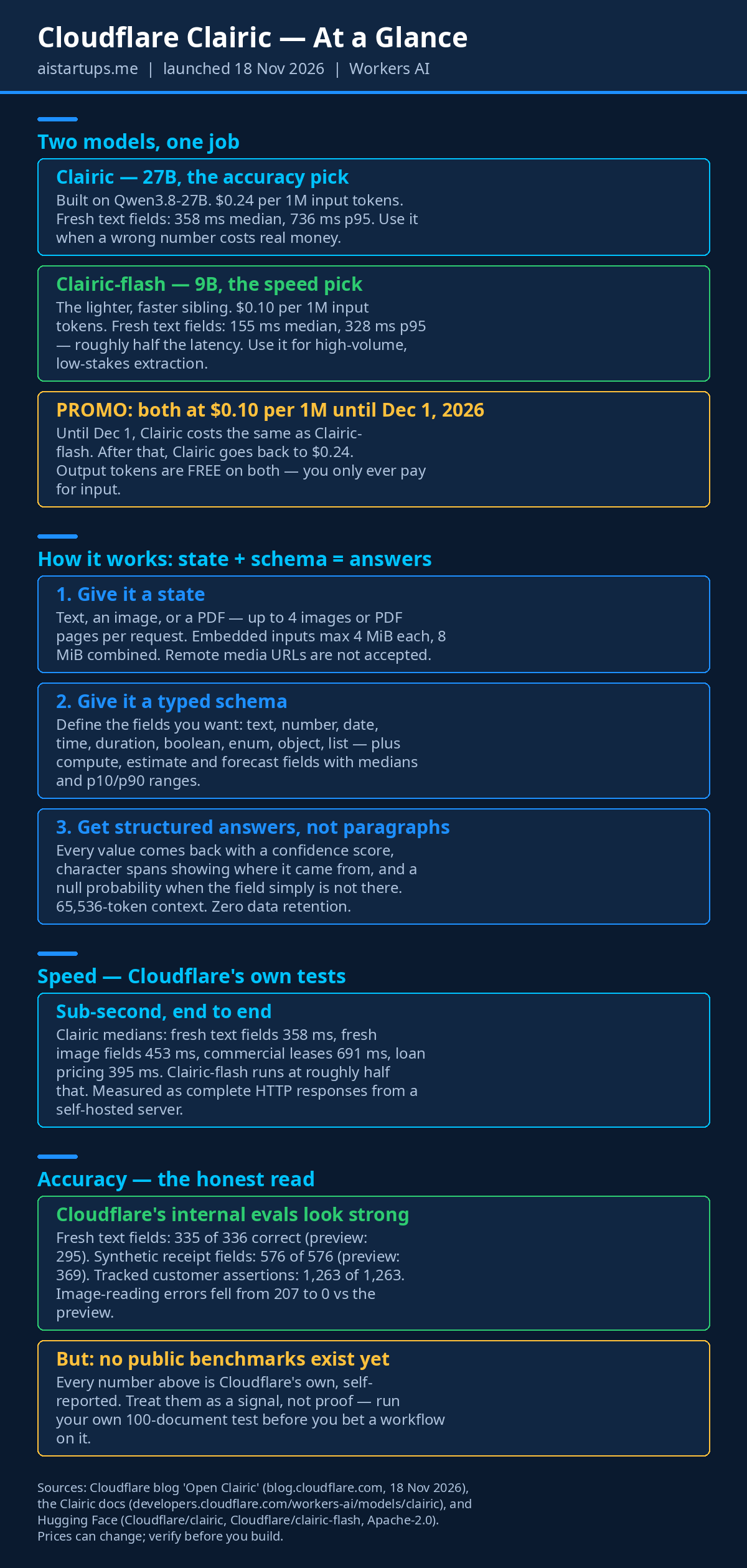
- Clairic (27B) — the accuracy pick. Built on Qwen3.8-27B. Fresh text fields come back in 358 ms median, 736 ms at p95. Fresh image fields: 453 ms median, 976 ms p95. Commercial leases: 691 ms median. Loan pricing: 395 ms. Use it when a wrong number costs real money — a lease term, a loan figure, a tax-relevant total.
- Clairic-flash (9B) — the speed pick. The lighter, faster sibling. Fresh text fields in 155 ms median, 328 ms p95 — roughly half the latency of the full model. Use it for high-volume, low-stakes work: triaging a thousand support tickets, skimming expense receipts, anything where a single wrong field is a shrug, not a disaster.
Both take the same inputs (up to 4 images or PDF pages per request), both have the same 65,536-token context window, and both are priced on input tokens only. My default advice: start with Clairic-flash. It’s half the latency and less than half the price, and for most document types the accuracy gap won’t matter. Then switch the high-stakes document types to full Clairic once you’ve measured the difference on your own data. Measure, don’t guess — I’ll keep saying that in this article, because the vendor’s numbers are not your numbers.
The money part: pricing and the December 1 deadline
Here’s the pricing, straight from Cloudflare’s Workers AI “System One” pricing — and it’s the part I like most about this launch.
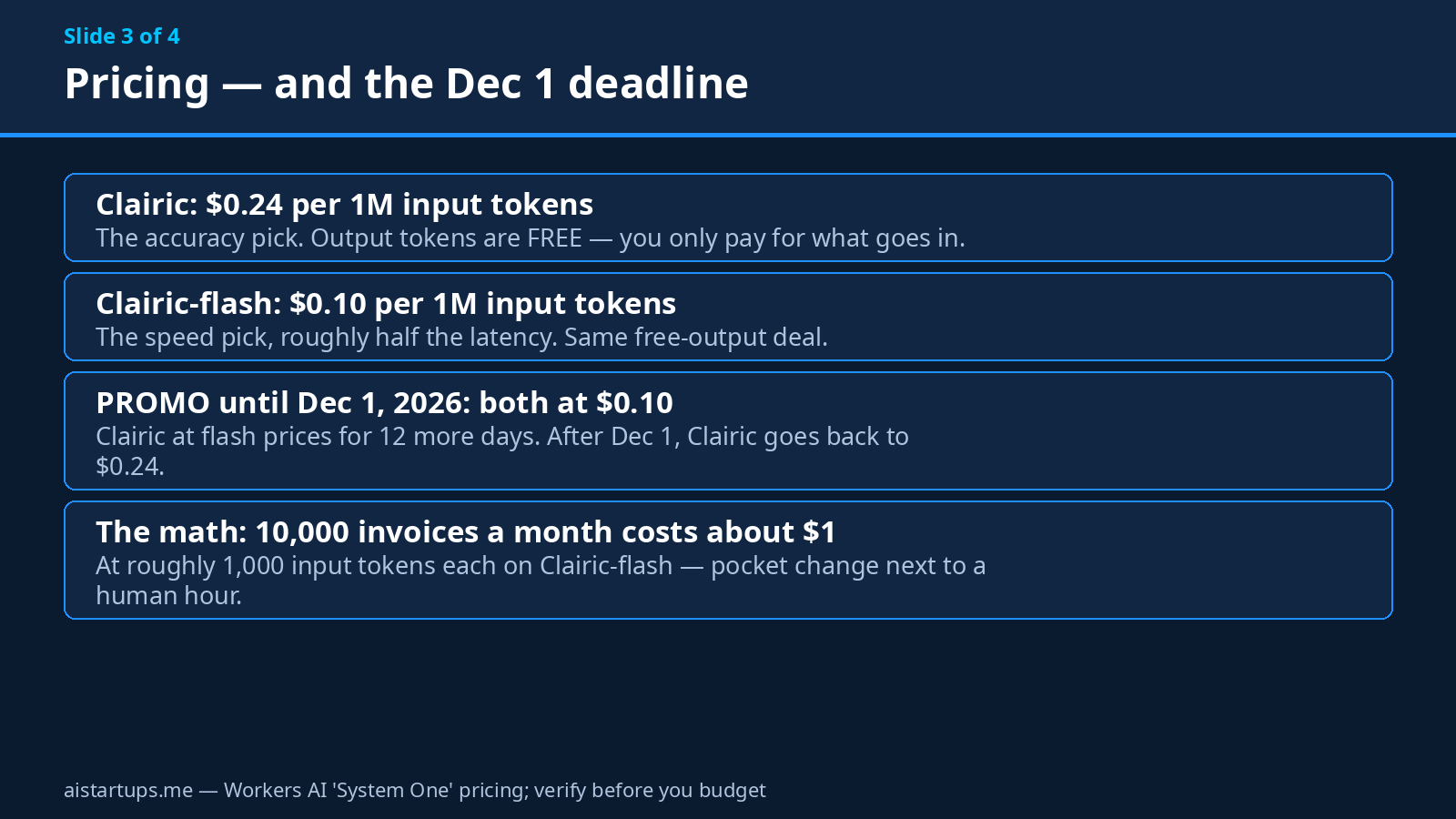
Clairic costs $0.24 per 1 million input tokens. Clairic-flash costs $0.10 per 1 million input tokens. And output tokens are free on both. You only ever pay for what goes in, never for what comes out. Since Clairic returns short structured answers instead of paragraphs, your bill is bounded and predictable — a welcome change if you’ve ever watched an agent’s token bill spiral because the model decided to think out loud.
Now the deadline. Until December 1, 2026, both models cost $0.10 per 1M input tokens. That’s a promo: Clairic at flash prices. After December 1, Clairic goes back to $0.24. As I write this on November 19, that’s about twelve days away — so if you want to test the full model at the cheap price, the window is genuinely short. Not hype, just a calendar.
Let me make the cost concrete. Say your startup processes 10,000 invoices a month, and each invoice is roughly 1,000 input tokens of text and layout. That’s 10 million input tokens. On Clairic-flash at $0.10 per million, that’s about $1.00 a month. On full Clairic at its regular $0.24, about $2.40 a month. Ten thousand documents. A dollar or two.
Compare that with one human hour. Even at the cheapest freelance rates, an hour of careful data entry costs more than a month of Clairic. And the human gets tired at document 200. Clairic doesn’t. The cost argument here isn’t close — it’s a rounding error. Which is exactly why the accuracy question matters so much more than the price question. Cheap and wrong is still wrong.
How it works, in plain founder language
You don’t need to understand the model architecture to use Clairic well. But you do need to understand the three ideas that make it different from asking a chatbot to read a PDF.
1. The schema is the contract
With a normal LLM, you write a prompt — “extract the invoice number and total” — and hope the model returns something your code can parse. Sometimes it returns JSON. Sometimes it returns JSON with a friendly sentence wrapped around it. Sometimes it returns JSON with a trailing comma that breaks your parser at 2 a.m.
Clairic doesn’t write paragraphs. You define the fields and their types up front, and the model fills them in. The schema is enforced — the output is shaped like your schema, every time, because the model was trained to produce typed values rather than free text. No parsing. No regex. No “as an AI language model” surprises.
2. Confidence scores turn guesses into routing decisions
This is the feature that matters most in production, and it’s the one most extraction tools skip. Every value Clairic returns carries a confidence score. So your code can do the obvious, sensible thing: high confidence goes straight into the database; low confidence goes to a human review queue.
That’s the whole product, really. You set a floor — say 0.85 — and everything above it is automated, everything below it gets a human look. Over time, you tune the floor based on your own error rate. You never have to trust the model blindly, and you never have to check everything by hand. It’s a dial, not a leap of faith.
3. Spans and null probabilities keep it honest
Character spans tell you where each value came from in the document. If your reviewer doubts a total, they can click through to the exact characters it was read from. That’s an audit trail you can show an accountant, a client, or a regulator.
And the null probability is the quiet hero. Most extraction failures aren’t wrong answers — they’re confident answers to questions the document never addressed. A model that invents a PO number for an invoice that has none will poison your database silently. Clairic returns a null probability for each field, so “this field isn’t here” is a first-class answer, not a failure mode.
Hands-on walkthrough: your first extraction
Enough theory. Let’s actually use it. Clairic runs on Workers AI at two endpoints: @cf/cloudflare/clairic and @cf/cloudflare/clairic-flash. The API schemas are unchanged from the preview endpoint, so if you tried the preview, your code still works.
Here’s the invoice example from Cloudflare’s own docs — I’ll walk through it because it shows off the compute field beautifully. The input is a plain-text invoice:
“INV-2291 from Northwind Supply, issued 2026-09-02, net 30. 4 pallets at $250.00 each, shipping $80.00.”
You hand Clairic that text plus a schema asking for the invoice number, the due date, the total, the contacts, and the PO number. Here’s what comes back:
- invoice_number: “INV-2291” — read straight off the document.
- due_date: 2026-10-02 — computed, not copied. Issue date plus net 30. The model did the date math itself.
- total: $1,080.00 — computed. Four pallets at $250 is $1,000, plus $80 shipping. Again, arithmetic, not copying.
- contacts: a list, pulled from the document.
- po_number: null — because there is no PO on this invoice. No hallucination. Just null, with a null probability to match.
- days_to_pay (estimate): median 30 days, with a p10 of 21 and a p90 of 38. A range, not a guess dressed up as a fact.
That due date is the detail I keep coming back to. A normal extraction tool would have given you the issue date and left the math to you. Clairic did the math. Small thing. But multiply it across ten thousand invoices and “small thing” becomes “we stopped writing date-arithmetic code.”
The API call
Through Workers AI, a request looks like this — a state (your document) plus a schema (the fields you want):
curl https://api.cloudflare.com/client/v4/accounts/{account_id}/ai/run/@cf/cloudflare/clairic-flash \ -H "Authorization: Bearer {api_token}" \ -H "Content-Type: application/json" \ -d '{ "state": "INV-2291 from Northwind Supply, issued 2026-09-02, net 30. 4 pallets at $250.00 each, shipping $80.00", "schema": { "invoice_number": {"type": "text"}, "due_date": {"type": "compute"}, "total": {"type": "compute"}, "po_number": {"type": "text"}, "days_to_pay": {"type": "estimate"} } }'Swap in @cf/cloudflare/clairic for the full 27B model. Same shape, same schema — the API schemas are unchanged from the preview, so the only decision is which model sits behind the endpoint.
A few practical notes before you run it. Inputs are capped at 4 images or PDF pages per request, with embedded inputs maxing out at 4 MiB each and 8 MiB combined — so split long PDFs into pages before you send them. And remote media URLs are not accepted: you have to embed the image or PDF content in the request itself. That’s a real constraint if your documents live at URLs; you’ll need a small fetch-and-embed step in your pipeline.
Running it locally
Prefer to keep the model in-house? Both models are on Hugging Face — Cloudflare/clairic and Cloudflare/clairic-flash — under Apache 2.0. The local path needs Python 3.11 or newer, PyTorch, Transformers, and xgrammar for schema constraints. You pull the weights with snapshot_download("Cloudflare/clairic"), load the release model, and call the systemone() helper the same way the API works. Full details are in the official Clairic docs.
For most startups, I’d start on the API and only self-host when you have a reason — data residency, volume, or a workload that runs better on your own GPUs. The API is ten cents a million tokens. Your GPU bill won’t be.
Real startup use cases
Cloudflare names receipts, invoices, support tickets, commercial leases, loan pricing, expense audits, and traffic forecasting. Here’s how those map to actual startup workflows I’ve seen — or would build tomorrow.
Invoice and expense automation
The obvious one, and still the best place to start. Every invoice that lands in your inbox gets extracted the moment it arrives: vendor, date, total, due date, line items. High-confidence results post straight to your accounting tool. Low-confidence ones land in a review queue that takes a human two minutes a day instead of two hours. If you’re a founder still doing this by hand, this is your first workflow. For a broader look at the tooling around it, our guide to AI data analysis tools for non-technical founders covers the spreadsheet side of the same problem.
Support-ticket triage
Tickets are documents too — messy, unstructured, full of the fields you actually need buried in prose. Pull out the customer, the product, the error, the urgency, the account number. Pair it with a decision model and you’ve got a triage pipeline: Clairic reads the ticket, Clef decides what to do with it. The two models are siblings for a reason — extraction feeds decision, decision feeds action. If you want the fuller picture of how these pieces fit together, our guide to OpenAI’s Decisions API covers the same pattern from the other side of the fence.
Lease and contract data
Commercial leases are the worst documents in business: long, dense, full of dates and dollar figures that actually matter. Clairic’s lease latency — 691 ms median — is slower than its text fields, which tells you the model is working harder on them. But pulling the rent, the escalation clause, the renewal date, and the deposit out of a 40-page lease in under a second is still a minor miracle compared with the alternative, which is a lawyer’s afternoon. Same story for loan pricing, where the median is 395 ms.
Forecasting from messy history
This is the use case I find most interesting, and the one most people will miss. The estimate and forecast fields mean Clairic can look at a pile of past traffic, past payments, or past expenses and give you a median with a range — not a single confident-sounding number. “Traffic next month: median X, probably between Y and Z.” That’s how founders should be forecasting anyway, with ranges instead of false precision. Pair the output with your existing dashboards and you’ve got a planning input that took minutes to build.
Wiring it into your product
And here’s the one that matters if you’re building a product, not just running ops. If your SaaS lets users upload documents — receipts, applications, forms, contracts — Clairic is a feature you can ship in a week. Upload, extract, show the structured result, let the user correct it. That’s a real product surface, and it works on the API from day one. If you need help building that kind of pipeline into your website or product, that’s exactly the sort of AI integration work AISquadX does — our web development studio has shipped this pattern more than once, and the boring parts (file handling, review queues, confidence floors) are where the project usually lives or dies.
Clairic vs the old way: LLM plus OCR
Fair question: why not just send the document to a big general-purpose LLM and ask it to extract the fields? Plenty of startups do exactly that today. Here’s the honest comparison.
On cost, Clairic wins by a lot. A general LLM charges for output tokens too — and extraction prompts tend to produce long, chatty outputs that you then have to parse. Clairic charges input only, and its outputs are short structured values. At 10,000 documents a month, the difference between a dollar and a real LLM bill is the difference between “we don’t track this cost” and “we have a line item for it.”
On latency, Clairic wins too. Sub-second medians across the board — 358 ms for text fields on the full model, 155 ms on flash. A general LLM doing OCR-plus-reasoning over the same document is typically several seconds, and that’s before you add your parsing and retry logic. If extraction sits in a user-facing flow — upload a receipt, see the result — seconds matter.
On accuracy, the answer is: we don’t know yet, and anyone who tells you otherwise is selling something. Cloudflare’s internal evals look excellent — 335 of 336 fresh text fields correct, 576 of 576 synthetic receipt fields, 1,263 of 1,263 tracked customer assertions, image-reading errors down from 207 to zero against the preview. But those are Cloudflare’s own tests, on Cloudflare’s own data. There are no public benchmarks for Clairic yet. A general LLM has been benchmarked to death by the entire internet; Clairic hasn’t. So the fair statement is: the vendor numbers are promising, the price and speed are real, and the accuracy claim is unverified until independent tests land — or until you run your own.
On flexibility, the general LLM still wins. Clairic extracts structured data. It doesn’t write emails, doesn’t answer questions, doesn’t reason about strategy. If you need one model to do everything, Clairic isn’t it. But that’s the point — it’s a specialist, and specialists are cheaper and faster at their one job. The right architecture is probably both: Clairic for extraction, a general model for the thinking that follows. And if you’re stitching tools together anyway, our honest comparison of Zapier vs Make vs n8n will help you pick the automation layer to glue it all together.
The honest limits
I’ve been enthusiastic in this article, so let me balance it. Here’s everything that could bite you.
No public benchmarks exist. I’ve said it three times now because it’s the most important fact in this article. Every accuracy number Cloudflare published — 335 of 336, 576 of 576, 1,263 of 1,263 — comes from Cloudflare’s own evals. They’re self-reported. They might be exactly right, and the preview-to-launch improvement (receipt fields went from 369 of 576 to 576 of 576) suggests real progress. But until an independent lab or a few hundred founders run their own documents through it, treat the numbers as a signal, not proof.
Four images or PDF pages per request. That’s the cap. A 40-page lease needs ten requests, and you’ll want to think about how you split and reassemble. Same for the 4 MiB per-input and 8 MiB combined limits — fine for phone photos of receipts, tight for high-res scans.
No remote media URLs. You can’t just hand Clairic a link to a document. You have to fetch it and embed it in the request. One extra step in your pipeline, and one more thing to get wrong at scale.
65,536 tokens of context. Generous for documents, but it’s a ceiling. Very long contracts will need chunking, and chunking means you have to handle fields that span pages.
Preview-stage terms. The launch blog describes Clairic under preview “AS IS” terms, which is Cloudflare’s way of saying: this is new, things can change, don’t build your company’s core on a promise. The API schemas are unchanged from the preview endpoint, which is reassuring — but preview is preview. Have a fallback.
Estimates are estimates. A p10/p90 range looks rigorous, and it is — but it’s still the model’s judgment, not a measurement. A forecast that says “median 30 days, probably 21 to 38” is useful for planning and useless as a promise. Don’t put it in a contract.
None of these are deal-breakers. But all of them are the kind of thing you want to know before you build, not after.
Who should try it this week — and who should wait
Try it this week if any of these sound like you. You process more than a few hundred documents a month and someone on your team is still typing fields by hand. You have one document type that’s killing you — invoices, receipts, tickets — and you can define ten fields for it today. You already run on Cloudflare or Workers AI and the endpoint is one API call away. Or you’re building a product where document upload is a feature, and you want extraction live before your next release. For all of you: the promo runs to December 1, the API is cheap, and a hundred-document test costs less than a coffee. There’s no reason to wait.
Wait if your documents are mostly long, multi-page contracts where fields span pages — the 4-page cap will fight you. Wait if you need audited, benchmarked accuracy before you can touch customer data — the independent tests haven’t landed yet. Wait if your extraction needs are genuinely weird — handwritten forms, unusual scripts, documents where the “fields” are really judgments. And wait if you’re looking for a general-purpose AI — Clairic extracts, it doesn’t think. Use the right tool for the job, even when the new tool is shiny.
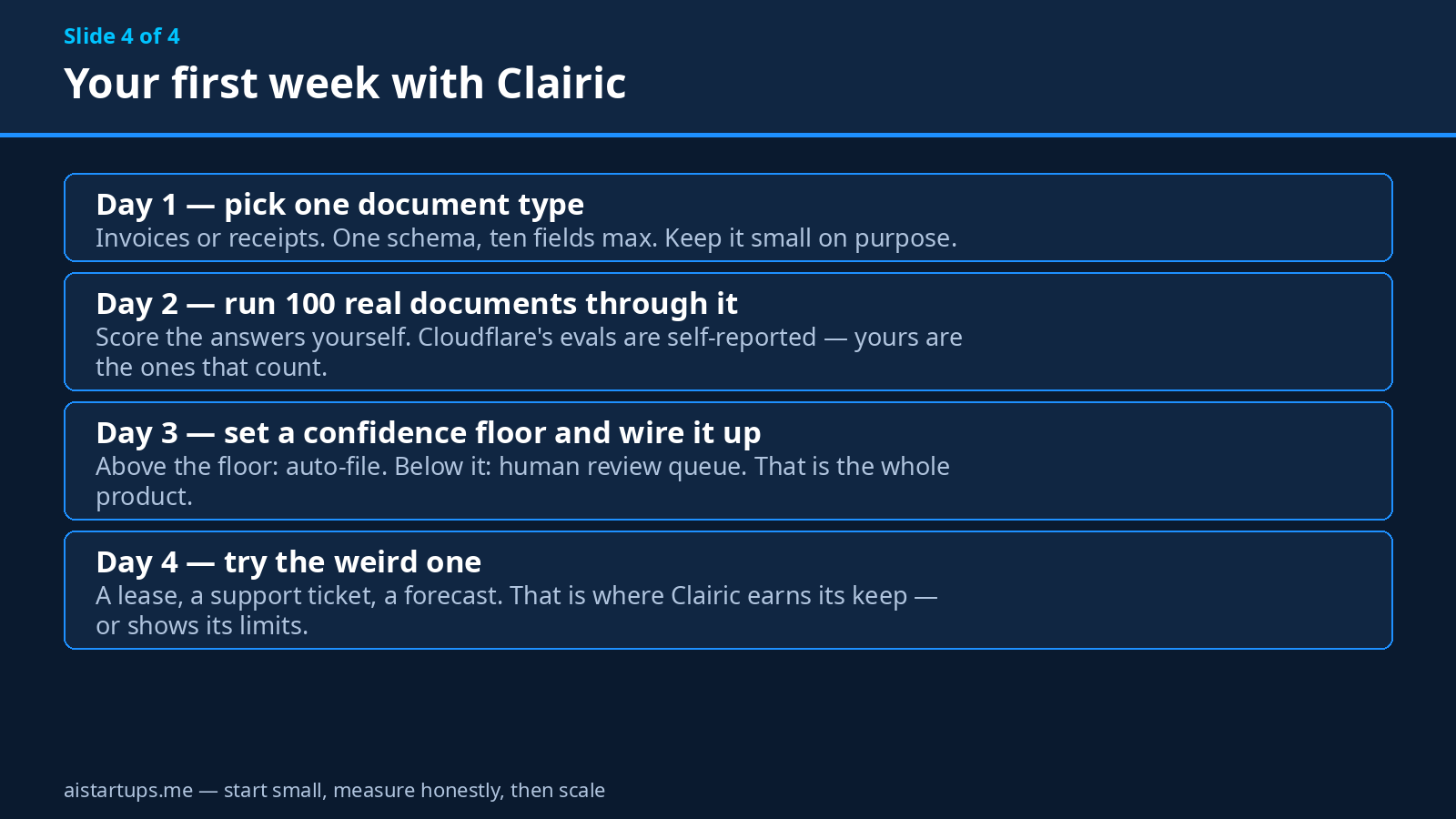
For everyone in the middle — which is most startups, honestly — the right move is a small, honest test. One document type. A hundred real documents. Score the answers yourself. That’s an afternoon’s work, and at the end of it you’ll know more about Clairic than any launch blog can tell you. Including this one.
Frequently asked questions
What is Cloudflare Clairic?
Clairic is a 27-billion-parameter open-weight multimodal model from Cloudflare, launched November 18, 2026. It turns messy text, images, and PDFs into structured, typed data: you give it a document (the “state”) and a schema of the fields you want, and it returns values with confidence scores, character spans showing where each value came from, and null probabilities for fields that aren’t present. A lighter 9B version, Clairic-flash, launched the same day.
How much does Clairic cost?
Clairic costs $0.24 per 1 million input tokens and Clairic-flash costs $0.10 per 1 million, under Workers AI “System One” pricing. Output tokens are free on both — you only pay for input. Until December 1, 2026, both models cost $0.10 per 1M input tokens under a launch promo; after that, Clairic goes back to $0.24.
How fast is Clairic?
Sub-second, according to Cloudflare’s own tests measuring complete HTTP responses. Clairic’s medians: fresh text fields 358 ms, fresh image fields 453 ms, commercial leases 691 ms, loan pricing 395 ms. Clairic-flash runs at roughly half that — 155 ms median for fresh text fields. Your own latency will vary with document size and network, so measure it on your own workload.
Can I self-host Clairic?
Yes. Both models are open-weight on Hugging Face under Apache 2.0 — Cloudflare/clairic and Cloudflare/clairic-flash. Local use needs Python 3.11 or newer, PyTorch, Transformers, and xgrammar for schema constraints. Most startups should start on the Workers AI API and self-host later if data residency or volume gives them a reason to.
Is Clairic accurate enough to trust?
Cloudflare’s own internal evals report 335 of 336 fresh text fields correct, 576 of 576 synthetic receipt fields, and 1,263 of 1,263 tracked customer assertions, with image-reading errors down from 207 to zero versus the preview. But those are self-reported — no public benchmarks exist yet. The honest answer is to run your own test: a hundred of your real documents, scored by hand, before you automate anything that matters.
The Bottom Line
Clairic is the least glamorous Cloudflare launch of the year, and possibly the most useful one for an actual startup. It doesn’t chat. It doesn’t write. It reads your messy documents and hands back clean, typed data — with a confidence score, a source span, and the honesty to say “null” when a field isn’t there. At ten cents per million input tokens with free output, the price is a rounding error. At sub-second latency, it’s fast enough to sit in a user-facing flow. And open weights under Apache 2.0 mean you’re not locked in.
The catch is the same as with every launch-week model: the accuracy numbers are the vendor’s own, the benchmarks don’t exist yet, and the 4-page cap and preview terms mean you should test before you bet the company on it. So test it. Pick one document type, define ten fields, run a hundred real documents through it before December 1 while the full model is still at flash prices, and score the answers yourself. If it holds up — and the early numbers suggest it might — you’ve just bought back every Friday your team was spending on typing. And that’s a trade worth making.