
Real talk: most remote brainstorms are a mess. Someone shares a doc, three people talk over each other, one person types furiously in the chat, and by the end nobody can remember what was actually decided. I’ve sat through more of those calls than I care to admit. And honestly? The tool wasn’t the whole problem — but the wrong tool made everything worse.
Here’s the thing. A good whiteboard tool does two jobs at once: it gives a scattered team one shared place to think, and it turns the chaos into something you can act on after the call ends. The AI part is new, and it’s the part most reviews get wrong. Some of these tools have AI that genuinely saves you twenty minutes after every session. Others just stuck a chatbot in the corner and called it a feature.
So I spent the last few days actually reading pricing pages, testing free plans, and digging into what each tool’s AI really does — not what the marketing page promises. Prices below are what the vendors themselves list right now, in November 2026. If a price changes next month, that’s on them, not me. But as of today, these numbers are real.
One quick note before we get into it: Claude launched its own whiteboards in November 2026 too, and they’re genuinely interesting for founders who already live in Claude. I covered them in depth in my Claude Sheets, Whiteboards & Meetings founder’s guide, so I won’t repeat that whole review here. This article is about the dedicated whiteboard tools — the ones built for teams, workshops, and the messy middle of a brainstorm.
How I Picked These 8 (and What I Ignored)
There are dozens of whiteboards out there. I narrowed it to eight by asking one question about each: would a remote startup team of 3 to 30 people actually use this every week? If the answer was “only if they have an enterprise budget and a facilitator on staff,” it didn’t make the cut. If it was “yes, and the free plan is actually usable,” it did.
I also drew a hard line on AI. A tool only counts as an “AI whiteboard” here if the AI does something inside the brainstorm itself — generating ideas, sorting a pile of stickies into themes, summarizing a session, turning a sketch into a diagram. A chatbot that answers questions about the tool doesn’t count. (Yes, I’m looking at you, tools that list “AI assistant” and mean a help widget.)
And look, I know price lists change. Every price in this article comes from the vendor’s own pricing page, read on November 12, 2026. Where a vendor only publishes annual prices, I say so. Where monthly billing costs more, I say that too. No numbers here are guessed.
The Short Version: My Top 3 Picks
If you don’t have time for 4,000 words — fair enough, you’re busy, I get it — here are the three I’d shortlist first:
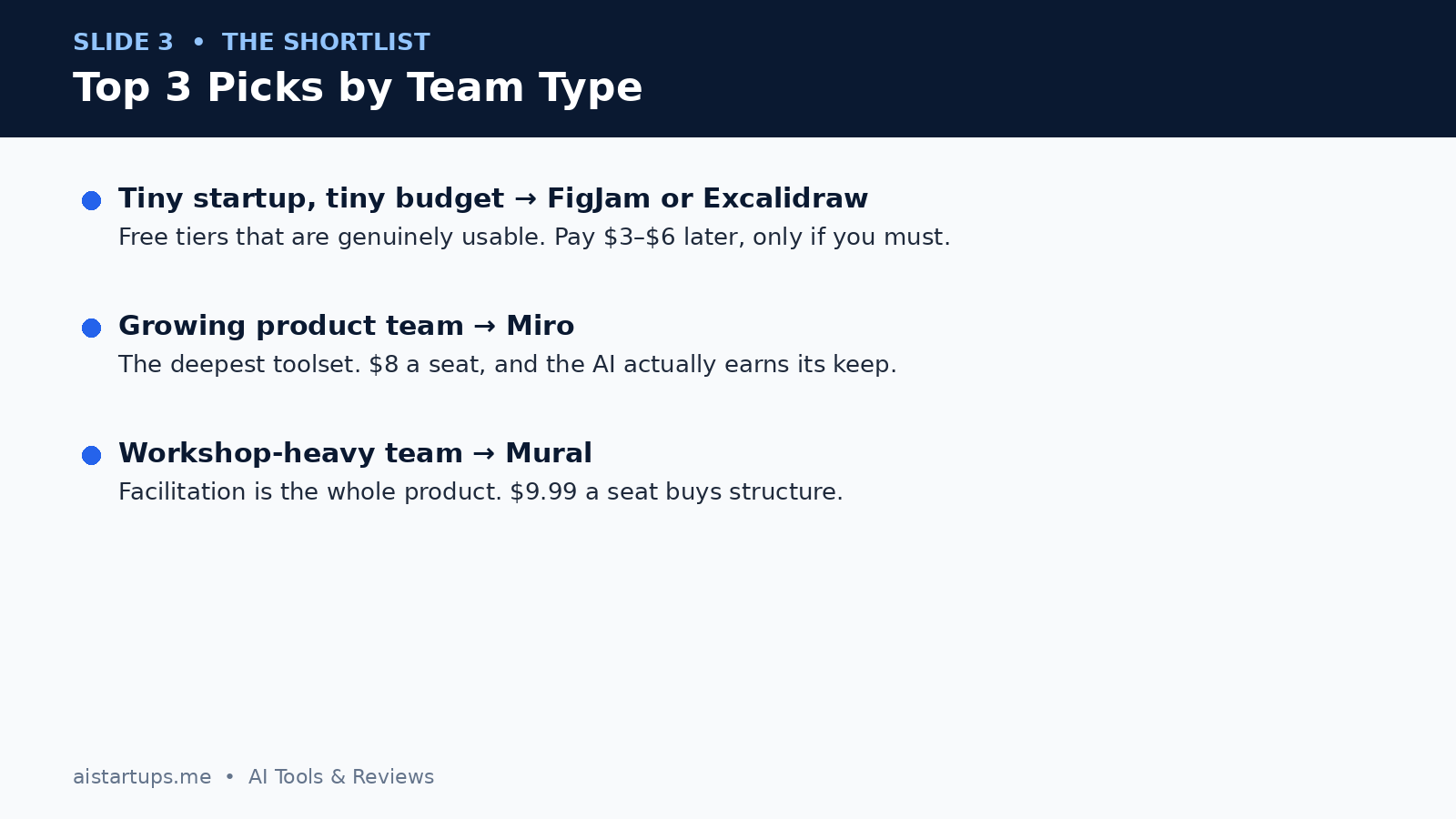
- Tiny team, tiny budget: FigJam or Excalidraw. Both have free tiers you can genuinely run a team on, and the paid step-up is $3 to $6 a seat.
- Growing product team: Miro. It’s the deepest tool in this list, the AI is the most useful, and $8 a seat is fair for what you get.
- Workshop-heavy team: Mural. Facilitation is the whole product, and if you run retros and design sprints every week, that structure pays for itself.
Everyone else in the list has a real reason to exist too — Microsoft Whiteboard for Teams shops, Lucidspark for pure brainstorming, Whimsical for teams that want docs and boards in one place, Boardmix for the budget-conscious. Keep reading for the full picture.
Comparison at a Glance
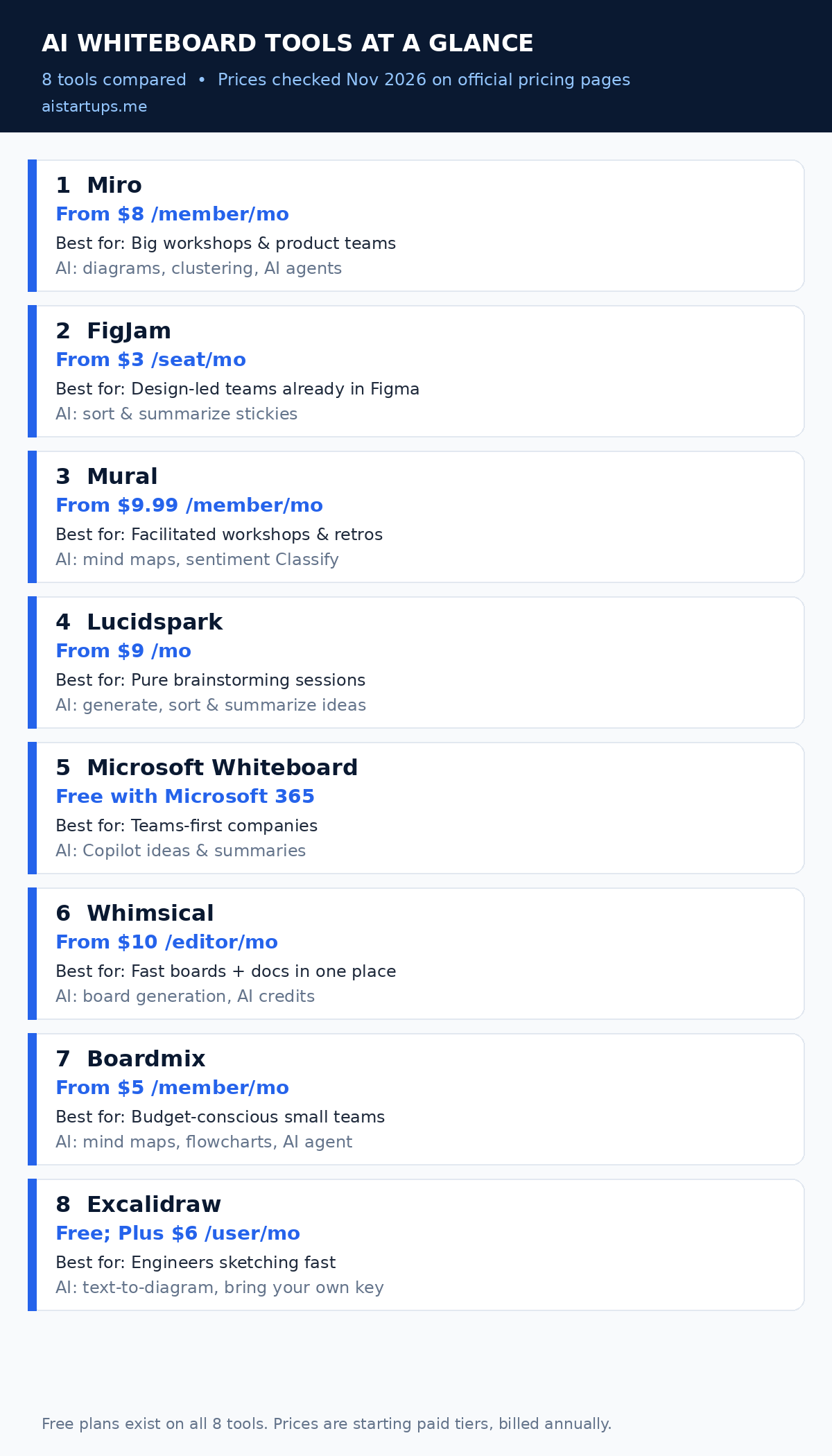
| Tool | Free plan | Paid from | Best for | Standout AI feature |
|---|---|---|---|---|
| Miro | Yes — 3 editable boards | $8/member/mo | Big workshops & product teams | Diagram generation, clustering, AI agents |
| FigJam | Yes — 3 files, AI credits included | $3/seat/mo | Design-led teams in Figma | Sort & summarize stickies |
| Mural | Yes — 3 editable murals | $9.99/member/mo | Facilitated workshops | Mind maps, sentiment Classify |
| Lucidspark | Yes — 3 boards | $9/mo | Pure brainstorming | Generate, sort & summarize ideas |
| Microsoft Whiteboard | Yes — with a Microsoft account | $0 extra with Microsoft 365 | Teams-first companies | Copilot ideas & summaries |
| Whimsical | Yes — limited objects | $10/editor/mo | Boards + docs in one place | Board generation, AI credits |
| Boardmix | Yes — 3 boards | $5/member/mo | Budget-conscious small teams | AI mind maps, flowcharts, AI agent |
| Excalidraw | Yes — full editor, no account | $6/user/mo (Plus) | Engineers sketching fast | Text-to-diagram, bring your own key |
All paid prices are the starting tier with annual billing, in US dollars, as listed on each vendor’s pricing page in November 2026. Monthly billing costs more almost everywhere — usually around 20% more.
1. Miro — The Safe Default (and the Deepest Toolbox)
If you ask ten remote teams what whiteboard they use, six of them will say Miro. There’s a reason for that, and it’s not just marketing. Miro is the tool that does everything — workshops, planning, diagramming, retros, journey maps, Kanban, docs, slides, prototypes — on one infinite canvas. It’s the Swiss Army knife of this list. Which is both its biggest strength and, honestly, its biggest weakness.
Let me start with what Miro’s AI actually does, because it’s the most capable AI in this roundup. Miro AI can generate diagrams from a prompt, cluster a wall of stickies by keyword or sentiment, summarize a whole board, and draft next steps. On Business and Enterprise plans it goes further: AI workflows and agents that can run multi-step jobs on your board, and an MCP server that lets tools like Claude, Cursor, and GitHub Copilot read and write to your boards. That’s genuinely useful if your team already works with AI coding tools — your whiteboard stops being a dead picture and starts being something your agents can use.
The catch is the credit system. AI runs on credits, and the allowance depends on your plan. Free gets 10 credits a month — enough to try it, not enough to rely on it. Starter gets 25 credits per member per month, Business gets 50. Credits are pooled across your org and they reset monthly; they don’t roll over. If your team runs big AI-heavy workshops every week, you can burn through them. Extra credit packs are available on paid plans, but that’s another line on the bill.
Pricing
Free costs $0 and gives you 3 editable boards with unlimited team members — fine for trying it, tight for real work. Starter is $8 per member per month billed annually ($10 month-to-month) with unlimited boards, private boards, and 25 AI credits per member. Business is $20 per member per month billed annually ($25 monthly) with the full AI suite, AI workflows and agents, unlimited guests, and 50 AI credits per member. Enterprise is custom pricing. One gotcha worth knowing: paid plans have a 2-license minimum, so a solo founder still pays for two seats. And if you’re a startup with fewer than 30 people, Miro’s startup program offers $500 to $1,000 in credits — worth applying for before you pay anything. (Miro pricing)
Best for
Product teams, agencies, and anyone running real workshops — retros, sprint planning, journey mapping, stakeholder sessions. If your whiteboard is where work actually happens (not just where ideas go to die), Miro is built for that. The template library alone is enormous, and the Jira, Asana, and Azure DevOps integrations on Business mean the board connects to the work instead of sitting next to it.
Honest downsides
Miro can feel heavy. New users open a board and see a hundred buttons and freeze. The free plan’s 3-board cap hits fast — your fourth board turns older ones read-only, which is a nasty surprise mid-project. And the AI credit system means your “unlimited” AI has a meter running in the background. I also find Miro’s pricing sneaky at scale: every member is a paid seat, so a 25-person team on Business is $6,000 a year. That’s real money for a whiteboard.
Still — if I had to pick one tool blind for a remote startup team, it would be Miro. It’s the default for a reason. Just go in with your eyes open about seats and credits.
2. FigJam — The Cheapest Way In (If You Already Live in Figma)
FigJam is Figma’s whiteboard, and it has one massive advantage over everything else here: the price of entry is three dollars. Well — mostly. FigJam isn’t sold on its own. It comes with a Figma seat, and the cheapest seat with full FigJam access is the Collab seat on the Professional plan. But if your team already pays for Figma, FigJam is basically sitting there waiting for you. And if your team is design-led at all, that’s a big deal.
The AI is focused and — this matters — honest about what it does. FigJam AI generates boards and diagrams from a prompt, sorts a pile of stickies into themes with one click, and summarizes them into a short write-up. Figma’s own help docs say sorting and summarizing are free actions that don’t burn your AI credits, which is a small detail that makes a real difference when you run retros every week. There’s also Jambot, a widget that brings a ChatGPT-style assistant onto the board for brainstorming and rewriting. It’s useful, though it feels more like a sidekick than the main event.
What I like most about FigJam is how light it feels. Miro can overwhelm people; FigJam doesn’t. Stickies, stamps, a timer, voting, music, emotes — it’s built for the human side of a session, not the enterprise side. The 300-plus templates cover kickoffs, retros, and planning without making you build everything from scratch. And because it’s Figma, the handoff to design is painless: a brainstorm can turn into wireframes without exporting anything anywhere.
Pricing
Starter is free and includes 3 FigJam files in the team folder plus unlimited drafts, with 150 AI credits a day (up to 500 a month). Paid access comes through Figma seats: a Collab seat is $3 per month on the Professional plan billed annually, a Dev seat is $12, and a Full seat is $16. Collab seats get full FigJam access plus Figma Slides. That $3 number is the lowest paid entry point in this entire list — but remember, you’re buying into Figma’s seat system, not a standalone whiteboard. If nobody on your team uses Figma Design, the math gets weird fast. (Figma pricing)
Best for
Design-led startups, product teams already paying for Figma, and any team that wants brainstorming to flow straight into design work. It’s also my top pick for a team that has never used a whiteboard before — the learning curve is the gentlest here.
Honest downsides
Three boards on the free plan is the same trap as Miro’s — you’ll hit the wall in week two. FigJam is also thinner than Miro or Mural for serious facilitation: no private mode, fewer workshop controls, and the AI is narrower (great at sorting stickies, not much else). And the seat system is confusing — I’ve watched founders buy Full seats for people who only needed Collab, and that’s $13 a month per person wasted. If you pick FigJam, learn the seat types before you invite anyone.
3. Mural — The Workshop Tool (Facilitation Is the Product)
Mural is the oldest name on this list in spirit — it’s been the go-to for professional facilitators for over a decade — and you can feel it in the product. Everything about Mural is built around running a structured session well: the timer, anonymous voting, private mode (so people write before they see each other’s answers), the Summon button that pulls everyone back to where you’re looking, the Outline that walks a group through steps in order. If you’ve ever run a workshop where half the room checked out by step three, Mural is the tool built to prevent exactly that.
Mural AI got a redesign in July 2026, and it’s now organized as guided workflows rather than a blank prompt box. It can generate mind maps from a central idea, cluster stickies into groups you review before accepting (I like that review step — the AI proposes, you decide), summarize discussions, classify stickies by emotional tone, and draft next steps. It’s bundled into every paid plan with no published credit system, which is refreshing after Miro’s metered credits. No counting, no pooled allowance, no surprise top-up.
The trade-off is scope. Mural is a workshop tool first and a general whiteboard second. It’s less good as an always-on team canvas where you dump half-formed ideas for weeks. And it’s the priciest of the “pure” whiteboards here once you leave the free plan.
Pricing
Free costs $0 with unlimited members but only 3 editable murals at a time. Team+ is $9.99 per member per month billed annually ($12 month-to-month) with unlimited murals, private rooms, Mural AI, and unlimited visitors with editing rights. Business is $17.99 per member per month billed annually and adds SSO, unlimited guests, and advanced integrations. Enterprise is custom. Note the free plan changed in June 2026 — it used to be more generous, and now only your three most recent murals stay editable. (Mural pricing)
Best for
Teams that run facilitated sessions constantly — design sprints, retros, planning workshops, innovation programs. Consultants and agencies who run client workshops will get the most out of it. It’s also the strongest pick here if your sessions include people outside your company, since guests and visitors are handled well.
Honest downsides
Price. $9.99 a seat is fine, but $17.99 for SSO stings — that’s a security feature held hostage on a higher tier, and growing teams feel that. Mural is also less flexible as a day-to-day canvas than Miro; it wants you to run a session, not live in it. And the free plan’s 3-mural limit means you can’t even keep a small archive without paying. If you only brainstorm once a month, Mural is overkill. If you do it every week, it’s the best tool for the job.
4. Lucidspark — The Brainstorming Purist
Lucidspark doesn’t try to be everything. It tries to be one thing: the best place for a team to brainstorm. And honestly, that focus shows. The canvas is clean, the sticky-note flow is fast, and the AI is pointed straight at the brainstorming job — generate a pile of ideas from a prompt, sort them into themed containers, summarize the session into takeaways. No agents, no MCP servers, no diagram-to-code pipeline. Just: get ideas out, group them, wrap up. For a lot of teams, that’s exactly the right scope.
The Lucid AI features are genuinely good at the “blank page” problem. You type a topic, it drops a spread of starter ideas on the board as stickies, and suddenly nobody is staring at an empty canvas afraid to go first. Then it sorts them into containers and summarizes the whole session. It also powers AI mind maps — pick a node, ask it to expand with ideas or questions, and the branches grow. It’s the same idea-generation loop as Miro’s, just narrower and a bit more polished for this one job.
One thing to know: Lucid’s pricing page says its AI capabilities are currently available to all users but may move to a paid subscription later. So the free plan’s AI access might not last forever. Enjoy it while it’s there, but don’t build your whole workflow around a freebie that has an expiry warning on it.
Pricing
Free costs $0 with 3 editable boards, unlimited shapes per board, and Lucid AI included for now. Individual is $9 per month billed annually with unlimited boards. Team is $10 per user per month billed annually and adds voting, timers, facilitator tools, breakout boards, and guest collaborators. Enterprise is custom and bundles Lucidchart for diagramming. Team is the plan most remote teams will actually want — Individual is a solo plan, and brainstorming solo misses the point. (Lucidspark pricing)
Best for
Teams whose main need is brainstorming itself — marketing teams planning campaigns, product teams doing discovery, founders running naming and positioning sessions. It’s also a strong pick for teams already using Lucidchart, since the two connect and your brainstorm can become a polished diagram without leaving the Lucid family.
Honest downsides
Lucidspark is a narrower tool than Miro or FigJam — fewer templates, fewer integrations, no docs or slides or prototypes. If you want one tool for everything, this isn’t it. The $10 Team plan is also oddly close to Miro’s $8 Starter in price while offering less breadth, which makes it a harder sell unless brainstorming is truly your main use case. And that AI pricing footnote bugs me: “may be subject to a paid subscription in the future” is the kind of sentence that becomes a price hike six months later.
5. Microsoft Whiteboard — Free Because You Already Paid for It
Here’s a question worth asking before you buy any whiteboard: what are you already paying for? If your startup runs on Microsoft 365 and Teams, the answer might be “a perfectly good whiteboard, already included.” Microsoft Whiteboard is the least exciting tool on this list and possibly the best value — because for a lot of teams, it costs $0 extra.
The pitch is simple. It’s an infinite canvas with stickies, ink, shapes, images, templates, and reactions. It opens inside a Teams meeting — no link, no new login, no “can everyone see my screen?” dance. Fifteen seconds after the facilitator shares it, everyone with a Microsoft 365 licence is on the board. For a team that brainstorms inside its regular meetings, that zero-friction start matters more than any feature list.
The AI comes from Copilot. On eligible licences, Copilot in Whiteboard can suggest ideas, organize notes into categories, and summarize a board. That’s the same sort-and-summarize job as FigJam and Mural, just wearing a Microsoft badge. But — and this is the part people miss — the whiteboard itself is free, while Copilot is not. Copilot in Whiteboard needs a Microsoft 365 Copilot licence, which is a paid add-on per user on top of your Microsoft 365 plan. So the “$0” headline is real for the board, and the AI costs extra. Don’t let anyone tell you otherwise.
Pricing
Whiteboard itself is free with a Microsoft account and included with Microsoft 365 business plans at no extra cost — shared boards in Teams are stored in OneDrive. Copilot features need a Microsoft 365 Copilot licence, sold separately per user. If your team already pays for Microsoft 365, your marginal cost for the whiteboard is zero, which no other tool on this list can match.
Best for
Teams already running on Microsoft 365 and Teams. Schools, enterprises, and any org where IT has already standardized on Microsoft. If your meetings happen in Teams anyway, this is the path of least resistance — and the path of least resistance is worth a lot when you’re trying to get busy people into a brainstorm.
Honest downsides
It’s the plainest tool here. Fewer templates than Miro or Mural, weaker facilitation controls, no voting or private mode that matches Mural’s, and the AI is gated behind a licence that costs real money per seat. It also lives inside the Microsoft world — if half your team is on Google Workspace, the magic fades fast. And let’s be real: nobody picks Microsoft Whiteboard because they love it. They pick it because it’s already there. That’s a fine reason, as long as you’re honest about it.
6. Whimsical — Boards and Docs in One Quiet Package
Whimsical is the tool I keep recommending to founders who hate clutter. It combines whiteboards, docs, mind maps, and flowcharts in one clean workspace, and everything about it feels calm. No hundred-button toolbar. No enterprise maze. You open it, you make a board, you write a doc next to it, and the two link together. For a small remote team, that simplicity is a feature, not a limitation.
The AI side is credit-based: the free plan includes 10 AI credits per member, and you can buy more on any plan. Whimsical’s AI can generate boards and content from prompts, which is handy for kicking off a session. It’s not as deep as Miro’s AI or as focused as FigJam’s sorting, but it covers the blank-page problem well enough.
What I actually love about Whimsical is the docs integration. Most brainstorms die in the gap between “great session” and “someone write this up.” Whimsical closes that gap because the doc lives right next to the board — same workspace, same links, same team. Your brainstorm output doesn’t need exporting, copying, or retyping. It just… stays there, next to the thing it came from. For a startup where the same three people do everything, that matters.
Pricing
Free costs $0 with unlimited boards and members, but caps you at 50 board objects and 50 doc blocks a month, with a watermark on exports. Pro is $10 per editor per month billed annually ($12 month-to-month) with unlimited objects and blocks, no watermark, and 90-day version history. Business is $20 per editor per month billed annually ($24 monthly) with private teams, SSO, and unlimited version history. Viewers are always free, and guests are free and unlimited on every plan — that’s generous, and it’s how a small team keeps costs down. (Whimsical pricing)
Best for
Small teams that want one calm place for boards and docs, especially non-technical founders who find Miro overwhelming. It’s also a good fit for teams that do a lot of async work — the doc-board pairing makes it easy to leave a brainstorm for someone to pick up tomorrow.
Honest downsides
The free plan’s 50-object monthly cap is tight — one busy brainstorm can eat it. The per-editor pricing means your costs scale with everyone who draws, though viewers being free softens that. And Whimsical is the smallest ecosystem here: fewer templates than Miro, fewer integrations, and a smaller community. If you need advanced facilitation or enterprise controls, you’ll outgrow it. But for a team of five figuring out a product? It’s genuinely pleasant to use, and pleasant counts for a lot when you’re asking people to show up to a brainstorm.
7. Boardmix — The Budget Pick (With a Lifetime Deal, No Less)
Boardmix is the tool on this list most people haven’t heard of, and that’s a shame, because the price is hard to argue with. It’s a full whiteboard — boards, mind maps, flowcharts, presentations, docs — with a proper AI layer: an AI agent, AI mind maps, AI flowcharts, AI presentations, and 5,000 AI credits per seat per month on the AI Starter plan. That’s a lot of AI for ten dollars.
Look, I’ll be straight with you: Boardmix doesn’t have Miro’s polish or FigJam’s design pedigree. The interface feels more functional than beautiful. But functional is fine when the bill is a third of Miro’s. The AI features are the real story here — most tools in this price range treat AI as an afterthought, and Boardmix puts it front and center. The AI flowchart and presentation generation are genuinely useful for turning a brainstorm into something you can show a client or an investor the same day.
And then there’s the lifetime deal. Boardmix sells one-time lifetime plans — $99 for one member, $399 for five, $699 for ten — with AI credits included and future upgrades promised. Lifetime deals in software have a mixed reputation, and you should read the fine print before buying one. But for a cash-strapped startup that hates subscriptions, paying once and being done is a real option that nobody else on this list offers.
Pricing
Free costs $0 with 3 editable boards and 1 GB of storage. Starter is $5 per member per month billed annually ($12 month-to-month) with unlimited boards and HD exports. AI Starter is $10 per member per month billed annually ($15.90 monthly) with the full AI suite and 5,000 AI credits per seat per month. AI Business is $20 per member per month billed annually ($29.90 monthly) with 10,000 credits. The lifetime plans start at $99 one-time for a single member. (Boardmix pricing)
Best for
Budget-conscious startups, solo founders, and small teams that want real AI features without paying Miro or Mural prices. Also worth a look for anyone allergic to monthly subscriptions — that lifetime option is unique here.
Honest downsides
It’s a smaller company with a smaller ecosystem: fewer integrations, fewer templates, and less community support than the big names. The monthly-billing prices are much higher than the annual ones ($12 vs $5 on Starter), so the cheap headline depends on paying yearly. And lifetime deals always carry a “what if the company changes direction?” risk — I’d buy it for the value today, not for a ten-year promise. If your team needs deep integrations with Jira or enterprise security, look elsewhere. If you need a solid board with strong AI at a low price, Boardmix punches above its weight.
8. Excalidraw — Free, Open Source, and Beloved by Engineers
Excalidraw is the odd one out here, and I mean that as a compliment. It’s an open-source whiteboard with a hand-drawn look, it runs in a browser tab, and it doesn’t ask you to create an account. You open excalidraw.com, you start sketching. That’s it. No onboarding flow, no workspace setup, no “invite your team” screen. For engineers, product managers, and anyone who thinks in diagrams, it’s the fastest tool on this list by a mile.
The hand-drawn style isn’t a gimmick — it changes how people react to a diagram. A sketchy-looking wireframe invites feedback; a pixel-perfect mockup invites silence. That’s why engineers love it for architecture diagrams, flowcharts, and whiteboard-style explanations. And the AI is surprisingly capable for a free tool: the free editor includes generative AI with 10 requests a day — text to diagram, wireframe to code, Mermaid to Excalidraw. The paid Plus plan bumps that to 100 requests a day and lets you bring your own API key, so your AI usage isn’t capped by someone else’s meter.
Excalidraw+ adds the team layer the free editor skips: cloud-saved scenes, comments, access management, presentations, voice hangouts, and an MCP server in public beta. It’s a real team product now, not just a solo sketchpad. But the free editor remains the star — full drawing tools, unlimited collaborators by link, PNG and SVG export, all without an account.
Pricing
Free costs $0 forever — the full editor, one infinite scene, unlimited collaborators by link, no account needed. Excalidraw+ is $6 per user per month with a 14-day free trial, adding unlimited cloud-saved scenes, comments, team management, presentations, and 100 AI requests a day. It’s open source under the MIT licence, so you can even self-host it if that’s your thing. (Excalidraw+ pricing)
Best for
Engineers, technical founders, and anyone who sketches diagrams more than they run workshops. It’s the best “I need a diagram in the next ninety seconds” tool ever made. Also a strong pick for teams that care about open source and data privacy — your drawings stay in your browser unless you choose otherwise.
Honest downsides
It’s minimal by design, and minimal has costs. No template library to speak of, no timer or voting or facilitation tools, no sticky-note workflows that match Miro or Mural. If you run structured workshops, Excalidraw will frustrate you — it’s a sketchpad, not a facilitation platform. The free plan also saves nothing to the cloud, so you export your work as files or lose it when browser storage clears. And $6 a seat for Plus is fair, but it bills every seat in every workspace, which adds up if your team is spread across projects.
Still, for what it is — free, instant, no account — nothing else comes close. I keep it open in a tab most days. You probably should too.
How to Run a Remote Brainstorm That Doesn’t Waste Everyone’s Time
The tool is maybe a third of a good brainstorm. The rest is how you run it. I’ve been in sessions on every tool in this list, and the ones that worked all had the same shape — regardless of which logo was in the corner.
- Write first, talk second. Give everyone five silent minutes to add stickies before anyone speaks. Mural’s private mode is built for this, but you can do it on any board by just agreeing not to talk yet. The quiet people on your team have the best ideas, and they won’t share them if the loudest person goes first.
- One question per board. “Q3 roadmap” is not a brainstorm prompt — it’s a meeting. “What three features would make onboarding twice as fast?” is a prompt. Narrow beats broad every time.
- Sort before you discuss. This is where the AI earns its keep. Cluster the stickies, kill the duplicates, then talk about the groups — not the 87 individual notes. A twenty-minute sort saves an hour of circular discussion.
- End with owners and dates. Every brainstorm that ends with “great session, let’s circle back” was a waste of time. The last ten minutes should produce named owners and next steps. Mural AI and Miro AI both draft these for you — read them, fix them, assign them.
- Save the board as a template. Your next retro shouldn’t start from a blank canvas. Every tool here lets you save or duplicate a board. Do it once, and every future session starts in two clicks.
And one more thing: the notes from a brainstorm are only useful if someone can find them later. If your team already uses an AI note-taking setup for meetings, keep the whiteboard summary in the same place — I wrote about the best AI note-taking tools for founders if you’re building that habit from scratch. A board nobody revisits is just a prettier version of a forgotten doc.
“The best whiteboard isn’t the one with the most features. It’s the one your team actually opens — and the one that turns a messy hour of ideas into three decisions with names next to them.”
What the AI Actually Saves You (and What It Doesn’t)
Let’s be honest about the AI part, because every vendor right now is selling it hard. Here’s what these tools’ AI genuinely does well: sorting and summarizing. Give it a wall of stickies and it groups them into themes in seconds — work that takes a human facilitator twenty minutes of dragging and squinting. Give it a finished board and it writes a summary with next steps. That’s real time saved, every single session.
What it doesn’t do well: judge quality. AI clustering groups by wording, not by wisdom — it’ll happily put three bad ideas in a neat pile and label it “growth.” It can’t tell which idea your team actually believes in, and it can’t run the conversation that turns a pile of notes into a decision. That’s still your job. The facilitator isn’t optional; the AI just makes the facilitator faster.
There’s also the credit question. Miro meters AI by credits, FigJam mostly doesn’t for sorting, Mural doesn’t meter at all, Lucid might charge later, Whimsical sells credits, Boardmix bundles thousands of them, Excalidraw caps daily requests. If your team runs AI-heavy sessions weekly, the credit model matters more than the sticker price. A $8 tool with a 25-credit cap can cost you more in friction than a $10 tool with no cap. Read the AI terms, not just the price.
From Brainstorm to Something Real
Here’s where most whiteboard articles stop, and it’s where the real work starts. A brainstorm is only useful if something gets built afterward. If your session ends with “we need a new landing page” or “the onboarding flow needs a redesign,” that’s no longer a whiteboard problem — it’s a build problem. And that’s the point where a lot of small teams stall, because the gap between a board full of ideas and a shipped product is where momentum goes to die.
Sometimes the right move is to hand that gap to someone who closes it for a living. If your brainstorm produced a website, a product page, or an AI feature that needs building, a web development studio like AISquadX can take the board and turn it into the thing — design, development, and AI integration included — while your team gets back to the next brainstorm. The whiteboard gets you the idea. Someone still has to ship it.
That same handoff applies to the rest of your meeting stack, by the way. A brainstorm feeds a meeting, a meeting feeds a presentation, and a presentation feeds a decision. If you’re sorting out the tools around the whiteboard too, my guides to the best AI meeting assistants for founders and the best AI presentation tools for founders cover the two tools that sit closest to the whiteboard in a real workflow.
Frequently Asked Questions
What is the best AI whiteboard tool for a small remote team?
For most small remote teams, Miro is the safest pick — $8 per member per month on Starter, the deepest feature set, and AI that actually helps with clustering and summaries. If your budget is tighter, FigJam at $3 a Collab seat is the cheapest paid option, and Excalidraw is free forever for sketching and diagrams. The honest answer depends on what your team already uses: Figma teams should start with FigJam, Teams shops should start with Microsoft Whiteboard.
Are there any truly free AI whiteboard tools?
Yes. Excalidraw is completely free and open source with no account needed, including 10 AI requests a day. Microsoft Whiteboard is free with a Microsoft account. Miro, FigJam, Mural, Lucidspark, Whimsical, and Boardmix all have free plans too — but every one of them caps you at 3 boards (or 50 objects, in Whimsical’s case), so a free plan works for trying a tool, not for running a team on it long-term.
How does AI actually help in a brainstorming session?
Three things, mostly: it generates starter ideas when the board is blank, it sorts a pile of sticky notes into themes in seconds, and it summarizes the session into takeaways and next steps. That’s the real value. What it doesn’t do is judge which ideas are good — that still needs a human facilitator. Treat the AI as a fast intern, not a decision-maker.
Miro vs FigJam — which one should a startup choose?
Pick Miro if you run workshops, need deep integrations, and want the most capable AI — $8 a seat is fair for that. Pick FigJam if your team already lives in Figma and wants the lightest, cheapest option at $3 a Collab seat. The deciding factor is usually your existing stack: Figma teams get more from FigJam because brainstorms flow straight into design, while everyone else gets more from Miro’s breadth.
Can I use these whiteboard tools without paying anything?
Yes, for a while. Every tool in this list has a free plan, and Excalidraw’s free tier is genuinely unlimited for solo sketching. But the 3-board cap on most free plans means you’ll hit the wall within a couple of weeks of real use. My advice: run two or three real sessions on the free plan, then pay for the one your team actually enjoyed. The cheapest paid tier across this list is FigJam at $3 a seat — less than a coffee per person per month.
The Bottom Line
There isn’t one best whiteboard tool. There’s a best one for your team, your budget, and the way you actually work. Miro is the default for a reason. FigJam is the cheapest way in. Mural runs the best workshops. Lucidspark is the purest brainstorming tool. Microsoft Whiteboard is free if you’re already a Microsoft shop. Whimsical is the calmest. Boardmix is the best value. Excalidraw is the fastest sketch you’ll ever make.
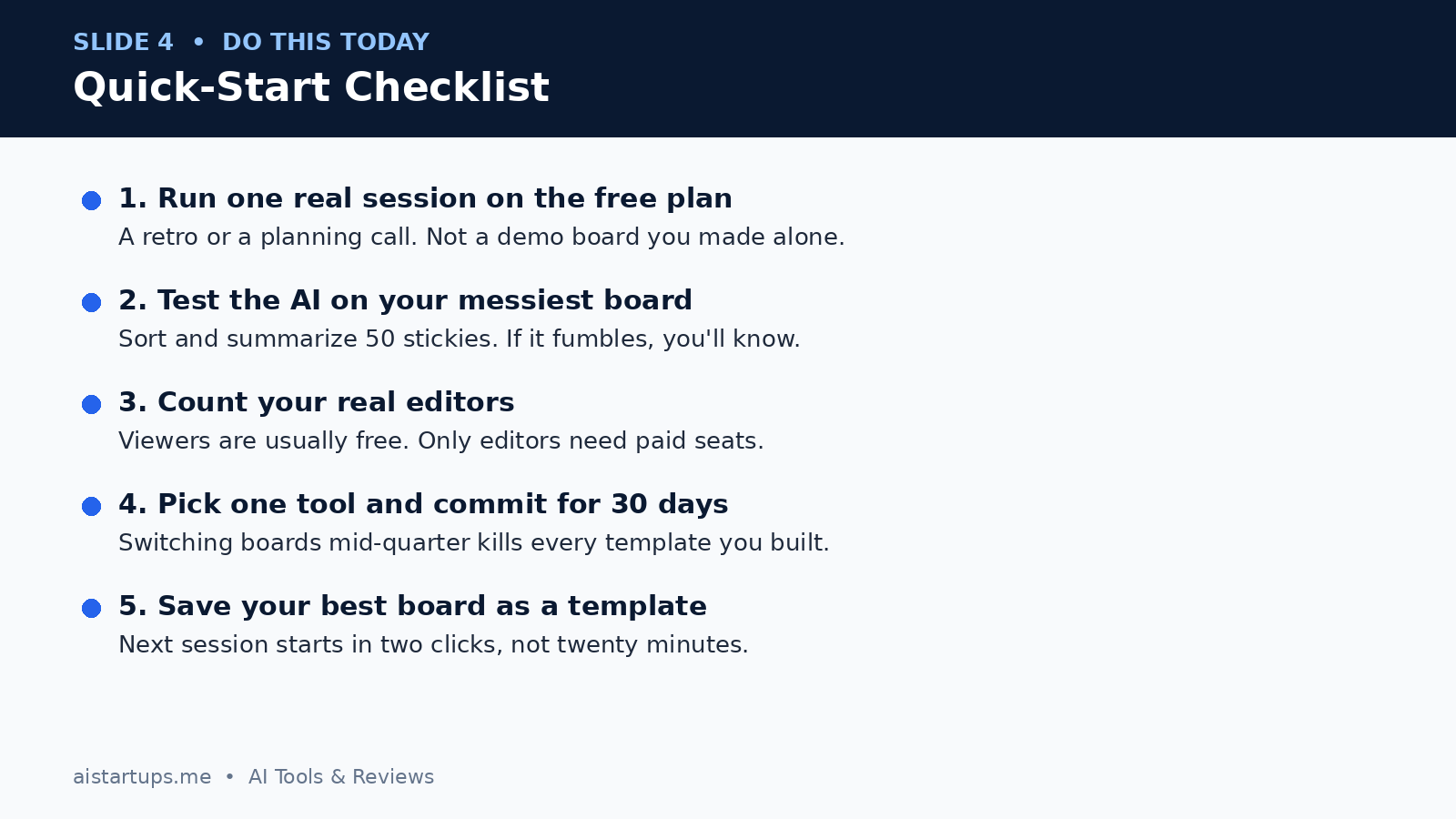
My advice? Don’t overthink the choice. Pick the one that fits your stack, run one real session on the free plan — a retro, a planning call, something with actual stakes — and pay attention to how it feels at minute forty, not minute four. The tool that still feels good when the board is a mess and the timer is running out? That’s your tool. Commit to it for thirty days, save your best board as a template, and get on with building the thing you were brainstorming about in the first place.