
Cold email is supposed to be dead. I’ve been hearing that for a decade, and yet here’s the thing: my last three B2B projects all got their first paying customers from cold email. Not ads. Not content. Cold email.
But real talk — the cold email of 2026 looks nothing like the cold email of 2021. Back then you could blast 5,000 emails from one Gmail account and get meetings. Today? Gmail and Yahoo’s bulk-sender rules will eat that approach alive. Your complaints stay under 0.3%, your bounces stay under 2%, or you’re a ghost.
The tools changed too. AI is now baked into every layer of the stack: writing personalization, warming inboxes, triaging replies, even deciding which prospects are worth emailing at all. So I went through the tools — pricing pages, feature lists, review sites, the works — and put together the stack I’d actually build today. Here’s the honest version.
And honestly? The tool matters less than the system around it. So after the tools, I’ll give you the deliverability playbook and the exact stack I’d run as a solo founder.
The 9 Tools, Ranked by Job
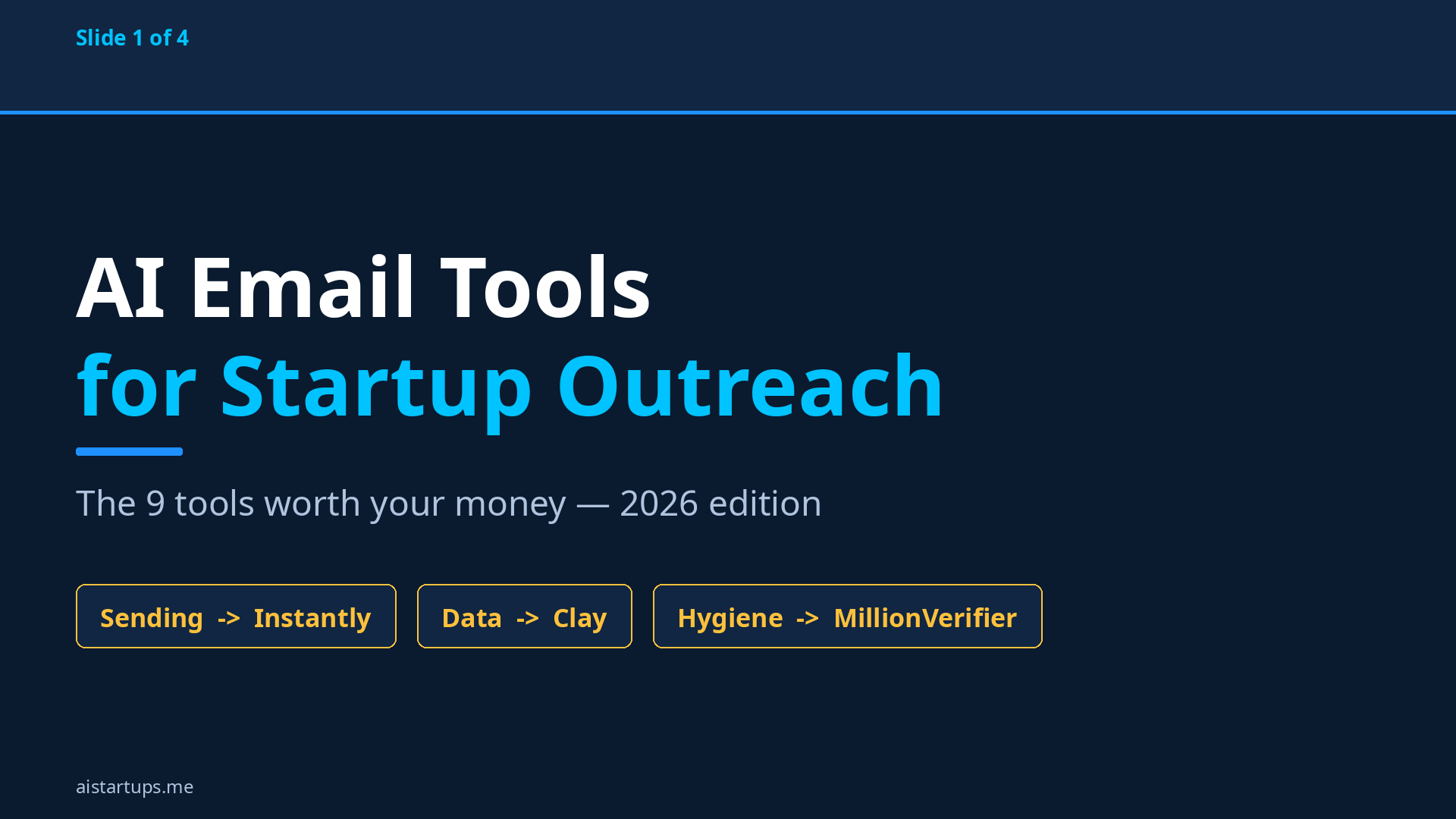
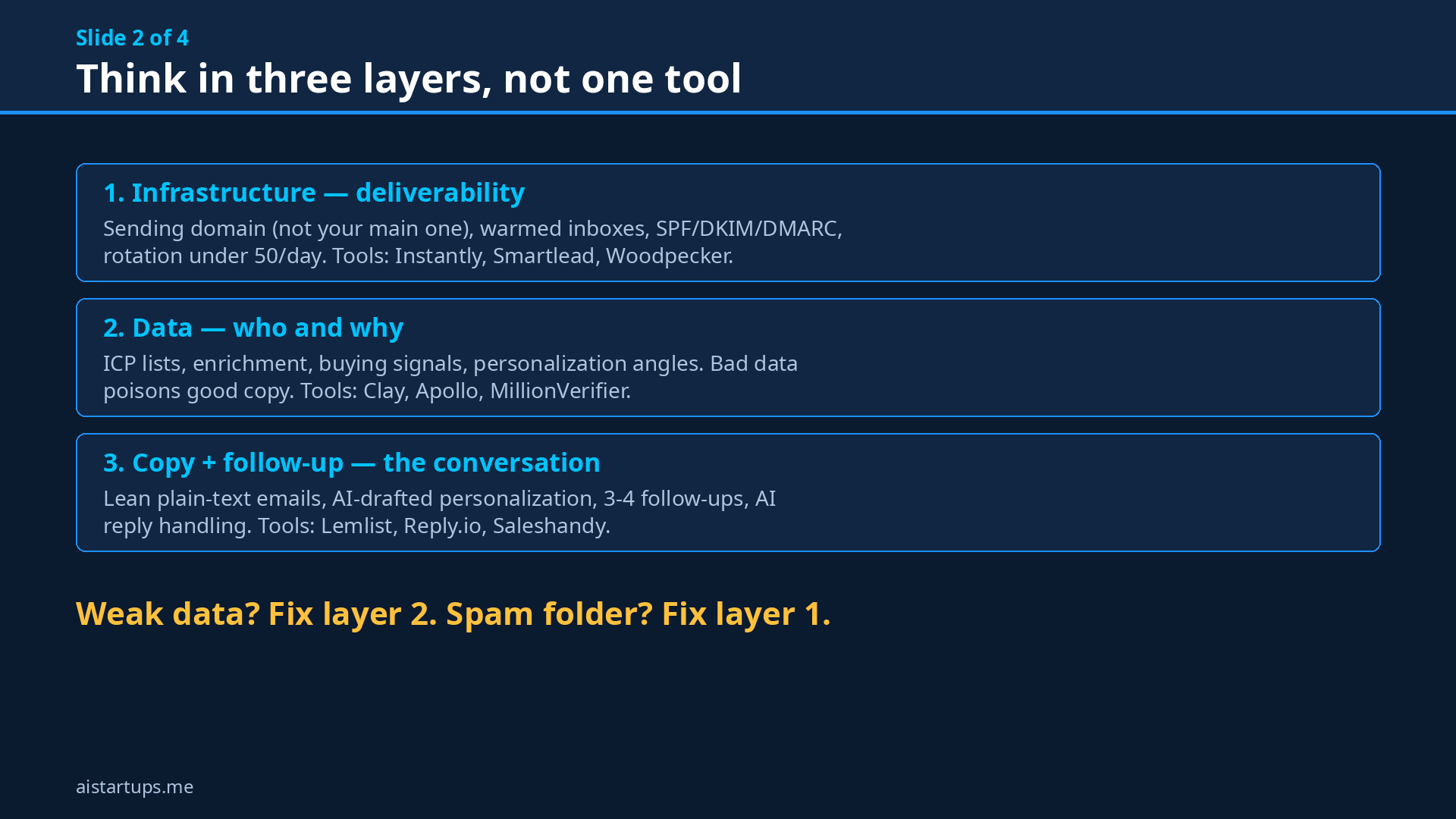
Here’s how I think about it. You don’t need nine tools — you need the right tool for each layer of the stack. I’ll name a winner for each job so you can pick the one that matches your situation.
1. Instantly — best all-rounder for lean teams
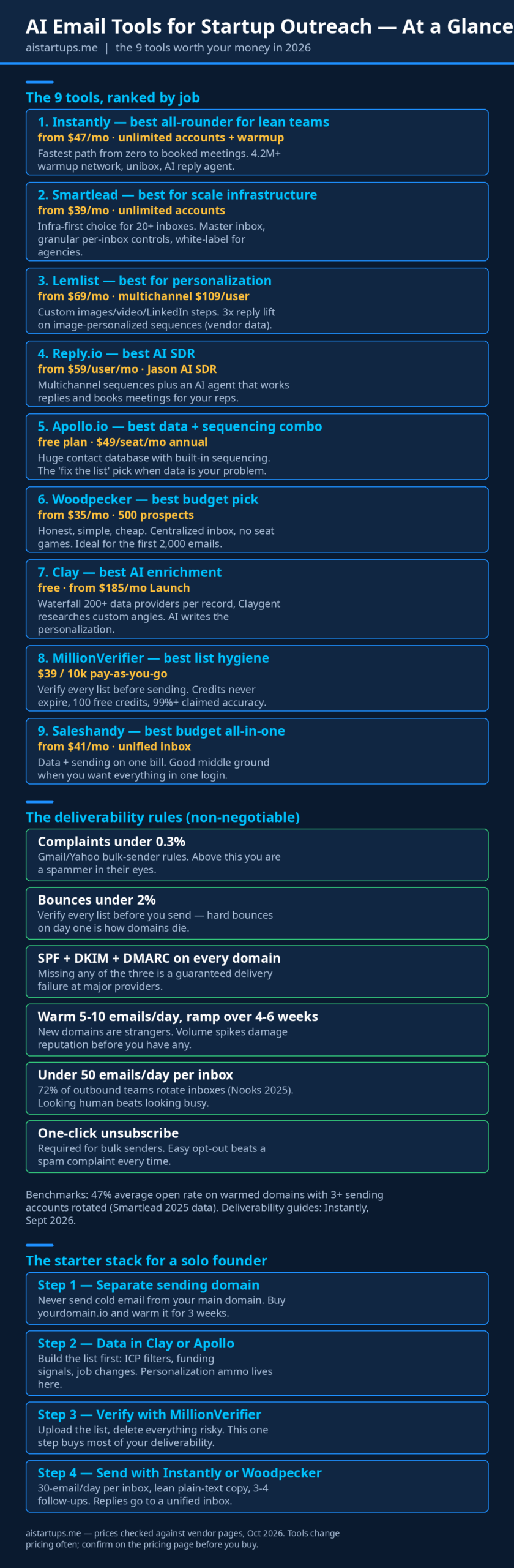
If you just want to start booking meetings this week, Instantly is the fastest path. Unlimited email accounts on a flat fee (from $47/mo for the Growth outreach plan, per their official pricing page), unlimited warmup, and a warmup network with millions of inboxes. There’s an AI reply agent that handles standard scenarios — meeting requests, unsubscribes, objections — inside a unified inbox.
The catch? Pricing splits across separate products: sending, lead credits, and CRM each have their own bill. For a solo founder doing real volume, the Growth plan at $47/mo monthly is the sensible starting point. It won’t replace your CRM — reviewers consistently say the built-in one is too limited — but as a sending engine, it’s the default pick for a reason.
2. Smartlead — best for scale infrastructure
Smartlead is the infra-first choice. From $39/mo (or $32.50/mo annual), also unlimited accounts, with a master inbox and granular per-inbox controls. This is the tool operators pick when they’re running 20+ inboxes with Clay enrichment at the core of their stack. If you’re an agency doing outreach for multiple clients, Smartlead’s white-labeling matters.
My take: Smartlead rewards technical operators. The UI is denser, the controls are finer, and once you know what you’re doing, you get infrastructure that Just Works at volume. Beginners will feel more at home with Instantly.
3. Lemlist — best for personalization
Lemlist plays a different game: personalization quality. Custom images, dynamic video, LinkedIn steps woven into sequences — the stuff that makes an email feel hand-written at scale. Lemlist’s own data claims 3x reply lift on image-personalized sequences versus plain-text equivalents.
The pricing stings a bit more: $69/mo for email ($55 annual), and $109/user/mo for the multichannel plan — a fresh October 2026 comparison lines up the entry prices side by side. But if your market is competitive — say, selling to other agencies or founders who see 50 cold emails a week — personalization is the actual differentiator, and lemlist earns its premium.
4. Reply.io — best AI SDR
Reply.io’s pitch is the AI SDR: an agent (they call it Jason) that doesn’t just send sequences but works the replies — answering questions, handling objections, booking meetings. From $59/user/mo ($49 annual), plus multichannel support for email, LinkedIn, and calls.
Is an AI SDR ready to be your whole sales team? No. But as a first line that filters the noise and hands you only real conversations? That’s genuinely useful for a founder who can’t be in the inbox all day.
5. Apollo.io — best data + sequencing combo
Apollo is the “fix the list” pick. A huge contact database with sequencing built in, a free plan to start, and $49/seat/mo on annual. When your problem isn’t sending but finding the right people — and frankly, that’s the more common problem — Apollo’s data layer saves you from the classic failure mode: great copy sent to a mediocre list.
6. Woodpecker — best budget pick
Woodpecker is the honest, boring, cheap option, and I mean that as a compliment. From $35/mo for 500 prospects, centralized inbox, no seat games. It doesn’t pretend to be an AI wonderland. For your first 2,000 emails — when you’re still figuring out your offer and your ICP — Woodpecker is plenty. Upgrade later when you have signal.
7. Clay — best AI enrichment and research
Clay is where the “AI” in AI email tools actually lives. Waterfall enrichment across 200+ data providers — it tries providers in the order you set and only escalates when one misses — plus Claygent, an AI agent that researches custom data points no database sells. This is how you generate real personalization ammo: funding rounds, job changes, tech stack signals, the stuff that makes line one of your email actually land.
It’s a builder’s tool, not a flip-a-switch tool, and the pricing reflects it: free to start, from $185/mo on Launch ($167 annual). For teams running outbound as a system rather than a campaign, Clay pays for itself in reply rates.
8. MillionVerifier — best list hygiene
The most unglamorous tool on this list, and possibly the most important. Email verification before you send: $39 for 10,000 pay-as-you-go credits — pricing checked against their published packages in late September 2026 — credits that never expire, and 100 free credits to test. High bounce rates are how domains die — this one purchase buys most of your deliverability. Do not skip it.
9. Saleshandy — best budget all-in-one
Saleshandy bundles data and sending on one bill from $41/mo ($34 annual), with a unified inbox on every plan. It’s the middle ground: more complete than Woodpecker, cheaper and simpler than the pro-tier tools. If you want one login and one invoice, this is a sensible place to land.
The Deliverability Playbook (This Matters More Than Your Tool)
Here’s an uncomfortable truth I learned the hard way: I once burned a perfectly good domain in four days because I skipped warmup. New domain, 300 emails on day two, spam folder by day four. The tool was fine. The operator was an idiot. (That operator was me.)
So before you buy anything, tattoo these rules on your brain:
- Authenticate everything. SPF, DKIM, and DMARC on every sending domain. Missing any of the three isn’t suboptimal — it’s a guaranteed delivery failure at major providers.
- Keep complaints under 0.3% and bounces under 2%. These are Gmail/Yahoo’s bulk-sender thresholds, enforced since the sender-rule crackdowns. Cross them and your reputation craters.
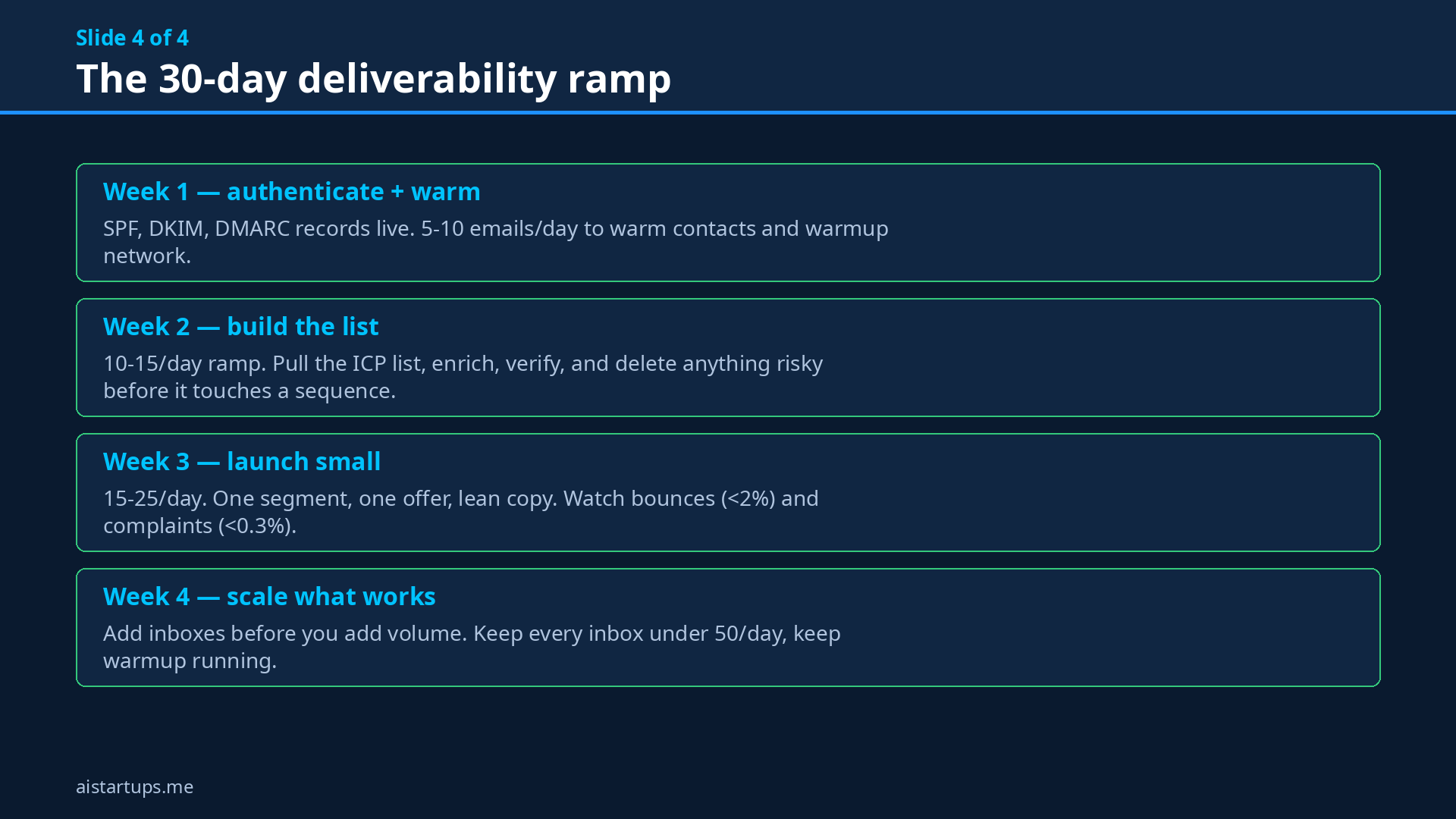
- Warm new domains gradually. Start at 5–10 emails a day, ramp over 4–6 weeks. A new domain is a stranger — nobody trusts it yet, and warmup tools exist specifically to build a history of positive engagement before you send real volume.
- Rotate inboxes, keep each one human. Under 50 emails a day per inbox. 72% of outbound teams now use multi-inbox rotation (up from 41% in 2023, per Nooks’ outbound benchmark) — because looking human beats looking busy.
- Never send cold email from your main domain. Buy a variant (yourdomain.io, getyourdomain.com) and warm it. If the variant gets burned, your main domain — the one your customers email you on — survives.
- One-click unsubscribe, always. Required for bulk senders. An easy opt-out beats a spam complaint every single time.
The benchmarks are worth knowing: Smartlead’s 2025 data shows about a 47% average open rate for warmed domains with 3+ sending accounts rotated. That’s what a working system looks like. Anything under 30% opens and you have a deliverability problem, not a copy problem.
Deliverability starts at infrastructure, not copy. You can hire the best copywriter on earth, but if your SPF record is missing and your domain is two days old, nobody will ever read a word they wrote.
How to Pick (Without Analysis Paralysis)
Decision frameworks beat feature matrices. Answer two questions:
- What’s your bottleneck — data, sending, or replies? If you don’t know who to email, start with Apollo or Clay. If your list is solid but your sending is chaotic, grab Instantly or Smartlead. If replies pile up unanswered, look at Reply.io’s AI SDR.
- How much personalization does your market need? Selling to local businesses? Basic variables and spintax will do. Selling to tech founders who receive 50 cold emails a week? You need lemlist-level personalization or Clay-level research to cut through.
And a bonus question: are you an agency or a startup? Agencies running client campaigns should look at Smartlead (white-label, infra controls). Startups selling their own product should optimize for speed to first meeting — Instantly or Woodpecker, and start today.
One more angle worth considering: if you’re technical, there’s a DIY route. One operator broke down replacing a $400/month outreach stack with self-hosted n8n for a few dollars of hosting — but the deliverability layer becomes YOUR job: warmup, SPF/DKIM/DMARC, ramping. The paid tools partially handle that for you. (This is the classic build-vs-buy math we keep seeing across startup infrastructure — the same logic applies to cutting your AI API bill.)
The Copy Rules Nobody Tells You
Tools get you into the inbox. Copy gets you the reply. The rules that actually work in 2026:
- Under 100 words. Respect the inbox. If you can’t say it in five sentences, you don’t understand it yet.
- One idea, one ask. “Quick question” beats a three-paragraph pitch. The ask is a reply, not a meeting — meetings come later.
- Personalization in line one, not as an afterthought. {FirstName} doesn’t count. Reference something real: a recent hire, a funding round, a specific product change. This is what Clay enrichment is for.
- 3–4 follow-ups minimum. Most replies come on follow-up two or three. Polite, short, new angle each time. Never “just bumping this.”
- Plain text beats designed. No HTML templates, no logos, no images in cold email. You want to look like a person, not a campaign.
AI writing tools can draft these for you — Instantly has an AI email writer, lemlist generates personalization — but always read what AI writes before it sends. I’ve seen AI “personalize” emails with facts about a company that went bankrupt three years ago. Human review is the last checkpoint. Always.
My Recommended Starter Stack (Solo Founder Edition)
Okay, enough theory. If I were starting cold outreach from zero tomorrow with a tight budget, here’s exactly what I’d buy:
- A separate sending domain — ~$12/year. Buy the variant, set up SPF/DKIM/DMARC, and start warming it this week even before you have copy.
- Apollo free plan — $0 to build your first list. Upgrade to $49/seat when you outgrow it.
- MillionVerifier — $39 for 10,000 credits. Verify every list. Non-negotiable.
- Instantly Growth — $47/mo. Unlimited accounts, warmup included, AI writer to draft sequences.
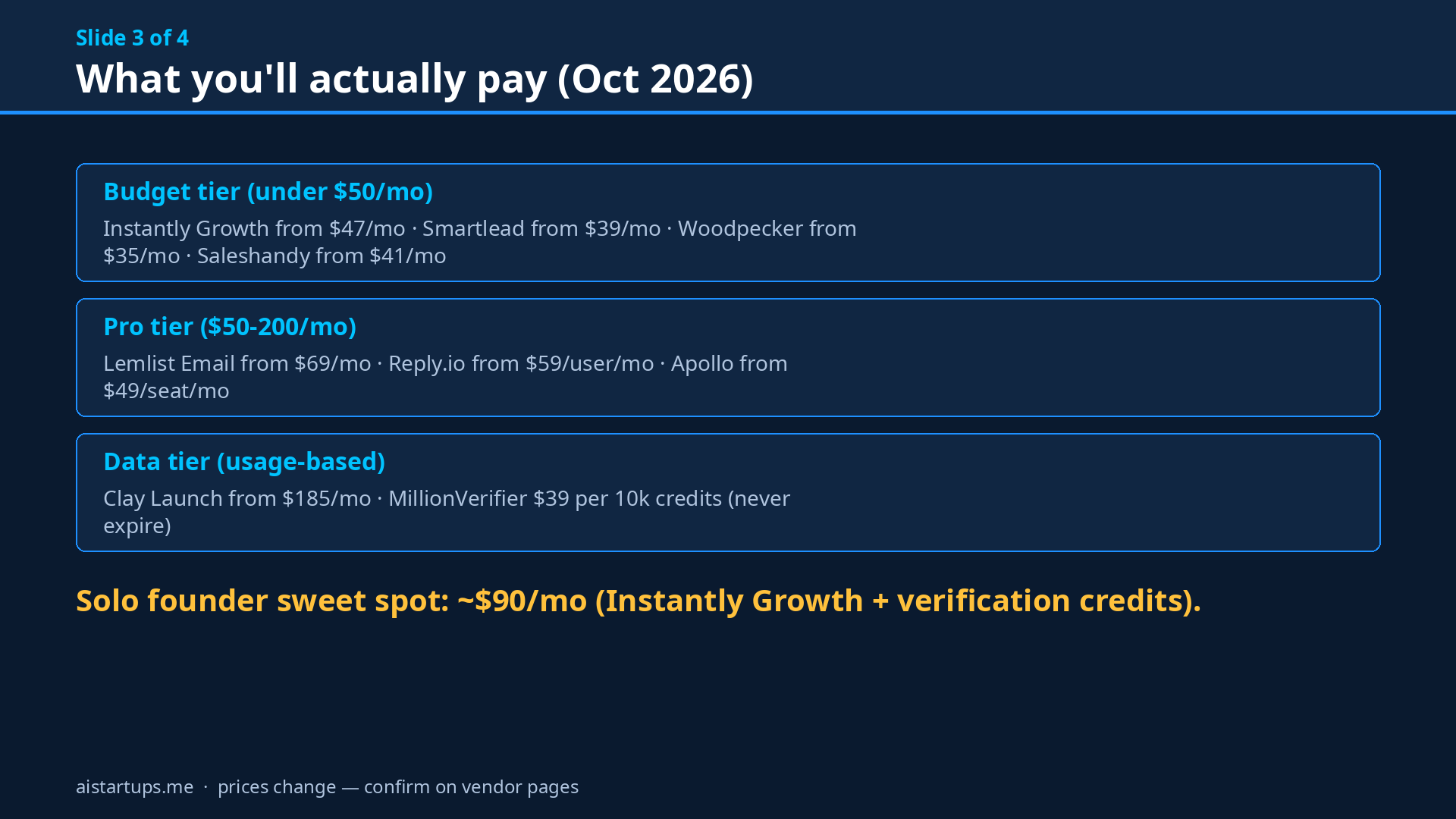
Total: roughly $86–$90/month to run a professional cold email operation. That’s cheaper than most founders spend on coffee (well — mostly). As volume grows, graduate to Smartlead for infrastructure and Clay for enrichment. If you’re building an agency rather than selling your own product, start with Smartlead from day one — the white-label and multi-client controls pay for themselves.
And one thing that isn’t a tool but matters: if your outbound strategy involves a landing page or a website that converts this traffic, make sure the site is solid. A great cold email pointing at a broken site is just expensive spam. When the dev work is outside your skillset, that’s exactly what a web development studio is for — I’ve seen founders double their reply-to-meeting conversion just by fixing the page their emails point to.
FAQ
Is cold email still legal and effective in 2026?
Yes — in the US, CAN-SPAM permits cold email with an unsubscribe option and accurate sender info; in the EU, GDPR requires more care (legitimate interest or consent). Effectiveness is alive: warmed, targeted campaigns still outperform most channels on cost-per-meeting for B2B startups. The difference is that spammy volume is dead; targeted, personalized, properly authenticated outreach is thriving.
How many cold emails should I send per day?
Keep each inbox under 30–50 emails per day, and start new domains at 5–10/day ramping over 4–6 weeks. Scale by adding inboxes (multi-inbox rotation), not by cranking one inbox to 200/day. 72% of outbound teams rotate inboxes as of 2025 — it’s the industry standard.
Do I need a separate domain for cold email?
Yes. This is the single most important infrastructure decision. Never send cold email from your main company domain — buy a similar variant, set up SPF/DKIM/DMARC, and warm it for 2–3 weeks. If anything goes wrong with deliverability, only the variant is affected.
What’s the cheapest way to start cold email as a solo founder?
Roughly $90/month: a sending domain (~$12/year), Apollo’s free plan for lists, MillionVerifier ($39 per 10k credits, never expires) for verification, and Instantly Growth ($47/mo) or Woodpecker ($35/mo) for sending. That covers a professional setup that lands in inboxes.
How do I know if my emails are landing in spam?
Watch your metrics: opens under 30% on a warmed domain signal a placement problem. Use seed-list testing (send to your own inboxes across Gmail, Outlook, Yahoo and check where it lands), monitor Google Postmaster Tools for your domain reputation, and keep bounce rates under 2% and complaints under 0.3%. Getting these fundamentals right is part of any lean marketing playbook — cold email compounds when the infrastructure is clean.
The Bottom Line
Cold email in 2026 is an infrastructure game with an AI assist. The tools on this list — Instantly for speed, Smartlead for scale, lemlist for personalization, Clay for data, MillionVerifier for hygiene — each solve a real layer of the problem. But no tool saves you from the fundamentals: a separate warmed domain, verified lists, human-looking volume, and copy that respects the reader’s time.
Get the infrastructure right this week. Your first 100 personalized emails will teach you more than another month of tool research. And if you’re still deciding how to price whatever you’re selling once those meetings start booking — start with the pricing fundamentals before you build the funnel around them.
Now stop reading and go buy the domain. Seriously.